
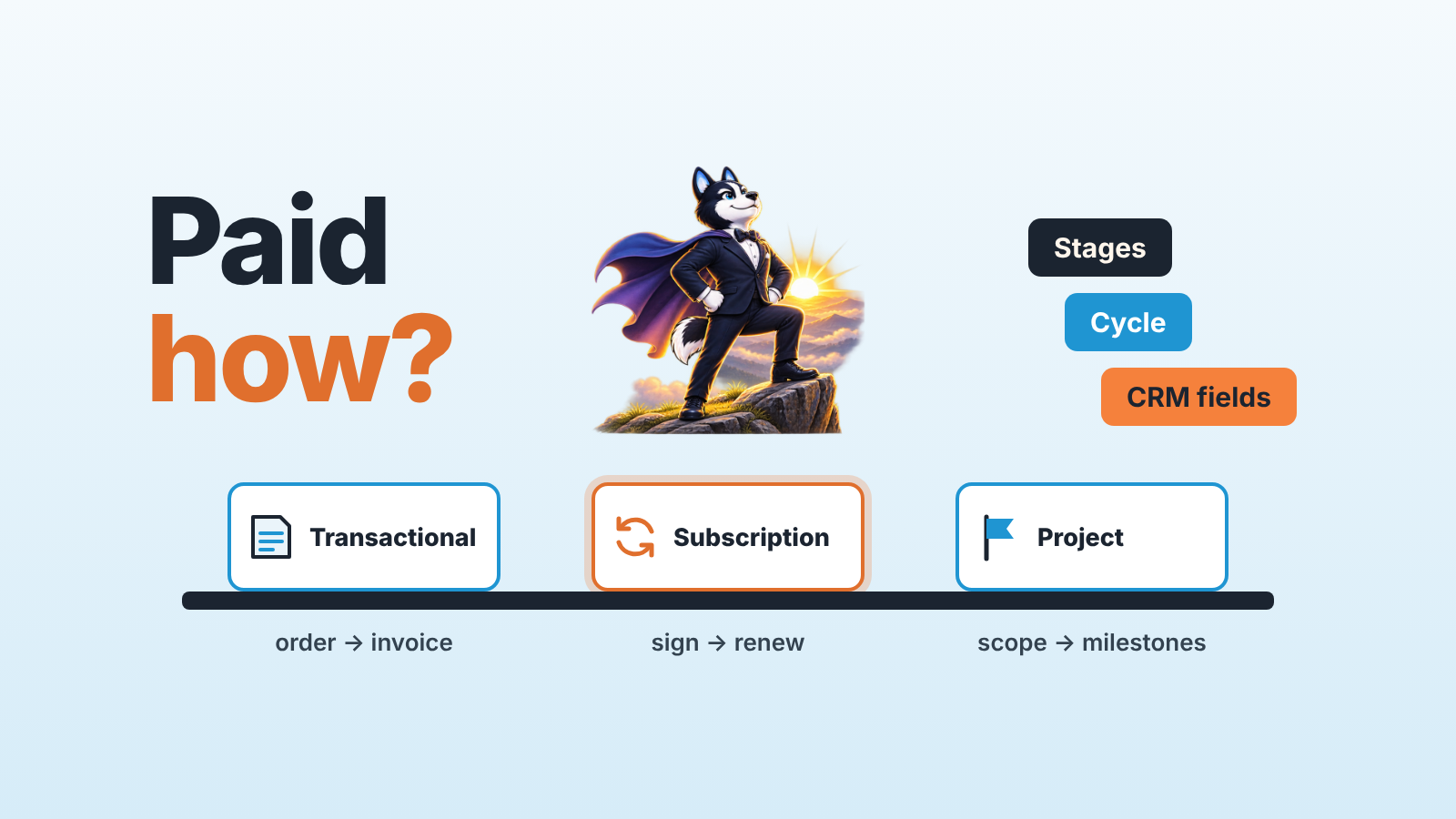
A business model is the way a company creates value for customers, delivers it and gets paid for it. For a sales team, the “gets paid” part decides almost everything in the CRM: how many pipeline stages a deal passes through, how long the sales cycle runs, and what a rep is allowed to mark as won.
Most explanations of the term stop at the definition and a list of types. This guide takes three models a small B2B team is likely to run (transactional, subscription, project) and follows each one into the pipeline, the cycle and the fields.
What a business model is, and the part a sales team owns
Xero’s guide, as read in November 2026, defines a business model as “a plan that explains how your business creates value for customers and earns money in return”, covering what you sell, who you sell it to, how you deliver it and how you get paid (Xero: What is a business model?). The same guide separates it from a business plan, which is the detailed document with goals, marketing and financial projections.
Xero then lists ten common types, among them service-based, retail, ecommerce, manufacturing, subscription and freemium. Ten is a lot. For a sales manager they fold into three ways of getting paid: retail, ecommerce and manufacturing are paid per order (transactional selling), subscription and the paid tier of freemium bill on a schedule until the customer cancels, and agencies or consultancies sell scoped projects. If you’ve ever wondered which one you are, look at the last ten invoices you sent.
That’s what the pipeline has to reflect. Does the customer pay once per order, pay a smaller amount every month until they cancel, or pay a large sum in parts while the work is delivered and your project manager chases sign-offs?
Each answer produces a different pipeline. Plenty of small companies run two of them at once (a software subscription plus a paid setup project is the usual pair), which is where CRM reports start to disagree with the bank account.
Three models, three pipelines
Say three five-rep teams all use the same CRM. The figures below are an illustrative example, chosen to show the proportions. Swap in your own numbers from last quarter before you copy any of it.
| Transactional | Subscription | Project | |
|---|---|---|---|
| What the customer buys | A product, one order at a time | Access, billed monthly or yearly | A scoped piece of work |
| Example deal | $1,800 order | $400 a month, 12-month contract | $60,000, paid in three equal milestones |
| Example cycle | 9 days | 35 days | 4 months |
| Open deals per rep | 40 or more | 15 to 20 | 5 to 8 |
| “Won” means | Order confirmed and invoiced | Contract signed, first payment in | Contract signed, first milestone invoiced |
| What happens after won | The next order, as a new deal | Renewal on a known date | Delivery, then the remaining invoices |
| Report the manager opens first | Conversion and order count per rep | New recurring revenue and renewals due | Weighted forecast and time in stage |
Read the “won” row twice. For the transactional team a won deal closes the story. The subscription team has to win the same customer again in twelve months, and the rep who closed it may not be the one who’s around for the renewal call. When a project deal turns green, two thirds of the money is still ahead.
Stages and cycle by model
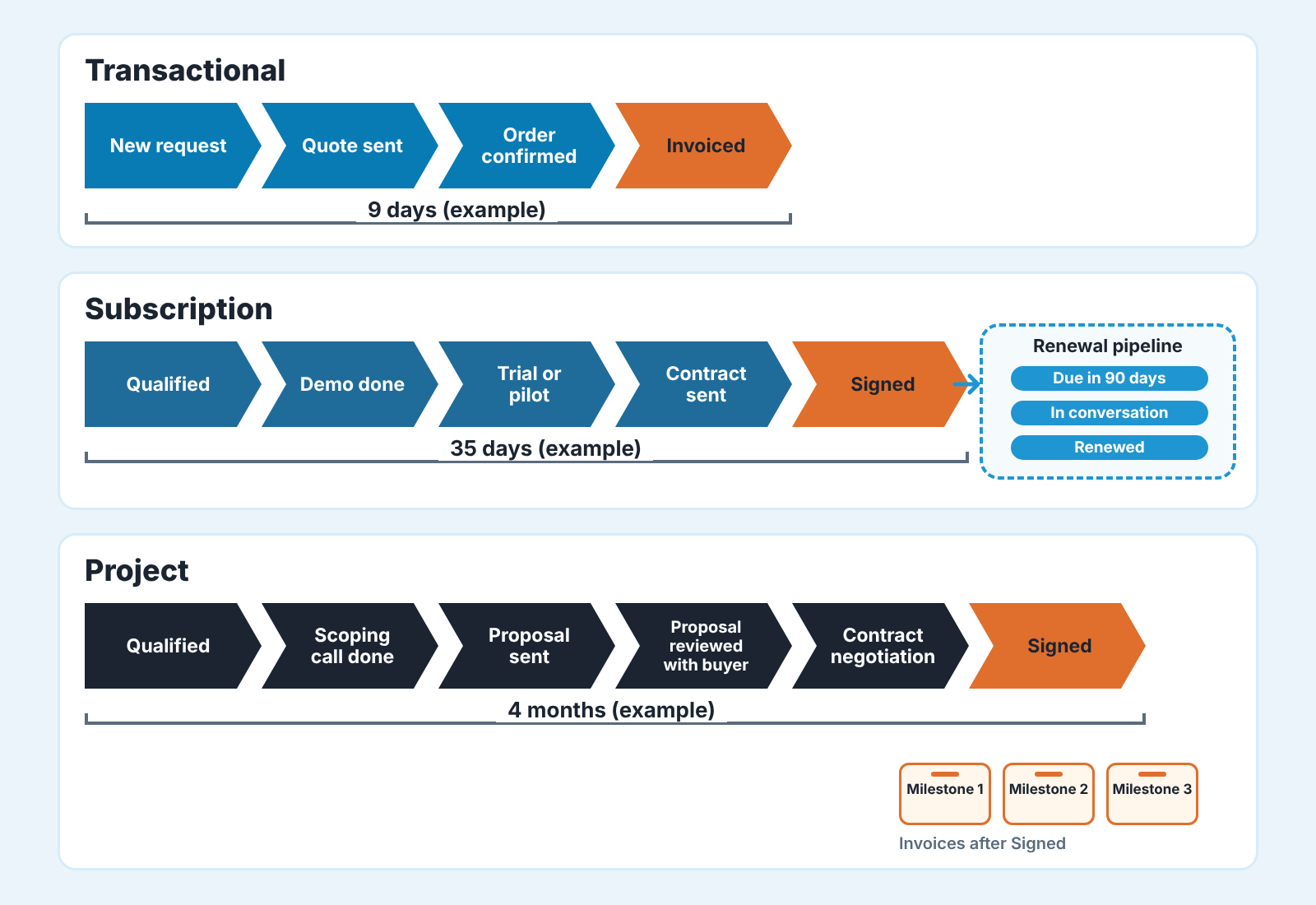
A transactional pipeline should be short. With a nine-day cycle and forty open deals per rep, every extra stage is a click multiplied by hundreds of deals a month, and reps respond the the predictable way: they stop moving cards and drag the deal straight to won when the order lands. Three or four stages are enough (new request, quote sent, order confirmed, invoiced). The manager reads this pipeline by counting, so what you want from it is clean volume and clean conversion between stages. When deals live for a week, stage age hardly matters.
Subscription changes the question from “did we close it?” to “will they still be paying in a year?”. The new-business pipeline grows a stage or two because the buyer usually wants to see the product working before signing, so a demo and a trial or pilot stage earn their place.
The bigger change sits after the signature. Renewals need their own pipeline, with deals created well ahead of the renewal date, because the customer makes the decision again and someone has to own it. Leave renewals as a calendar reminder and cancellations tend to surface first in the finance report. Our guide to a customer renewal process in Pipedrive walks through that second pipeline. If your subscription product includes a free trial, the piece on SaaS sales models and where the trial becomes a deal covers that junction.
Project sales run long, and the stages have to mark buyer commitments, since over four months a rep can stay busy on a deal that has stopped moving. Emails go out, calls get logged, and nothing changes on the buyer’s side. “Proposal sent” records what the rep did. “Proposal reviewed with buyer” records what the customer did, and only the second tells you anything about the forecast. Six or seven stages are reasonable here: qualified, scoping call done, proposal sent, proposal reviewed with buyer, contract negotiation, signed. With five to eight deals per rep, the manager reads each one individually and watches how long it has sat in it’s current stage.
How many days is too many? Take your example cycle, divide by the number of stages, and treat anything at twice that figure as a deal to ask about. In the illustration, four months over six stages gives roughly 20 days per stage, so 40 days is the flag. The guide to how long a deal should sit in each stage goes deeper on that rule.
CRM fields that must match the model
Open any deal and look at the value field. What does the number in it mean: a month, a year, the whole contract? Stages are the visible part of a pipeline, and the fields decide whether the totals on the dashboard mean anything.
Here’s a worked example for the subscription team. Ten open deals, each for the same $400-a-month, 12-month contract. Nobody agreed what goes into “value”, so six reps’ deals carry the monthly figure and four carry the annual one.
- Six deals at $400 make $2,400.
- Four deals at $4,800 (that’s $400 times 12) make $19,200.
- The pipeline report shows $21,600.
- Entered consistently as annual value, the same ten deals total $48,000. Entered consistently as monthly, $4,000.
The report is wrong by more than half in one direction or five times in the other, and nothing in the CRM looks broken. (The choice between annual and total contract value is its own question; see ACV vs deal value in Pipedrive.)
Fields worth making required, by model:
- For a transactional team, four are enough: expected close date, product or product line, lead source, and a lost reason picked from a short list. With forty deals per rep, a fifth required field gets filled with whatever is first in the dropdown.
- Subscription needs one value convention, written into the field label itself (“Annual contract value, USD”). Add contract start date and renewal date as two separate date fields, the billing period, and a deal type that separates new business from renewal and expansion.
- Who signs? In project sales that name is a required field, next to a scope summary of a sentence or two, the buyer’s decision date (theirs, which is often later than the rep’s close date) and the payment schedule with the number of milestones and the share that falls on each.
Notice what’s absent from the project list. Probability per deal. A weighted forecast is the sum of every open deal’s value multiplied by its win probability (a $60,000 deal at 50% counts as $30,000), and when reps type that probability deal by deal, it tends to record how they feel about the buyer. A stage-based probability, one fixed percentage per stage set once by the manager, gives a steadier weighted forecast.
If you’d like an outside read on how your current setup holds up, SalesBond’s free CRM audit looks at the last 30 days of your connected CRM and sends a PDF report that includes a review of pipelines and stage naming, deal health and the pipeline bottleneck, with a second report seven days later showing what changed. You can check your CRM with SalesBond. For teams with renewals or reorders, Repeat Sales works from each customer’s buying cycle and shows who is overdue for the next purchase.
Why we wouldn’t copy a market leader’s pipeline
The common advice for a team setting up a CRM is to start from a proven template, such as the vendor’s default pipeline or a seven-stage enterprise sales process. We don’t recommend it, because a template encodes somebody else’s business model. An enterprise software pipeline assumes long cycles, several decision-makers and a contract at the end. Put a team with a nine-day order cycle on it and most of the seven stages will be skipped on every deal, which teaches reps that stages are optional. Go the other way, a project firm on a three-stage default, and a $60,000 deal sits in “proposal” for ten weeks with no way to tell whether it’s alive.
Start from the payment instead. Write down what the customer has to do between first contact and money arriving (ask for a quote, sit through a demo, sign, pay the first invoice), name each of those steps as a stage, and stop there. You’ll usually end up with fewer stages than the template had. If you sell under two models build two pipelines. A mixed pipeline gives you an average cycle length that describes neither kind of deal.
Does your pipeline fit the way you get paid?
It fits when every stage moves the deal toward the moment money is committed, and when the reports read the same way the bank account does. Three checks will tell you. You’ll need an afternoon, last quarter’s won deals exported to a spreadsheet, and the pipeline open in another tab.
First, write down what “won” means in one sentence and compare it with the moment your model actually commits the money: an invoiced order, a first subscription payment, a first milestone invoice. If reps would each give a different answer, the conversion report is averaging several definitions. Second, open the value field and check that its label names a period and a currency. Third, look for deals with a different payment shape (renewals, setup projects, repeat orders) mixed into the main pipeline. They need a pipeline of their own or at least a deal type you can filter on.
Fix the value field first. It’s a label change and one team message, and every report depends on it. Then look at the stages your reps skip, and ask them why before you delete anything. What do they know about your sales process that the pipeline doesn’t show?


