
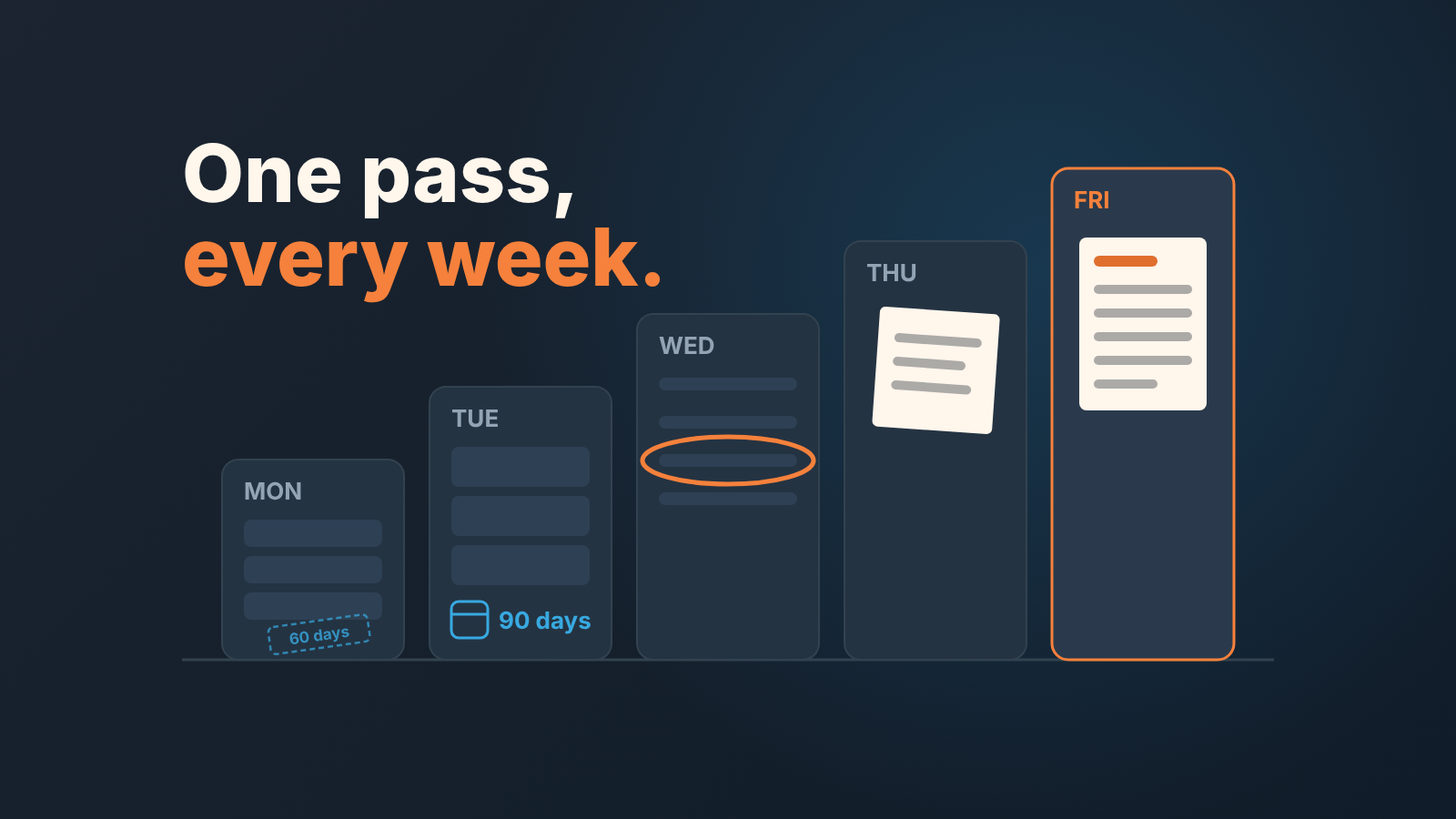
An account manager owns the relationship with existing customers: renewals, expansion, open issues and regular contact. Account management in a CRM turns that into one weekly pass over three lists. In Zoho CRM those are accounts nobody has touched in 30 or 60 days, open deals on existing customers closing in the next 90 days, and overdue tasks on those accounts. Build them once, walk them every week. The job description says “maintain relationships”. The CRM says which relationships, by name, this week.
What an account manager does (and what account management in a CRM adds)
An account manager is the person responsible for a company’s existing customers after the first sale: keeping the renewal, growing the account where there is a real need, getting problems fixed before the renewal conversation, and staying in touch. That’s the short answer to “what does an account manager do”. The job starts at the handoff from the account executive.
Account management in a CRM adds what a job description can’t: one record per customer. In Zoho CRM that record is the account. It represents a company or a department your organization does business with; contacts and deals hang off it, and support cases too if you use Case Management (Zoho CRM: Managing Accounts). The Account Owner field says which user it is assigned to (Zoho CRM: Standard Fields in Accounts).
We check ownership before any routine: if the account has no real owner, the customer belongs to no one. A clean handoff is in the closed-won handoff for Pipedrive teams; the fields differ, the principle does not.
Monday: accounts nobody has touched in 30 or 60 days
Start with the accounts you’ve gone quiet on. No custom date field needed. Zoho’s advanced filters include time-tracking options: “Untouched Records” returns records that haven’t been updated at all in the period you choose, and “Touched Records” returns the ones that have, including changes to related child records (Zoho CRM: Working with advanced filters).
Open the Accounts module and switch to the My Accounts view. In the filter panel choose Untouched Records, By User and System, in the last 30 days. Apply it, then click Save Filter (the button only appears after a filter is applied). Save a second one for 60 days. Zoho shows the record count beside each saved filter’s name, so Friday’s number is already there.
One caveat. Untouched means not updated, not “not contacted”. A mass import makes every account look touched; a call on your mobile touches nothing. Treat the list as a prompt and open teh record before you decide.
For the 30-day list, pick the accounts where the silence is yours and create the tasks in bulk: select the records in the list view, click the ellipsis (…) button and choose Create Tasks (Zoho CRM: Working with Tasks). The 60-day accounts need a reason to talk, so look at open cases and the renewal date first.
Open deals on existing customers: renewals and expansion
A renewal is a deal, and it belongs in the Deals module, not in your calendar. Two standard fields make this work: Account Name is mandatory, so every deal belongs to an account, and Type offers New Business or Existing Business (Zoho CRM: Standard Fields in Deals). Fill Type consistently and renewals become a view, not a guess from deal names.
Make it a custom list view rather than a saved filter: a view has a Share this with setting, a saved filter is personal. Anyone with the Manage Custom Views permission can click New Custom View in the Deals module (Zoho CRM: Managing List Views). Under Specify Criteria, set Deal Owner to you, Type to Existing Business, Stage to leave out your closed stages, and Closing Date with the Due in Days option. Zoho’s own example uses it for deals due to close in 6 days, and the page doesn’t spell out whether the number is a window or one exact day. So set 90 and check the result against a renewal you know is two months out; if it returns one day only, use Closing Date “between” two dates instead. Share the view with your sales manager.
The Next Step field is where to be strict. It’s a 100-character text box on the deal (same fields page), and a renewal with an empty Next Step is a renewal nobody is working. On Tuesday, go down the view and make sure every deal has a Next Step and a task behind it. For deals that slipped past their Closing Date, the stage logic in the customer renewal process for Pipedrive translates directly.
Expansion is the same view with a different lens: an existing-business deal that isn’t a renewal. If there are none, that tells your manager something about the accounts, not about Zoho.
Tasks and reminders that live on the account, not in your head
A task in Zoho CRM needs a Subject (the only mandatory field) and carries a Task Owner, a Due Date and the contact or account it relates to (same tasks page). The account link is what makes the Monday list honest. A task with no account is a to-do; a task on the account is visible to anyone who opens the record.
Turn on the Reminder toggle every time. You can be reminded on the due date or a number of days, weeks or months before it, by email, pop-up or both, so set renewal reminders weeks ahead. For a task assigned to someone else, tick Notify Owner so they get an email. A quarterly review call is one recurring task with a custom repeat: monthly, every 3 months.
One detail people get wrong: a task closes only when its Status is set to Completed, a system-defined value, and a custom field with the same label won’t close it. If your team added a “Done” checkbox somewhere your overdue list is lying.
Wednesday’s job is the task list itself. Open the Tasks module, look at everything overdue on your accounts, and either do it, move the date with a reason, or delete it. Stale tasks hide the one that matters.
Notes for whoever covers when you are out
Imagine you’re on leave and the renewal at your largest account lands in the middle. Whoever covers opens the account record. What do they find?
Zoho calls notes the electronic equivalent of paper sticky notes (Zoho CRM: Managing Notes and Attachments). A note isn’t a call log or a task. It’s the context a colleague needs that fits nowhere else: who actually signs, what was promised in the last review, which topic to avoid with the the CFO.
We keep one note per key account, rewritten rather than appended, with four lines: decision maker and their stance, contract end date and renewal plan, open issues with the owner on our side, and the last promise we made. A fifty-line history nobody reads only looks like coverage.
Who can see notes depends on profile permissions, and only administrators can change those (same page). Check that whoever covers can actually read them.
What to report to the sales manager
Your manager doesn’t need the lists. They need five numbers and one risk every Friday, from the views you already built. How many of your accounts show as untouched for 60 days, and what you did about the worst three. How many existing-business deals close in the next 90 days, their total Amount, and how many have no Next Step. How many of your tasks are overdue. And the account most likely to leave, with the reason.
That’s the AM side of sales manager responsibilities: weekly CRM checks. When both sides use the same views, Friday is about accounts, not CRM hygiene.
A disclosure: we build SalesBond, a sales management layer on top of the CRM a team already uses; we started with Pipedrive, and it works with Zoho CRM. Its Customer Health shows which repeat customers are late against their own buying cycle. If you want that on top of the free views, check your CRM with SalesBond.
What an account manager should not do in the CRM
Don’t change account ownership casually. When you change an account’s owner in Zoho CRM, you choose whether its open activities, open deals and contacts move to the new owner or stay with the old one (Zoho CRM: Common Operations with records). Keep the old owner by accident and the new one inherits a company with none of its deals. For a territory change, run Mass Transfer from the Accounts Tools menu once, with your manager, and check the deals afterwards. Our Salesforce queues and unowned records audit asks the question that fits here too: who owns this, and do they know?
Don’t log a renewal as New Business to make the pipeline look fuller. Type is there for a reason: its the field that separates new and existing business, and mixing them breaks your Tuesday view.
And don’t build a view for every question. Three views you open every week beat fifteen you built once.
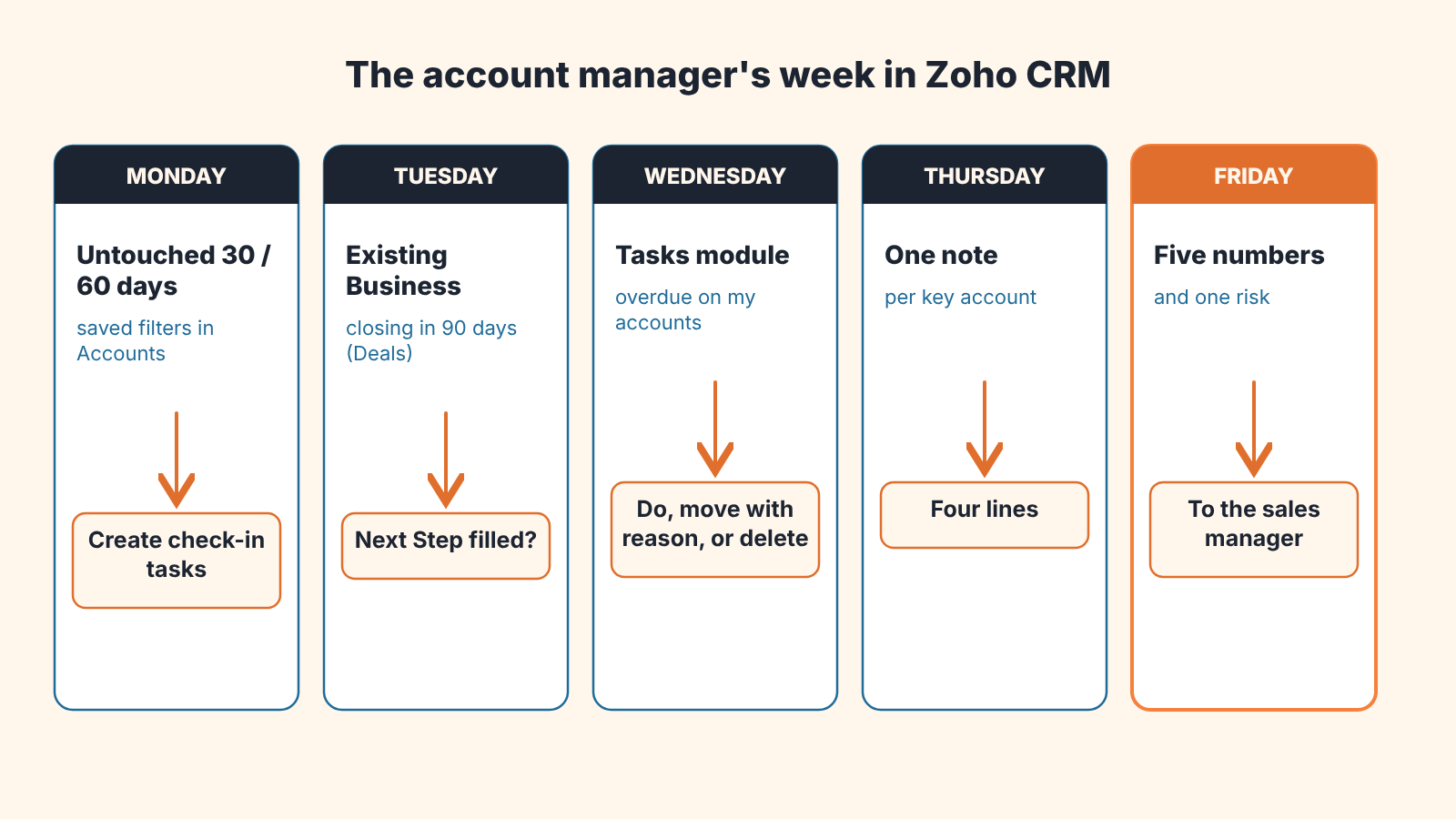
The week, in one list:
- Monday: open the Untouched Records filters (30 and 60 days) on My Accounts. Create check-in tasks for the accounts where the silence is yours.
- Tuesday: open the Existing Business view with Closing Date due in 90 days. Every deal gets a Next Step and a task with a reminder.
- Wednesday: Tasks module, overdue tasks on your accounts. Do, reschedule with a reason, or delete.
- Thursday: rewrite the note on each key account you touched this week. Four lines.
- Friday: five numbers and one risk to the sales manager, from the same views.


