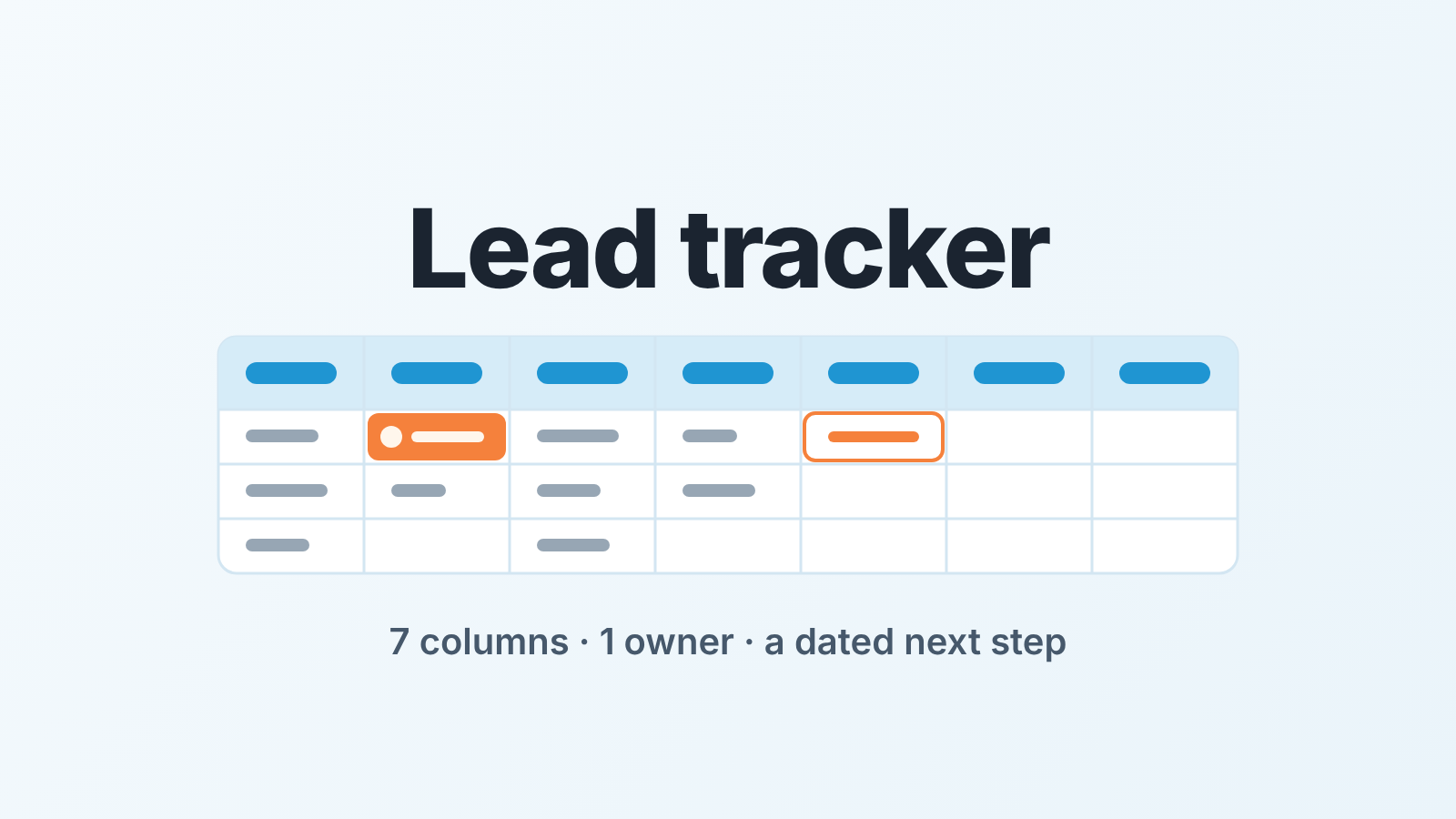
A lead tracker only works with seven columns: source, owner, status, last touch, next step, next step date, outcome. It holds together on one rule: no lead sits in it without a named owner and a dated next step. Keep it in a sheet while one person updates it, and move it into your CRM’s lead statuses once two people edit it.
Sales leads, not marketing attribution
Most pages that rank for “lead tracker” treat it as a marketing question: which campaign produced the lead, which page it landed on, what it cost. That is attribution. It does not tell a rep what to do on Tuesday morning.
A sales lead tracker answers something narrower. Of the people who raised a hand, who is working each one, what has happened so far, and what happens next? It covers the gap between “someone asked” and “there is a deal in the pipeline”, and that gap is where leads go quiet, because nobody owns the silence. Deals, reps and weekly numbers belong in the sales tracker, which is a different table with different columns.
Seven columns, no more: a lead tracker template
The trackers we inherit from clients usually run to fifteen columns or more, and the columns that matter are the empty ones. A rep fills in what is easy to fill in.
We settled on seven because each one changes a decision on Monday. They work in Google Sheets or Excel as they are, with no formulas to set up.
| Column | What goes in it | Why it is there |
|---|---|---|
| Source | Where the lead came from: inbound form, referral, event, outbound list | Tells you which sources produce leads that convert, once you have the outcome column |
| Owner | One person’s name | The lead has someone to ask about it |
| Status | New, Contacted, Qualified, Converted, Dropped | Where the lead is in the pre-deal work |
| Last touch | Date of the last real contact: call, reply, meeting | Makes silence visible |
| Next step | A verb and an object: “send pricing”, “call back after board meeting” | A lead with no next step is nobody’s job |
| Next step date | A date | Turns the next step into a commitment |
| Outcome | Converted to deal, or the reason it was dropped | Closes the row and feeds the source column |
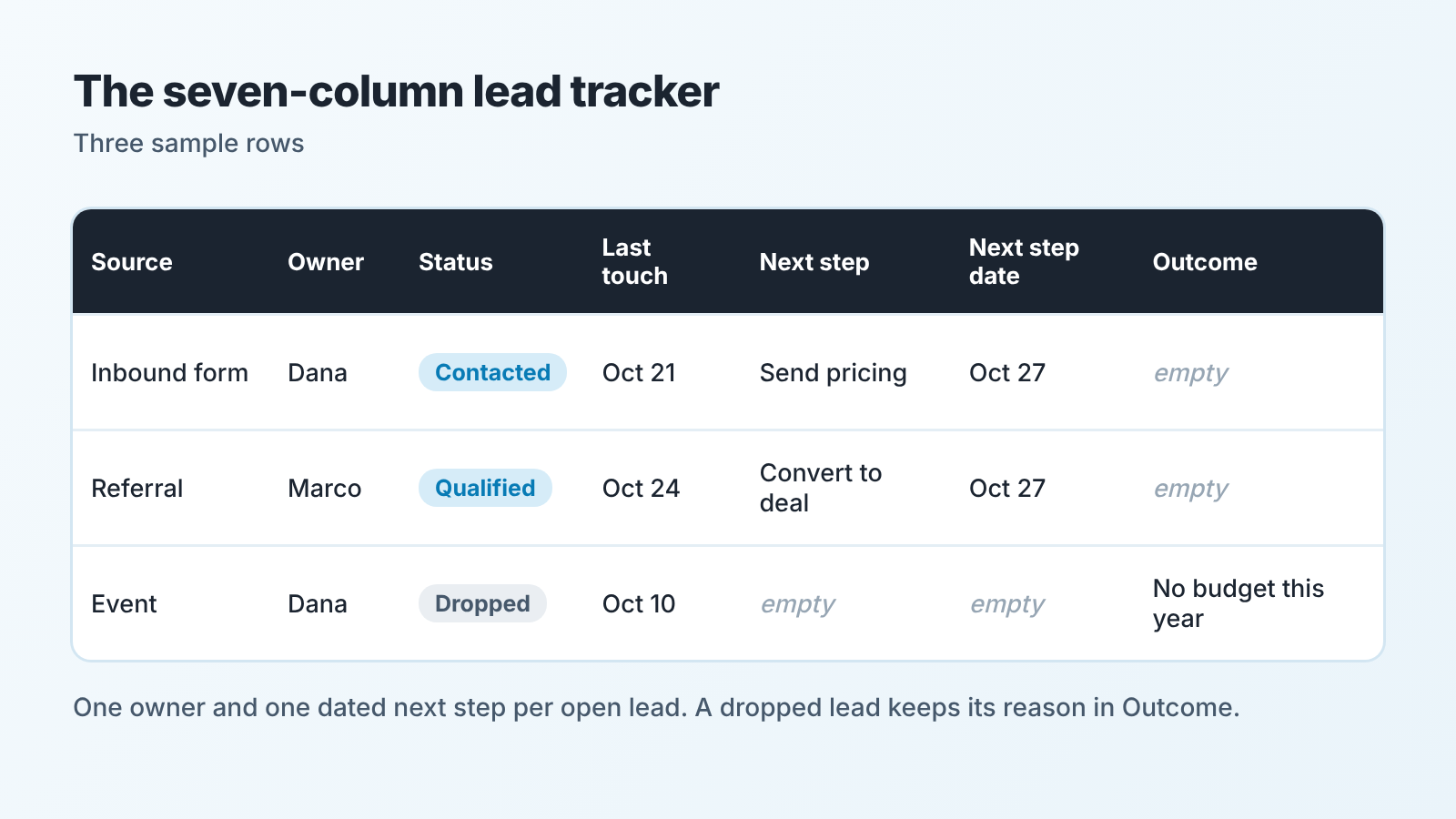
Five statuses are enough. Converted means a deal now exists in the CRM, and Dropped always comes with a reason in Outcome. If you catch yourself wanting “Contacted, no reply” next to “Contacted, replied”, you want a note, not a status: Last touch already shows how long the silence has lasted.
Notice what is missing. No lead score, no company size, no phone number. Contact details live in the the CRM record or the inbox; the tracker manages the work, it does not store the person.
One owner, one dated next step
The rule fits into a stand-up: every lead has one owner and one dated next step, or it does not exist.
One owner, not “sales team”. Shared ownership feels generous and works out as nobody’s. When a row says “Dana / Marco”, each of them assumes thier colleague called. So the owner cell takes one name, the person who creates the row owns it, and a handover is a cell edit rather than a message in chat.
One next step, with a date. “Follow up” is not a next step; “call Priya Thursday about the trial extension” is. We insist on the verb because this is the only column a manager can act on. An empty cell means the lead is drifting. A vague one means the rep has not decided yet. It is the same pair we ask for on deals in a lead follow-up system built on owner and next task, and it carries over to the pre-deal list unchanged.
The weekly check: who has gone quiet for seven days
Once a week, the manager (or the one rep who owns the sheet) sorts by Last touch, oldest first, and draws a line at seven days. Every row above the line gets one question: what is the next step, and is it dated? On a clean sheet with a few dozen open leads, that takes us about a quarter of an hour.
Seven days is our default for inbound leads, not a rule from anywhere. Outbound lists tolerate a longer gap, so split the sheet by source and keep the outbound rows from drowning the inbound ones.
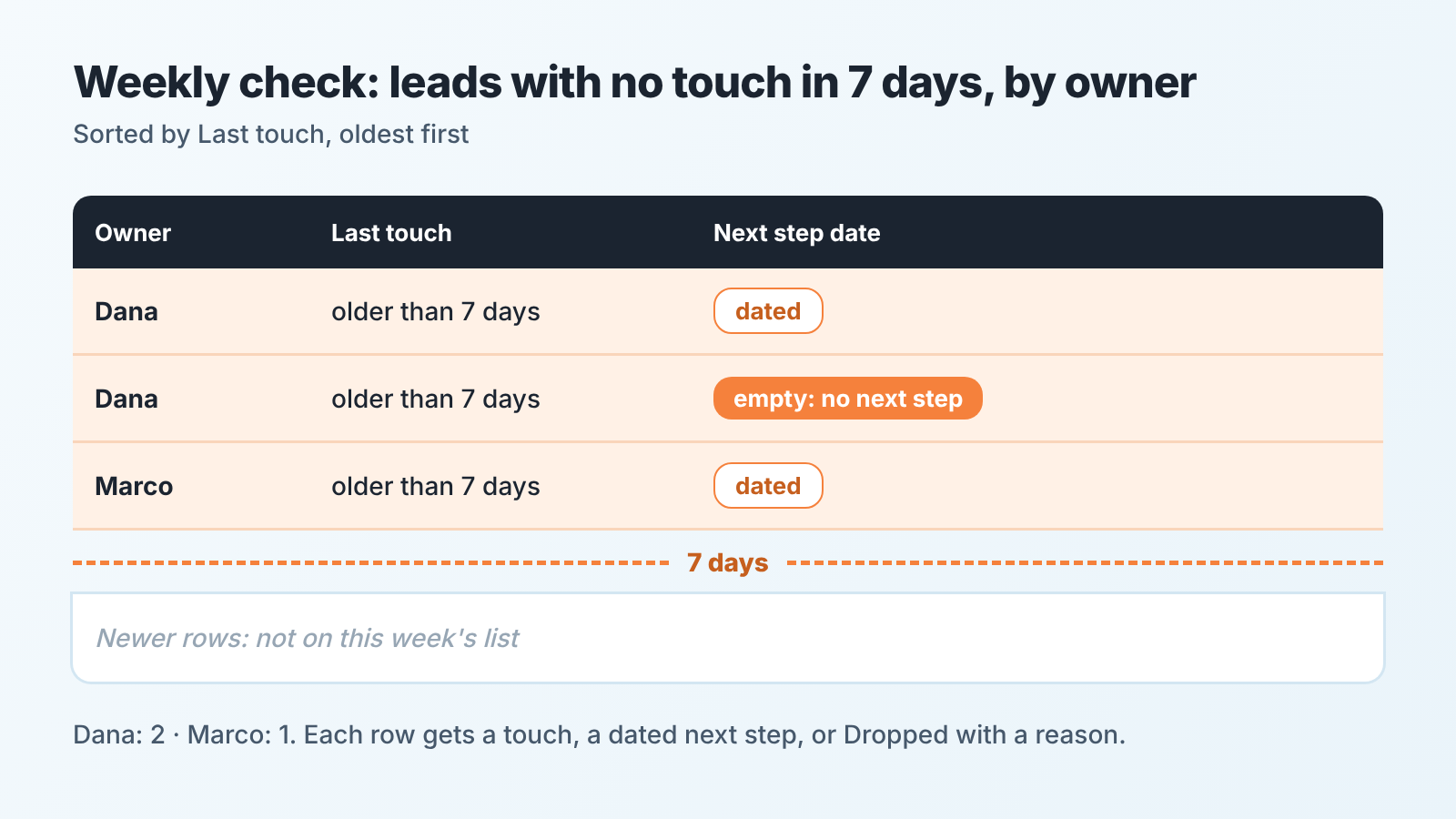
Finding the rows is the easy half. For each one, three outcomes are allowed: the rep makes the touch today and updates Last touch, sets a dated next step, or moves the row to Dropped with a reason. “Leave it, I’ll get to it” is not on the list. And a move to Dropped is not a failure. It is the sheet telling the truth.
Once a month, read the Outcome column by source. A source whose rows all end in “no budget” is a conversation for marketing, not for sales.
Where the sheet starts to fool you
A tracker that always looks fine is usually one nobody reads. We check three things, in this order:
- Converted rows with no deal behind them. Pick five rows marked Converted and find the deal for each in the CRM; if one is missing, Converted is being used as an exit from the weekly check.
- A full Next step column next to an old Last touch. Read the two together: a next step dated this week on a lead last touched three weeks ago was rescheduled, not done.
- The same lead on two rows, with two owners and one prospect who has now been called twice. A sheet has no idea what a duplicate is.
The first two are fixed by the weekly question. Duplicates are not, and they are what ends the sheet.
Time to move it into CRM lead statuses
Move when two people edit the same sheet, when leads start arriving on their own (a web form, an inbox integration), or when you have retyped a lead into the CRM twice in one week. Any one of these is enough. Before that the sheet is fine, and a CRM would only add fields you do not need yet.
The move is smaller than it looks, because each CRM already has the seven columns under its own names.
Pipedrive keeps unqualified leads in a Leads Inbox, apart from the pipeline, and each lead carries an owner, labels and scheduled activities (Pipedrive: Leads Inbox). Its help says “a lead should be converted to a deal when you are confident that lead could result in a sale or other business success” (Pipedrive: When should a lead become a deal?), which is roughly your Qualified status.
HubSpot has two homes for this. The Lead status property sits on contacts and companies and, in HubSpot’s words, describes the sub-stages within the Sales Qualified Lead lifecycle stage (HubSpot: Use lifecycle stages); we covered how the two split the work in HubSpot lead status vs lifecycle stage. There is also a separate Leads object with its own lead pipeline and stages (HubSpot: Create leads). Pick one of them for the tracker, not both.
Zoho CRM turns a converted lead into a contact and an account, and into a deal only if you tick that option; on mass conversion the new records go to the users who owned the leads (Zoho CRM: Converting Leads).
Salesforce builds a business account, a contact and an opportunity from the lead, and the convert step asks you to confirm the Record Owner (Trailhead: Create and Convert Leads). Who owns the lead before that is the job of assignment rules, which we audited in Salesforce lead assignment rules.
Carry two habits across on purpose. Keep the status list short: the CRM will offer more than five values, and the extras rebuild the fifteen-column sheet. And save the weekly check as a view, leads with no activity in seven days, grouped by owner. If your deals have already left a spreadsheet, CRM sales tracking from a spreadsheet describes the path, and the lead list usually follows a few weeks later.
We build SalesBond, a sales management layer on top of the CRM a team already uses; we started with Pipedrive. At the sheet stage you do not need it. You need someone who sorts by Last touch every Monday.