
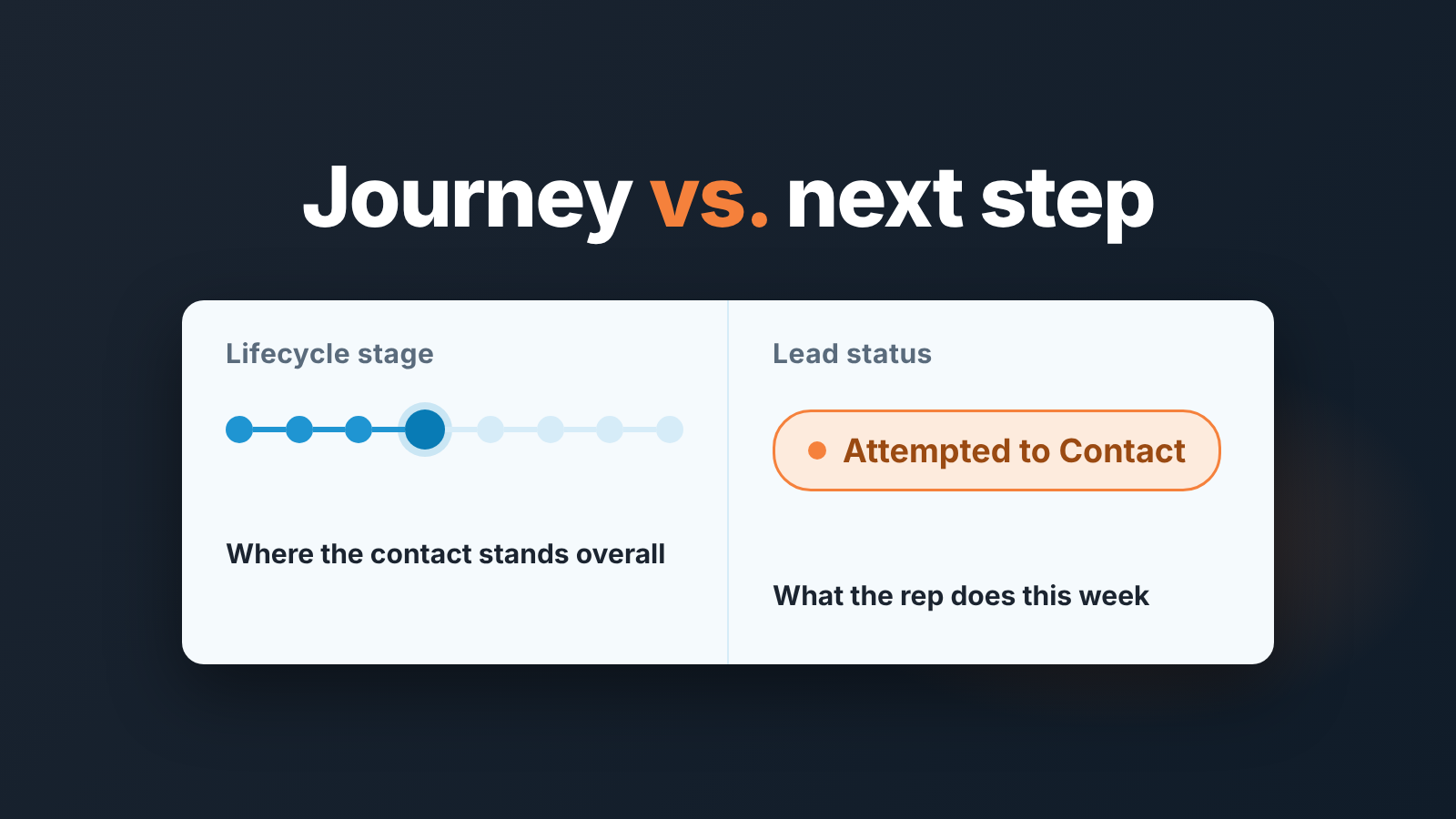
In HubSpot, Lead Status is the day-to-day working state of a lead inside the Sales Qualified Lead stage, while Lifecycle Stage says where the contact is in the whole journey. Keep a handful of status values, five to seven, and give each one a maximum number of days and a named next step. A status without a time limit is not hygiene. It is a label that looks tidy while a lead quietly dies under it. Below: the status list we hand to HubSpot teams, the exit rule for each value, and the saved view we run every Monday to catch the ones that sat too long.
The Reddit question behind this: status or stage?
Someone on r/hubspot asked it almost word for word: how is lead status different from lifecycle stage (r/hubspot thread). Fair question. On a contact record the two properties sit a few pixels apart and both read like “where is this person”. The answers in the thread, and on the two RevOps blogs that rank above it, say roughly the same thing: lifecycle stage is the journey, lead status is what the rep is doing right now (RevOps Co-op, Revenue Operations Alliance).
That is correct and it is also where most explanations stop. The person asking usually is not confused about definitions. They have a portal where three reps use Lead Status three different ways, where a contact can be “Connected” since March, and where nobody can say what “In Progress” means without asking the rep who set it. The definition does not fix that. A short list of values with a time limit on each one does.
What each field answers
Lifecycle Stage answers “how far along is this contact with us”. HubSpot ships it with eight default stages in a fixed order, from Subscriber through Lead, Marketing Qualified Lead, Sales Qualified Lead, Opportunity and Customer to Evangelist and Other, and its automatic updates only ever move the value forward (HubSpot: use lifecycle stages). It belongs to the whole company, marketing included. We covered how it should agree with deal stage in lifecycle stage vs deal stage, and we deliberately left lead status out of that one.
Lead Status answers a smaller question: what is the rep doing with this lead this week? HubSpot’s own documentation places it inside a single lifecycle stage. Lead Status describes the sub-stages within Sales Qualified Lead (HubSpot: use lifecycle stages). The default options are New, Open, In Progress, Open Deal, Unqualified, Attempted to Contact, Connected and Bad Timing. Eight values, and notice that they are not in any order. That is the first hint that this property is a to-do label, not a funnel.
So the boundary is simple to state. Lifecycle stage moves when the relationship changes, and the moment a deal exists, deal stage becomes the truth about the sale. Lead status only matters in the window between “sales accepted this lead” and “there is a deal”. That window is where leads go missing, which is why the the property deserves more care than it usually gets. Salesforce draws a similar line with its own picklist; see Salesforce lead status values, converted included.
Values worth keeping and an exit rule for each
Our position: seven values, not eight, and every one of them carries a maximum number of days and a defined next step. The days below are our proposal for a small team, not a HubSpot setting or an industry number, so adjust them to your sales cycle. What should not change is the shape of the rule: a status is a promise about what happens next, and a promise has a date.
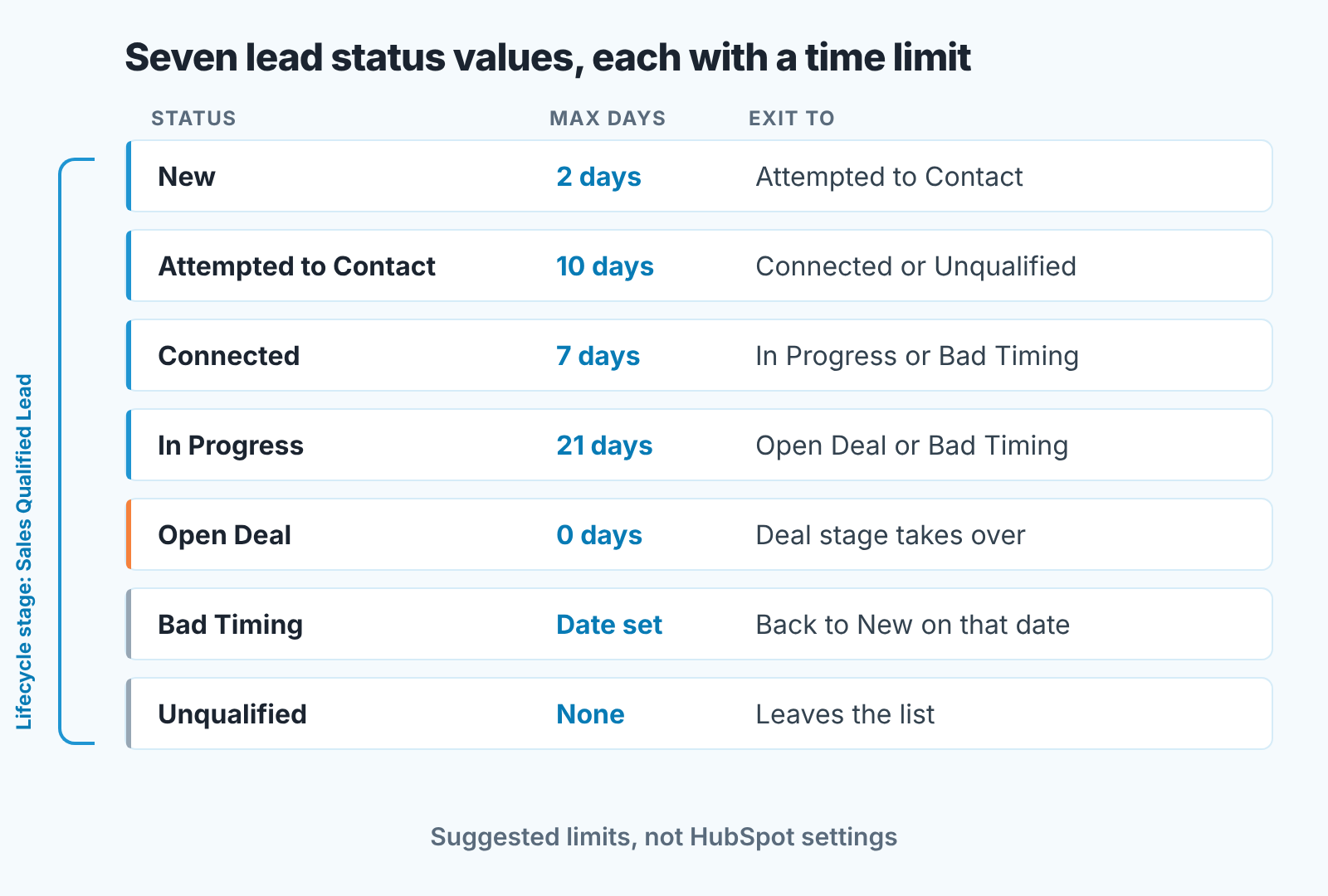
- New. The lead landed with sales and nobody has touched it. Maximum two working days. Exit: the first call or email is logged and the status moves to Attempted to Contact. A lead still at New on day three is a handoff failure, and the fix belongs in your handoff agreement, not in HubSpot.
- Attempted to Contact. Outreach has started and nobody has answered. Ten days, counted from the first attempt rather than the latest one; otherwise a rep resets the clock by sending one more email. Exit: Connected if anyone replied, Unqualified if the sequence ran out. This is the value where leads rot, so it gets the strictest check in the Monday view below.
- Connected. A real conversation happened and the lead has not said no. Seven days to qualify or park. Exit: In Progress once a next meeting is booked, Bad Timing if the person said “not now”.
- In Progress. Qualified, meetings happening, no deal record yet. Twenty-one days. A lead still “in progress” after three weeks usually has a deal hiding in it, and the honest move is to create the deal and let deal stage take over.
- Open Deal. A deal exists. Zero days, in the sense that this status is a pointer, not a place to work from. Everything about the sale now lives on the deal; the value stays only so lead-status views can exclude these contacts cleanly.
- Bad Timing. The lead gave a date, or a condition. Maximum: whatever date they gave you, written into a follow-up task. On that date the status goes back to New and the lead re-enters the queue. Without the task, Bad Timing is just Unqualified with better manners. We wrote up the whole loop for a Pipedrive team in lead recycling, the HubSpot version is the same loop with a task instead of a stage.
- Unqualified. No fit, wrong buyer, or a clear no. No time limit, because the lead leaves the working list. One rule: the reason goes in a note, so marketing can decide whether the contact goes back into nurture.
The value we drop is Open. In practice it tends to mean something different per rep: “assigned to me”, “contacted once”, “I’ll get to it”. It overlaps New on one side and Attempted to Contact on the other, and a status that two people read differently is worse than no status. If your team already uses Open consistently, keep it and drop In Progress instead. Seven is the number, not the exact set. Status only helps if every new lead has an owner, so decide who gets the next lead before you tidy the statuses.
The lead that has been ‘attempted’ for six weeks
A composite example, not one real portal. Priya runs a four-person inside sales team. On a Monday she filters contacts by Lead status is Attempted to Contact and gets 112 rows. She sorts by Last contacted, oldest first. The top row is a logistics buyer that Tomas emailed twice in early March. Nothing since. The contact is still Sales Qualified Lead, still Attempted to Contact, still assigned to Tomas, and still counted in the “working leads” number Priya reported to the founder last week.
Nobody broke a HubSpot rule, because HubSpot has no rule here. The status is a text value. It will sit there forever. Tomas moved on to leads that answered, which is teh right instinct, and the status stayed behind because changing it felt like admitting a loss. Multiply by four reps and you get the 112 rows, a good share of which stopped being leads weeks ago.
What the time limit changes is not the rep’s behavior on day one. It is what happens on day eleven. With a ten-day rule, the March buyer would have been flagged in the second week of March, and the question to Tomas would have been small: did anyone answer, yes or no? No means Unqualified with a note, and the lead goes back to marketing while the company is still fresh in their inbox. Six weeks later the same question is awkward and the answer is useless.
A weekly saved view of stuck statuses
HubSpot’s own guide to lead status suggests the shape of this view: a saved filter on Lead status is any of Attempted to Contact, with Last contacted in the previous week, with Last Contacted and Currently in Sequence as columns (HubSpot: manage your sales process with lead status). That is a rep’s view of their own queue. The manager needs the mirror image. Not “who do I contact this week” but “who has been sitting in a status past its limit”?
We build it as one shared view on the contacts index page, with no owner filter, because the point is to see all reps side by side. Lifecycle stage is any of Sales Qualified Lead, which keeps out contacts marketing is still working and those that already became opportunities. Lead status is any of New, Attempted to Contact, Connected and In Progress; Open Deal belongs to deal stage, and Bad Timing and Unqualified have their own exits. The last filter is Last contacted is more than 10 days ago. That property moves only when an activity is logged against the contact, such as a call, a one-to-one email, a meeting or a chat (HubSpot: default contact properties). Ten days is the longest limit among the active statuses, and using it as a single threshold for the whole list is a compromise we accept to keep the view to one filter set.
For columns we use Contact owner, Lead status, Last contacted, Date entered Sales Qualified Lead and Next activity date, sorted by Last contacted with the oldest first. The “Date entered” property exists for every lifecycle stage (HubSpot: use lifecycle stages) and tells you how long the lead has been with sales in total. That number keeps the conversation with a rep short.
There is a gap, though. HubSpot keeps Date entered, Date exited and time-in-stage properties for lifecycle stages, not for individual Lead Status values (HubSpot: default contact properties). So there is no built-in per-status clock, and Last contacted is the closest proxy. If you want the exact clock, HubSpot’s guide notes that Professional and Enterprise accounts can set a property value from a workflow (HubSpot: manage your sales process with lead status). Create a custom date property, “Lead status changed on”, have a workflow stamp it whenever Lead status changes, and filter on that date instead of Last contacted.
Run the view on Monday. Every row gets one of two outcomes before the end of the day: a logged activity that moves the status, or a status change to Unqualified or Bad Timing with a note. The target is a view that is empty by Tuesday morning and the useful number to watch over a month is not how many rows appeared but which rep’s rows keep coming back. To read the same statuses once a week with an owner and next step beside each, see how we set up a lead tracker on CRM statuses.
Where this leaves the two properties
The border between lifecycle stage and lead status is the deal record. The leads that reach it come out of a scoring queue, and that queue deserves the same once-over, which we described in the one-hour lead scoring check.
We build SalesBond, a sales management layer on top of the CRM a team already uses. It reads deals from HubSpot and the other CRMs it works with and flags the ones with risk or missed steps, which picks up the story where lead status hands off to the deal. The lead-status view itself needs nothing more than HubSpot and a Monday habit. Check your CRM with SalesBond when you want the same discipline applied past the deal line.


