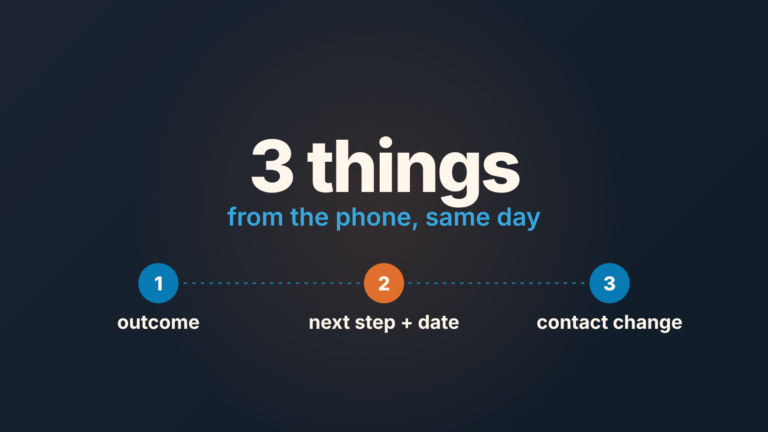
Zoom for Salesforce writes meetings into Salesforce as Event records, and an event shows on the opportunity only when it is related to that opportunity. A call booked in the Zoom client syncs to the matching contact or lead, or waits on an External Zoom Meetings page if nobody matches; Zoom’s setup pages never mention the opportunity. So the integration does not answer “did we meet this buyer?” on its own. A weekly pass over open opportunities with a Zoom call in the last 14 days but no meeting on the timeline does.
Two ways a Zoom call gets into Salesforce
Setup first, briefly, because it decides who can fix things later. An admin installs the Zoom for Salesforce Lightning app and configures it for Zoom Meetings, which takes a Zoom Pro, Business or Enterprise account with owner or admin rights and a Salesforce Enterprise or Unlimited org with admin permissions. Admins get the Zoom Admin permission set, reps get Zoom Meeting User (Zoom: Configuring Zoom Meetings with the Salesforce Lightning app). Then each rep authorizes their Zoom login from Zoom User Config in the App Launcher, and one Zoom account can be connected to only one Salesforce account at a time (Zoom: Using Zoom Meetings with the Salesforce Lightning app). The same app also covers Zoom Phone, Webinars and Contact Center. This article is about meetings only.
After that, there is the way the demo shows, and the way most calls actually happen.
The first is a meeting born in Salesforce. A rep creates an event in the Salesforce Calendar, opens it and clicks Make it a Zoom Meeting. Zoom also documents a Start Zoom Meeting button that admins can add to the Account, Contact, Lead and Case page layouts; it starts an instant meeting and emails the associated contacts. Look at that list again. No opportunity. The event is an ordinary Salesforce event, so it reaches the deal when the rep relates it to the opportunity, and Salesforce then shows it among the scheduled meetings and past activity on that opportunity (Trailhead: Boost Sales Rep Productivity with Salesforce Activities). Zoom’s pages do not say the app sets that relation for you. Some third-party setup guides describe a Zoom component on the Opportunity page; we could not find it in Zoom’s own documentation, so check your org before you count on it.
The second way is a meeting that was never created in Salesforce. Zoom’s admin settings include an option called Create Events for Non Salesforce Zoom Meetings for Matching Contacts / Leads. When such a meeting is synchronized, “the created event will be associated with the matching contact or lead” (KB0057956). The match runs on the invited email address against the email field in Salesforce, and a meeting with no match is “listed on the External Zoom Meetings page” instead (KB0057955). Read that twice. Contacts and leads. Not opportunities.
A third route exists if the team books through Zoom Scheduler: a booked appointment creates an event record “under a contact”, carrying the event title, start and end times, host email and booker emails. It needs package version 2.29.0 or higher and a paid Scheduler license (Zoom: Configuring Zoom Scheduler with the Salesforce Lightning app). Again: under a contact.
What lands on the opportunity timeline and what does not
Put the routes side by side and only one of them ends on the deal by design: an event created in Salesforce and related to the opportunity. An instant meeting started from an Account, Contact or Lead page belongs to that record. A meeting booked in Zoom with the sync option on becomes an event on the matching contact or lead. With no match it sits on the External Zoom Meetings page until someone imports it, and the import form asks for a contact in its Related to field. A Scheduler booking becomes an event under a contact.
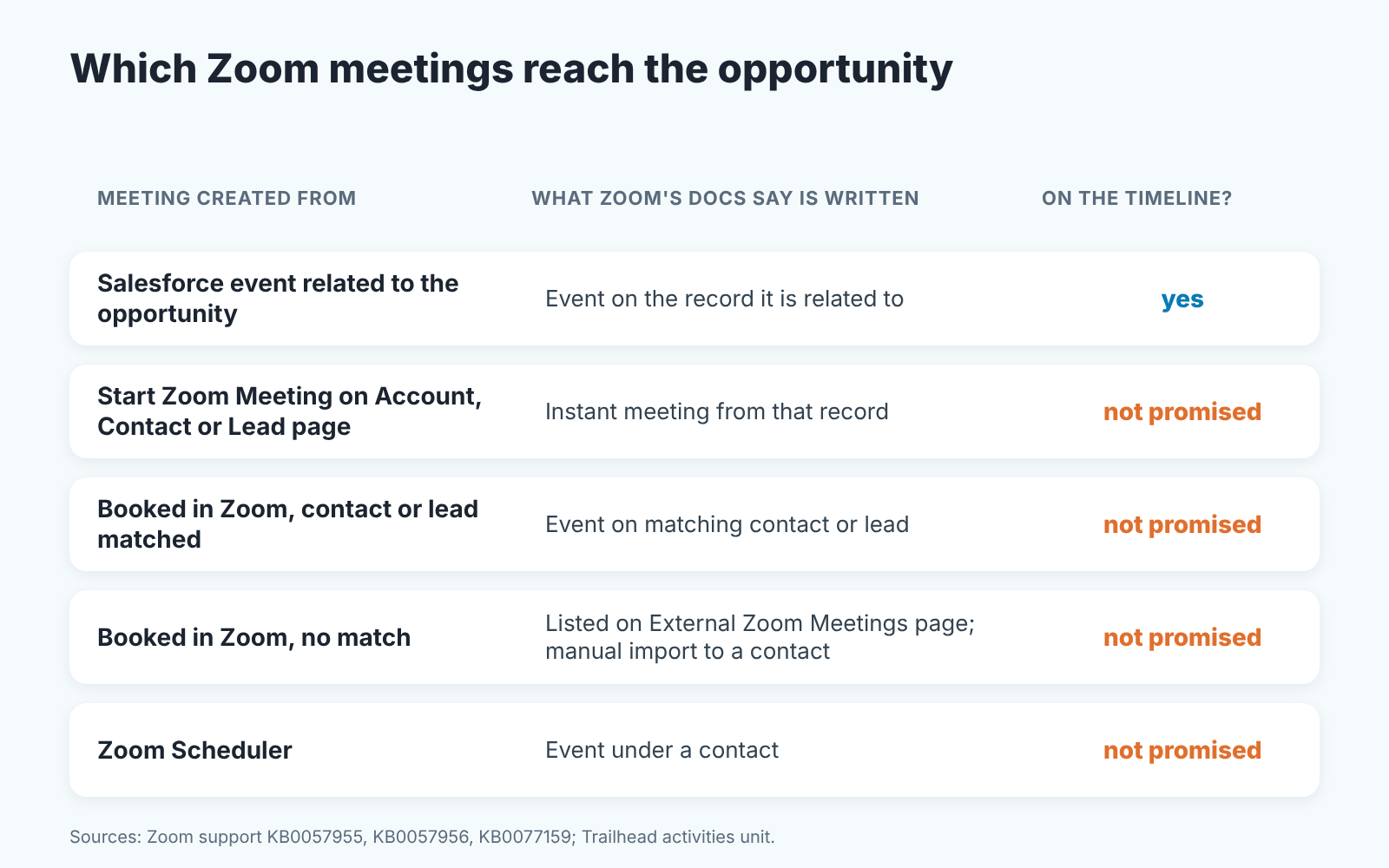
“Not promised” is the careful word here. Salesforce’s own training says a task tied to an account and a contact “will be visible in the activity list on either record” (same Trailhead unit), so an activity can show in more than one place when both relationships are set. The Zoom pages talk about contacts and leads only, nothing about the deal. So we treat a synced event as a contact-level fact and the opportunity timeline as unproven until someone looks.
The documentation leaves one more thing open: whether a meeting happened at all. An event created from the Salesforce Calendar exists the moment the rep saves it. The actual start and end times, participant count and duration arrive when someone runs Sync Zoom Meeting Details on the event, and Zoom notes that many details can only be synced after the meeting has ended. Neither page says what a no-show leaves behind. We do not count a scheduled event as a held meeting, and neither should a pipeline review.
The gap: meetings held outside the record
Here is how the gap opens in practice. A rep gets a reply at 8:40 on Tuesday: “Can we talk at 11?” She opens the Zoom client, hits New Meeting, pastes the link into the email. Good selling. The meeting happens, goes well, and the opportunity in Salesforce still shows the last activity as an email from twelve days ago.
If the admin turned on the non-Salesforce sync, that meeting may reach a contact, provided Zoom had an invited email address to match. Here it didn’t: the link went out in a plain email, so the buyer was never on the Zoom invite, and the meeting lands on the External Zoom Meetings page at best. A rep can rescue it from there (App Launcher, External Zoom Meeting, pick the dates, Get Details, fill in Subject and Related to, Create Events), but that puts it on a contact. The opportunity still needs someone to relate it.
The deal review then runs on the wrong picture. The manager sees twelve days of silence and asks about it. The rep says “I had a great call on Tuesday”, and now the review is about the CRM instead of the deal.
We think the timeline has to be the record of truth, because a timeline that is right four times out of five trains everyone to stop reading it. The same argument applies to calendar meetings that never reached Salesforce; we wrote that up separately in how Salesforce turns Google Calendar meetings into activity reports.
Weekly check: open deals with no logged meeting
The check compares two lists, and it is deliberately narrow: the last 14 days, open opportunities only. Start in Salesforce. Pull open opportunities with a close date inside the next quarter and sort them by last activity date; any deal whose last activity is older than 14 days goes on the suspect list. Then get the Zoom side: every meeting each rep hosted in the same 14 days, from thier Zoom meeting history or from the External Zoom Meeting page, which lists hosted meetings for a date range. For a team of six, the manager asks for those lists on Friday morning.
Match by company. A past Zoom meeting whose title or attendee domain matches a suspect deal is a hit: a meeting happened, the timeline missed it. For each hit, log the meeting on the opportunity now, with the real date, and say in the subject that it was logged after the fact. Then count the hits and write the the number down somewhere you will see it next Friday.
The number is the point. Two hits across forty deals is noise. Nine hits means the integration is not where meetings come from, and the fix belongs in the rep’s day, not in the manager’s Friday. The broader method for reading a deal’s timeline, including what counts as a real touch, is in the Salesforce activity timeline deal check. If part of the team books through HubSpot’s meetings tool instead, the same idea runs there: HubSpot meetings booked, call and deal activity check.
Who owns the Salesforce Zoom integration
Zoom’s pages are clear on what the admin needs. They say nothing about who in your company that admin is, and that is the part that goes wrong. In small teams the connection is authorized by whoever was keen that month. A year later that person has moved to customer success and the “matching contacts / leads” option is in whatever state it was left.
Our position: the integration gets a named owner, the sales manager or the Salesforce admin, never a rep. Once a quarter the owner opens Zoom Admin for Lightning and confirms three things: the non-Salesforce sync option is on if the team wants it, the reps who schedule meetings carry the Zoom Meeting User permission set, and each of them still has an authorized Zoom login in Zoom User Config. When the log goes quiet, the first question is “who touched the settings”, and its worth having an answer.
What to do when the log and the calendar disagree
The calendar is what happened. The timeline is what was recorded. When they disagree, fix the record first and the cause second.
Fixing the record means logging the meeting on the opportunity with the date it took place, and relating it to the contact who attended. Do not backfill it as a task; it was a meeting, so it is an event. If the deal’s stage definition requires a held meeting to advance, and we think it should for anything past qualification, the backfilled event is what makes the stage honest. We laid out those stage rules in Salesforce opportunity stage exit criteria.
The cause is usually one of these:
- The rep started the meeting from the Zoom client instead of from Salesforce. That is a habit, not a setting, and the Friday count tells you whether the new habit took.
- The sync option for non-Salesforce meetings is off. The owner turns it on and watches whether next week’s count drops.
- The buyer is not a contact, or was never on the Zoom invite, so there was nothing to match. Add the contact; the deal needed it anyway.
A disclosure, since this is the kind of Friday list we spend our time on: we build SalesBond, a sales management layer on top of the CRM a team already uses; we started with Pipedrive. It checks the health of open deals in Salesforce and explains which ones need attention. It does not see what happened in Zoom. The matching, and the decision about what a quiet deal means, still belong to the manager. Check your CRM with SalesBond if you want the deal side of that Friday look done before you sit down.