
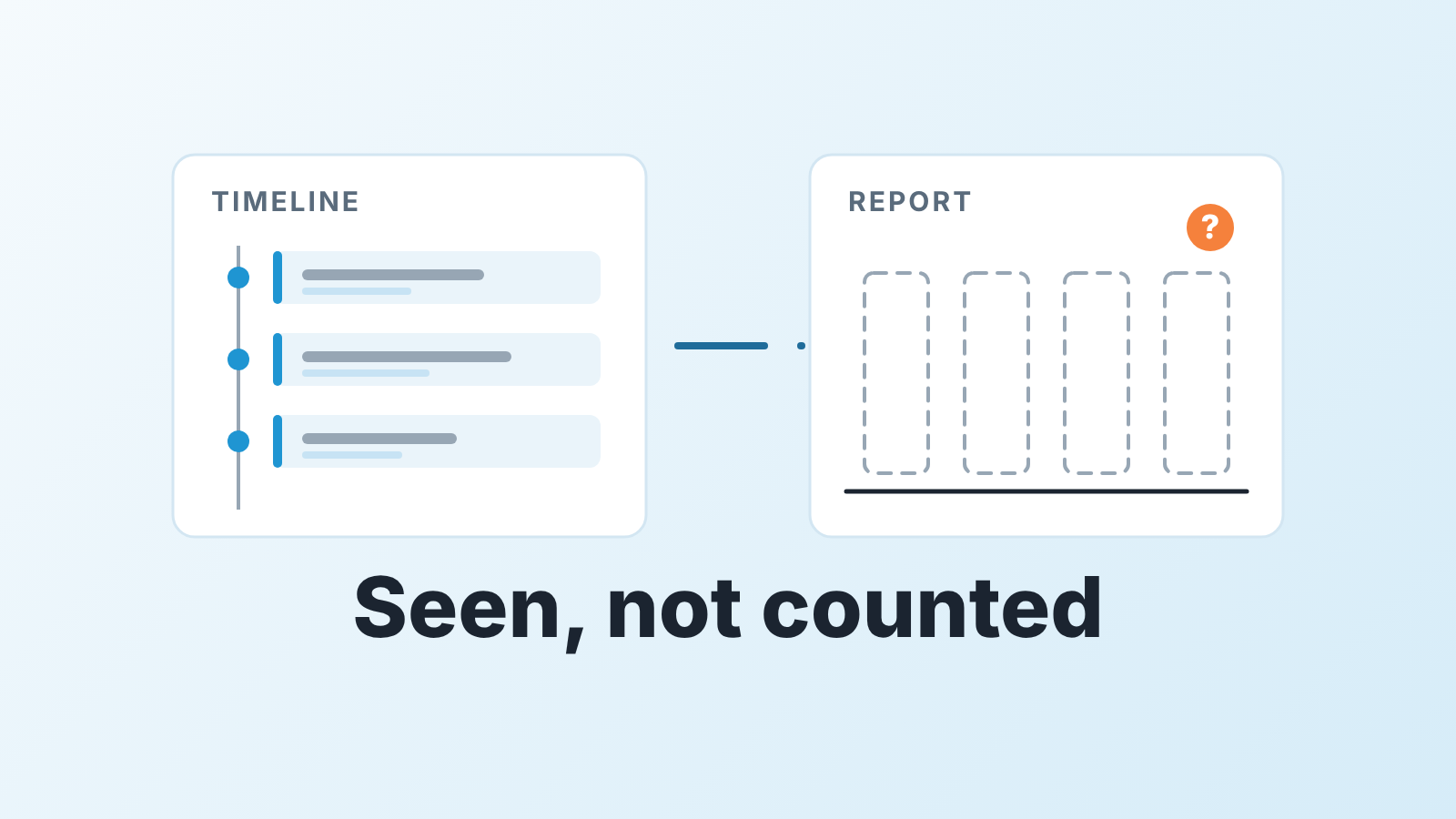
A Google Calendar meeting brought in by Einstein Activity Capture can sit on an opportunity’s timeline and still be missing from your meetings report, because reports count Salesforce Event records, and captured calendar items are not records. One vendor puts the limit flatly: “You can’t include synced activities in reports, dashboards, or list views” (Weflow: Salesforce Google Calendar integration). Salesforce documents event sync separately from capture, and which of the two your org runs depends on how your admin set it up. A manager who has never asked is counting meetings from a report that may be counting something else.
So this is not a setup guide. It is about what you can believe once the calendar is connected.
The meeting is on the timeline. The report says zero.
A familiar Thursday. You open the pipeline review with a report of customer meetings held last week, grouped by rep. One column is thin. You pull up two of that rep’s opportunities to make the point, and both timelines show a meeting with the buyer, Google Calendar icon and all, held on Tuesday.
Everyone in the room now has a theory. The rep says the report is broken. You suspect the rep is logging after the fact. The admin, if you have one, says something about Einstein and leaves it there.
All three of you are half right. The timeline and the report read from two different places, and the integration is the reason. Until you know which meetings become records, the report counts a subset you never defined, and the same argument comes back next Thursday. Zoom meetings raise the same question, and our Salesforce Zoom integration check walks through which ones get logged on the opportunity.
What Einstein Activity Capture actually stores
If you came here to connect the two: the setup lives in Setup → Einstein Activity Capture → Settings, where your admin adds a Google configuration. Einstein Activity Capture (EAC) is how Salesforce connects Google Workspace and Microsoft 365 today (Salesforce Help: Email and Calendar Integrations).
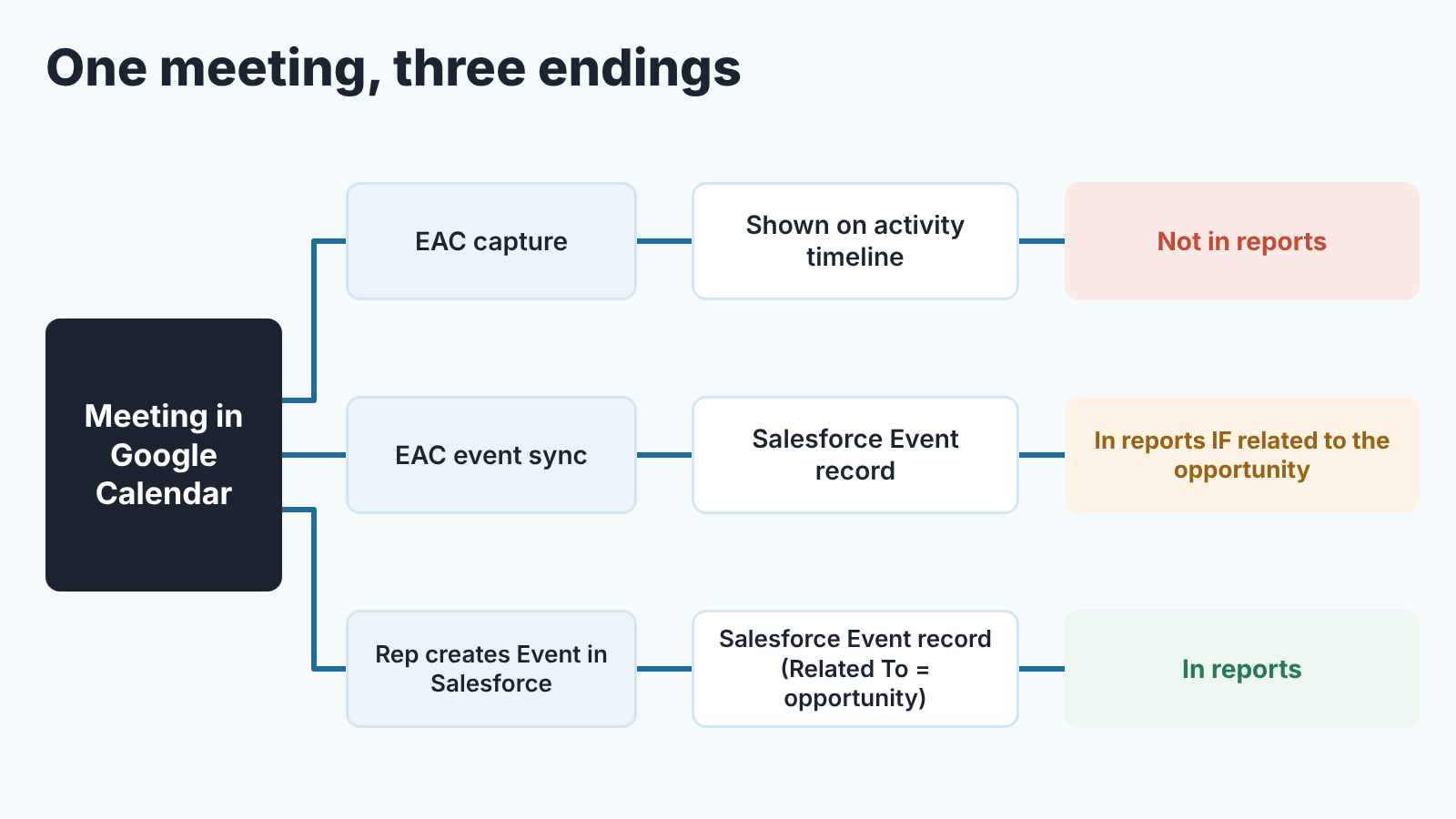
For your report, the part that matters is that EAC can do two different things with calendar data, and they end up in different places.
The first is capture. EAC reads the mailbox and calendar, matches items to contacts and leads by email address, and shows them on the activity timeline of the related records. Weflow is blunt about where that data lives: “EAC stores activity data in AWS, not in your Salesforce org.” It also says captured activity is kept for 24 months (Weflow). That explains why a standard report can’t see it. A report runs over records, and a captured item is something the timeline displays.
The second is event sync. In this mode a calendar meeting is meant to land in Salesforce as an Event record; Salesforce covers it in it’s own help section, “How Events Sync with Einstein Activity Capture”. Its Activity Metrics object is defined as covering “activities that were added to Salesforce automatically by Einstein Activity Capture and manually by users” (Salesforce Developer docs: ActivityMetric). An Event record is something a report, a list view and a flow can touch.
One caveat, and we’d rather say it than hide it. We have not verified the help article text itself, so treat the vendor line as describing captured activity, and let your admin confirm which mode your org runs. That takes about five minutes: open the Einstein Activity Capture configuration in Setup and check whether events are set to sync or only to be captured, and in which direction.
Email has its own version of this split, and a newer setting that changes it. We covered that side in which Outlook emails actually land on the opportunity. The calendar side is simpler and, we think, more often misread.
Three ways managers count meetings wrong
Once you know that a meeting can be either a display or a record the usual mistakes are easy to name.
The first one is treating the timeline and the report as the same list. The timeline shows captured items and records together, in one stream. The report shows records. If your reps live in Google Calendar and your org only captures, the timeline will always look busier than the report, and the rep with the emptiest column may be the one with the fullest calendar. Switching which one you trust won’t help. Decide, out loud, that the report counts records and that any meeting the company wants to count has to become one.
Counting calendar events as customer meetings. Sync, where it is on, writes whatever is in the calendar. A one-to-one with the rep’s manager, a dentist appointment that was not marked private, a forecast call with no buyer on the invite. We wrote up the Pipedrive version of this in when every calendar event becomes a meeting in your activity numbers, and in Salesforce the lesson is the same with different field names: a customer meeting has a contact from the account on it, and the Event is related to the opportunity. An Event with nobody external on it is just a calendar entry.
Counting meetings nobody confirmed happened. A synced Event is created when the invite is created. It says nothing about whether the buyer showed up. Recurring meetings make it stranger. Weflow reports that EAC doesn’t sync recurring calendar events and doesn’t capture canceled meetings (Weflow), so a weekly steering call with a key account can vanish from your report while a single no-show demo stays in it. Count last week’s Events and you are counting invitations that reached the past.
None of this is a Salesforce bug. Each one is a manager reading a number without having agreed what the number is made of. On HubSpot, see how HubSpot Meetings writes to the deal.
A rule that makes the count honest
Our position, after watching this argument in more than one team: stop trying to make the integration produce the truth, and write down what a meeting is in the data. Then make the report count exactly that.
The definition we recommend has four parts, and a rep can do each of them in under a minute.
- A customer meeting is a Salesforce Event. Not a captured item, not a note in the description of a task. If your org captures events without syncing them, the rep creates the Event or your admin turns sync on. Either is fine. Neither happening is the problem.
- The Event is related to the opportunity, not only to the contact. Per-deal meeting counts and the “last meeting” column on your pipeline view both read the Related To field. A meeting attached only to the contact is real and still invisible per deal.
- At least one external contact is on the Event. That is the line between a customer meeting and a calendar entry, and a report can filter on it.
- Within a day, the Event gets an outcome. Keep it small: a picklist on the Event with three or four values is enough (held, no-show, rescheduled, cancelled). The report then counts held meetings, and no-shows stop inflating the column.
Say it at the planning meeting in one sentence: “From Monday, a meeting counts when it is an Event on the opportunity with the customer on it and an outcome filled in. Anything else is your calendar, and that’s fine, it just doesn’t count.”
Expect the number to drop in week one. That drop is the old number confessing.
Two more things are worth doing the same week. Build the report from Events with the outcome set to held, grouped by owner and by opportunity, and retire the old one so nobody quotes it. Then look at what the opportunity list says about next steps. Once a meeting is a record, “no next activity scheduled” becomes a meaningful alarm, because an empty future on a deal is now a fact and not a sync gap. That is also where a layer on top of the CRM starts to earn its keep. We build SalesBond, a sales management layer on top of the CRM a team already uses, and its Deal Health rules flag an opportunity when no next activity is scheduled and the close date has passed. The alarm is only as good as the activity records underneath it, which is one more reason to fix the definition first. If you want to see your pipeline through that lens, check your CRM with SalesBond.
Which activity numbers deserve a dashboard slot at all is a wider question, and we argued it out in sales activity metrics: useful signal or theatre?. Meetings held with an outcome survived that cut. Meetings booked did not.
Check this in your org before Monday
A short list, in the order we would ask.
- Ask the admin: for Google Calendar, does EAC sync events into Event records, or only capture them to the timeline? Which direction? That one answer decides whether any report on meetings can be trusted today. While you have them, ask whether secondary calendars are included at all.
- Open the report you have been using. Confirm it is built on Events and look at the filters. If it counts all Events in a period with no attendee or Related To filter, it is counting calendars rather than customers.
- Pick two reps, one with a thin column and one with a fat one, and open three recent opportunities each. Compare what the timeline shows against what teh report counted for the same week. The gap is your current error rate, and you can quote it.
- Check whether Activity Metrics is turned on. Salesforce lists it under reporting on Einstein Activity Capture data, and the fields require both EAC and Activity Metrics to be enabled (Salesforce Developer docs: ActivityMetric). Vendors describe it as a paid add-on; we did not confirm the pricing against Salesforce and would ask your account team rather than a blog, ours included.
- Add the outcome picklist to the Event object, or agree on a Subject convention if you can’t change the layout this week.
Then read the timelines the way we described in reading the Activity Timeline like a manager. The report tells you how many. The timeline tells you whether the the deal is alive, and now you know which of the two is a count of records.


