
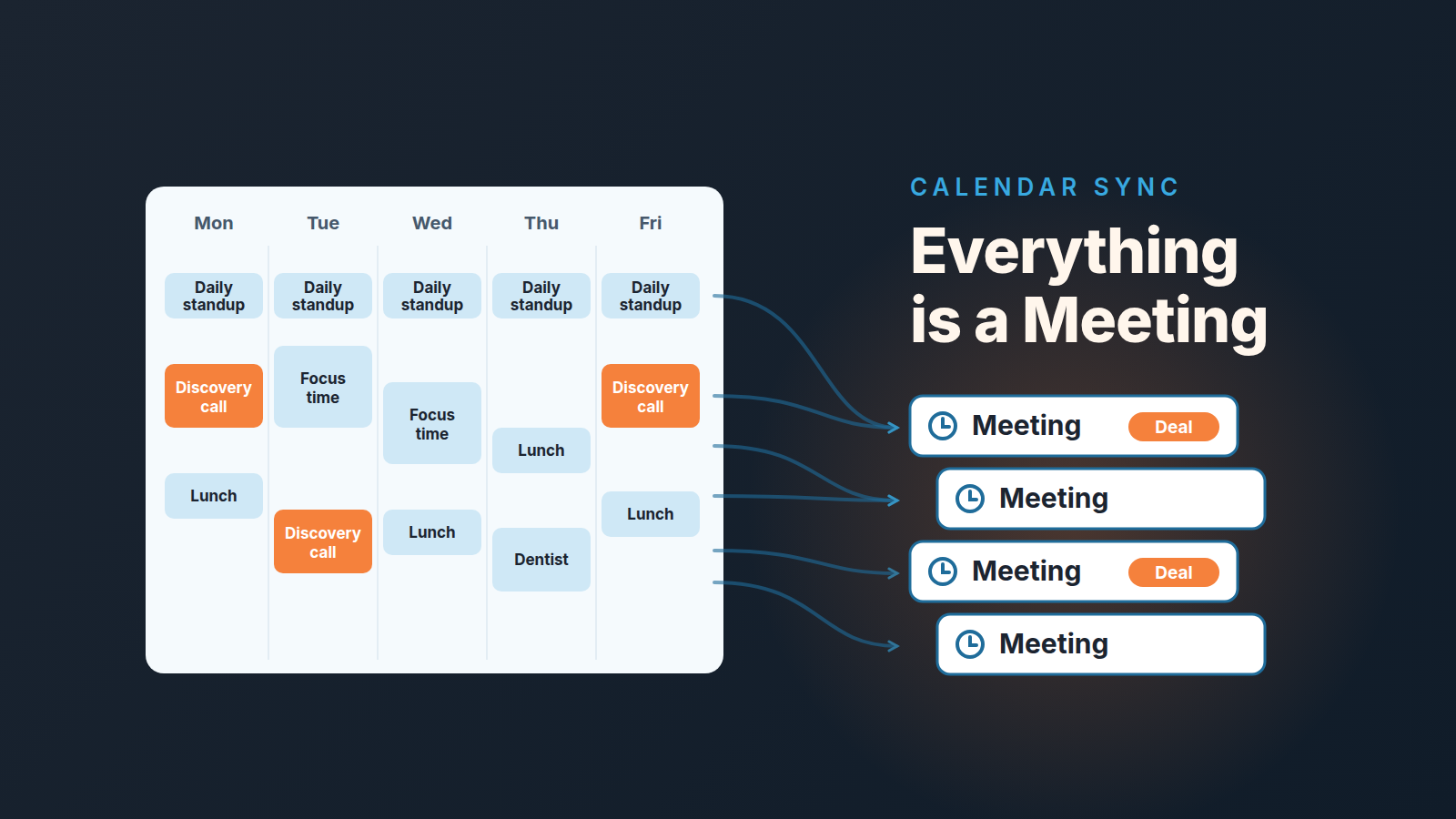
With two-way calendar sync, Pipedrive turns every future event in a rep’s Google or Microsoft calendar into an activity of one type: the type chosen under “Converting external calendar events”, and Pipedrive’s own example for that setting is “meeting”. So if the setting says Meeting, the daily standup, the lunch block and the dentist appointment all count as meetings in the activity numbers. Give incoming events a separate, neutral activity type, keep real buyer meetings as activities created from the deal, and decide what happens to private events before the first week of data lands. Otherwise your meeting count is a count of calendar entries.
The fix takes a few minutes per user. The rest of this piece is about why the numbers go wrong so quietly, which three settings do it, and how to check whether it has already happened to you.
Twenty-two meetings, six buyers
A made-up week, but we have watched versions of it more than once. A manager opens the activities for one rep for the week of September 28 and sees 22 completed activities of type Meeting. Good week. Then she opens the rep’s calendar for the same Monday to Friday and counts the meetings that had a customer in them. Six.
The other sixteen: five daily standups, five lunch blocks, three “focus time” blocks, a one-to-one with the manager herself, a pipeline review, and a dentist appointment on Thursday afternoon. Every one of them came in through calendar sync, every one of them got the type Meeting, and none of them is attached to a deal.
Nobody lied. The rep set up calendar sync in week one, picked Meeting for incoming events because that is the example in the help article and went back to selling. The number 22 is accurate as a count of calendar entries. It is useless as a count of selling.
If you measure reps on activity volume at all (we argue in sales activity metrics for a small team that you should measure very little of it), this is the first place the measurement breaks. Not because reps game it. Because the sync does.
What the sync does by default
Pipedrive’s calendar sync lives under Personal preferences > Calendar sync, and it is set up per user, not per company (Pipedrive: calendar sync). Each user’s sync only moves activities that user owns. The help articles describe it only as a personal preference, with no team-wide setting mentioned, so in practice every rep makes the choices below on their own, usually in the first week, usually without a manager in the room.
Two things about scope first. Only Google and Microsoft calendars (Office 365 or Exchange) are supported (Pipedrive: troubleshooting calendar sync). And only future events sync: anything already in the calendar when the sync is switched on stays where it is.
Then the choice that matters. There are two sync types. One-way sync pushes Pipedrive activities out to the calendar and brings nothing back. Two-way sync pushes activities out and pulls calendar events in as Pipedrive activities, with edits flowing in both directions. In the accounts we look at, most reps pick two-way, because they want one calendar and that is the only option that gives them one.
With two-way sync, every incoming event needs an activity type, and Pipedrive asks you for exactly one. The troubleshooting article describes the setting as “select a default activity type for incoming events (e.g., all calendar events sync to Pipedrive as ‘meeting’)”. One type, all events. The sync does not look at the title, the guest list or whether a customer is invited. A recurring standup that was created in Google Calendar becomes a Meeting in Pipedrive, and because recurring events come from the provider, you cannot even edit it from the Pipedrive side.
That single setting is where the 22 comes from.
Three settings that decide what your numbers mean
All three sit on the same Calendar sync page, and all three are documented in the calendar sync article. What the help article does not say is what each one does to your reports. That part is our reading of it.
“Converting external calendar events.” This is the activity type every incoming event gets. The default types are call, meeting, task, deadline, email and lunch, and any custom activity type the company has created is also on the list. Our recommendation: create a custom activity type with a name that cannot be mistaken for selling, something like “Calendar block”, and point incoming events at it. Then an activity of type Meeting in Pipedrive means somebody created it in Pipedrive, almost always from a deal, and the meeting count starts meaning meetings again. The cost is honest too: when a rep books a buyer call directly in the calendar, it arrives as a Calendar block and the rep has to open it, change the type to Meeting and link the deal. A minute of work, and a good habit, because the deal link is what your next activity discipline runs on anyway.
“Select which Pipedrive activities appear in your external calendar.” This is the outbound direction, and it is a checklist of activity types. Uncheck Email and Task unless the rep really wants a calendar entry for each one. Keep Meeting and Call. This setting does not change the Pipedrive numbers at all; it changes how much noise the calendar gets, which decides whether the rep keeps the sync on. A rep who turns the sync off in month two because the calendar filled up with “Send proposal” tasks is a rep whose buyer meetings stop reaching Pipedrive altogether.
What happens to private events. The calendar sync article offers three choices for events marked private in the calendar: “Visible to everyone”, “Visible only to you”, or not syncing them at all. For the activity count this matters less than the type, but it decides whether a manager opening another rep’s activity list sees “Dentist” in it, or an unidentified block, or nothing. More on that next, because private events have their own rules.
Private events, deleted activities and the “future only” rule
Three things about the sync bite after setup, not during it.
Private events. Pipedrive’s article on the privacy of synced events names the same three choices a little differently: “Sync private events as private”, “Sync private events as public” and “Don’t sync private events” (Pipedrive: privacy of synced events). It does not recommend the third one, because it could lead to double-booking if your meeting slots are not blocked. We agree, with one condition: the event has to actually be marked private at the source. Google Calendar’s “Default visibility” counts as public in Pipedrive; only an event explicitly set to Private comes through as a private activity. Which means the dentist appointment is only hidden if the rep clicked Private on it, and most people never do.
The same article carries one line that matters for reporting. Under “Sync private events as private” it says private events will not be considered in Insights. So, as far as we can tell, a private event does not inflate the Meeting count in an Insights report, while a public one does. That is one more argument for teaching reps to mark personal events private at the source, and it is an argument that works for the rep too.
Deleted activities. With two-way sync, deleting an activity in Pipedrive also deletes the event from the external calendar (Pipedrive: calendar sync). This is the one that hurts. A manager who decides to “clean up” a rep’s activity list by deleting the standups and lunch blocks has just deleted them from the rep’s calendar, and Pipedrive cannot create recurring activities to put them back.
So do not clean by deleting. A one-off event, like the dentist appointment, can be retyped in Pipedrive. Recurring ones can’t: the help article says recurring activities synced from the provider can’t be edited in Pipedrive. Leave the standups where they are, fix the incoming type so the next ones arrive right, and filter the old ones out of the report until they age out. If you want a repeat inside Pipedrive itself, there is no button for it: Pipedrive has no recurring activities, and we cover three ways around that.
Future only, and no retroactive fixes. Only events scheduled in the future sync, and when a user changes the incoming activity type or reconnects the sync, already-synced events keep the type they were given. Switch the setting from Meeting to Calendar block today and tomorrow’s standup arrives as a Calendar block, but last month’s twenty-odd standups stay Meetings. Any activity report that reaches back before the change is still counting them. Automatic email logging skews the same reports in a similar way: a rep who has it switched on carries extra done activities that a colleague without it never had.
A ten-minute check on yesterday’s Meeting activities
Before changing anything, find out whether you have the problem. This takes about ten minutes for a team of five.
- Open the Activities list view. Click “Filter” and set Owners to Everyone, so you are not looking at your own list (this is the same filter the troubleshooting article points to when activities seem to be missing).
- Narrow the type to Meeting and the period to yesterday, or to last week if yesterday was quiet.
- Go down the list and sort each row into one of three piles: has a deal linked; has a person or organization but no deal; has nothing linked. Titles help here. “Standup”, “Lunch”, “Focus”, “1:1” and anything with a first name only are almost never buyer meetings.
- Write down the count for each pile and the names of the reps whose lists are mostly pile three.
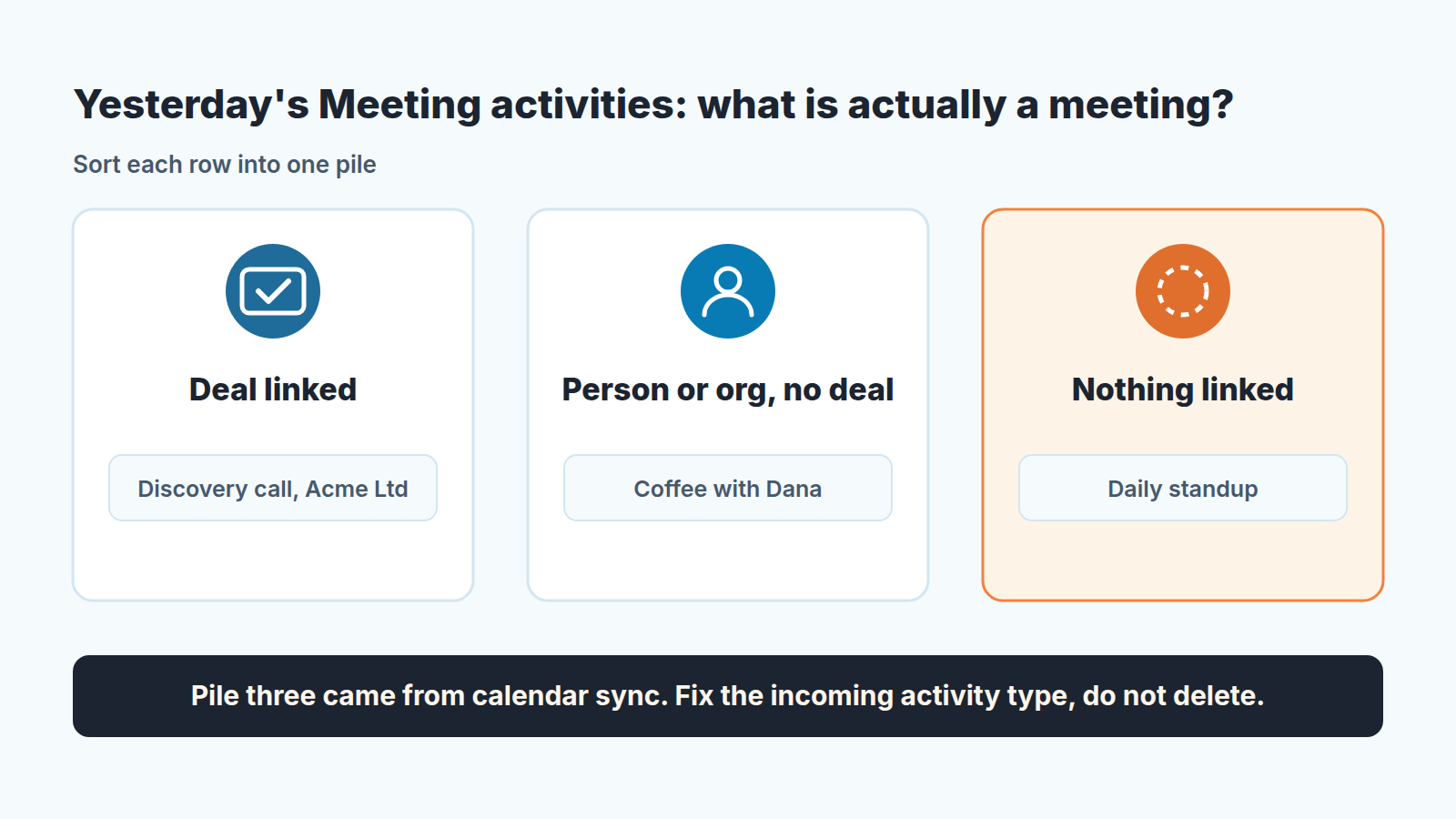
What you usually find: one or two reps with clean lists, because they create meetings from the deal and treat the the calendar as a mirror, and one or two whose Meeting list is a copy of their week. The difference is almost never attitude. It is which option they clicked under “Converting external calendar events” in week one.
What to say at the next team meeting, in one sentence: a Meeting in Pipedrive is something with a buyer in it and a deal on it, and everything else gets a different type. Then send the setting change, not a policy document.
A disclosure, since this is the kind of check we spend our days on: we build SalesBond, a sales management layer on top of the CRM a team already uses; we started with Pipedrive. The manual pass above still has to happen once, because you need to see the problem with your own eyes before you will believe any number about it. After that, check your CRM with SalesBond and see what else the activity data is hiding.
Where to draw the line: sync everything or only deal meetings
We think the right line is this: everything a buyer attends is created in Pipedrive, from the deal, and the calendar receives it. Everything else is created in the calendar and arrives in Pipedrive under a type that nobody will ever count as selling. Calendar sync is not the only way meetings enter the numbers: Meeting scheduler bookings add them too, which is why we give them a separate activity type for self-booked meetings.
That gives you two workable configurations, and one to avoid.
Two-way sync with a neutral incoming type is our default for most small teams. Reps get one calendar, double-booking is handled, personal events come through as blocks if they are marked private, and the Meeting count stays honest because Meeting is reserved for activities born in Pipedrive. The price is the occasional retype when a buyer call was booked from the calendar side. Nova applies its own sync rules on top of this, which is the usual answer to why a meeting goes missing from Nova.
One-way sync is the cleaner choice for a team that already books every customer meeting from the deal and never from the calendar. Pipedrive activities show up in the calendar, nothing comes back, and the activity numbers contain only what reps deliberately put there. The weakness is the meeting that gets booked in the calendar anyway, from a mobile invite or a scheduling link, and never reaches the CRM. If that happens more than once a week, you are in the two-way camp whether you like it or not.
Once the meeting is in the CRM, the rep on the road only has to add a result and a note from the app.
The configuration to avoid is the one from the first section: two-way, incoming type Meeting, external events visible to everyone. In the accounts we look at, it is the most common setup. It produces a calendar count labeled as a meeting count, and once it has run for a quarter, no report that touches activities can be trusted without a rebuild. For field reps there is a second trap, because a visit and a call are not the same meeting.
A last practical note. Because the setting is per user the fix is per user too. Put “Calendar sync: incoming type set to Calendar block” on the onboarding checklist next to the required fields, and make it a line item in your next Pipedrive audit, the same way you would check that activity reminders are on. It is a five-minute setting that decides what one of your most quoted numbers means, and in most accounts nobody has ever been asked to set it on purpose.


