
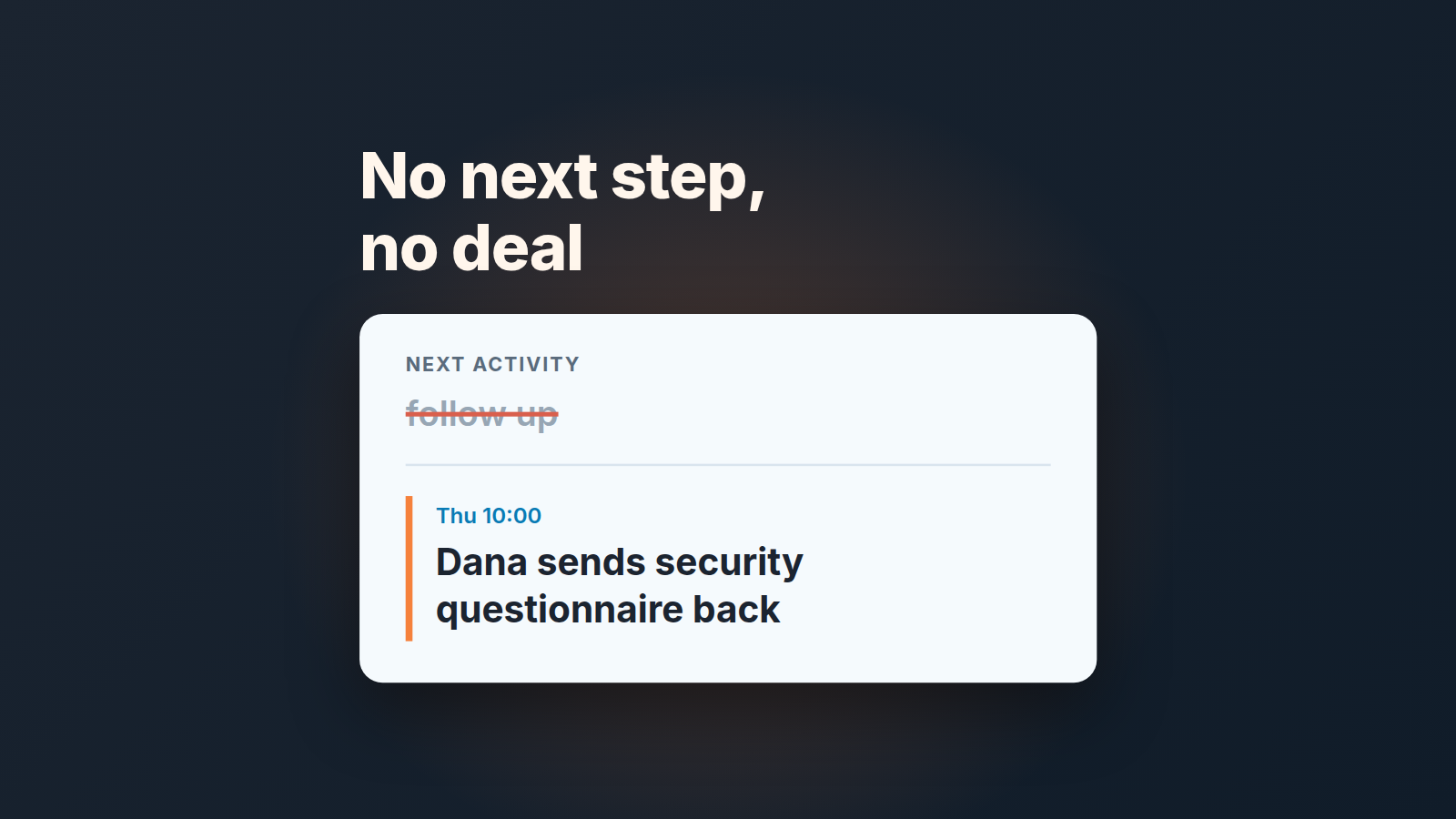
Pipedrive flags a deal with no activity, but not one with a vague activity dated a month out. An open deal without a dated, specific next step is a wish either way. Give every deal one next activity that names who does what by when, check the list for missing or vague ones once a week, and move a deal that can’t get a real next step to lost or on hold.
That’s the whole rule. Most advice on sales next steps stops at “always have one.” The rest of this piece is about the part most teams skip: telling a real next step from a placeholder, and catching the placeholders before they pile up.
Why “follow up” isn’t a next step
Open almost any pipeline that’s been running for a year and sort the activities by subject. You’ll find a wall of “Follow up”, “Check in”, “Call John”, “Touch base”. Each one was created in good faith, usually right after a call, usually by a rep who wanted the deal to stop looking empty.
The trouble is what those activities say. “Follow up” tells you the seller intends to do something. It doesn’t tell you what the buyer agreed to, what’s supposed to happen on that call or what it would mean if nothing happened. A deal can carry “follow up” for six weeks and nobody can say whether it’s alive.
It also changes how the pipeline looks to a manager. In the pipeline view, a deal with no activities gets a yellow warning; add any future activity and the card switches to a grey arrow, the lowest priority in the stage (Pipedrive: pipeline view priority). So a vague activity dated three weeks out is worse than no activity at all. The empty deal at least asks for attention. The vague one quietly says “all good” until the forecast call. Inside the deal there is a second signal worth knowing: what the deal progress bar shows now.
We don’t think the fix is more activities. One better activity per deal does more. A next step is only one signal; some teams also sort the pipeline by deal score, as long as the score is built from conditions that are hard to fake.
A next step you can test in ten seconds
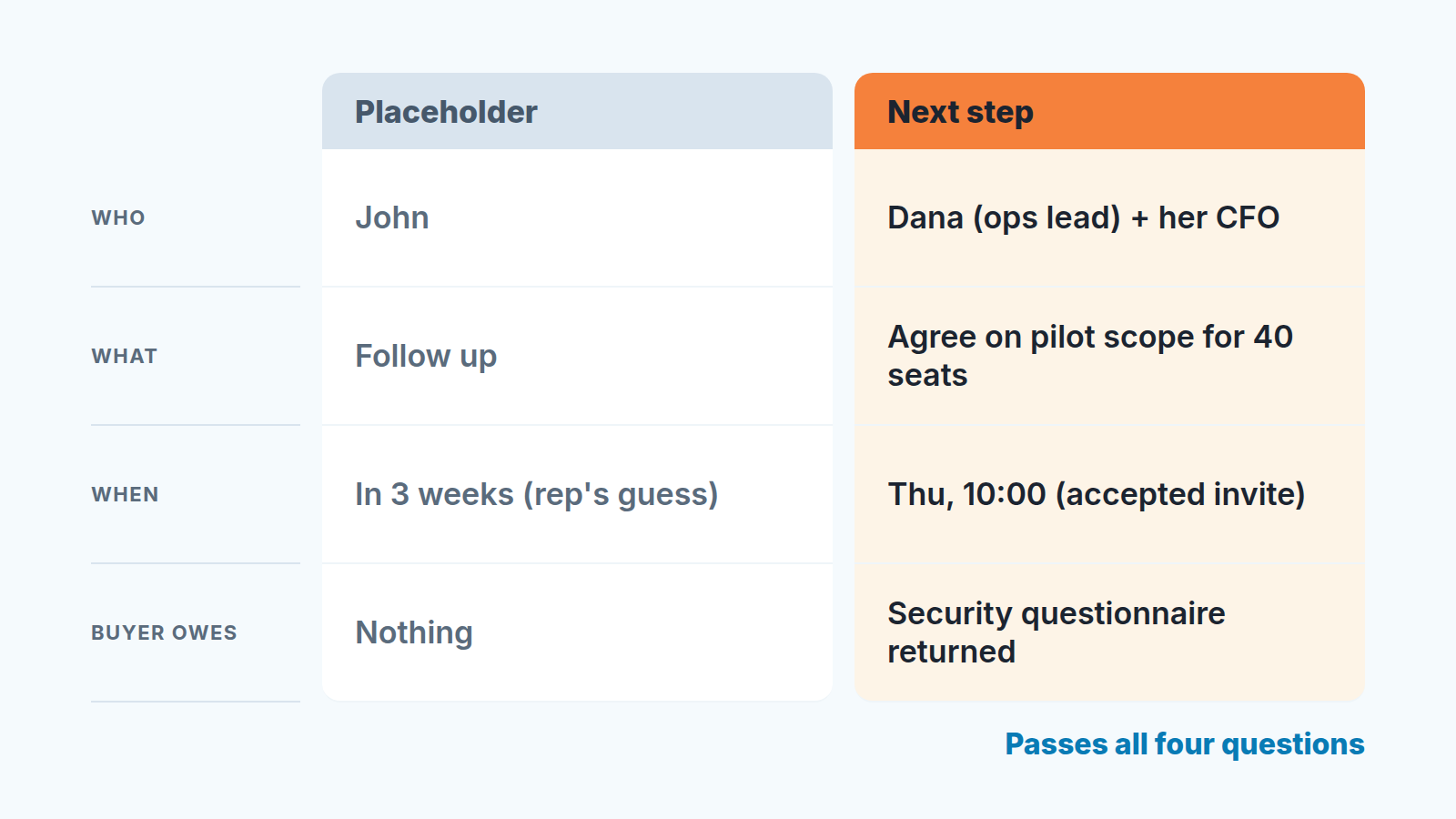
Here’s the test we use. A next activity passes only if you can answer all four questions from the activity itself (subject, date, and a one-line note), without asking the rep:
- Who is on it, by name, on both sides? “Call” isn’t enough; “Call with Dana (ops lead) and her CFO” is.
- What happens on it, as an outcome rather than a verb? “Walk through pricing for 40 seats and agree on a pilot scope” instead of “discuss pricing”.
- When is it, with a real date and time that the buyer has accepted, ideally confirmed in writing? A date the rep picked alone is a reminder, not a next step. The simplest way to get there: confirm it in a recap email with the same date.
- What does the buyer owe before or during it? Security questionnaire returned, intro to the budget owner, a list of the three integrations they need. If the buyer owes nothing, the deal is moving on your effort only.
The fourth question does most of the work. Deals move when the buyer spends something: time, a colleague’s attention, a document. A next step with nothing on their side is often a polite way of saying the deal has stalled.
Want a quick way to apply this on a live pipeline? Read the subject line out loud in your weekly meeting. If the room can’t picture the meeting it describes, it fails.
What Pipedrive shows, and what it quietly leaves out
The rotting indicator is the other signal people lean on, and it measures something else. Its clock runs from the deal’s last updated time, which moves when someone marks an activity done, sends or receives a linked email, or edits the deal. Pipedrive’s help article is blunt about the future: “The rotting feature disregards the next activity date, so any deal with an activity scheduled far into the future can still go rotten” (Pipedrive: the rotting feature). We covered what rotting does and how to set thresholds in our guide to rotting deals in Pipedrive, so we won’t repeat it here. A deal can also look quiet because an email failed to send; see failed emails in Pipedrive.
For this article the point is narrower. Rotting looks backward and the next activity looks forward, and neither one looks at quality. A deal can be fresh by rotting standards because someone marked a call done yesterday, and still carry a next activity that says “check in” a month from now. Pipedrive has no way of knowing that the call was a voicemail and the next step is a guess. It sees a timestamp and a date, both in order.
So the tool tells you whether something is on the calendar. It can’t tell you whether that something will move the deal, and that judgment is the manager’s job. You don’t need a new tool for it, just a list you actually look at, with the right columns showing. The Pulse feed works the same way from the side of the rep, and we wrote up what its Overlooked deals tab catches and the deals it never will.
What a finished call actually produced is a separate record: the Outcome field can hold it once the activity is marked done.
The weekly next-activity audit: three filters to save
Once a week, 20 minutes, same day. Build these views once in the Deals list and save them so the audit starts with a click, not with fiddling. Exact field names can differ a little by plan and language, so match the idea, not the label.
- Open deals with no next activity. Filter on deal status is open and the next activity date is empty. Everything here needs a next step today, or a decision.
- Open deals with an overdue next activity. Status open, next activity date before today. These are usually steps that already happened and weren’t logged, or didn’t happen and nobody said so. The cheapest fix is to clear them when you close the day, while you still remember what happened.
- Open deals whose next activity is far out. Status open, next activity date later than two or three weeks from today (pick a window that fits your sales cycle). This is where the “follow up in a month” placeholders hide.
Add the next-activity subject and owner as columns in all three views. That lets you run the four-question test straight from the list without opening each deal. Teams that keep a target account list can add the same rule there: a next step on every target account.
Here’s what a first pass often looks like. Take a hypothetical team with 34 open deals. The first filter turns up 9 deals with no next activity at all. The third one catches 6 more whose only next step is a “follow up” dated about a month out. That’s 15 of 34 deals, close to half the pipeline, with nothing real scheduled, and the pipeline view warned about only 9 of them.
The audit itself is short. For each deal on the lists, the owner answers one question in the meeting: “What did the buyer agree to do next, and when?” If there’s an answer, it becomes the new activity on the spot. If there isn’t, the deal goes to the last section of this article.
If you want the short version of this rule, with stage-age checks and pipeline trimming around it, see five pipeline hygiene habits that actually stick. For a one-off deep clean of the whole account, there’s how to audit your Pipedrive in an hour.
Automate the nag, not the thinking
It’s tempting to fix missing next steps with automation: whenever a deal has no activity, create one. That empties the first filter and brings back the exact problem from the start of this article, because now every deal has a machine-written “Follow up” on it.
Pipedrive’s workflow automation is built from a trigger and an action (Pipedrive: workflow automation), and third-party tools like Zapier publish ready-made recipes that create follow-up tasks when a deal gets no answer (Zapier template). Both are useful. Point them at the rep, not at the deal record. For a customer who rang and got nobody, the task needs a named owner and a same-day deadline, not just a reminder.
And when the automation that creates those tasks skips some deals without an error, the deals it never saw are usually in one of five places.
The setup we’d suggest:
- When a deal moves to a new stage, create a task for the deal owner titled “Set next step: who, what, when, buyer owes”, due the same day.
- When an activity on a deal is marked done, do the same.
The automation reminds a person to think. It doesn’t pretend to think for them, and the task is easy to close but impossible to close honestly without writing a real next step. Whether you can add conditions (for example, only when no other future activity exists) depends on your plan and setup, so check what your account’s builder offers before designing around it.
The same logic applies beyond next steps; what not to automate in a sales process goes through stage moves, close dates, forecast calls and lost reasons.
When a deal can’t get a next step
Sometimes the audit question has no answer. The rep has emailed twice, the champion went quiet, and nobody on the buyer side has agreed to anything. The honest move is to say so in the CRM.
We’d give it one real attempt first: a short message to the the buyer that asks for a specific next step and makes “no” easy to say. Something like “Should we pick this up in Q1, or close it for now?” A reply either way gives you a dated next step or a clear loss reason.
No reply by the date you set, and the deal leaves the open pipeline. Mark it lost with a reason, or move it to whatever holding place your team uses for “not now” deals. That isn’t giving up on the buyer. Its refusing to let a wish sit in the forecast next to real deals. If you’re unsure whether a quiet deal is paused or gone, stalled deals vs dead deals walks through how to tell. And if the silence comes from having one contact, the fix is usually upstream: see single-threaded deals.
This week, save the first filter and run it before your next pipeline meeting. What’s left afterward will be smaller than the pipeline you have now, and it’s the first one you can actually forecast from.


