A missed call stays a missed call until someone owns it. Give every unanswered inbound call an owner and a same-day callback deadline, and record it in Pipedrive as a call activity with an outcome, so a manager can see at a glance whether any callback is still open. That is the whole rule, and it is why missed call follow-up is a team rule, not an app setting. The rest of this article is about why a team of four with one shared number needs it written down, and what the record in Pipedrive should look like.
The call nobody returned
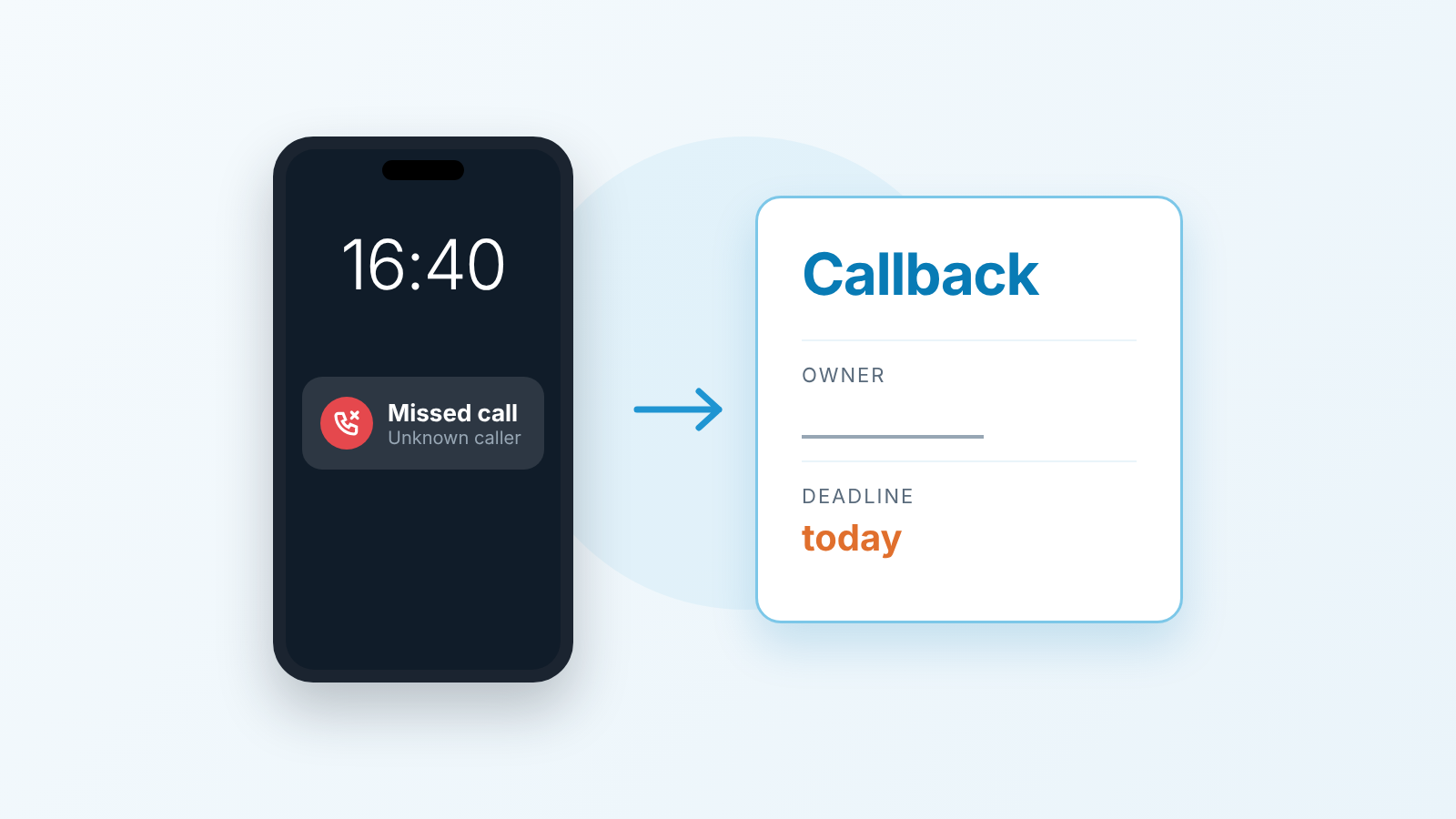
A composite example, with the details changed. A customer who had a proposal sitting in their inbox called the office number at 16:40 on a Tuesday. The rep who owned the deal was in a demo. The phone rang on the desk next to his, where nobody was sitting. It rang out.
Nothing happened next. No voicemail, because the customer did not leave one. No note in Pipedrive, because nobody opened Pipedrive. The deal kept its stage, its value and its close date. A week later the rep called to “check in” and heard that the customer had signed with someone else on Thursday. They had wanted to ask one question about payment terms, and the other vendor picked up.
Here is the uncomfortable question for your own team: who, in your office, would have known that evening that this customer had called? If the answer is “the phone on the empty desk”, read on.
Why it falls through the gap
Nobody decides to ignore a customer. Missed calls get lost for duller reasons.
The first is that the call lives in a phone, not in the CRM. A missed-call entry on a handset is a line in a list the rep scrolls past on the way to the next thing. Pipedrive never hears about it unless a person tells it, or the Pipedrive Android app recognises the number as an existing contact and leaves a missed call notification. On a desk phone, or in the web app without a calling integration, a missed office call does not show up at all.
The second is the shared number. When the main line rings on three desks, it belongs to everyone, which in practice means it belongs to whoever happens to be free and feels responsible. At 16:40 that may be nobody.
The third is the one we hear most often in retros: “I thought Anna was calling them back.” Anna thought the same about Tom. Both were right that someone should and both were wrong about who. A missed call with two possible owners has none.
Most of the advice you will find on this topic is written by phone vendors and is about the auto-text: the customer gets an SMS within seconds, and a callback task appears somewhere. Kixie’s guide is a typical example. An auto-text is fine as far as it goes. What it does not do is say who calls back, by when, and where that is written down so the manager can check. That part is a team rule, and no app ships it.
A three-line missed call follow-up rule: owner, deadline, record
We keep this to three lines on purpose. A rule a rep can repeat from memory gets followed; a policy document gets filed.
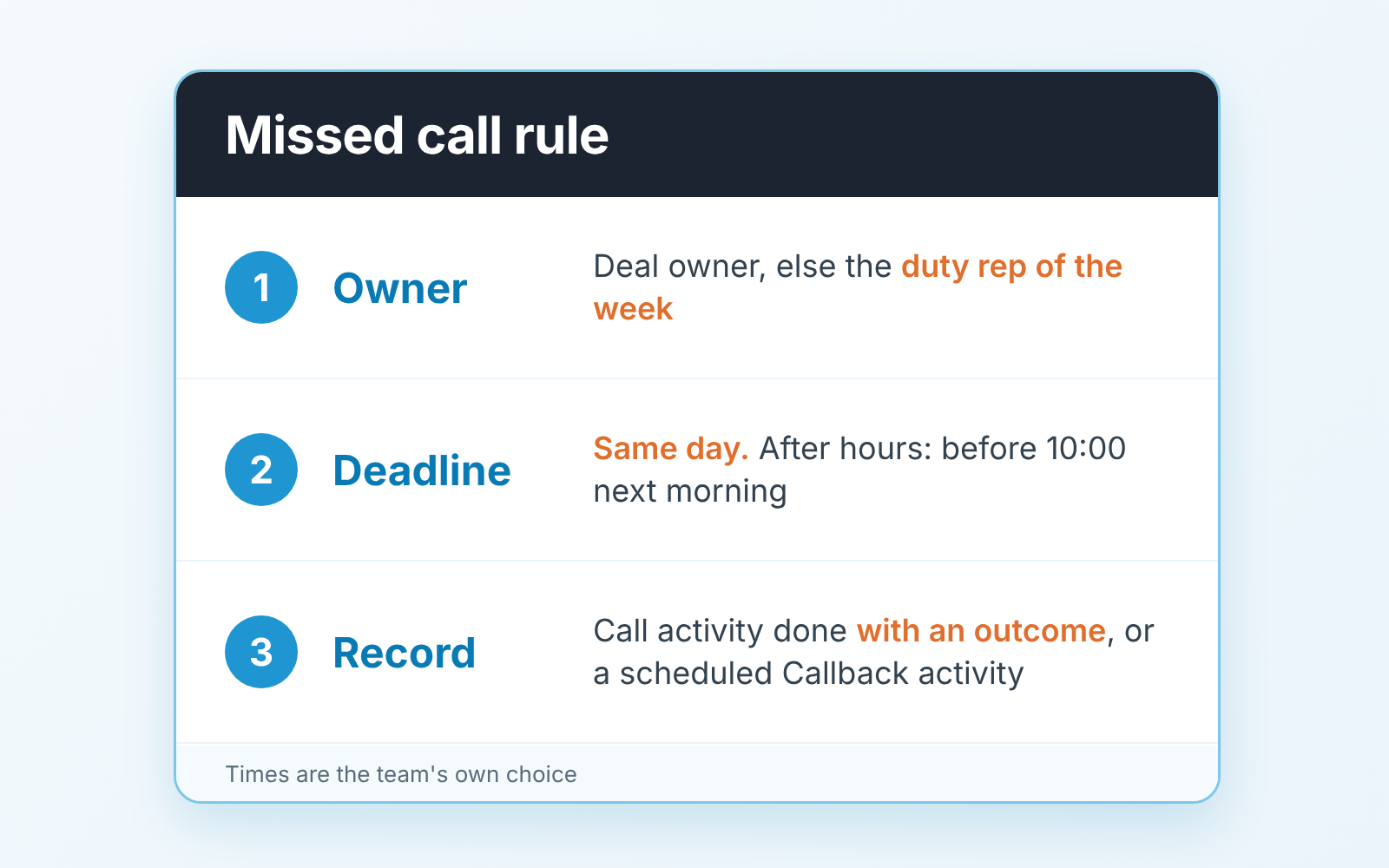
- Owner. If the number matches a contact with an open deal, the deal owner owns the callback. If it matches nobody, or the owner is out for the day, the callback goes to this week’s duty rep. One name per week, written on the board or pinned in the team chat, the same way you would handle a lead that lands with no owner (we described that in speed to lead for Pipedrive teams).
- Deadline. The callback happens the same working day. If the call came in after the last callable hour, it happens before 10:00 the next morning. This is our suggestion, not an industry figure; pick a time your team can actually keep, and keep it.
- Record. Before the day ends, Pipedrive shows one of two things against that contact or deal: a call activity marked done with an outcome, or a scheduled “Callback” activity with a date and time. A missed call that exists only in the phone log has not been handled, even if someone intends to.
An illustrative example of how this reads for a real team. Four people, one office number. The rule on their wall says: a missed call means the owner (by deal, else the duty rep) calls back before 17:00 today; if that fails, a “Callback” activity goes in for tomorrow before 10:00; the outcome is written on the activity either way. Once a week the manager opens the activities list filtered to type Call with a past due date, and the target is zero.
Two limits, so nobody oversells this internally. It is not a speed SLA. “Same day” is a floor, and if your market expects a callback in five minutes you need a call system that routes and queues, which this rule does not replace. And it is not a recovery promise. Some of the customers you call back at 16:55 have already bought elsewhere. The rule makes sure that, when they have, you find out that day instead of next week.
What do you say when you do call back? Keep it to two sentences and skip the the paragraph of apology. “Sorry we missed your call at 16:40. I’m free until six today or from nine tomorrow, which suits you?” The time stamp tells the customer you actually saw the call, and the two slots give them something to answer. If they don’t pick up, the voicemail or text is just as short: “Returning your call from 16:40. I’ll try again at ten tomorrow, or reply with a time that works better.”
What to log in Pipedrive
The record is a call activity, and it has three parts: a subject that says what it was, an outcome, and the next step.
Subject first. “Callback: payment terms question” beats “Call” because the manager scanning the list should not have to open the activity to understand it. If the customer said why they called, that goes in the subject or the note. If they did not, “Callback: missed inbound 16:40” is enough.
Then the outcome. Pipedrive now has an Outcome field on activities; we wrote about agreeing what each outcome means and will not repeat it here. For callbacks the values that matter are the honest ones: reached, left voicemail, no answer. Marking the activity done with no outcome tells the manager the rep pressed a button, nothing more.
Last, the next step. A callback that reaches the customer usually ends with a date: a call on Thursday, a revised proposal by Monday. Schedule it there and then, so the deal does not slide into the pile with no next activity (that pile has its own article: the next activity date in Pipedrive). A callback that reaches voicemail ends with a second attempt scheduled, not with “done”.
How much of this does Pipedrive do for you? Less than people hope, and it is worth knowing the exact line. In the Android app, with call logging enabled, you can log both incoming and outgoing calls as activities, and a missed call from a number that matches an existing contact leaves a missed call notification with the options to call back or add an activity to schedule a call for a future date. In the iOS app, with logging enabled, you are prompted to log outgoing calls as activities when the call ends (Pipedrive: Caller). So on an Android phone with a known contact, the rule is one tap away: the notification is the prompt, and “add an activity” is the record. For an unknown number, a desk phone, or a shared line that rings on a handset not tied to Pipedrive, nobody is prompted. The record is made by a person, at the end of the calling block, in about two minutes.
That two-minute habit is teh actual mechanism. We would rather a team of four spent two minutes at 16:30 each day typing three callbacks into Pipedrive than spend a month evaluating phone systems and keep losing the calls in the meantime.
How a manager checks it in two minutes
Friday, before people start leaving. Open the Activities list view. Filter by activity type: in Pipedrive the type icons sit in the top left of the list, a blue icon means that type is filtered for and a grey one means it is filtered out, so leave only Call blue. Pick the user from the owner dropdown in the top right, one rep at a time. Then set the period on the right of the list to a range that is already in the past (Pipedrive: filtering activities in the list view). Whatever is left is a call that was due and is not done. For the callback rule, the target is zero.
That is a narrower sweep than the general one in our activity reminders article, where the manager looks at everything overdue. Nor is it the weekly audit of deals with no next activity: here you look only at overdue activities of type Call, and the conversation is specific: “This callback was due Tuesday. What happened?”
What this check will not tell you is how the calls went. The Activities performance report in Insights segments activities by type, assigned user, add time, due time and marked-as-done time, and its field list does not include a call outcome (Pipedrive: Activities performance report). So do not build the weekly check on outcomes. Build it on the one thing the list view shows reliably, which is a call activity with a due date in the past and no checkmark. Read outcomes one activity at a time, for the two or three that look wrong. On HubSpot, the same habit means outcome and next step on every HubSpot call.
Outbound is the other half
An inbound call you missed and an outbound call nobody answered look similar in the activity list. They are not the same problem.
The inbound one is a customer who wanted you, and the risk is that they stop wanting you by tomorrow. Hence the same-day rule. The outbound one is yours from the start: you chose the time, you own the deal, and the only question is when to try again. Our position is that one unanswered attempt is not a result. Mark it with its real outcome, schedule the second try at a different hour of a different day, and only after that is it a “no answer” worth discussing in a one-on-one. A rep who logs “called, no answer” at 11:10 on Monday and again at 11:10 on Tuesday has made one attempt twice.
The ownership question still applies, just in reverse. If the customer calls back after your missed attempt and gets the shared line, the person who picks up should be able to see in Pipedrive that there was an attempt this morning and who made it. That only works if the attempt was logged as an activity rather than remembered.
A name and a date on every missed call
Nothing about this rule is clever. Its value is that a missed call stops being a private event on one handset and becomes a line in Pipedrive with a name and a date on it, which is the only form in which a manager can see it without asking.
We build SalesBond, a sales management layer on top of the CRM a team already uses; we started with Pipedrive. Its Sales GPS works one level above the phone. It prioritises deals and customers by importance and urgency, gives the rep a ready action plan, and explains the reason behind every recommended step. When Customer Health shows a customer as overdue, leaving or about to buy, Sales GPS puts that customer on one card with their deal signals, and accepting the card creates one task in the CRM. It does not track calls, so the call that rang out at 16:40 is still the rule’s job. If you want to see which deals and customers deserve attention first, check your CRM with SalesBond.