
HubSpot Meetings is the meetings tool behind HubSpot’s scheduling pages: a contact picks a free slot from a rep’s link, and the booking lands in the CRM. But a booked meeting is only a calendar slot until someone records the outcome and the next step on the deal. The tool creates the meeting, sends the invite and the reminders, and stops there. Whether the call happened, what the buyer said and what comes next are fields a person fills in afterwards. So once a week, list the meetings from the past seven days that still have no outcome, and cross that list with deals that have no next activity. What is on both lists is a meeting that happened in the calendar and nowhere else.
Booked is not held
Monday pipeline review. A rep says the demo with the new account went well on Thursday. The calendar agrees: there was a slot, booked by the prospect through the rep’s scheduling link. Open the deal. The meeting is on the timeline with the outcome it was born with, no notes, and the Next activity date is empty.
Did the demo happen? The rep says yes. The CRM says a slot existed. Those are different claims.
Self-booked meetings are the easiest activity to over-count, because the prospect did the booking and nobody on the team had to type anything. That is exactly what makes them feel real. A rep who books a call by hand at least chose a deal to log it on. A prospect clicking a slot chose nothing; HubSpot recorded the intent to meet, and the team then treats the intent as the event. We wrote about the same trap on the Pipedrive side in what a booked meeting does to your activity data. The HubSpot version has a sharper edge, because round-robin pages add a second question. After “did it happen” comes “whose was it”.
What the meetings tool writes into HubSpot
A scheduling page comes in three kinds: one-on-one, group (all selected team members must be free) and round robin (the contact picks from the individual availability of the members). Group and round robin need Sales Hub or Service Hub Starter, Professional or Enterprise; any plan can create one-on-one pages (HubSpot: create scheduling pages). When a contact books, HubSpot sends a confirmation email by default and up to three reminder emails if you turn them on, and with a Gmail or Office 365 calendar connected the meeting appears on the organizer’s calendar. The booking form can pre-populate known fields for a returning contact and even auto-submit when everything is already known (same page).
The meeting itself is an engagement on a record’s timeline with a host and an organizer (HubSpot: schedule a meeting on a record). It carries HubSpot’s default meeting properties: Meeting start time and end time, Meeting source, Call and meeting type, Internal meeting notes, and Meeting outcome, plus four counters, Outcome completed count, Outcome no show count, Outcome rescheduled count and Outcome canceled count, each 1 or 0 (HubSpot: default activity properties). One line on that page matters more than the rest: those properties apply to meetings booked through the meetings tool on a connected calendar, and a third-party scheduler such as Calendly may use its own properties instead. If half your team books through another tool, the report in this article will only see half the meetings.
Meetings that start in the calendar rather than in HubSpot are a separate path. With calendar sync on, an event you create directly in Google Calendar or Office 365 with a contact on it syncs into the CRM as a meeting engagement and follows the association rules set in your account (HubSpot: connected calendar settings).
Here is what the tool does not write. It does not set an outcome beyond the default. It does not type a next step. And it does not promise the meeting a seat on the deal: the help pages above describe the contact, the host and the calendar, and leave the deal to your association rules. Do not take my word or theirs for it. Open one deal whose contact booked last week and look at the timeline. If the meeting is on the contact and not on the deal every deal report you build will miss it, and the fix is an association setting, not a conversation with the rep.
Who owns a meeting booked by a stranger
On a round-robin page the organizer is the user who created the page, and the host is the user who was assigned the booking (HubSpot: create scheduling pages). Two people, two properties. For reporting, HubSpot points you at Activity created by for the organizer and Activity assigned to for the host (HubSpot: schedule a meeting on a record). If your meeting report groups by the wrong one, the team lead who built the page looks like the busiest seller in the company.
If you hand out HubSpot meeting links, we wrote a separate check on whether each booked meeting ends up with the right deal owner.
Who gets assigned is a setting, not luck. A round-robin page can use a meeting rotation with distribution logic: equal shares by default, or a weighted percentage per member, which HubSpot suggests for a new hire you do not want in every meeting yet; a member on holiday gets their Availability switch turned off and stops receiving bookings until it is back on (HubSpot: set up meeting rotations). There is also a Prioritize contact owner toggle on the page’s welcome screen: a known contact enters their email first and sees their owner’s availability ahead of the rotation (create scheduling pages, same page). Turn it on if you want existing relationships to stay with their rep, leave it off if you are deliberately spreading inbound.
The messy case is people leaving. A Super Admin can transfer a scheduling page to a new owner, and meetings booked through it afterwards go to that person; the organizer of a page cannot be changed any other way, a default personal link cannot be transferred at all, and if you deactivate a user their public links stop working (HubSpot: manage scheduling pages). Transfer before you deactivate, or the link on your pricing page goes dead on a Tuesday afternoon and nobody notices until Friday.
The rule we run: the host owns the outcome, whoever owns the deal. If those two names differ, that is the first thing to fix after the meeting, not a footnote.
Four fields that make a meeting reportable
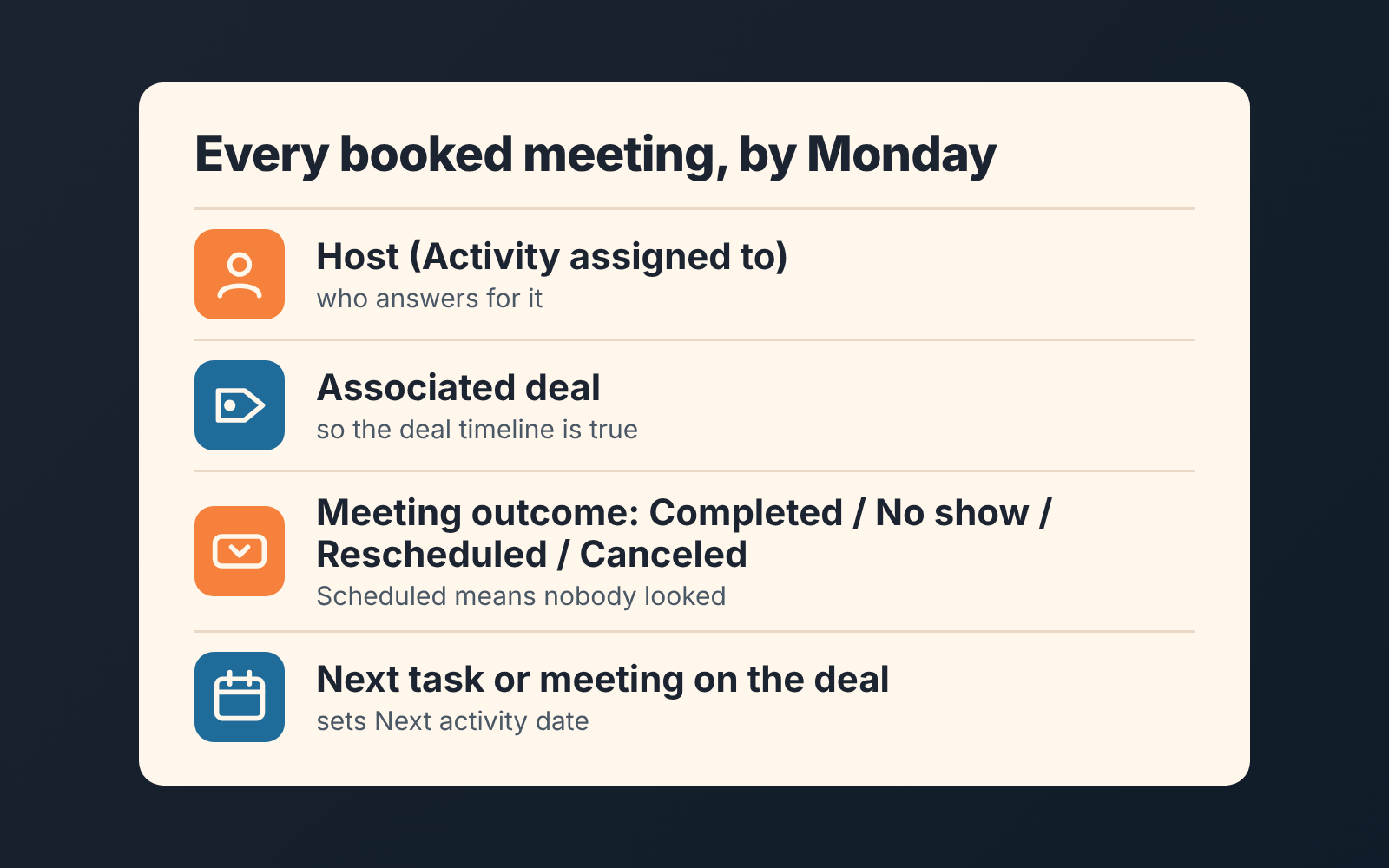
The four questions I ask of every booked meeting map onto four HubSpot fields. If any one is missing, the meeting is not reportable, whatever the calendar says.
- Host. Activity assigned to. One name, the person who answers for what happened.
- Associated deal. The Associated with field on the meeting. A meeting on a contact only is invisible to the pipeline; a meeting on the deal is part of its story.
- Meeting outcome. The default options are Scheduled, Completed, Rescheduled, No show and Canceled, and you can add custom ones (HubSpot: schedule a meeting on a record). Treat Scheduled as “nobody has looked yet”. Once hosts set No show honestly, the Outcome no show count property makes no-shows countable per rep, which is the first number a manager wants and the one nobody has.
- Next step on the deal. A task or a follow-up meeting with a date. HubSpot derives the deal’s Next activity date from it, which is why the saved view for deals with no next step catches a held meeting that led nowhere.
Readers of the calls piece will recognise three of these. We asked the same of every logged call in HubSpot: outcome, task, deal. Meetings add the host question because a prospect, not a rep, chose who to meet.
A weekly HubSpot meetings report: no outcome yet
HubSpot’s custom report builder can report on sales activity data next to objects, which is what makes meetings a reportable thing rather than a feeling (HubSpot: custom report builder). Build this once, then open it every Monday.
- Start a custom report with meeting activity as the primary data source. Then switch on Add more data sources and add deals, so the deal name can sit next to each meeting.
- Filter Meeting start time to the last 7 days.
- Filter Meeting outcome to Scheduled, and add a second condition for the property being empty. Both mean the same thing to you.
- Add Activity assigned to, the deal name, Meeting source and Meeting start time as columns, then sort by host.
- Save it to the dashboard the pipeline review runs from.
- Agree the rule out loud: every row gets a real outcome by the end of Monday, and every Completed row gets a next step on its deal, which is the job of the no-next-activity view to confirm.
The first week the report will be long and some of it will be ancient. Set outcomes for last week only and let the older ones stay Scheduled; chasing history is how these habits die. It gets short the week hosts learn that an empty outcome is a question they will be asked in front of the team.
Keep Meeting source in the report, too. It tells you whether a meeting came through a scheduling page or was created by a rep, and the split matters: a team that books most of its meetings by hand and a team that gets most of them inbound need different conversations about no-shows.
What no scheduler can tell you
Completed is still not a result. A rep can hold a pleasant half hour, set the outcome honestly and move nothing. The scheduler knows the slot was used; it cannot know whether the buyer agreed to a next date, a stakeholder, a number. We judge a meeting by what the deal did in the seven days after it: a stage change, a new task with a date, a note that names a decision. If none of those appear, the meeting was a calendar event with a human in it, and the the pipeline report should not count it as progress. That is why the second half of the Monday check lives on the deals index and not in the meetings report.
We build SalesBond, a sales management layer on top of the CRM a team already uses; we started with Pipedrive, and it works with HubSpot, Salesforce and Zoho CRM. It reads the deals, not the calendar: Deal Health checks each open deal against more than 20 rules, and rules in its Activity category flag a deal with no next activity scheduled, with the reason and a recommended action beside it. It will not set a meeting outcome for you, and it should not. If you would rather have the deal side of this check without maintaining the report, check your CRM with SalesBond.
The sentence to say at the next review
“Booked is not held, and held is not moved.” Say it once, then stop saying it and start opening the report instead. The first Monday someone finds a meeting that was on the calendar and nowhere else, don’t make a speech about it. Ask the host for the outcome, ask the deal owner for the next step, and watch the row disappear. Four weeks of that and the calendar and the CRM will mostly agree, which is all a sales manager on HubSpot can honestly ask of either of them.


