
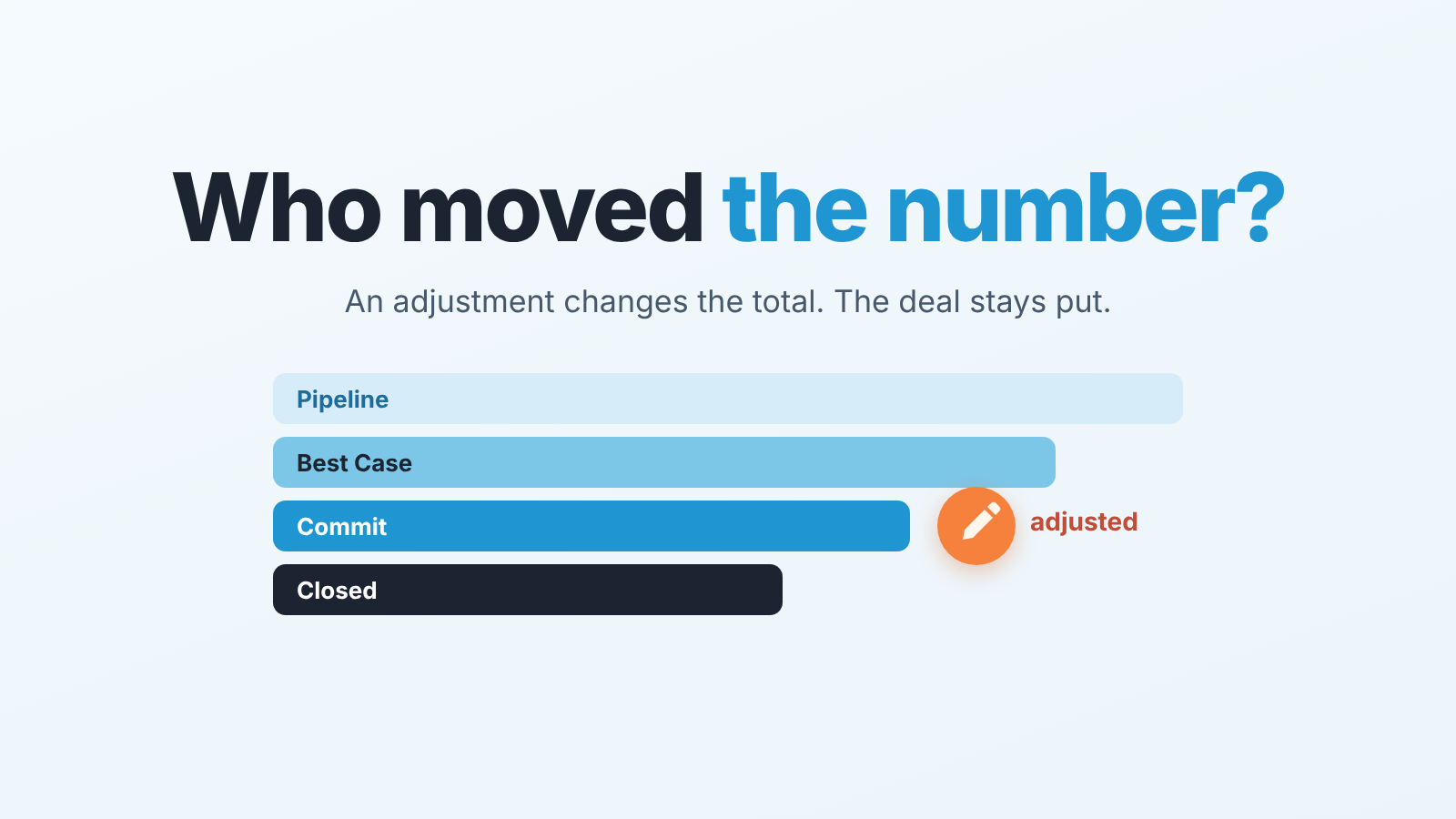
Collaborative Forecasts is Sales Cloud’s forecasting module: it rolls opportunity amounts up the role or territory hierarchy. In it, the forecast category on an opportunity is the rep’s estimate, and by default Salesforce derives it from the opportunity stage. A manager adjustment is an estimate one level up: it changes the rolled-up number for a rep or a territory, and it leaves the opportunity underneath exactly as it was (ForecastingAdjustment object reference). Our rule is simple. Change the number only when you can say why, and write the reason where the deal lives, in the opportunity, not only in the adjustment. Otherwise next week’s forecast call opens with a figure nobody can explain.
The number changed and nobody knows why
Monday, 9:10. The regional manager opens the forecast page and the Commit for the West team reads a round number that was not there on Friday. Her manager adjusted it over the weekend. There is a small icon next to the value, there might be a note, and there are three reps who have no idea their quarter was just rewritten.
The rep whose biggest deal was quietly discounted out of Commit finds out on Wednesday, from a colleague. He goes to the opportunity. Stage: Negotiation. Forecast Category: Commit. Nothing changed. As far as the record is concerned, nothing is wrong. The deal says one thing, the forecast says another, and the only place the disagreement exists is in a number that one person typed into a grid.
By the Thursday call the adjustment has become the topic. Not the deal, not the buyer, not the signature date. Half the call goes to reconstructing who changed what and whether it was fair. Nobody asks whether the buyer has budget approval, which was the actual reason the VP shaved the number in the first place. He remembered the reason on Saturday. By Thursday, he half remembers.
We have watched this play out in small teams and in large ones. An opinion was recorded as a number, in a place where only the number survives.
Categories vs stages: who decides the mapping
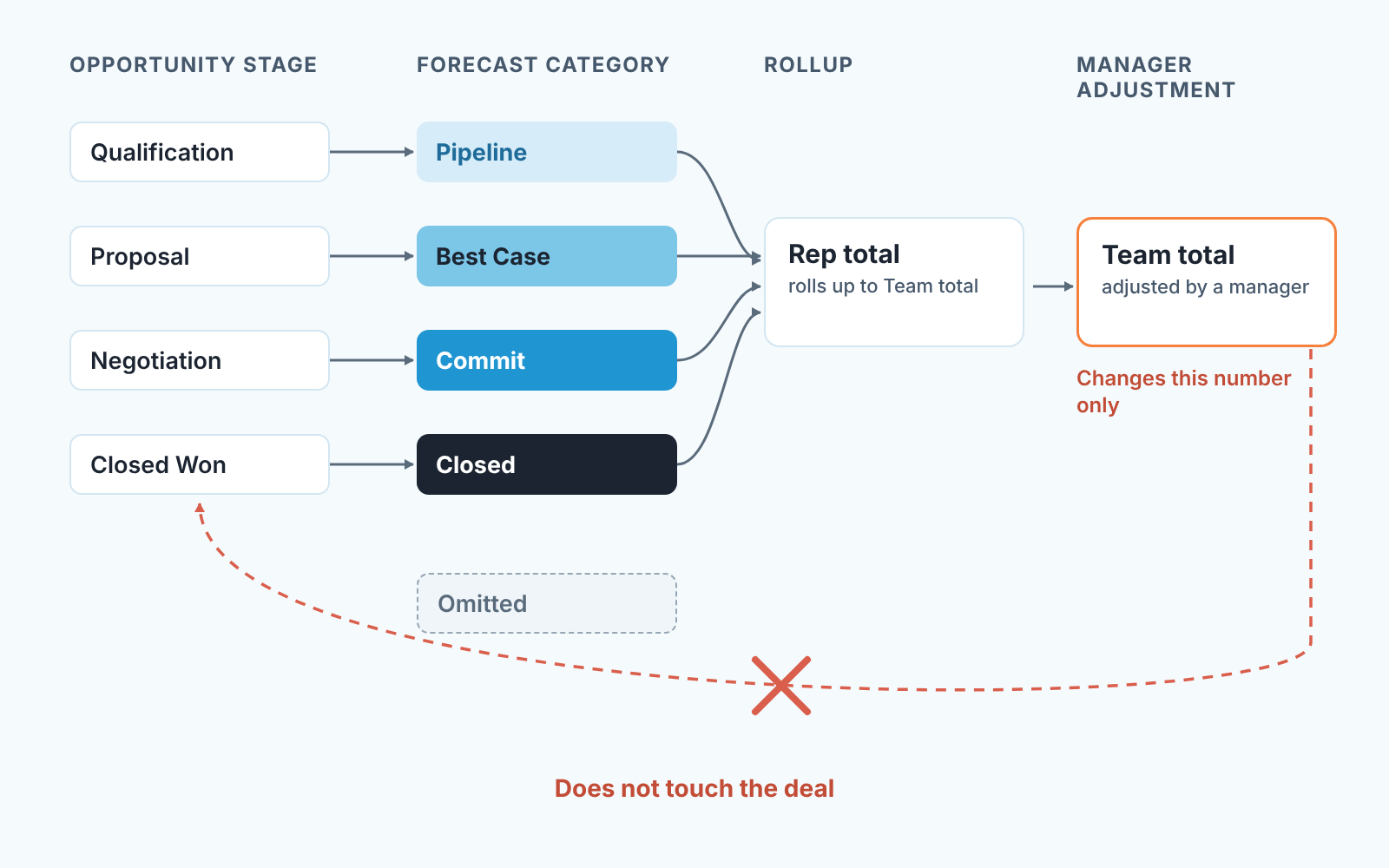
The forecast category is not a free-form opinion. Each value of the opportunity Stage picklist carries a forecast category, and the standard set is Pipeline, Best Case, Commit, Omitted and Closed (ForecastingAdjustment, field ForecastCategoryName). Move the stage and the category follows, because somebody once decided that this stage means that category.
That somebody is usually an admin who set up the stages years ago, and the mapping is the first thing to check before anyone argues about a Commit figure. Pull up the list of opportunity stages and the forecast category each one maps to. Read it with the team, out loud if needed. Does “Proposal Sent” land in Best Case or Pipeline? Does “Verbal Yes” count as Commit? If the answer surprises half the room, you have found why the forecast and the reps disagree, and no adjustment will fix it.
Our position: agree on the mapping first, and only then let anyone touch a number. A mapping is a shared rule, visible to everybody, and it changes once. An adjustment is a private opinion that has to be re-applied every time the underlying deals move. When the mapping is wrong, managers compensate with adjustments every week and the forecast becomes two systems glued together, one in the stages and one in the manager’s head.
Here is a practical sign the mapping is off: the same manager adjusts the same rep in the same direction three weeks running. That is not a judgement call any more. It’s a stage that is categorised too optimistically, and the fix belongs in Setup, next to the stage, with the exit criteria the team agreed on. We wrote up how to define those in stage exit criteria for Salesforce opportunities; a category is only as honest as the criteria behind the stage that feeds it.
Settle one more thing in the same meeting. Can a rep change the category on a single opportunity without moving the stage? Some teams permit it, some lock it down. We do not care much which way you go, as long as it is one way and everybody knows it. Whether a rep can actually edit that field depends on how your org’s page layouts and field permissions are set, so check that with your admin before you announce the rule.
Rollups: individual or cumulative, in plain words
Before anyone adjusts anything, the team has to agree what the Commit column even contains. In Salesforce that depends on one org-wide setting.
With individual forecast category rollups, each column is its own bucket. Commit is only the opportunities whose category is Commit. Best Case is only Best Case, and Closed is only Closed. Salesforce names these buckets Pipeline Only, Best Case Only, Commit Only and Closed Only (ForecastingSettings metadata).
With cumulative forecast rollups, the columns nest. The settings documentation lists the cumulative categories as Open Pipeline, Best Case Forecast, Commit Forecast and Closed Only, plus Most Likely Forecast if your org has turned that category on (same source). Each cumulative amount pulls in opportunities from more than one forecast category. In cumulative orgs, Commit Forecast typically also counts closed business, and Best Case Forecast is a wider circle around it. Check the column tooltip in your own org before you teach it to the team.
Why this matters for adjustments: a manager who adjusts Commit in an individual-rollup org is moving one bucket. The same manager in a cumulative org is likely moving a total that already contains more than the deals called Commit. Two managers trained in different orgs will read the same column differently, and the argument that follows is not about the deals at all.
So say it out loud at the start of the quarter: “Our Commit column is cumulative” or “our Commit column is Commit only.” Put the sentence in the forecast call agenda. It saves a surprising amount of noise, and it is the the one piece of Salesforce vocabulary every rep should be able to repeat without looking it up. For the method behind the two words themselves (how we decide what deserves Commit and what stays Best Case), see Commit vs Best Case: what each word should mean.
Manager adjustment or deal fix?
Salesforce keeps the two actions apart on purpose. A manager adjustment is a separate record attached to the forecast item for a subordinate or a child territory. The documentation lists Best Case and Commit as the categories a manager can adjust, and Closed is not among them (ForecastingSettings, managerAdjustableCategoryApiNames). Reps can have their own version, the owner adjustment, for their own forecast, if the admin enables it (ForecastingOwnerAdjustment). None of these touch the opportunity.
That design tells you when each one is appropriate. Here is the rule we use.
- The problem is in one deal, and you can name it. The close date is this quarter but the buyer said next; the stage says Negotiation but the last activity is a month old; the amount still includes a module the customer dropped. Fix the deal. Change the date, move the stage back, correct the amount and put the reason in the opportunity. The category updates itself, the rollup updates itself, and the rep sees it in the record they work in every day.
- It’s a pattern across deals, and each deal on its own is defensible. A new rep whose last three Commits slipped. A territory where the big accounts always sign in the last week and sometimes do not. You believe the total, not any single line. Adjust the number, and write the pattern in the adjustment note in one sentence a stranger could read: “New rep, last 3 Commits slipped, holding the total lower.”
- You can’t tell which. Do not adjust yet. Open the two or three deals that carry most of the gap and ask the rep the specific question. More often than not this turns a vague “I don’t believe it” into a concrete deal fix, and the forecast corrects itself without anyone typing over it.
Two habits make this work. Every adjustment carries a note, no exceptions, and the note names deals or a pattern, not a feeling. And the reason also lands in the opportunity, as a note or a task, because the adjustment is where the manager looks and the opportunity is where the rep looks. If the reason exists in only one of those places, half the team is working blind.
A disclosure, since this is the part where tooling helps: we build SalesBond, a sales management layer on top of the CRM a team already uses. Deal Health checks every open deal against more than 20 rules, and one category of them covers forecast data, so deals with forecast problems come up before the call instead of during it. It does not decide the number for you. It gives the manager the list of deals to ask about, which is exactly the step that keeps adjustments honest. Check your CRM with SalesBond if you want that list without building the report yourself.
A weekly forecast call that fits in 30 minutes
The call gets short when three things are settled before it starts: the mapping is agreed, the rollup type is named, and every adjustment already has a reason attached. Then the agenda almost writes itself.
Open with the number and the delta, two minutes. Not the whole grid, just this quarter’s Commit and how it moved since last week. If it moved because of an adjustment, say so and read the note. If nobody can read teh note, that is the first action item and the manager owns it.
Spend the middle twenty minutes on deals, not columns. Pick the opportunities that moved category since last week, in either direction, plus the two or three that carry most of any manager adjustment. For each one the rep answers three questions: what changed, what is the next step, when. If the answer changes the stage or the date, the rep edits the opportunity on the call. Not after. The forecast you leave the room with should already be the forecast in Salesforce.
Close with the adjustments, five minutes. Every open adjustment gets reconfirmed with its reason, replaced by a deal fix that was just made, or removed. An adjustment that nobody can defend in those five minutes does not survive to next week. Teams skip this part, and that is why adjustments pile up like old sticky notes.
What you need on screen is one report, not twelve: this quarter’s open opportunities with stage, forecast category, amount, close date and last activity, grouped by owner. We described the small set of manager reports we actually use, including that one, in Salesforce reports a sales manager needs every week.
The test for whether the system works is boring on purpose. Open any adjusted number at random and ask the manager who made it why. If the answer comes in one sentence and matches a note in the deal, you are fine. If it starts with “I think it was because,” the forecast has started to live in someone’s head again. Go back to the mapping or the deal record before you touch another adjustment, and spend next week’s call talking about buyers.


