
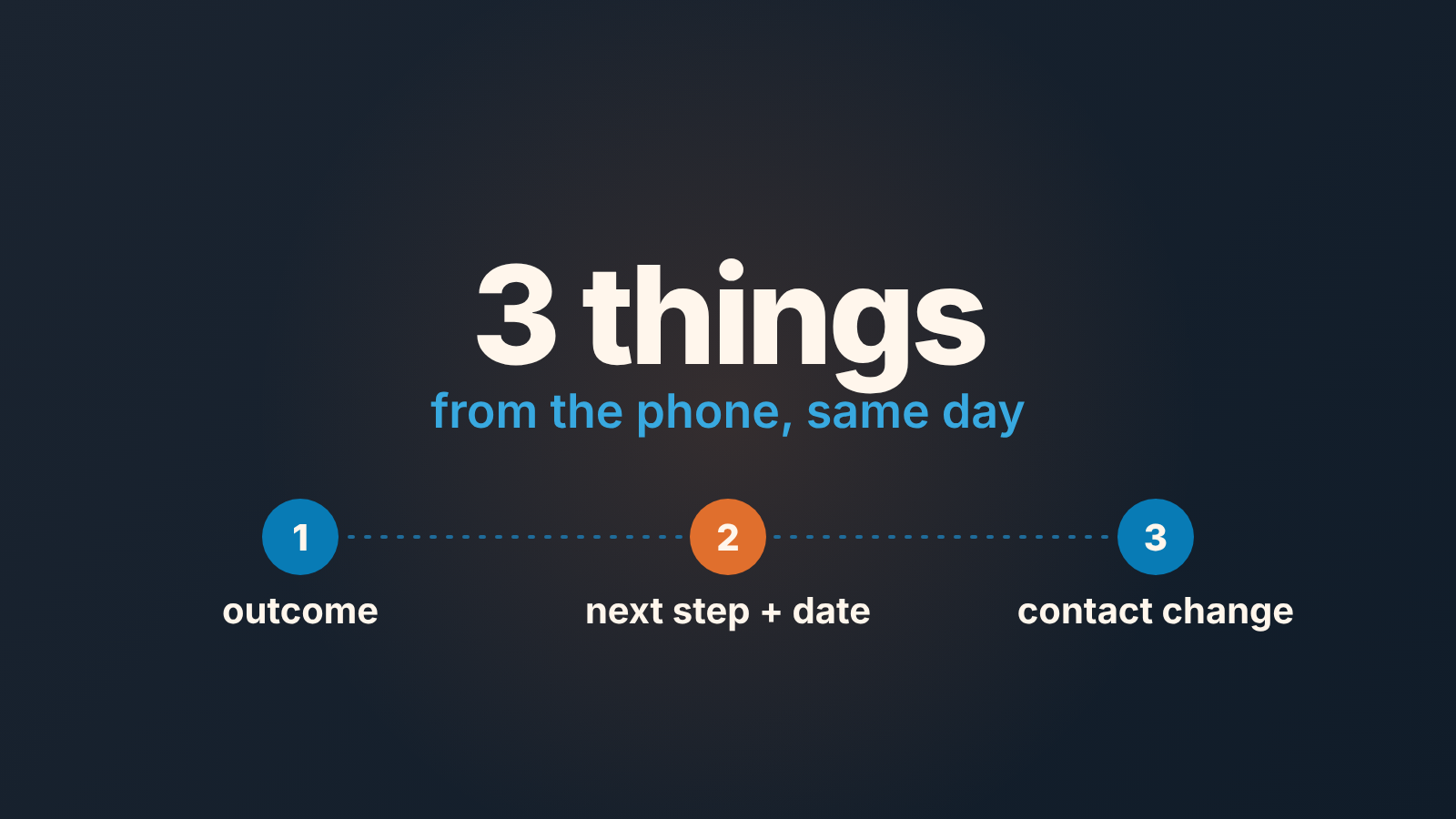
Mobile CRM works when reps capture three things from the phone the same day: the outcome of the call or visit, the next step with a date, and any change to the contact. Everything else can wait for a desk. The manager’s side is one weekly list, deals with a recent meeting and no logged activity, because that list is where mobile notes go to die.
The rest is why we settled on three, what we stopped asking reps to do on a phone, and how Pipedrive, HubSpot, Salesforce and Zoho CRM behave when a rep tries to do this from a parking lot.
What mobile CRM is for in a sales team
A mobile CRM is the phone or tablet app of the CRM a team already uses, for viewing and updating deals, contacts and activities away from the desk. Pipedrive, HubSpot, Salesforce and Zoho CRM all have one, so the question is not which app to pick. The app is rarely why mobile data is bad.
Mobile data is bad because the phone gets the wrong job. A rep in a car between two visits is asked to update the stage, fill in the qualification fields, fix the amount and write a proper note. None of it happens. By Friday the visit is a blur, and the desk version never happens either.
We think the phone has one job in a sales team: capture, while the memory is fresh. Analysis, cleanup and reporting belong to a keyboard. Once a team agrees on that split, the useful question becomes “what is the smallest set of things a rep must type before the next meeting starts?”
Three things reps capture in the mobile CRM
Three, not five and not one. Here is the list we ask for, in the order a rep should fill it in.
- The outcome. One or two sentences on what happened: who was in the room, what they said about the problem, what they pushed back on. Not a transcript. The test is whether a manager who wasn’t there can tell from the note why the deal moved or didn’t.
- The next step, with a date. A scheduled activity, not a line in the note saying “follow up next week”. If the next step lives only in the note, no view in any CRM will surface it, and the deal looks fresh right up until it is dead.
- The contact change. A new person in the meeting, a new phone number, a new title, a champion who has left. A business card in a jacket pocket does not count. Photograph it on the spot if typing is impossible, but the person needs to exist as a record the same day.
The next step is the one that gets skipped, so it goes second rather than last. A rep who logs the outcome and then gets a call from the the next customer will usually save and move on. Ask for the date before the story and you get both more often.
Why not the stage, the amount, the close date? A stage changed in a hurry is worse than one left alone, and a rep who has typed the outcome and the next step has already given the manager enough to judge whether the stage should move.
Field teams that spend most of the day on the road need a bit more per visit, and we cover that version in visit logging for field sales. This piece is about the phone itself: what goes on it and what stays off it, for any rep who sells away from a desk part of the day.
What to leave for the desktop
Anything with a dropdown that depends on another dropdown. Qualification fields, deal value corrections, moving a deal back a stage, merging the duplicate contact the scanner just created, writing the proposal summary. None of it is hard. It is slow with a thumb, and slow means skipped.
Settings are desktop work without exception: call outcomes, call types, which fields are required at which stage, who gets notified. So is reading reports, including the manager’s weekly check below, which takes a few minutes on a laptop and turns into a fight with a small screen on a phone.
A rep who ends the day with five visits logged as outcome, next step and contact changes has done the mobile part. The half hour at a desk afterwards is where stages move and amounts get corrected, and its a much shorter half hour when the three things are already there.
The weekly check: meetings held, nothing logged
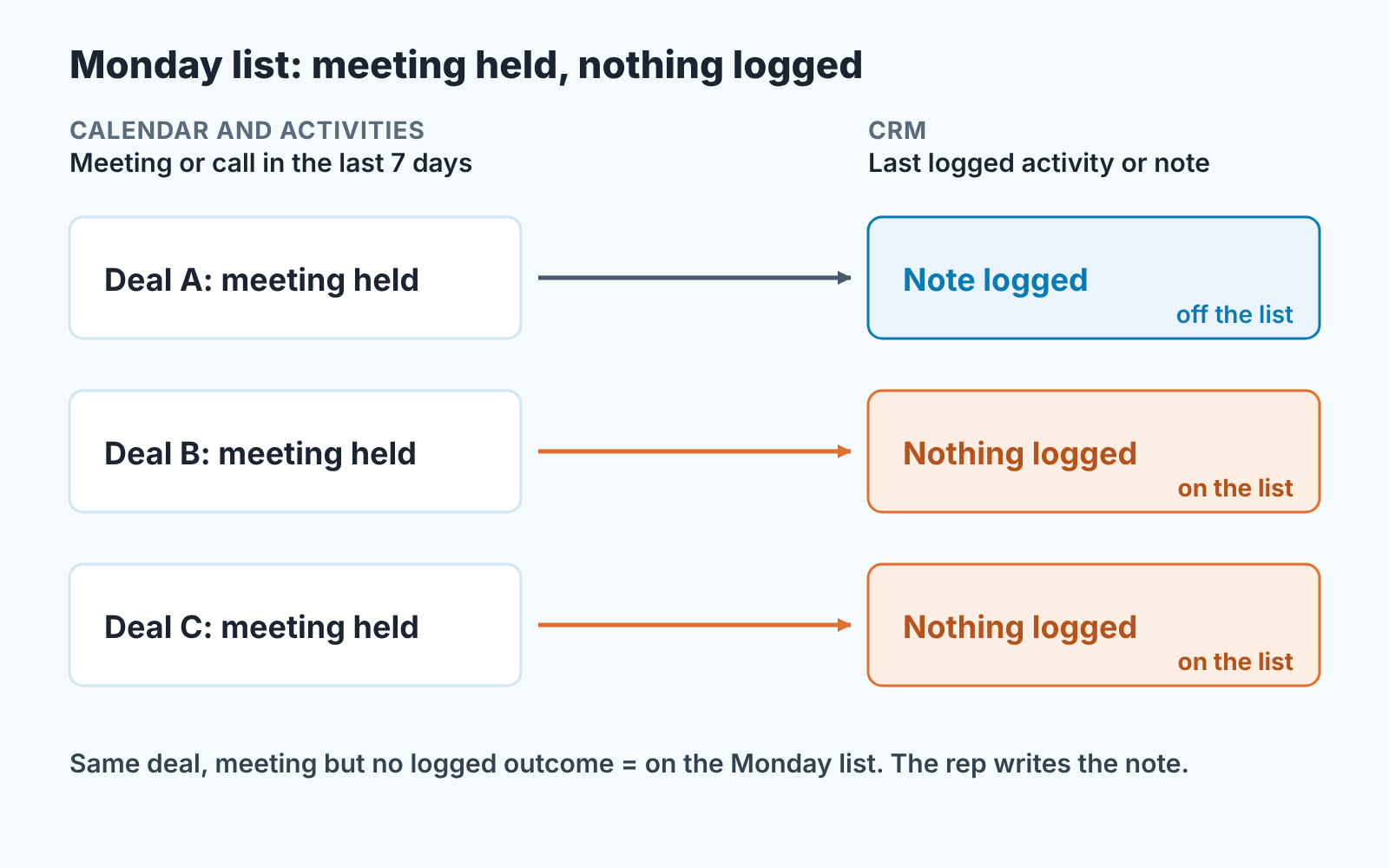
The manager’s check is one list, built once and opened every Monday: open deals that had a meeting or a call in the last seven days and have no activity, note or field change logged since.
Why this list and not “deals with no activity in 14 days”? The stale-deal filter catches deals nobody is working. This one catches the opposite: deals that are being worked and still look dead in the CRM, which is exactly what bad mobile capture produces. A rep who held three meetings and logged nothing stays invisible to the stale filter for two more weeks.
It is also not the field-sales review. That one reads visits that were logged and asks whether the outcome and the next step are filled in. Ours looks one step earlier, at meetings after which nothing reached the deal at all.
The per-CRM guides below walk through the filter. The shape is always the same: a date condition on the last meeting or call, and an empty or older condition on the last note or logged activity.
What you do with the list matters more than how you build it. In practice we read the names, not the count. Two or three deals from one rep in a busy week is a reminder. The same deals three Mondays in a row is a conversation about whether the rep believes the CRM is for them or for you. The list is not a scorecard, and we say so out loud when we introduce it, because the first thing a rep assumes about a new manager report is the worst thing.
One more rule: the manager fixes nothing on this list. If a note is missing, the rep writes it. A manager who fills gaps teaches the team that gaps get filled.
How the four CRMs differ in mobile capture
Pipedrive and HubSpot put a logging screen in front of the rep when a call made from the app ends. The Salesforce and Zoho CRM pages we read describe no such prompt, so there the routine starts when the rep opens the record or a quick action. Both work. The second needs a stronger habit. Step-by-step setup lives in the per-CRM guides, so this is the short version.
Pipedrive. With call logging on, the call summary view appears each time an outgoing call from the app is answered, and the rep fills in the notes and schedules the follow-up activity on the same screen (Pipedrive: calling and logging calls in the mobile app). Outcome and next step in one place, which is the whole routine. On iOS only calls made from the Pipedrive app trigger the prompt. Full version: the Pipedrive mobile app capture routine.
HubSpot. The Log Call dialog appears after a call made from the app, through the phone carrier or HubSpot Calling, and it has a Call outcome field (HubSpot: make calls from the mobile app). On Android, once Caller ID and the Log calls switch are on, the app also prompts reps to log outbound calls made outside it (HubSpot: manage Caller ID and call logs in the mobile app). Setup and the weekly lists: HubSpot mobile app: what reps capture and what the manager checks.
Salesforce. The app comes with every Salesforce license and works offline, and Salesforce’s own Trailhead module tells admins to build quick actions around the few things reps do in the field. Its example list is close to ours: add a new prospect, schedule the next showing, enter the buyer’s feedback after a showing (Trailhead: get started with the Salesforce mobile app). If the admin skips that step, the rep faces the full desktop layout on a phone, and the next step is the first thing to go. Our walkthrough: Salesforce mobile app: rep activity and the manager check.
Zoho CRM. The app lets reps update records offline and sync later (Zoho CRM mobile), so a rep in a basement warehouse has no reason to log the visit tomorrow. Modules, check-in and the manager view: Zoho CRM mobile app: rep capture and the manager check.
A 5-line mobile rule for reps
Five lines, no exceptions, no explanations. It fits on one card, and day one is the time to hand it out.
- Before the next meeting starts, the last one is logged.
- Outcome in two sentences, written for someone who was not there.
- Next step is an activity with a date, never a sentence in the note.
- New person, new number, new title: into the CRM today.
- Stages, amounts and cleanup wait for a desk.
Line 1 is a time rule and lines 2 to 4 are the three things. A rep can argue with a field list. It’s harder to argue with “before the next meeting”.
We build SalesBond, a sales management layer on top of the CRM a team already uses; we started with Pipedrive. It analyses deal and customer data, finds risks, explains what needs attention, and helps reps, managers and owners choose their next actions. The list was never the hard part, though. The habit on the card is. Check your CRM with SalesBond.


