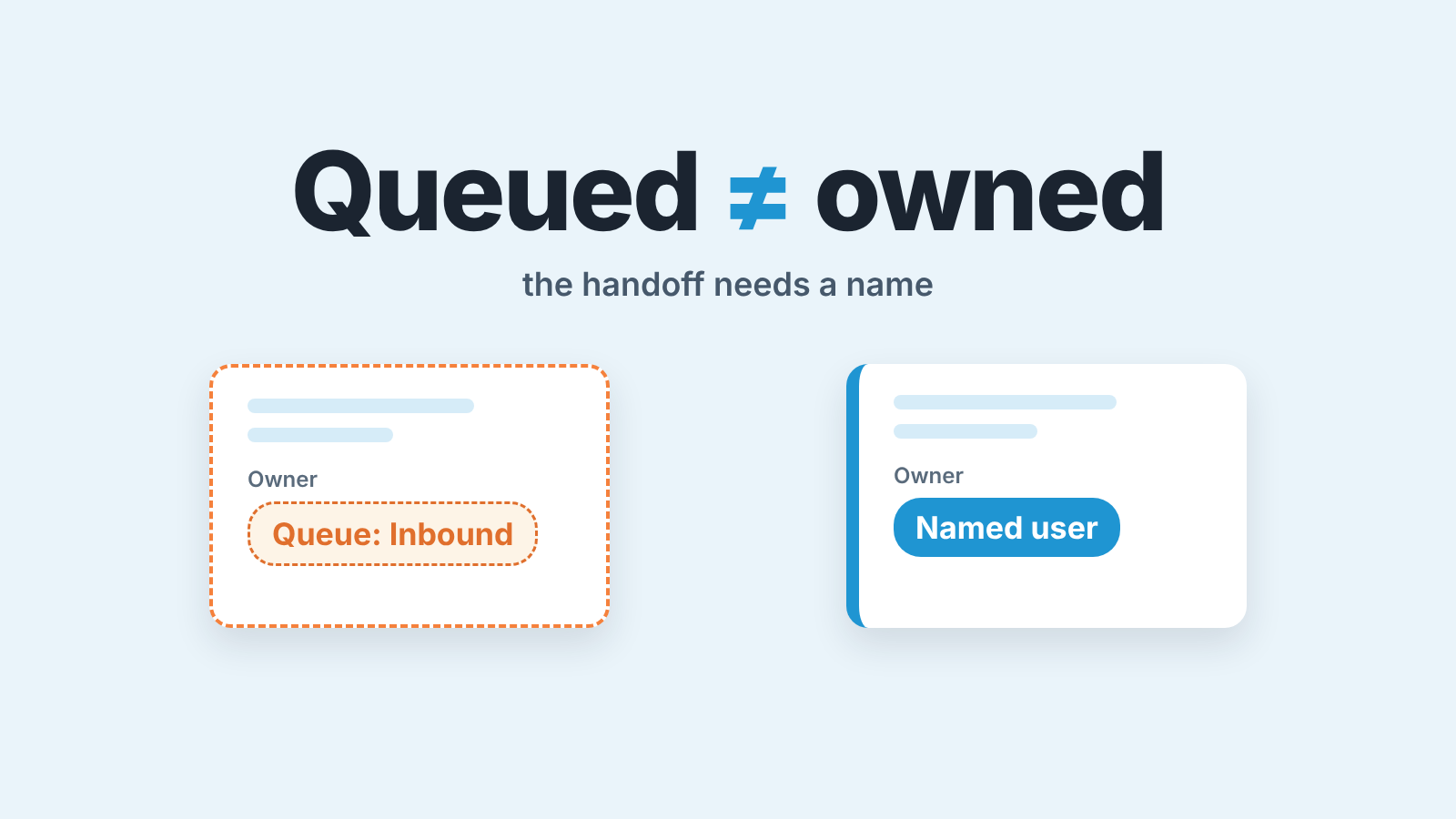
A lead passed from Salesforce Account Engagement (formerly Pardot) is only handed off when it has a named Salesforce owner and a first-touch deadline. Everything else, the score, the grade, the “sales ready” flag, is marketing’s opinion about the lead. So once a week, list the leads marked ready for sales that nobody has touched in the agreed time, and bring that list to the marketing sync. The rest of this article is how to set up that rule and that list without learning marketing automation.
Account Engagement in one paragraph, for sales managers
Account Engagement is the Salesforce marketing automation product that used to be called Pardot. It tracks people who open emails, click links, submit forms and visit landing pages, keeps them as prospects, and decides, by rules marketing writes, when a prospect is ready to be a lead for sales. At that point it assigns the prospect to a Salesforce user or queue, and the prospect becomes a lead (or contact, depending on how the connector is set up) that your reps see in Salesforce. That is the whole handoff. The setup of rules, emails and forms is marketing’s job and we will leave it there.
The piece that matters to you: two numbers travel with the prospect. The score reflects what the person did, pages viewed and forms completed. The grade reflects who they are. It’s a letter from A+ to F measured against a profile; every prospect starts at D, and the default profile looks at company size, industry, location, job title and department (The Spot for Pardot: Pardot grading 101). A high score with a low grade is an interested student. A high grade with a low score is a target account that has never heard of you. Marketing usually hands off when both pass a threshold, and you should know what that threshold is.
What a rep sees on a lead that came from marketing
Less than marketing thinks, unless somebody set up the page layout.
With the Account Engagement package installed, an Engagement History component can list the person’s marketing activity on the related lead, contact or person account (Nebula Consulting: Engagement History in Pardot). It does nothing if it isn’t on the layout your reps use, and the same goes for whatever fields marketing syncs to the lead, score and grade included.
Open one marketing lead in Salesforce this afternoon, logged in as a rep sees it. If the lead shows a score of, say, 140, a grade of B+ and the three webinars the person attended, the rep has a reason to call and something to say. If it shows a name, an email and Lead Source = Web, the rep has a cold call, and will treat it like one. Most “marketing leads are junk” complaints we hear start on that page layout, not in marketing.
Ask your admin to put the component and those fields on the rep layout and to confirm the reps’ users can see them. It’s a short job, and the reps can’t do it themselves.
Lead assignment and the handoff rule: score, owner, first-touch deadline
Here is the rule we recommend writing down, in this order, because each part fails on its own.
First, a threshold both sides agree on: score above X and grade at or above Y. Marketing proposes the numbers, you sign them. If you don’t know the numbers the leads you receive are whatever marketing felt like sending. (Running your own scoring inside Salesforce as well is a separate decision; see what a sales manager should check in Salesforce lead scoring.)
Second, a named owner, assigned at handoff. Account Engagement can assign a prospect to a user, put it in a Salesforce lead queue, or push it to your active Salesforce assignment rule (The Spot for Pardot: 6 ways to manage lead assignment). The catch is in the queue option.
A prospect sitting in a queue counts as assigned, so to marketing it is handed off and to you it is nobody’s.
Assignment actions don’t reassign a prospect that already has an owner, and queued prospects are treated as owned (same article). Once a prospect is assigned and synced, reassignment has to happen in Salesforce, and marketing often doesn’t have the permissions to do it (The Spot for Pardot: don’t let good leads go bad in Salesforce queues). Prefer a user, or an assignment rule that ends in a user. If you must use a queue, somebody owns emptying it daily, by name.
Third, a first-touch deadline. We’d start at one business day from assignment and tighten later. Write it as a number, not as “promptly”. The reasoning is the same as for any inbound lead; we laid it out in speed to lead, measured in the CRM, and it doesn’t change because the CRM is Salesforce.
One more line, which isn’t part of the rule but saves arguments: agree what the rep does with a lead they reject. In Salesforce that is a lead status value, not a deleted record, and marketing needs to see it come back. If your status picklist has no value for “returned to marketing”, add one before you start; the picklist is covered in Salesforce lead status values and what happens at conversion.
The weekly check: passed to sales, never touched
A Leads report filtered to marketing handoffs, owned by a user, still New, with Last Activity blank or past the deadline shows you who never touched them. We think a manager should run it every week while the handoff is new, and monthly once it gets boring.
The filters: created or assigned in the last 30 days; lead source or campaign marks it as a marketing handoff (ask marketing which field they stamp); owner is a user, not a queue; status still equals your “new” value; and Last Activity is blank or older than the first-touch deadline. Group by owner. Last Activity on a lead is driven by logged events and closed tasks, so a rep who called but logged nothing will show up here too, and that’s a separate conversation worth having.
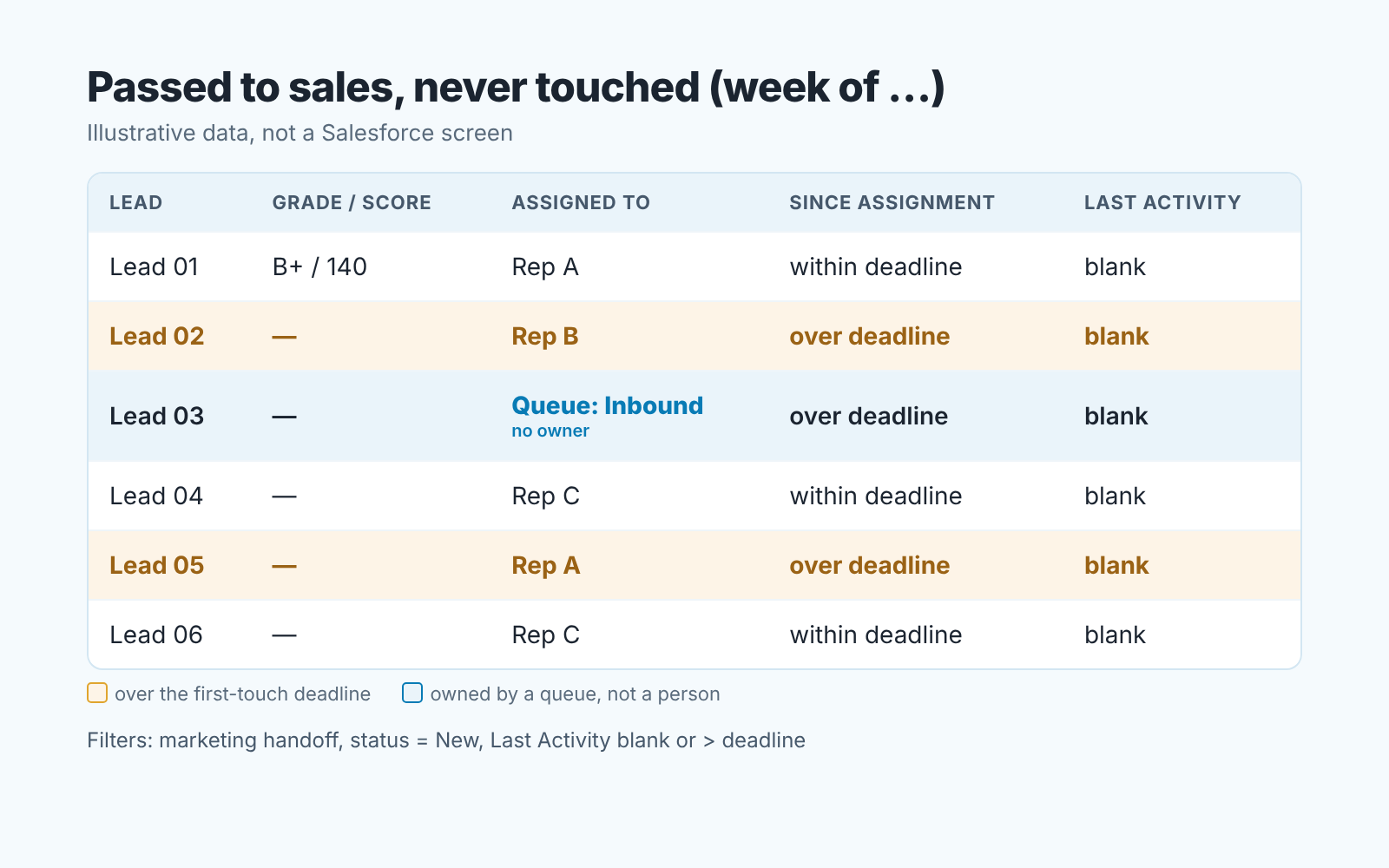
What you do with the list is where the handoff rule earns its keep. Each row has exactly one of three explanations. The rep did not get to it: a coaching note, and after three weeks of the the same name, a workload or priority problem. The rep touched it and didn’t log it: a hygiene problem, so fix the habit. Or the rep looked, decided it wasn’t worth a call, and left it in New. That is a rejected lead with no status, which means marketing will keep sending that kind, because nobody told them. The third kind is the expensive one and it is invisible without this report.
Bring the grouped list to the marketing sync, with the count, not the names. “Fourteen handed-off leads, nine untouched past deadline, five of those grade C or lower” is a sentence that changes next month’s threshold. “Your leads are bad” is not.
What to ask marketing for
Four things, and none of them require you to log in to Account Engagement.
The current threshold, in writing: which score, which grade, which other conditions. The assignment path: user, queue or assignment rule, and if a queue, which one. The field they stamp on handed-off leads so your report can find them. And a short note on the lead record of why this lead crossed the line, like “downloaded pricing guide, visited pricing page twice”. Marketing already has that data. The ask is to make it land where the rep reads it.
If marketing wants something back, give them the rejected-lead status and the untouched-lead count. Both are theirs by right. The threshold is a shared dial, and they can’t turn it without your numbers.
If you route on more than one rule, the design questions (round robin or territory, what happens to the overflow) are the same in any CRM; we went through them for assignment rules in Zoho CRM.
A one-page agreement between marketing and sales
Write it on one page because a two-page one does not get read, and because the handoff is simple when the two sides stop assuming. We wrote up the same kind of agreement for a lead handoff in Pipedrive, if you want to compare.
Ours would say: a lead is handed off when score and grade pass the agreed line and a named Salesforce user owns it. The owner makes the first touch within one business day and logs it. A lead the rep won’t work gets the returned-to-marketing status within the same deadline, with one line of reason. Every week the sales manager brings the untouched-past-deadline count, grouped by owner and by grade; every month both sides look at the threshold and decide whether it moves. Nothing becomes an opportunity until the rep has spoken to the person, so the handoff rule covers leads only. What happens after is the lead-versus-opportunity line in Salesforce, and that is the rep’s call, not marketing’s.
Sign it, both names, date. Then run the report on Friday.
A disclosure, since the weekly list is the core of this piece: we build SalesBond, a sales management layer on top of the CRM a team already uses; we started with Pipedrive. Finding assigned leads nobody has touched is the kind of thing it watches for across the team, so a manager doesn’t have to rebuild the report each week. The report in Salesforce works fine on its own, though, and we’d rather you ran it than read about it. Check your CRM with SalesBond when the list stops fitting on a page.