
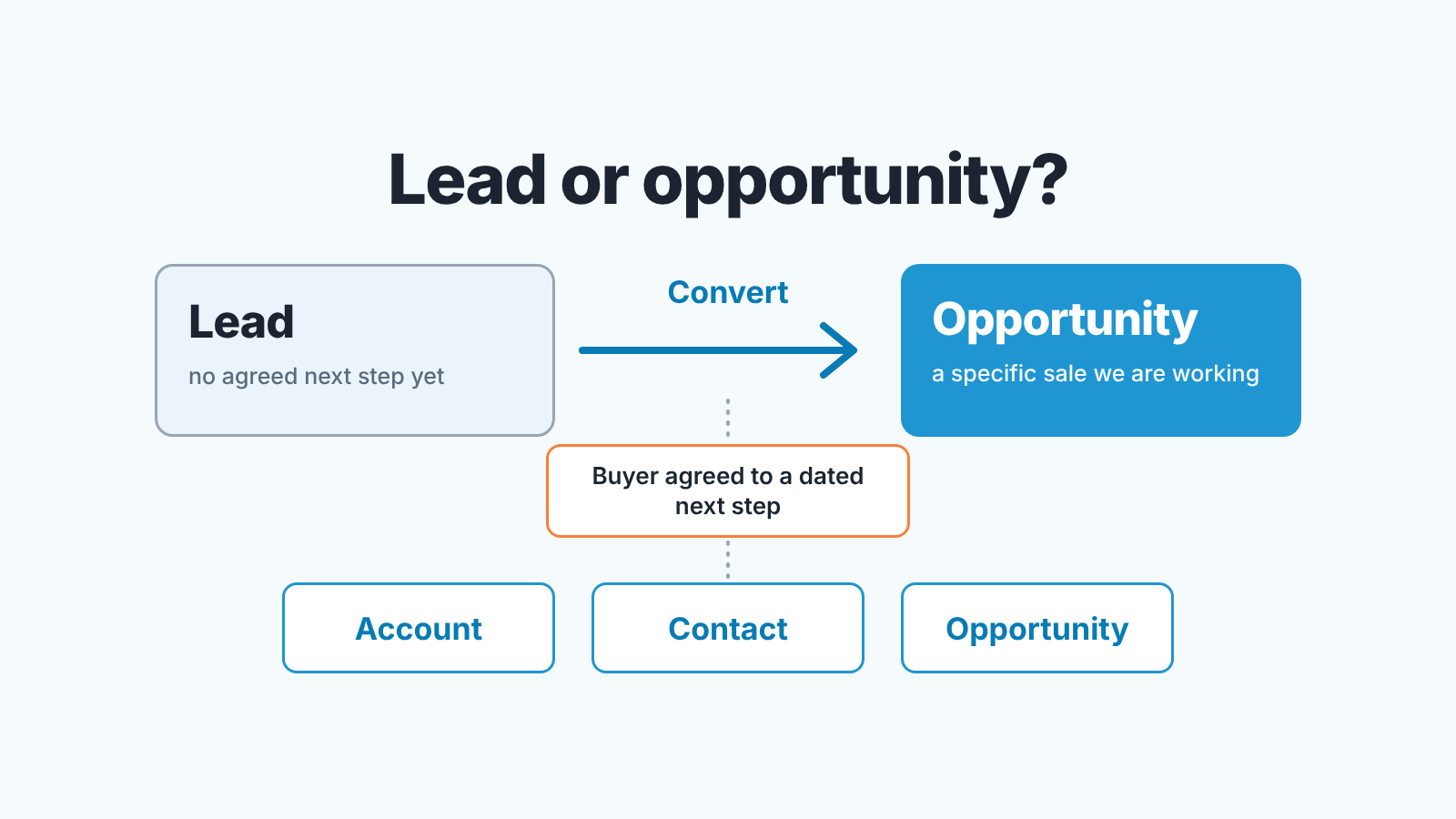
In Salesforce a lead is a person or company you have not yet agreed a next step with; an opportunity is a specific sale you are working. Convert a lead when the buyer has agreed to a dated next step, and have one named person decide that, so Leads stays a queue and Opportunities stays a forecast. That is the whole rule. The rest is about writing it down so five reps apply it the way the manager would.
Two objects, one question: has someone agreed to a next step?
The difference that matters is what each list is for: Leads is a queue you empty, Opportunities is a forecast you defend. A real deal left as a lead is missing from the forecast. A conversation that was never going anywhere, converted into an opportunity, inflates the forecast and then rots in stage one.
Most explanations stop at the definitions: a lead is unqualified, an opportunity is qualified. True, and useless on a Monday morning, because “qualified” is the word everyone argues about. One rep converts when the prospect answers an email. Another waits for a signed NDA.
So the question that separates the lists is not “is this person a good fit”. It is “has this person agreed to do something with us, on a date”. A fit without an agreement is still a lead. An agreement is a deal, however small. A prospect, if your team uses the word, is a company you haven’t talked to yet; it sits before both.
Write the rule in one line: when a lead becomes an opportunity
A rule that needs a paragraph gets interpreted, and five reps produce five interpretations. Ours fits on one line:
A lead becomes an opportunity when the buyer has agreed to a dated next step with us.
“Agreed” rules out things we did to them: we sent a deck, we left a voicemail, they opened the email. “Dated” rules out the polite maybe: “let’s talk next quarter” is not a next step, “Thursday at 10, with their ops lead” is. “With us” rules out a buyer who is active but not with you yet.
Different businesses will word it differently. Three versions we have seen hold up:
- A discovery call is on both calendars.
- The buyer has asked for a quote and named the person who will read it.
- A site visit or trial has a start date.
Pick one, and don’t add a second condition.
“A dated next step AND budget confirmed” sounds more rigorous. In practice real deals wait in Leads while a rep chases a budget number, and the forecast goes blind for those weeks. Budget and authority belong in the opportunity’s early stages, where we put them as stage exit criteria on Salesforce opportunities.
The rule is also silent on how many touches a lead gets before it is closed as unqualified. That is a queue rule, and your Lead Status values carry it.
Who decides, and the duplicate check before it
One named person per lead converts it. In a team where SDRs set meetings and AEs run them, we prefer the SDR, at the moment the meeting is booked, because that is when the rule is met and the SDR is the one who knows it. In a team of full-cycle reps, the lead’s owner converts. What we don’t accept is “whoever gets to it”. That produces both failure modes at once: leads nobody converted and opportunities two people created.
The Convert step is also where duplicates are born. Converting creates or connects an account and a contact, Salesforce can flag possible duplicates from your matching rules, and an admin can require that they’re resolved before the conversion finishes (Salesforce Help: Considerations for Converting Leads). The choices inside that window are covered in our piece on Salesforce lead conversion field mapping. The part that is about people: a rep in a hurry clicks through, and the company you have sold to twice now has a third Account with one contact and no history.
So the person who converts does three things before pressing the button, in this order.
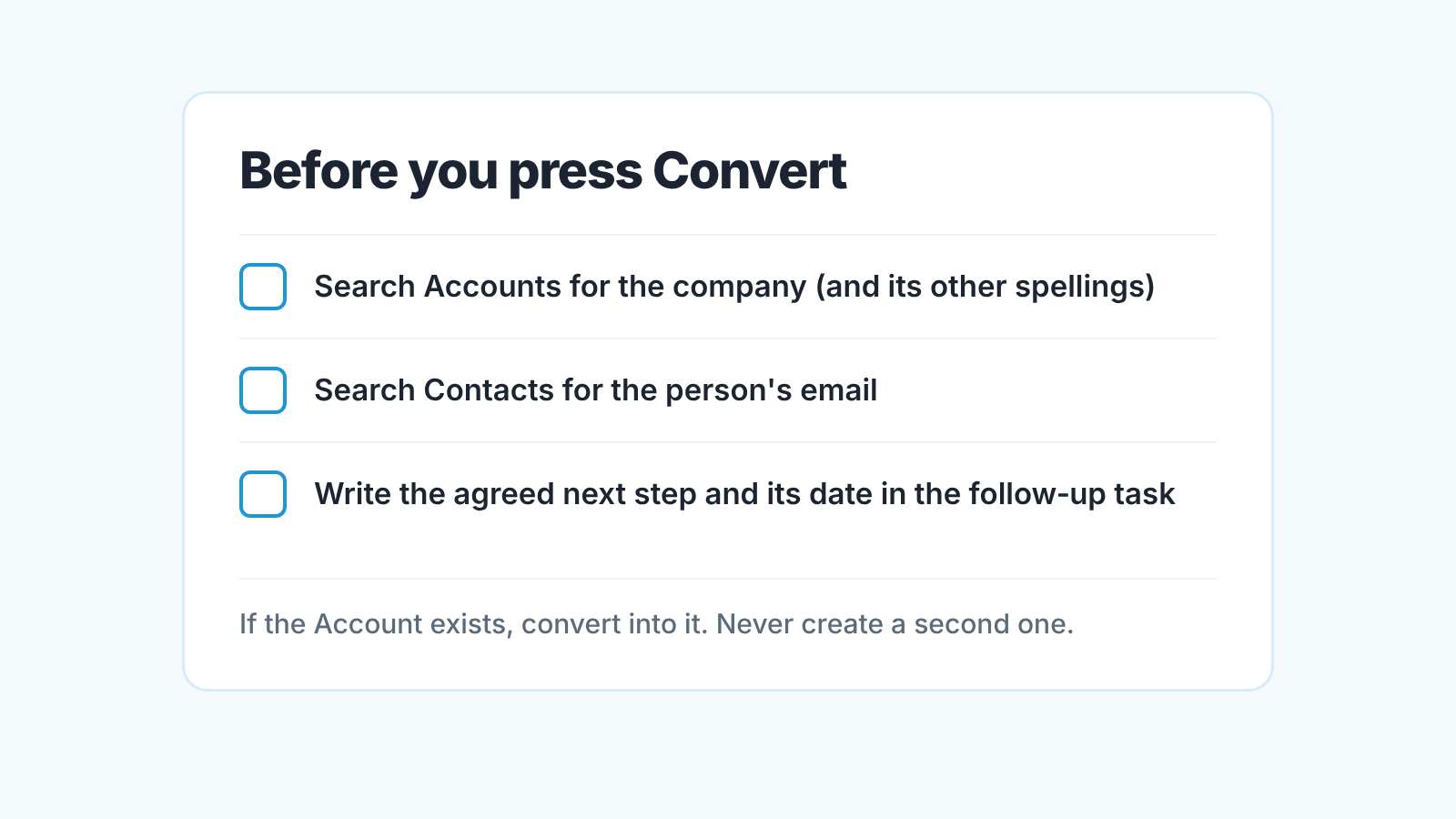
First, search Accounts for the company, including the spelling the rep did not use. If it exists, convert into it. Second, search Contacts for the person’s email. Same rule. Third, put the agreed next step, with its date, into a follow-up task, which Salesforce lets you schedule as part of the conversion, so the new opportunity starts with a next step instead of an empty timeline.
If someone else will own the opportunity, hand it over in the same minute, not at the end of the week.
What to do with deals created before the lead was qualified
Every team that introduces this rule finds a pile of opportunities that should not exist yet. A rep built them from a target-account list, or converted on the first reply. Our position: they get sorted once, by hand, with the rep in the room.
For each early opportunity, ask the one question. Has the buyer agreed to a dated next step? If yes, it stays, and the rep adds the task with the date. If no, don’t try to turn it back into a lead; a converted lead becomes a read-only record unless your admin grants permission to edit it (Salesforce Help: Considerations for Converting Leads). Close it as lost with a reason like “no agreed next step” and, if the company is worth pursuing, create a fresh lead for the contact. It is a correction to the forecast, not a demotion.
Then there is the mirror case: the deal exists, the conversation is real, and the lead is still open because the rep created the opportunity directly. Convert the lead into the existing Account, Contact and Opportunity rather than closing it, so its history attaches to the records that will carry on. Salesforce allows this only when the Account already exists, which in this case it does (Salesforce Help: Convert a Lead into a current Contact or Opportunity).
Two Monday checks: the lead queue and opportunities with no source lead
Two lists, ten minutes, every week. We don’t put a threshold on either; set the number of days your own queue can justify and write it next to the rule.
The first is open leads older than that number of days, grouped by owner. For each one there are only three answers: convert it today, keep it with a date, or close it as unqualified. Our article on Salesforce lead status values has the weekly lead-age report we use for this.
The second list is opportunities created in the last week with no source lead. Some of those are fine: an existing customer buying again never passes through Leads. Some are the rule being skipped. You can’t tell from the count, so you open each one and ask the same question as always. The point is not to catch anyone: a rep who knows the manager opens every sourceless opportunity on Monday stops creating them on Thursday.
The first list tells you whether the queue is being worked. The second tells you whether the forecast is being padded. If one is long and the other is empty, you know which half of the rule the team hasn’t absorbed yet.
When the rule needs to change
Lines get moved when the business changes. Two signals tell us it is time.
The forecast starts missing on stage one. If many new opportunities close lost in their first stage with “no response”, your agreed next step is too soft. A reply to an email counted as a next step somewhere. Tighten the wording.
The business adds a motion the rule didn’t anticipate: inbound trials, a partner channel, renewals. Write a second line for that motion rather then stretching the first one until it means nothing.
When you change the line, change it in one place, tell the team on the same day and run the two Monday checks for a few weeks to see what the change did. If leads land with the wrong owner, the rule gets applied by the wrong person, so our audit of Salesforce lead assignment rules is where we would look next.
A disclosure, since this is where a tool usually comes up. We build SalesBond, a sales management layer on top of the CRM a team already uses; we started with Pipedrive. It works with Pipedrive, HubSpot, Salesforce and Zoho CRM. If the opportunities your converted leads become are the part you can’t keep up with, check your CRM with SalesBond.


