
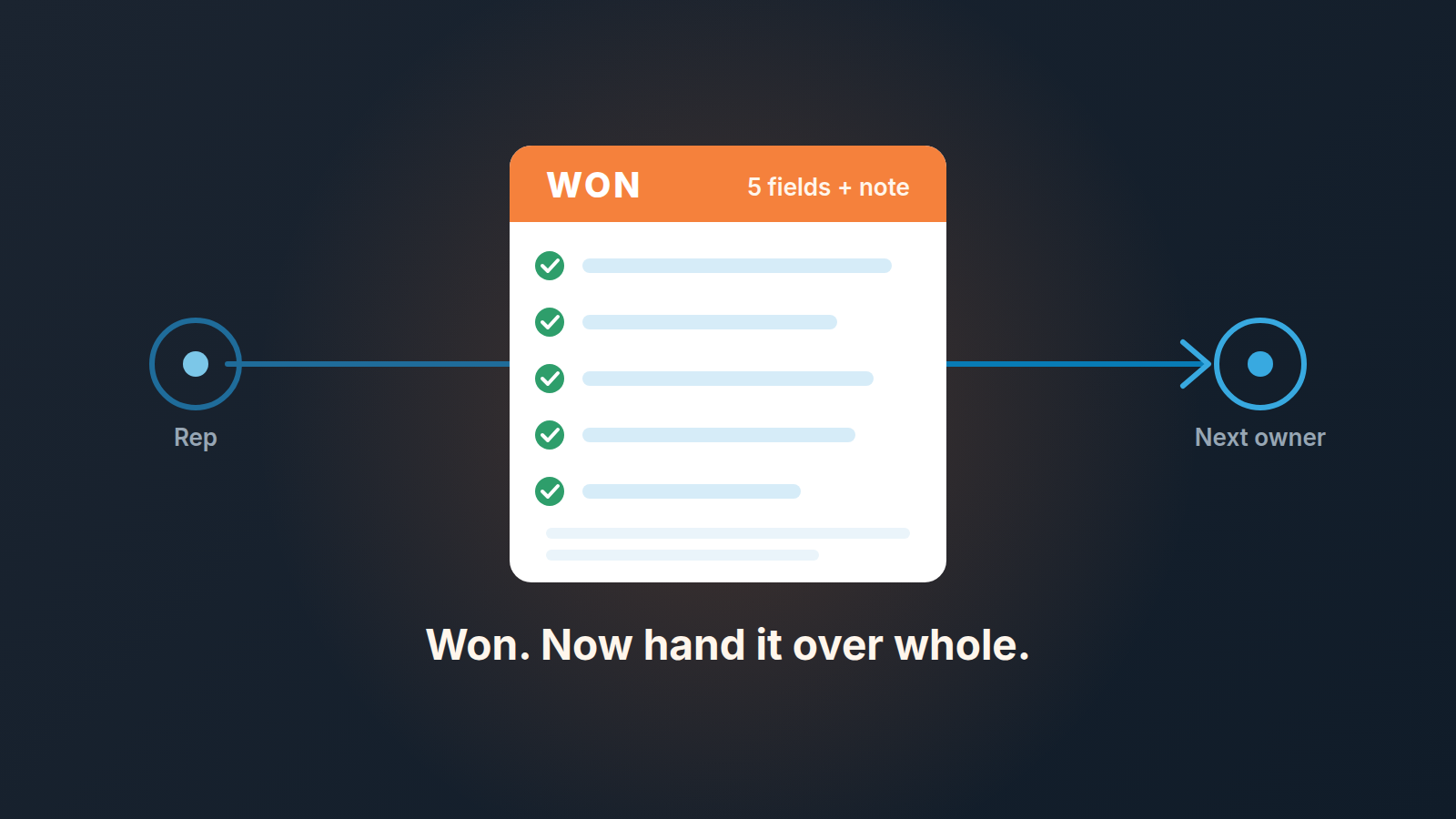
A closed-won handoff, the sales to customer success handoff in a team that may not even have a customer success department, is the minimum context the next person needs so they don’t open the relationship with questions the customer has already answered: why they bought, what was promised, who is involved, what counts as success and what could go wrong. In a small team the reliable place for that context is the deal itself, five fields and one note, filled in before the deal is marked won rather than in a document written afterwards. The test is simple. A colleague who sat on none of the calls opens the deal and can start working with the customer in ten minutes. If they can’t, the handoff hasn’t happened, whatever the stage says.
The handoff is where a won deal quietly goes wrong
Nobody loses a customer on the day the deal is won. The losses are small, specific and delayed.
Promises first. “We’ll have you live by the 15th.” “The first month of onboarding is on us.” “You can add two users without a price change.” The rep said it on a call, meant it, and never wrote it down. Six weeks later the customer mentions it to whoever is doing onboarding and that person has to decide on the spot whether to honour a condition they have never heard of. Promises like these are also the first to surface when a price increase letter goes out.
Then contacts. The champion who pushed the deal through is rarely the the person who will use the product every day, and the daily user has often never heard your company’s name until the kickoff invitation lands. Then expectations: the customer bought a result (“stop losing orders between the warehouse and the invoice”), and the person doing delivery ships a feature.
Each of those costs the customer a repeat explanation. Rocketlane’s handoff guide puts a clock on the fix: “The AE completes the standardized handoff document within 48 hours of contract signature”, and the handoff as a whole “should begin at contract signature and be completed within five business days” (Rocketlane: sales to customer success handoff). Avoma makes the same point from the other end, the handoff starts at closed-won or contract signing, not at kickoff (Avoma: sales to customer success account handoff). We agree with the deadline and disagree with the method, at least for a team of three to eight people. A handoff document written two days after the win is written from memory, and memory is exactly what fails on the special conditions. Write it before the win, inside the deal, while the calls are still fresh and the gate is still closed.
Five things the next person needs
That is the whole sales to customer success handoff for a small team: five fields and one note. Short enough that a rep fills it honestly on a Friday afternoon, long enough that the next person doesn’t have to call the customer to ask the basics.
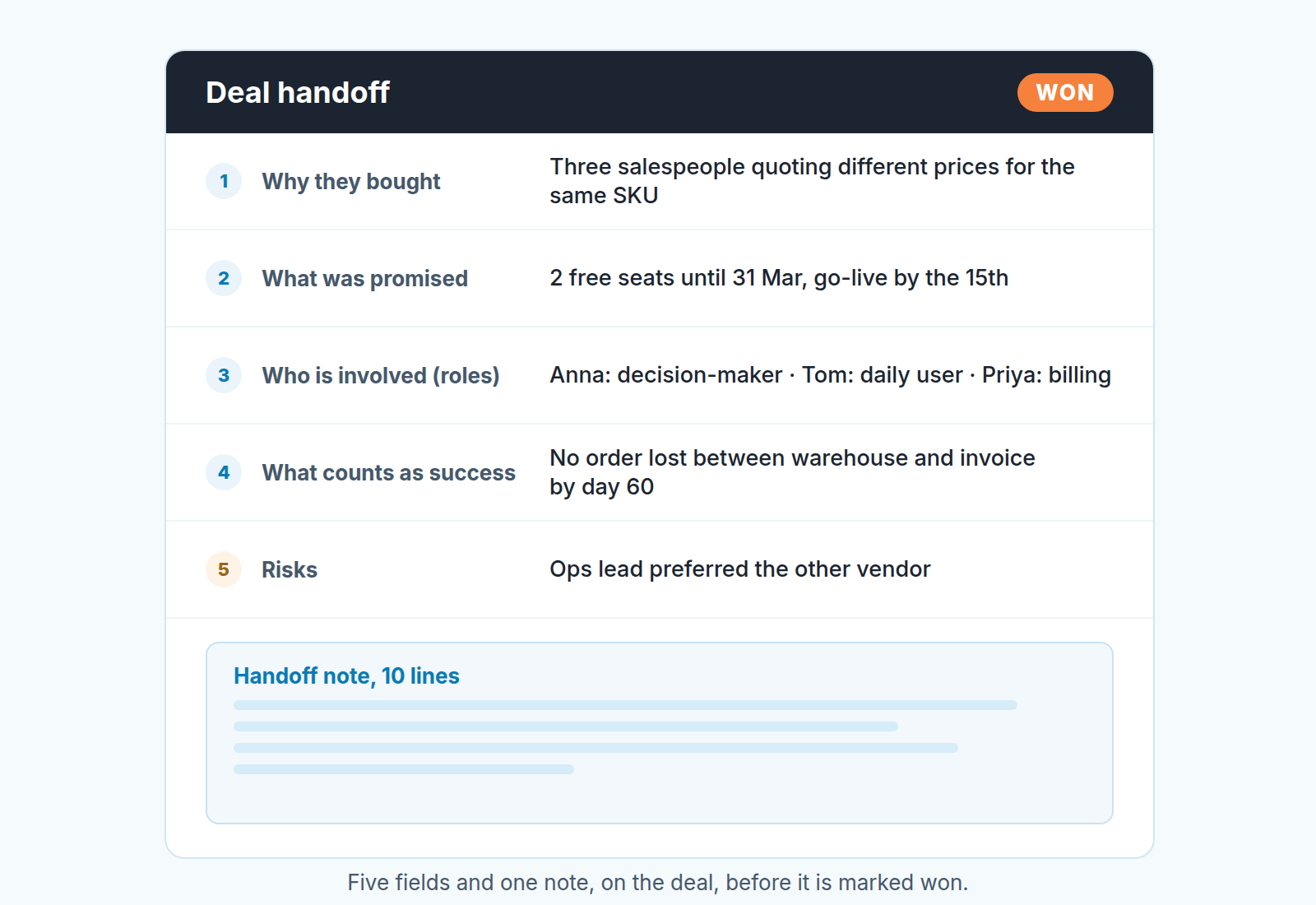
- Why they bought. One line, in the customer’s words, not yours. “Three salespeople quoting different prices for the same SKU” is a reason. “Needed a CRM” is a category. A single-line text field on the deal does the job; a dropdown produces categories.
- What was promised. The field that gets lost, which is why it exists. Every condition that isn’t in the standard contract: a discount and the date it ends, free seats, a go-live date, a custom report, a call with the founder in the first month. If the rep said yes and it isn’t a standard term, it goes here. Empty is a valid answer, “see email” is not.
- Who is involved. Linking the people to the deal is the easy half; the job is to name their roles. A short “Role” dropdown on the person (decision-maker, champion, daily user, billing) is enough. The next person needs to know who signs, who shouts and who logs in.
- What counts as success. What the customer will look at in sixty days to decide this was a good purchase. If the rep can’t write it, the deal was sold on features, and the next person should know that too.
- Risks. What the rep heard that worried them: a sceptic on the customer’s team, a competitor still being evaluated for another department, a data migration nobody on the customer side owns. Two lines, plain.
The note is the story that connects the five: how the deal went, where it nearly died, what the customer’s tone was in the last call. Ten lines in the deal’s notes, dated. Pin it, and see how to write and pin that note so the next person actually sees it. The habit of writing it is the same one we described in the minimum call note that saves a deal; the handoff note is the last entry in that series, not a new format.
If you already keep a one-page mutual action plan with the buyer, items 3 and 4 are mostly in it already. The handoff copies the open items from the plan into the deal, not the whole plan.
Make Pipedrive ask for them before won
Pipedrive’s gate sits on stage moves, not on the Won button, so put the gate on the last stage.
Required fields in Pipedrive work like this: users “won’t be able to add or edit new items or move deals until the required fields have been filled in”, and a user who tries to move a deal into a stage without a required field “will be prompted to add the required information”. A requirement can be scoped to one pipeline and one stage (Pipedrive: required fields). So take the last stage before won, whatever yours is called (“Contract sent”, “Closing”, “Verbal yes”), and make the five handoff fields required for entry into that stage. The rep fills them on the day the customer says yes, which is also the day the rep remembers what was promised.
There is one hole in this. The gate checks stage moves, and the Won button is on the deal at every stage. A deal marked won straight from “Demo done” never enters the last stage, so it skips the gate with all five fields empty. Pipedrive won’t stop that, so the team has to: make “won only from the last stage” a rule, and in the monthly pipeline review look at the deals won that month and check which stage each one was won from.
Important fields are the softer feature and they don’t do this job. Marking a field as important shows “a flag in the deal detail view” telling the user that fields marked for that stage are missing data (Pipedrive: important fields). A flag is a reminder. A gate is a gate. For the five handoff fields, use the gate.
Two limits from Pipedrive’s own page, so you aren’t surprised. Required fields “won’t stop deals from progressing if the fields are updated via import, bulk-editing, API, automations, or third-party integrations”, so a deal pushed to the last stage by an automation walks through the gate. And a gate invites filler. “As discussed” in the “What was promised” field is worse than an empty field, because it looks complete. We covered how many fields to require and how to spot filler in required fields in Pipedrive; this article adds exactly one gate at one stage and nothing else.
If delivery lives in Pipedrive too, the handoff travels on its own. In the deal detail view the won dropdown offers “Mark as won and create a project”, and when a project is linked to a deal, “related files, notes and emails are automatically included”, with the project linked to the deal, a contact and an organization (Pipedrive: Projects by Pipedrive). The handoff note shows up in the project; the five fields stay on the linked deal, one click away. Automations can take the last step. Start from the “Deal updated” trigger and pick the deal’s status as the field to watch (a trigger can monitor up to 10 fields). Then, in Pipedrive’s words, “add conditions after the trigger to define what must be true” (Pipedrive: update triggers). Here the condition is simple: status is won. The actions on offer cover activities, notes and projects, with Slack among the integrations (Pipedrive: workflow automation). With a project template attached, “a new project is created automatically whenever the automation is triggered, for example, when a deal is won” (Pipedrive: project templates). The one we’d build is smaller: when status is won, create a “Handoff call” activity for the deal owner, due in two working days. If you do attach one, the client onboarding checklist as a Projects template is what we put in it.
If you also announce wins in Slack, keep that post to the company, amount and owner; setting up the won-deal post is a ten-minute job, and the handoff itself still lives in the deal fields.
A 15-minute handoff, not a document
The meeting is short because the writing is already done.
Rep and next person, fifteen minutes, the deal open on one screen. The rep reads the five fields aloud, in order, without expanding on them. That’s the point: if a field only makes sense once the rep explains it, the field is wrong, and the next person says so. “You’ve written ‘standard discount’ under promises. Which standard, and until when?” The rep fixes it there, in the field, not in a follow-up email. Then the note, the same way. Then one question from the next person: “What would you do in the first call that I wouldn’t think of?” The answer usually goes into Risks.
The output is a corrected deal. There are no minutes. There is no slide. If the next person can say the customer’s story back in three sentences at the end, the handoff is done, and the customer kickoff can happen inside the week, which is the window Rocketlane recommends. One more rule that we hold to: the next person sends the first email to the customer, not the rep. It tells the customer who they are dealing with now and it forces the next person to use the fields rather than to lean on the rep for another month.
When the rep is also the account owner
In a five-person team there is often no “next person”. The rep who closed the deal onboards the customer, answers the support questions and handles the renewal. Skip the handoff, then?
No, and for a plainer reason than process. The next person is you in three months. The promise made on the second call is as gone from your own memory as it would be from a colleague’s, and the founder who covers your holiday has nothing but the deal to go on. When a rep leaves, and in small teams they do, every deal they owned turns into a cold account unless the five fields are there. The gate at the last stage costs the same two minutes whether a handoff meeting follows or not.
What changes is the meeting. Replace it with one activity: the day the deal is won, schedule “Handoff review” for yourself in two working days, open the deal, and read your own five fields as if you were a stranger. The next activity field is the right place for it, because a won deal without a next activity disappears from everyone’s list the moment the confetti is over. After that review the customer moves into whatever you use to watch the account, in our case a renewal pipeline, and the sales pipeline is done with them. If the customer later buys more, that is a new deal on the same organization, not an edit to the won one.
Check it after 30 days: what the customer had to repeat
Thirty days after the deal is won, the account owner answers one question in writing: what did the customer have to tell us twice? Part of the answer is often in what support has on the account.
Every answer points at a field. “They told us about the go-live date twice” means “What was promised” was empty, or filler. “They asked why we were talking to the wrong person” means a role was missing on a linked contact. “They were surprised the report wasn’t included” means a promise was made that the rep didn’t think of as a promise, which is a coaching conversation, not a field change. Collect the answers for a quarter. Then change the wording of a field, or the example in the help text, and resist adding a sixth. Five fields the team fills honestly beat eight that get “N/A”.
A disclosure, since this is the point where a deal stops being sales’ problem: we build SalesBond, a sales management layer on top of the CRM a team already uses; we started with Pipedrive. It doesn’t do the handoff. No software knows what you promised on a call. What it does with won deals is watch what happens next: its Customer Health module takes each repeat customer’s buying cycle and shows who is on track, overdue or leaving, so the thirty-day check has company after day thirty. Check your CRM with SalesBond if you’d rather not build that list by hand.
If you do one thing this week, do it before the next deal closes. Open the last stage of your pipeline, add the five fields and make them required there, then tell the team that Won gets pressed from that stage and no other. The first deal through the gate will show you which field needs better wording.


