
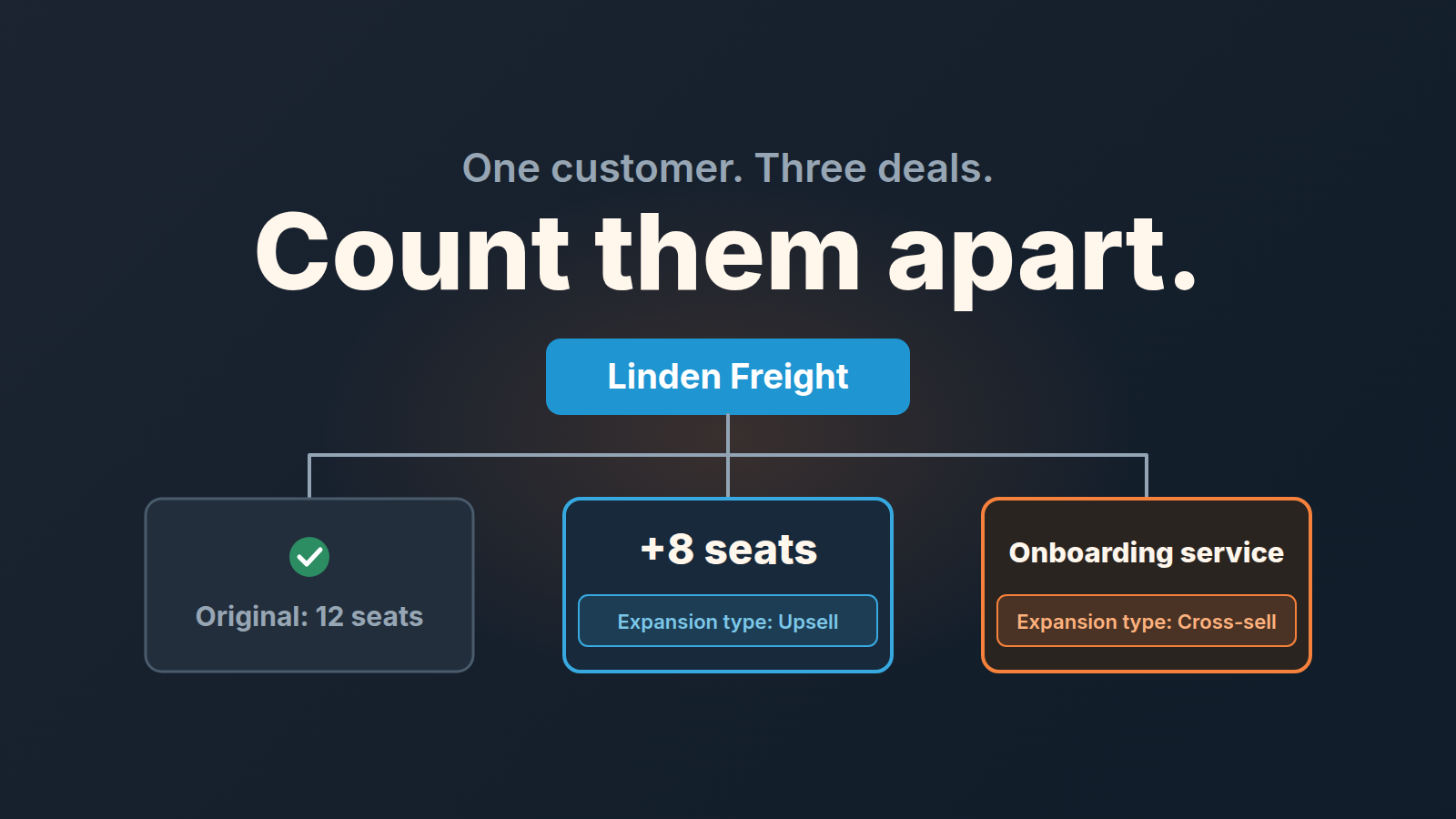
Upselling sells the customer a bigger or better version of what they already have. Cross-selling sells them something additional that goes with it. For a small team the bookkeeping matters more than the definition: record every expansion as a new deal on the customer’s organization, with a field that says which kind it is, so renewals, upsells and cross-sells can be counted separately and none of them vanishes inside the original won deal.
That last sentence is the whole article. The rest is how we set it up in Pipedrive and what it changes on a Monday morning.
Upsell vs cross-sell in one B2B example
A customer bought twelve seats of your software in April. In September they ask for eight more. That is an upsell: same product, more of it, or a higher tier of it. A couple of weeks later they ask whether you can also run the onboarding for thier new hires, which you sell as a separate service. That is a cross-sell: a different product that fits next to the first one.
Same customer, same contact, a few weeks apart. Two different things happened, and if both get the same label you will never know which one your team is actually good at. In the teams we’ve worked with, it’s common to be decent at one and nearly absent at the other without anyone noticing, because the CRM shows a single “expansion” blur.
The definitions are the easy part, and the articles that rank for this question cover them with coffee shops and online carts. What they skip is what the deal record should look like when a B2B team of six is doing this for real.
Why you don’t edit the won deal
The tempting shortcut: open the deal that was won in April, raise the value, maybe add the new products, done. It takes thirty seconds and it quietly breaks three things.
First, the won report. The deal was won in April at one value and now shows a bigger one, so April’s revenue grows in September. Anyone comparing quarters is comparing fiction.
Second, the pipeline. An expansion is a sale. It has a conversation, an objection, a decision date and a chance of not happening. A number typed into a closed deal has none of that, so nothing reminds anyone to follow up, and nothing counts it as lost when the customer says “not this year.”
Third, credit. The rep who noticed the opening and ran the conversation gets no won deal to show for it. Over a year that is how expansion stops being anyone’s job.
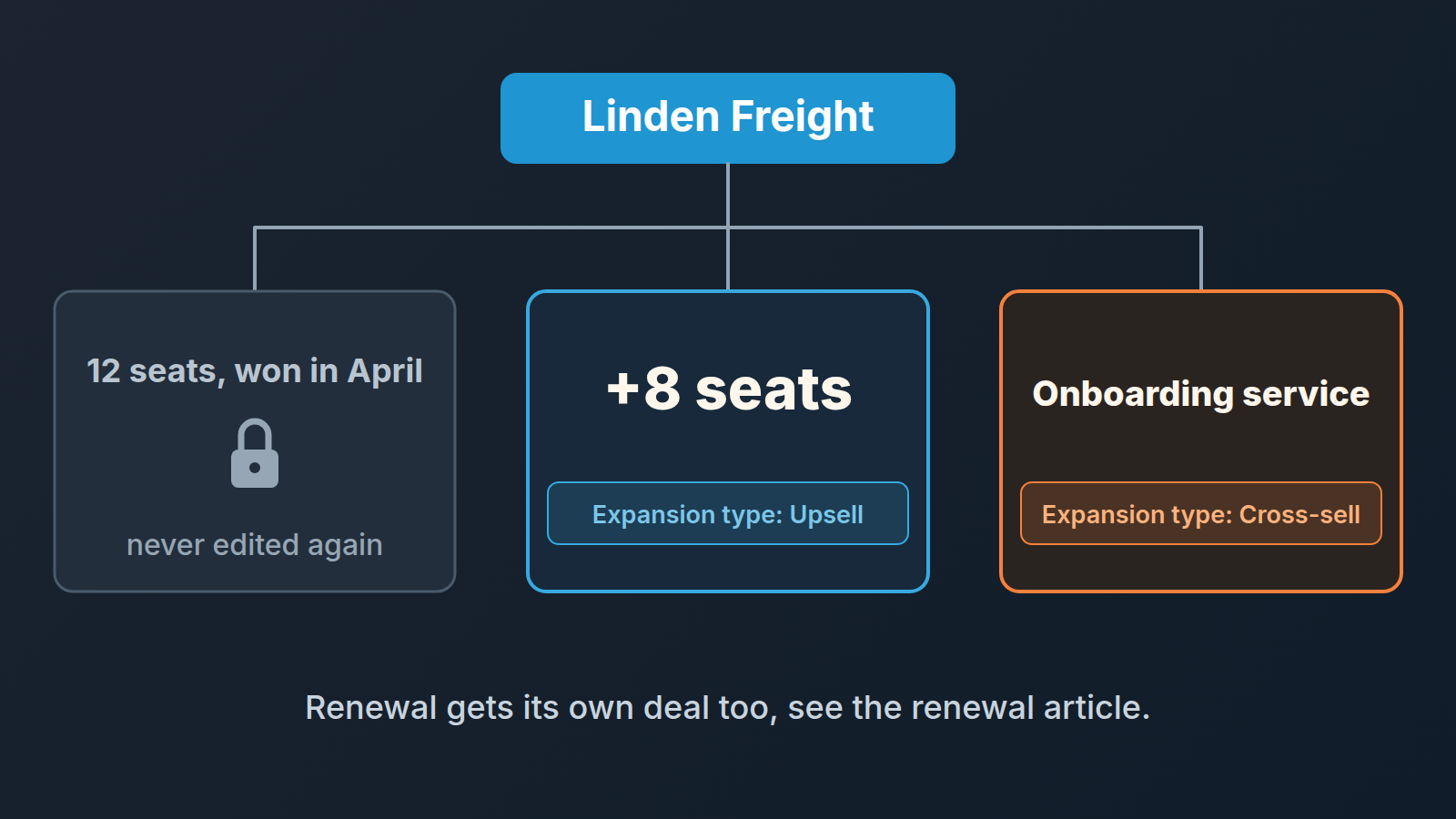
We are firm on this one: the original won deal is history. It stays as it was. Anything the customer buys after that is a new deal. For repeat buyers, each of those new deals also moves the date their next order is expected.
A new deal on the same organization, plus one field
In Pipedrive every deal has to be linked to a person, an organization or a project, and you can add one straight from the organization’s detail view, with the “+” button in the deals section or the “Add new deal” button (Pipedrive: deals, what they are and how to add them). Start the expansion deal there, from the customer you already have, not from a blank pipeline view.
To tell the three kinds of follow-on deal apart, we add one custom deal field:
- Open the account menu, go to Personal preferences > Data fields, choose the deal entity and click “+ Custom field” (Pipedrive: custom fields).
- Name it Expansion type and give it exactly three values: Upsell, Cross-sell, Renewal. Not more. Every extra value is a future argument about which one applies. Keep Renewal even if your renewals run in their own pipeline, as in our customer renewal process in Pipedrive: the field is what lets one report count renewals next to upsells and cross-sells, whichever pipeline each deal sits in. A contraction goes on the renewal deal too; here is how a contraction is filed on the renewal.
- Write the rule into the field description, which your team sees behind the info icon next to the field. Descriptions exist only for lead and deal fields, and whether you get them depends on your plan. One line each is enough: Upsell = more or a higher tier of what they have; Cross-sell = a different product; Renewal = the same thing again for a new term.
- Pick the field type carefully: it can’t be changed once the field exists (Pipedrive: custom fields).
- Leave it empty for new-business deals. An empty field means “first purchase,” and that is a filter too.
Pipedrive can also mark a field as important or required, depending on your plan (Pipedrive: custom fields). If you have that option, marking Expansion type as important is enough, a required field on every new-business deal would just teach the team to pick a random value.
Who owns the expansion deal? The person the customer actually talks to, the same rule we use for renewals. If that person isn’t in sales, they open the deal and hand it to a rep, and the handoff is a note on the deal, not a Slack message. And expansion deals count toward the quota of whoever owns them. If they don’t, nobody will open one.
One line on pipelines, since the question always comes up: one pipeline with the field is enough for most teams this size, and a separate expansion pipeline only pays off when expansion deals follow genuinely different stages. We wrote up the trade-off in one pipeline or several in Pipedrive.
Put the products on the deal
An expansion deal with a bare value tells you a number. The same deal with products attached tells you what was sold, which is the thing you want to know in six months.
Attach them from the deal’s detail view with “+ Products”, or tick the product in the products list and click “Attach to deal” (Pipedrive: how can I link products to a deal). A price you change on the deal stays on that deal and leaves the catalog alone; the rest of the price mechanics are in recurring products vs installments in Pipedrive.
That is what keeps the upsell honest. Eight extra seats at a loyalty discount go on the upsell deal at the discounted price, and the onboarding service sits on its own cross-sell deal. A few quarters later, a filter on Expansion type plus the products on each deal shows which products customers actually add after the first purchase. That is your cross-sell map, built from what customers did rather than from what a slide says they should do.
What goes into the value field of an expansion deal follows the same rule as any other deal; ours is in ACV vs deal value in Pipedrive.
When to open the conversation
The calendar is the weakest trigger there is. “Call every customer at six months” produces a call nobody asked for. The customer’s own data is better, and most of it is already in the the CRM or one tab away from it.
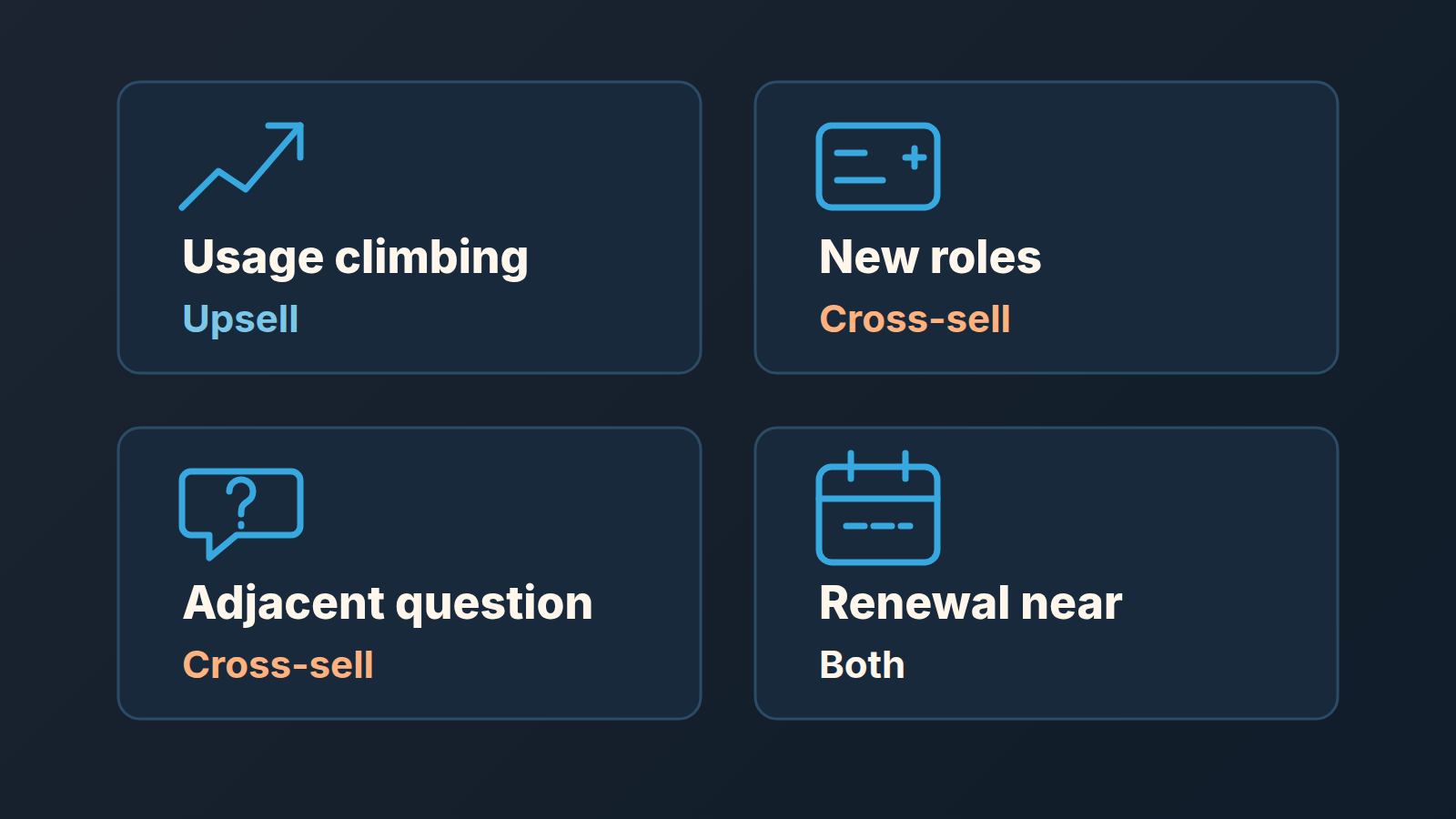
- Usage is climbing. More logins, more records, more of whatever your product counts. The twelve seats are all active and someone is sharing a login. That is the upsell conversation, and the customer usually knows it before you call.
- New names appear on the organization. A new head of operations added as a contact, a new department asking for access. New roles bring new problems, and a different problem is where a cross-sell lives.
- They ask about the adjacent thing. “Do you also do X?” in a support ticket or at the end of a call. Reps hear this and answer it; too few log it. Our rule is that any such question becomes an open deal with Expansion type set the same day, even at a tiny probability. An open deal is visible; a remembered remark is not.
- The renewal date is getting close. Not because you want to bundle the upsell into the renewal (in our experience that tends to shrink both), but because a customer deciding whether to stay is already thinking about what they have. If the renewal has its own deal, the expansion conversation can happen a month earlier and stand on its own. If it lands mid-contract, end the add-on on the original contract date so everything renews together. A price change is another reason to call, and the same fields help you sort your customer list before a price increase letter.
Notice what is not on the list: “it has been a while.” Time alone is a reason to check in, not to pitch. If you keep account plans, the guesses about what could grow in each account are where many of these deals start; we described ours in a key account plan for a small sales team.
Counting it at the end of the quarter
Once the field exists the reporting is a filter. In Insights, a deals report filtered on Expansion type = Upsell and won in the quarter gives you the count and the total value; switch the filter to Cross-sell and you have the second number. Custom fields can be used in filters, list-view columns and Insights reports (Pipedrive: custom fields). Since September 2026 Insights also averages numeric and monetary custom fields and allows several filters on the same field (Pipedrive product updates), so a field like “Added seats” on upsell deals can be averaged, and one report can include both Upsell and Cross-sell deals.
Three numbers we look at, once a quarter, in this order: how many expansion deals were opened (is anyone looking), how many were won (is the conversation working), and the average value of the won ones, upsell and cross-sell separately. The average is where small teams fool themselves, because a quarter may contain six won expansion deals and one of them may be a fluke. We wrote about when the Insights average lies in custom field averages in Pipedrive Insights; the short version is to put the deal count next to every average.
The win rate on expansion deals will not look like the win rate on new business, and it should not be reported in the same line. If you want to see how we count win rate at all, start with sales win rate in Pipedrive.
Where we fit
Customer Health, one of the products we build at SalesBond, is aimed at the “when” question from this article. It treats every won deal as a purchase, works out a customer’s buying cycle once there are at least two purchases, and shows which customers are on track, which are due to buy soon and which are already overdue. There are no rules and no score behind it, only the time since the last purchase measured against that customer’s usual gap. So the signal list above gets one more item, and it comes from the customer’s own buying history rather than from anyone’s memory. It only helps where customers buy repeatedly; for one-off sales it has little to say. If that’s your team, check your CRM with SalesBond.
Either way, the field and the separate deal take ten minutes. Set them up before the next expansion conversation, not after it, and your first quarterly report will already tell your upsells from your cross-sells.


