
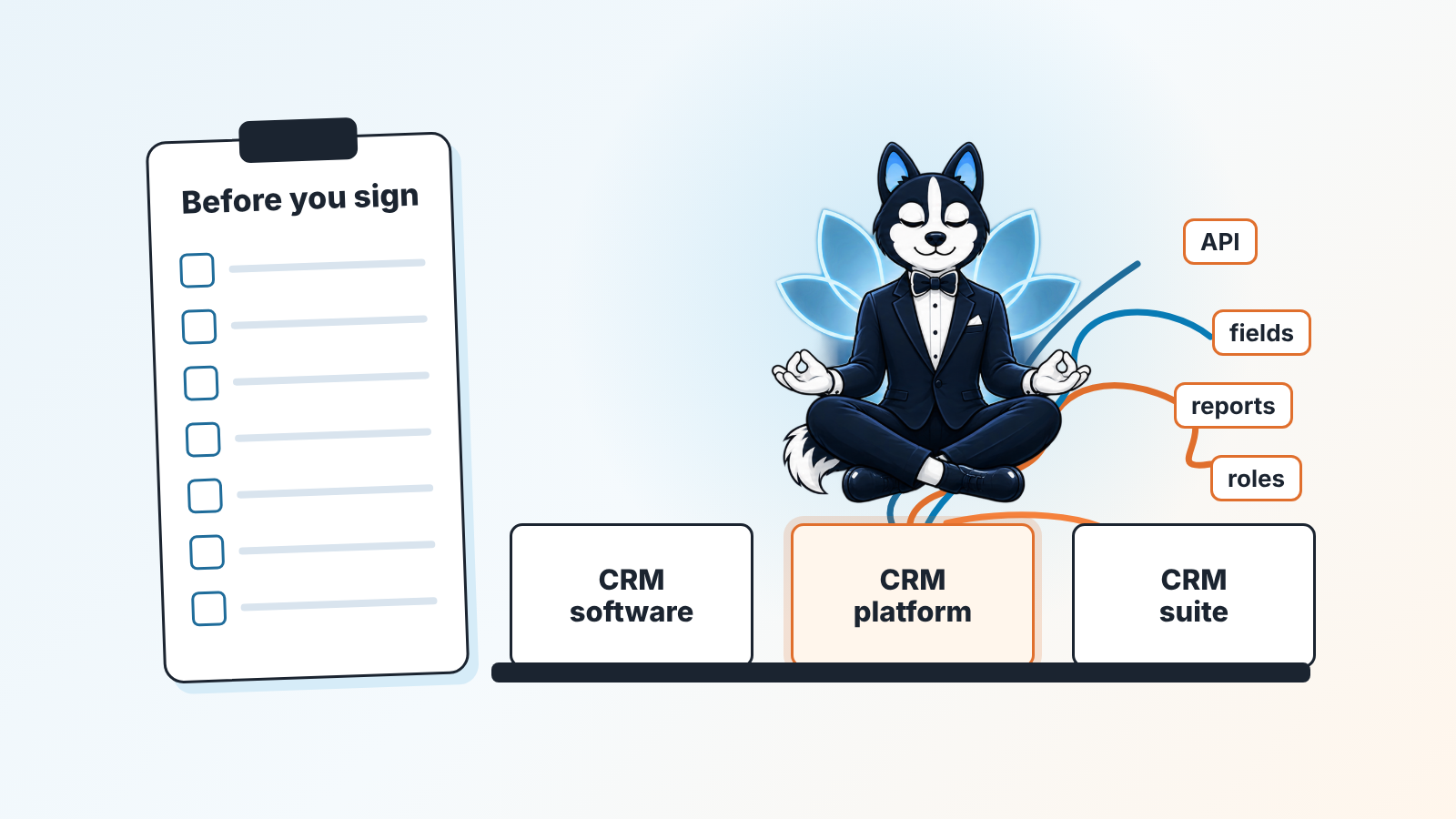
A CRM platform is a CRM system that ships with a layer for extending it: an API, an integration marketplace, fields and processes you can change yourself, and a report builder. “CRM software” is the broad word for any program that stores customers and deals, and a “CRM suite” bundles sales, marketing and service products on one customer database.
For a sales team of five to fifteen people, the label on the vendor’s page matters less than four answers you should hold in writing before you sign. Who owns the data? Who can see and change what? How do you get everything out? And what will each seat and add-on cost in month thirteen?
If you need the basics first, start with our guide to what a CRM is, with diagrams; if you are already comparing vendors, our CRM tools compared by job does that without a ranking.
CRM platform, CRM software, CRM suite: what each word covers
Vendors use all three words loosely and the textbook taxonomy doesn’t help much. CMSWire’s long explainer on CRM platforms sorts systems into operational, analytical and collaborative types and gives a whole section to self-hosted versus SaaS (CMSWire: what a customer relationship platform is). monday.com’s guide uses the same three types and adds that in practice many organizations run systems that combine them (monday.com: CRM software). So a “platform” can be operational, analytical or both. The type describes what the system is for. What you can change inside it is a separate question.
For a buyer, the useful difference sits in who extends the thing and who pays for that.
CRM software, in the narrow sense, gives you contacts, companies, deals, a pipeline, activities and a fixed set of reports. The vendor extends it through its own releases, and a small team pays for seats. It fits a team with one pipeline whose only integrations are email and the calendar.
A CRM platform has the same core and adds an API, a marketplace of integrations, custom fields and objects, workflow automation and a report builder. You extend it yourself, through your admin or a third-party app. The bill has three parts: seats, the hours of whoever configures it, and any paid marketplace apps. A platform starts to earn its keep when another system has to know about your deals, or when you need fields the vendor never planned for.
A CRM suite puts several products (sales, marketing, service, sometimes billing) on one customer database. The vendor extends it by selling you the next module, and each module tends to come with its own seat price. It makes sense if you intend to run marketing or support from the same base within a year.
Most products on the market today sit in the platform group whether or not their homepage uses the word. So the question worth asking is which parts of the platform layer are on your plan, and which sit on the plan two tiers up.
What the platform layer adds on top of the basic CRM
Picture the basic CRM as a table of deals with a stage column. Everything a platform adds is a way to change that table or connect it to something else.
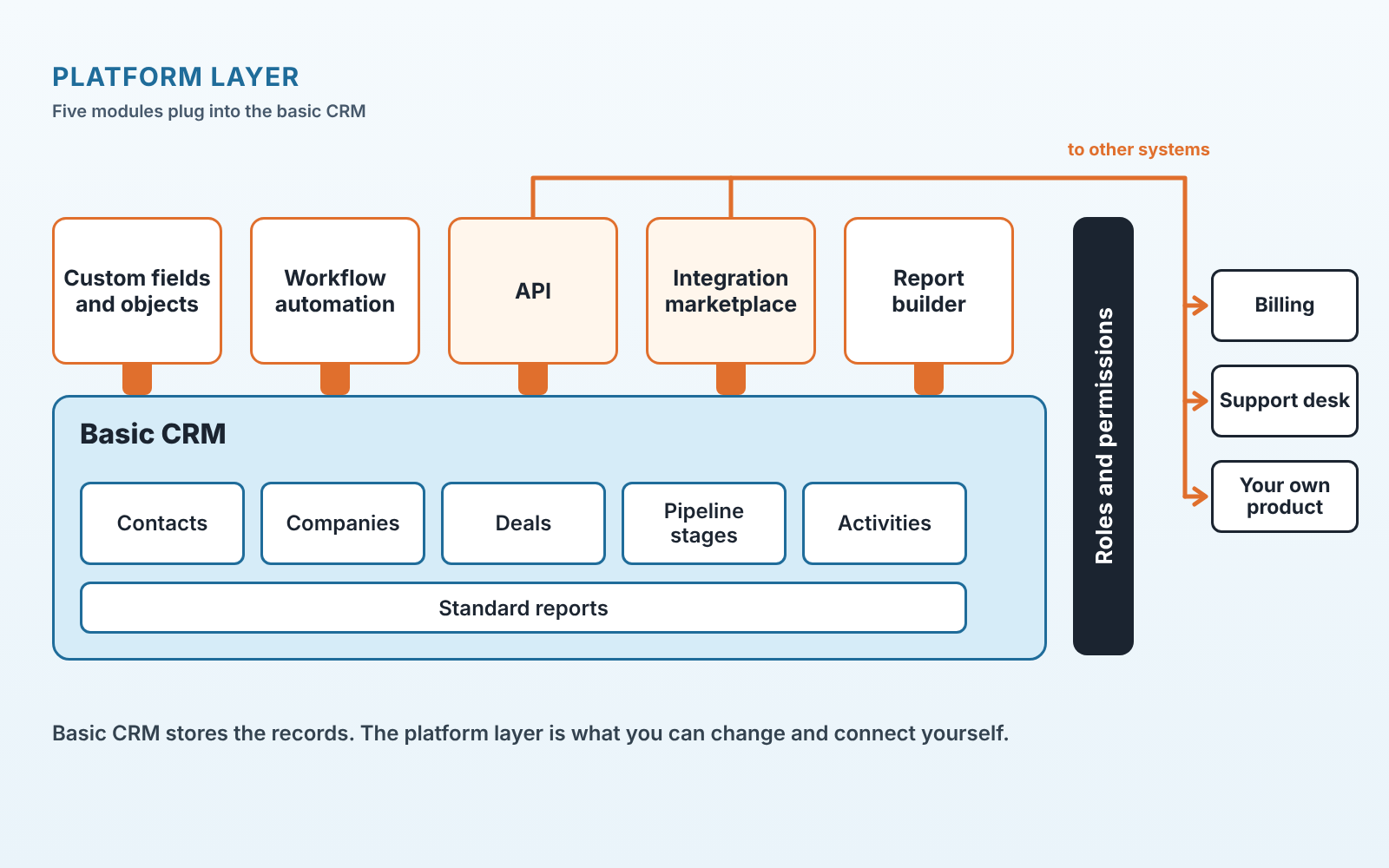
Custom fields and objects. The vendor gives you deal value and close date. You sell equipment with serial numbers and a service term, so you add two fields. A platform lets you add a whole object, say “Installation”, that hangs off the deal. Plain software usually caps you at a handful of fields and no new objects.
Workflow automation is a rule such as “when a deal moves to Proposal sent, create a follow-up activity three days out, owned by the deal owner”. Without it your reps do this by habit. With it you set the rule once.
API and marketplace. The API is the door for your own code; the marketplace is the door for someone else’s. Pipedrive publishes its API reference openly (Pipedrive API reference), as does HubSpot (HubSpot API reference). Salesforce runs AppExchange (Salesforce AppExchange) and Zoho runs Zoho Marketplace (Zoho Marketplace). Whether the API comes with the plan you are buying is a separate question, and the one to ask.
Then the report builder. Standard reports show deals won per month. A builder lets a head of sales ask for conversion from Qualified to Proposal by rep, over the last quarter, for one product line. If you have ever exported to a spreadsheet to answer that, you were working around a missing builder.
Roles and permissions span both layers, and small teams skip them. Who can see other reps’ deals, who can delete a deal, who can export the base? We come back to this twice below, because most of the real risk sits here.
Five reps, one pipeline: do you need a platform at all?
A five-person team on one pipeline usually does not need a CRM platform. We say that as a company whose product runs on top of other vendors’ CRMs.
A team of five selling one product through one pipeline uses the base layer every day and the platform layer never. The custom objects sit empty. Nobody ever generates the API key. What the team does pay for is the admin’s time: somebody has to understand the permission model, keep the automations from colliding and read the release notes. In a five-person team that somebody is also carrying a quota.
You have outgrown plain software when one of these is true:
- A second system has to know about deals. Billing wants the won amount; your own product has to know who became a customer last week. Copying this by hand on Fridays is where data starts to drift.
- You keep storing things in the notes field because there is no field for them: serial numbers, contract end dates, the name of the reseller, anything you later need to filter by.
- Every Monday the head of sales asks a question the standard reports can’t answer, and someone answers it from a spreadsheet.
If none of them is true, buy the simpler thing and check that an upgrade path exists. If one is, read on. For the cloud-specific questions (backups, restore, change logs) we wrote a separate piece: five questions before you sign a cloud CRM.
Seven checks before you sign
Run these against the written terms and the help centre, with a trial account open. Treat a sales rep’s spoken answer as a starting point.
Check 1: who owns the data after you cancel
You should, and the terms should say so in a clause you can quote. Find that clause, then find the retention period after cancellation and write the number of days for your vendor in the file.
Check 2: who can see, delete and export deals
Rights should match your team chart, and a trial account shows whether they do. Create a regular user and try three things: open a colleague’s deal, delete a deal, export the base. Then read what the vendor documents. Pipedrive, for instance, states that only global admins and regular users with the right permissions enabled can export data, and that even with export permissions you can only export what is visible to you under your visibility group or item visibility (Pipedrive: exporting data). That is a precise answer you can check. Ask every vendor for the equivalent sentence.
Check 3: whether the API and your integrations are on your plan
Ask for API access and request limits on the exact tier you are buying. Then ask who builds the integration you need: the CRM vendor, the other vendor, or a third party who may stop maintaining it. The marketplace listing usually names the developer.
Check 4: reports the head of sales will actually open
Build one of them in the trial without help. Pipeline by stage, conversion between stages, activities per rep and deal age are the usual four. If the first one took a support ticket, every new one will too.
This is also where we fit in. SalesBond is a sales management layer on top of the CRM a team already uses, and the first thing it does is a free CRM audit. It looks at the last 30 days of the connected CRM and sends a large PDF report: money at risk, deal health, the pipeline bottleneck, repeat customers and what to fix. Seven days later a second PDF shows what changed. If the CRM you are evaluating is the one you already run, that report is a fast way to see whether the reports you need can even be answered from the data you have. Check your CRM with SalesBond.
Check 5: a full export, opened and counted
A full export carries custom fields, notes, activities, files and ownership, and some exports cover contacts and deals and quietly skip the rest. Pipedrive’s documentation says you can generate an XLSX or CSV file, and that in its Export data section most item exports include default, custom and system fields along with ownership information and any linked records (Pipedrive: exporting data). Run the export in the trial and open the file. Count the columns.
Check 6: the price per seat and per add-on in month thirteen
The number you want is total cost for your headcount in month thirteen, after any first-year discount. Free tiers have caps. Zoho CRM’s pricing page, for example, lists its free edition as “forever free, for 3 users” and allows data export up to 10 times on it (Zoho CRM pricing), which ties straight back to check 5. Above the free tier, list the features from checks 2 to 5 and mark which tier each one sits on. Then add the marketplace apps you plan to install, because they bill separately.
Check 7: a named administrator
Name the person and estimate thier hours per week. Write down what happens on the day they leave, including whether a second admin exists. monday.com’s own buying guide has six steps, and the first is to define your needs, with team size, must-have features, budget, integration requirements, training needs and scalability among the factors (monday.com: CRM software). For a small team, training and scalability both come down to that one person.
What to ask about data, roles and export, in words you can send today
The checks above produce two emails and one test. Here is how we phrase the two emails, so that each reply has to point to something you can check.
On data, ask the rep to point you to the clause, with the section number: “Which section of your terms says that the data we enter belongs to us, and how many days after cancellation can we still log in and export?” A rep who replies with a link and a number has a vendor whose legal text is in order. A rep who replies “don’t worry, it’s your data” has not read it either.
On roles, describe your team and ask for the mapping: “We have one owner, one head of sales and five reps. Each rep sees only their own deals. The head of sales sees everything but cannot delete anything, and export stays with the owner alone. Which plan supports that, and where in your help centre is the permission matrix?” The reply shows you the plan you will really need. It also shows whether the vendor’s documentation is good enough to live with.
On export skip the question and run the test. Enter twenty deals in the trial with a custom field, a note, an activity and an attached file each. Export, open the file and look for all four. Then delete one deal and ask the rep how you would restore it. Thirty minutes of this tells you more than any demo, and it is the step we see small teams skip most often.
CRM platform examples: how four vendors describe their own layer
No ranking here, and no “best”. These are the vendors’ own documents, which you can open and verify, for the four CRMs our step-by-step guides cover.
Pipedrive documents an open API (API reference) and publishes who may export and what the export contains, as quoted above. Tying export rights to visibility groups is a useful model to ask other vendors about, even if you never buy Pipedrive.
HubSpot publishes a public API reference (HubSpot API reference), and its CRM pricing page is titled “Free Tools” (HubSpot pricing). Before you read the feature list, look for what the free tier includes in reporting and user permissions.
Salesforce’s extension layer is its marketplace, AppExchange, which the site now presents as AgentExchange (Salesforce AppExchange). For a small team the practical question is how many of the integrations you need are paid apps with their own price. The listing will tell you.
Zoho CRM runs Zoho Marketplace (Zoho Marketplace), and it’s free edition from check 6 is a clean example of a cap. A founder and two reps fit. The fourth person moves you onto a paid tier.
Each of these statements is the vendor describing itself, so treat them as claims to test in the trial, in the order of the seven checks. If you want the job-by-job comparison across more vendors, it is in CRM tools compared by job, and the business-type view is in CRM software by business type.
Mistakes we keep seeing
The most expensive one is buying the suite for a module you will not switch on this year. Marketing automation on the same database sounds tidy in the demo. Twelve months later the sales team is paying suite prices for a pipeline tool, and the marketing module has one test campaign in it. Buy the module when the person who will run it has been hired.
Next comes letting an outside consultant be the only admin. Implementation partners are fine. A partner who holds the only admin login is a dependency you did not price. Make an owner the admin on day one, and the partner a second admin you can remove.
And then there’s never testing export until the day you need it, which is also the day you are least happy with the vendor.
If you are the head of sales choosing between a platform and plain software this quarter, run check 5 on the CRM you already have before you talk to anyone new. Our CRM questions for sales managers collects the other questions we hear most, and the free audit from check 4 will show what your current CRM data can already answer. Start with SalesBond when you are ready to look.
CRM platform FAQ
What is a CRM platform?
A CRM platform is a CRM system with a layer for extending it: an API, an integration marketplace, custom fields and objects, workflow automation and a report builder. Plain CRM software stores contacts and deals with a fixed set of fields and reports.
Is WhatsApp a CRM tool?
WhatsApp is a messaging channel. It has no pipeline, no shared customer record and no reports, so a team selling through it keeps the pipeline in people’s heads. It becomes part of a CRM once conversations are logged against deals through an integration.
Can ChatGPT make a CRM?
It can write the code for a small database with a form on top, and for one person that may hold for a while. The platform layer (permissions, backups, an API other systems can rely on, someone to fix it at 9 a.m. on Monday) is the part you would have to rebuild and maintain yourself.
Is CRM hard to learn?
Reps usually pick up the base layer quickly: contacts, deals, stages, activities. The platform layer is where the admin’s hours go, which is why check 7 asks you to name that person.


