
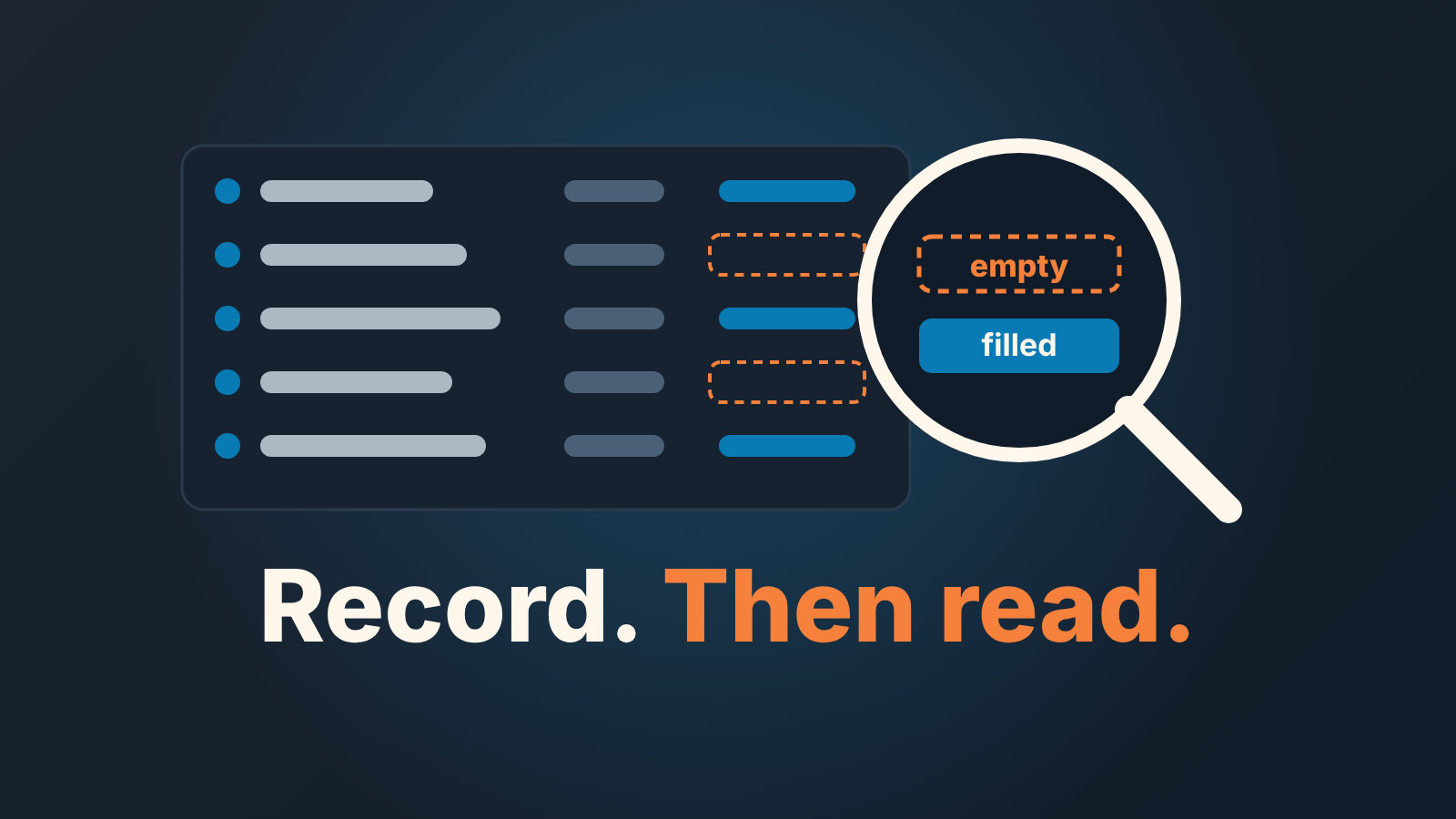
An operational CRM is the part of your CRM that sales, marketing and service teams use every day to record contacts, deals, tasks and messages. Analytical CRM is the layer that reads that record for patterns. A sales manager’s questions about stalled deals or the quarter belong to the second layer, and they only get answered when the first one has been filled in with some discipline.
That last clause is the whole article. The rest is how it plays out on a Monday.
A CRM that records everything and answers nothing
Monday, 9:10. The head of sales opens the pipeline view. Forty-one open deals, grouped by stage, each card showing a company name, a value and an owner. Every call from last week is logged. Every email synced. The team did its part.
She has three questions. Which of these deals have gone quiet? Which ones were supposed to close in September and are still sitting in Proposal? And is the quarter number real, or is it a list of hopes with dollar signs attached?
The pipeline view answers none of them. It can’t. It shows what is there, not what is missing, and all three questions are about something missing: an activity that didn’t happen, a date that passed, a commitment nobody checked. So she starts clicking into deals one by one, and by 9:40 she has looked at eleven of them and has a gut feeling instead of an answer.
Nothing is broken here. The CRM did exactly what an operational CRM is for. The gap is that recording and reading are two different jobs, and most teams buy a tool for the first and then expect the second to appear on its own.
What an operational CRM actually does
It keeps the record. Zendesk’s definition is as plain as any: the goal of an operational CRM is “to help automate and simplify the three functions of client relations: marketing, customer service, and sales” (Zendesk: operational CRM). For the sales side, that means the tools that hold prospects and move them along the sales cycle: contact and account records, the deal pipeline, activities, email and calendar sync, reminders. If a rep touches it ten times a day, it is operational. The payoff is modest and real. Less retyping, and one shared history of each customer instead of five private ones in five inboxes.
This is the CRM most small teams mean when they say “our CRM”. Fit Small Business, in its list of operational CRM software, includes HubSpot CRM, Zoho CRM, Pipedrive and Salesforce (Fit Small Business: best operational CRM software). Sales force automation is the sales slice of all this. We went through what that slice contains in sales force automation for a small team, so we won’t repeat the feature list here.
What matters for this article is a property of operational CRM that vendors rarely say out loud: it is only as good as what people type into it during the working day. The system does not know a deal has stalled. It knows a deal has a stage, a value, a close date and a last activity, and all four of those were entered by a human who was in a hurry. An operational CRM is a diary, kept by people who would rather be selling.
Operational vs analytical vs collaborative CRM, in one table
The three-type map is the standard framing in vendor and reference material. It is useful as long as you treat it as a description of three jobs, not three products you need to buy. TechTarget draws the line this way: “An analytical CRM system works behind the scenes to analyze the sales data gathered by operational CRM apps” (TechTarget: what is CRM analytics). HubSpot’s version: analytical CRMs “rely on data gathering and analysis to help companies better serve their customers”, while a collaborative CRM “brings together a company’s marketing, sales, and service data” (HubSpot: types of CRM software).
| Layer | What it holds | Who reads it | A question it answers |
|---|---|---|---|
| Operational | Contacts, deals, stages, activities, emails, tasks | Reps, every day | “What do I do next on the Acme deal?” |
| Analytical | Comparisons and patterns drawn from the operational record: time in stage, win rate by source, deals with no next step | Managers and owners, weekly | “Which deals have gone quiet, and is the quarter real?” |
| Collaborative | The shared view of one customer across sales, marketing and service | Whoever touches the account next | “What did support promise this customer last month?” |
In practice the second and third rows are rarely separate systems. In Pipedrive, HubSpot, Salesforce and Zoho CRM the “analytical” layer shows up as reports, dashboards and filtered views built on the same deal records, and the “collaborative” layer is the account timeline where a support ticket sits next to a sales call. One system, three ways of looking at it. The map is still worth keeping in your head, because it tells you which layer a question belongs to. That tells you where to go when the answer isn’t there.
Where a manager’s questions live
Each question a sales manager asks is a comparison between two or more fields that reps fill in. Take the Monday questions and trace each one back to its fields. We did the full list of questions in five questions your CRM should answer for you; here the point is narrower: which layer, and which field.
“Which deals have gone quiet?” compares today’s date with the last logged activity on each open deal, plus whether any future activity is scheduled. The operational layer holds the activities. The analytical layer does the comparison. If reps log calls but never schedule the next one, the comparison runs on half the data and reports that everything is quiet, which nobody believes, so nobody looks at the report again.
“Which deals were supposed to close last month?” reads the expected close date. Pipedrive calls it Expected close date, HubSpot Close date, Salesforce Close Date, Zoho CRM Closing Date. Same field, same problem: if the rep set it when the deal was created and never touched it, its a guess from three months ago. The report comparing it to today’s date is accurate and useless at the same time.
“What’s the next step on each of our top ten?” depends on the CRM. HubSpot, Salesforce and Zoho CRM each have a standard Next step field on the deal or opportunity (Salesforce and Zoho CRM write it Next Step). Pipedrive has no separate field; there the next step is the next scheduled activity. Either way, a blank here is itself the answer. A deal with no next step is not stalled yet, but it has nobody pushing it.
“Is the forecast real?” is the hardest one, because it reads everything at once: stage, value, close date and the gap since the last activity. A deal in Negotiation with a close date next week and no activity for three weeks is in the forecast on paper and out of it in reality. No single field tells you that. The analytical layer has to hold four fields side by side and flag the contradiction.
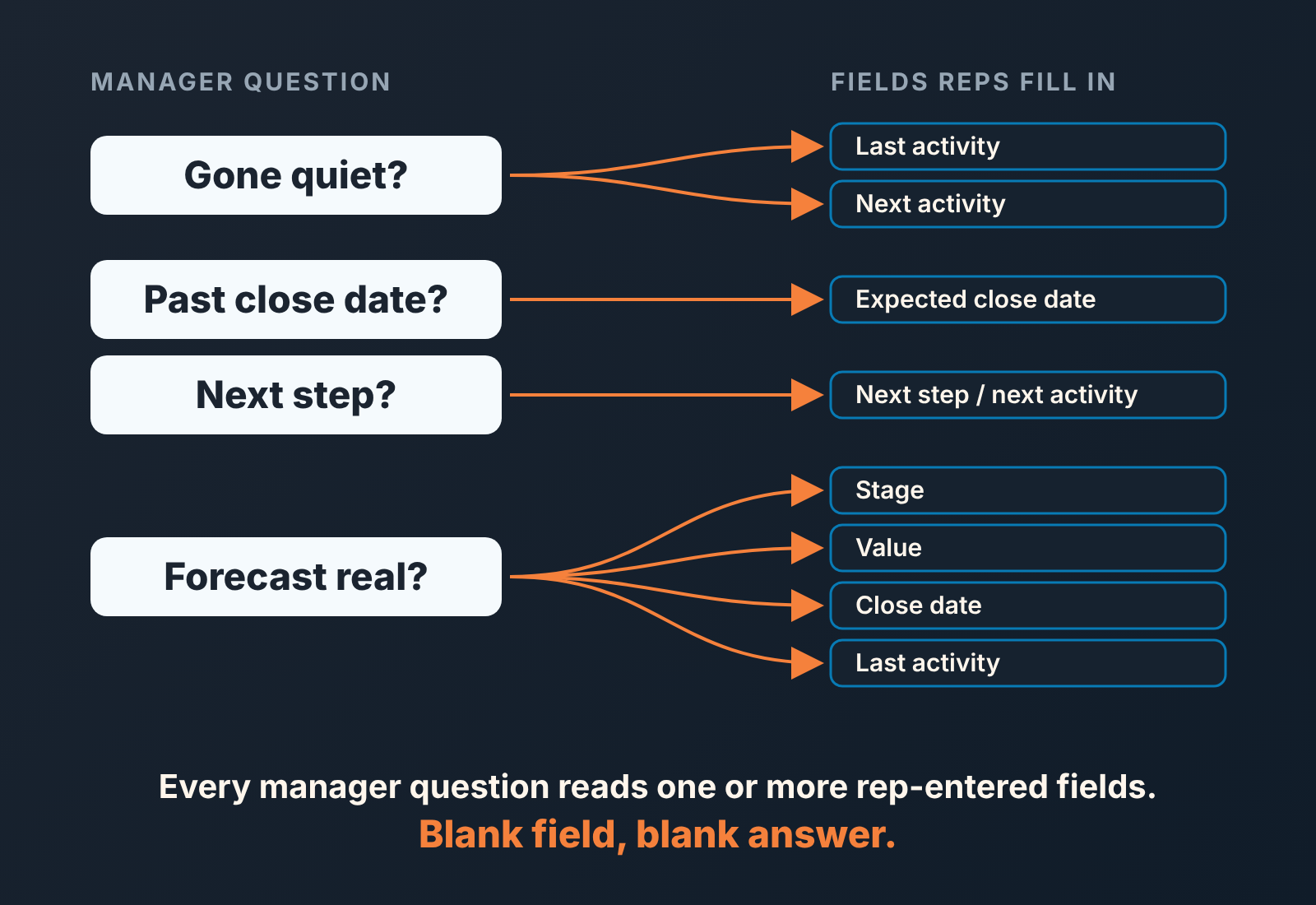
So whatever does the comparing, a report or a dashboard or a person with a spreadsheet, it can only be as good as the fields it compares.
What has to be filled in before any analysis works
Our position: the fastest way to make the analytical layer useful is not to buy more of it. It is to agree on five fields and hold the line on them for a month. Here they are, in the order we would fight for them.
- Next step. This is the one field that separates a live deal from a parked one. If you can only enforce one thing, enforce this: no open deal without a next step written down and a next activity on the calendar. In HubSpot, Salesforce and Zoho CRM that’s the Next step field plus an activity; in Pipedrive the activity is the next step.
- Expected close date, updated when it changes, not left as it was on the day the deal was created. The rule that works for small teams: if a date moves, the rep writes one line on why. Dates that move three times without a reason are where the forecast leaks.
- A stage that reflects what the buyer did, not what the rep sent. “Proposal sent” is a rep action; “Proposal reviewed with the buyer” is a buyer action. Name your stages after rep actions and the stage field tells you about your team’s activity and nothing about the deal.
- Owner. Obvious, until someone leaves and twenty deals sit under a deactivated user for a quarter.
- Every activity, including the ones that went nowhere. The no-answer call and the unreturned email are the data that shows a deal going quiet. If only successful touches get logged every deal looks healthy right up until it is lost.
Why people don’t fill these in is a separate problem. What belongs here is the dependency: skip the list, and the reports, dashboards and any tool you put on top of the CRM will be reading blanks and reporting them as calm.
Back to Monday
The head of sales from the opening doesn’t need a second system. She needs the forty-one deals to each have a next activity and an honest close date, and then she needs one view that puts those two fields next to today’s date. That view is the analytical layer, whether it’s a saved filter, a dashboard or a spreadsheet export.
You can build the first version of it before lunch. Filter your open deals two ways: no future activity scheduled, and close date already in the past. Count what comes back. If it’s a handful, your record is in good shape and the reports on top of it can be trusted. If it’s a third of the pipeline, you know which job to fix first, and it isn’t the the reporting.


