
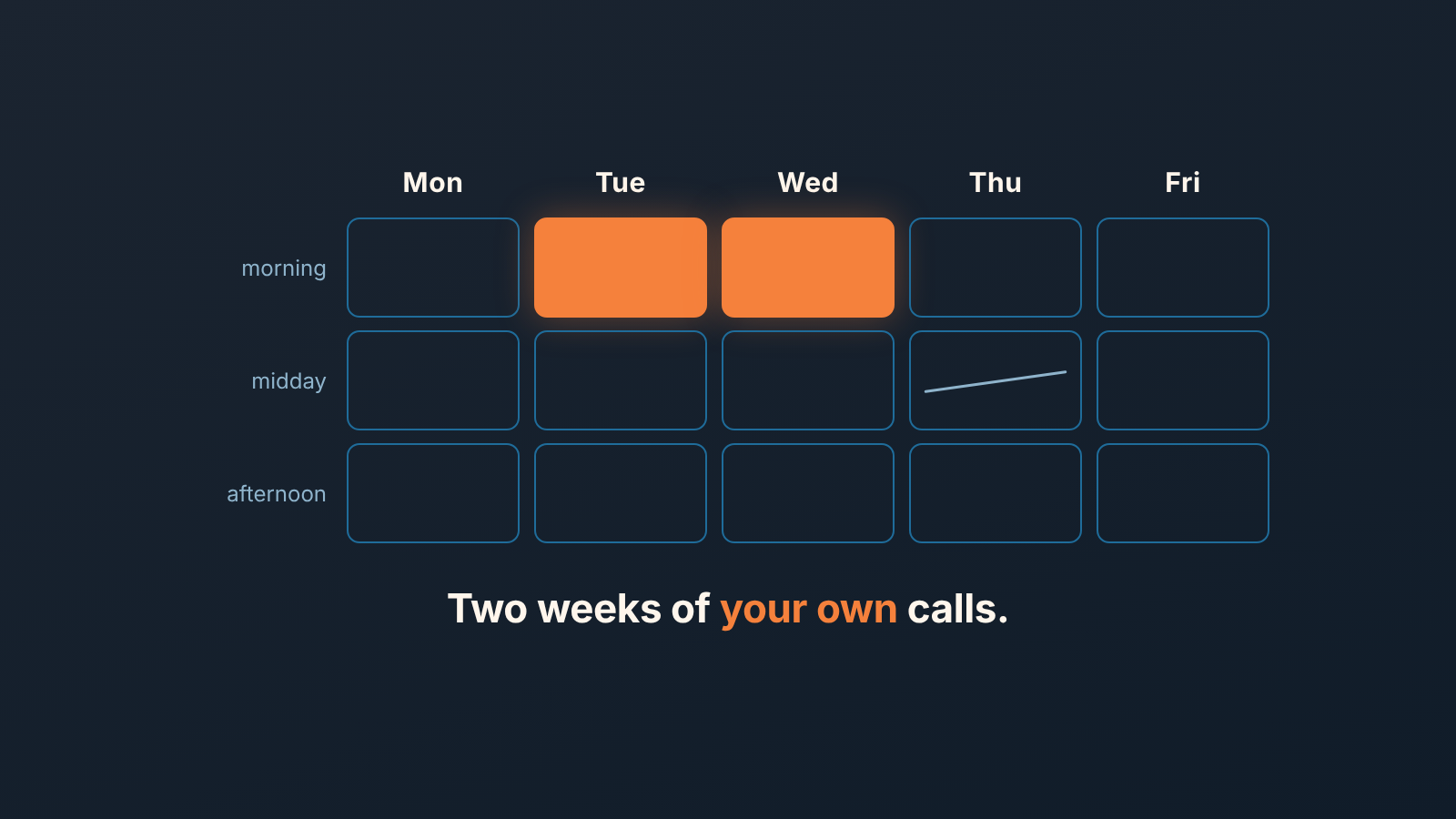
Industry studies say the best days to cold call are Tuesday and Wednesday mornings, with Monday and Friday the weakest. Those numbers come from other teams’ calls, though. The answer for your team takes two weeks: log the outcome of every call, group the calls by weekday and part of the day, and compare how often someone actually picks up.
Everyone agrees on Tuesday
Open the top three articles for “best days to cold call” and you get the same answer three times with different decimals.
ZoomInfo looked at more than 1.4 million outbound calls to new business accounts: Tuesday and Wednesday together account for 44% of all demos booked in that dataset, Tuesday has the best connect rate, and Friday is last on every metric. Its recommended windows, 10 to 11 a.m. and 4 to 5 p.m. in the prospect’s time zone, are separate advice and not part of the 44% (ZoomInfo). Close cites PhoneBurner’s analysis of 11 million calls, where 15.53% of calls placed at 10 a.m. reach a business conversation, and InsideSales.com’s 2009 data, where 4 to 5 p.m. beats 11 a.m. to noon by 109% for qualifying a lead (Close). HubSpot asked 379 salespeople in 2025 and got opinions rather than dial data: 39% of regular callers named Tuesday the best day and 51% picked 10 a.m. to noon (HubSpot).
None of this is wrong. It is just not about you. Eleven million calls from a dialer vendor’s customers describe the customers of a dialer vendor: large outbound teams, mostly in the United States, calling lists of strangers. The HubSpot number is what reps believe.
We have watched a three-person team rebuild its week around “Tuesday 10 to 11” and get nothing out of it. Their buyers were restaurant owners. Restaurant owners do not answer the phone at 10 on a Tuesday, because they are receiving deliveries.
What the best-days-to-cold-call studies can’t tell you
A benchmark averages across industries, time zones and call types, and the average hides three things you need.
Who you call. A cold list of VPs behaves differently from fifty warm leads who filled in a form last week, and most small teams on Pipedrive call the second kind more than the first. A warm lead picks up when the lead is at a desk; a cold prospect picks up when the gatekeeper is at lunch. Same clock, opposite answer.
Where they are. If half your pipeline is one time zone behind you, “4 to 5 p.m.” is 3 to 4 for them, and your afternoon block overlaps their school run.
How many calls the number rests on. A difference between 15.5% and 14% is real across eleven million dials. Across your 140 calls it is one and a half conversations, which is to say nothing. A small team cannot borrow the precision of a big sample, so it has to design a test coarse enough for its own volume.
The two-week test
The test has one measured outcome, whether a human answered, and two dimensions, weekday and part of the day. Everything else stays constant.
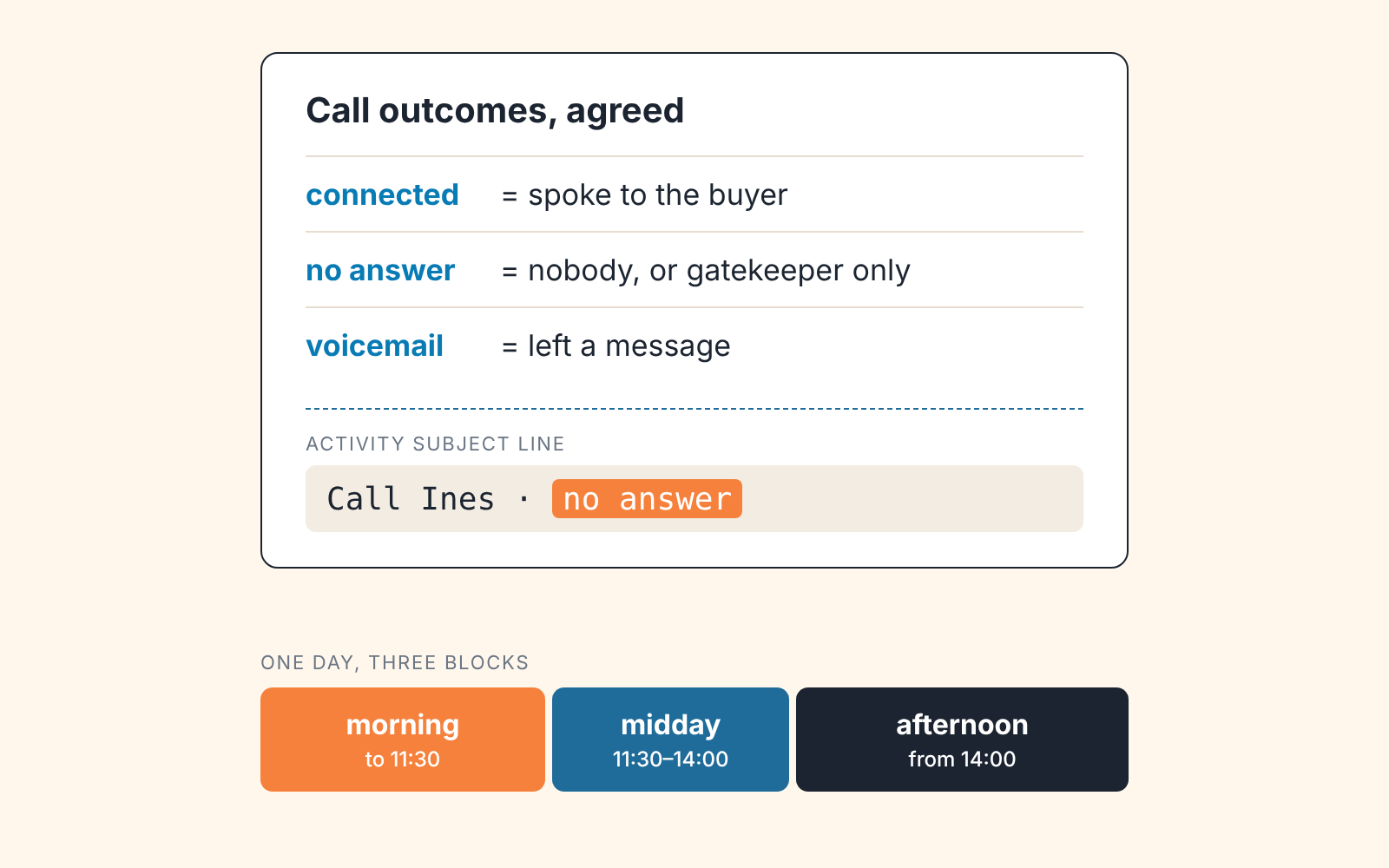
- Agree the outcomes before the first call. Three are enough: connected, no answer, voicemail, with a gatekeeper counting as no answer; how to define them so nobody improvises on day four is in the Outcome field guide.
- Log every call as a done activity with its outcome. Admins can now require the Outcome field before a call is marked done, set per activity type under Settings (Pipedrive product updates, July 2026). For the test, also put the outcome word at the end of the subject line (“Call Ines · no answer”): Subject is in every export and every Insights table, so the count works even before Outcome is settled.
- Mark the call done right after it ends, not at 6 p.m. The timestamp you will count on is Marked as done time, and the activity export can filter on it (Exporting data). A rep who batch-closes twenty calls at the end of the day has put twenty calls into the “afternoon” block that did not happen there. If reps call through a Marketplace app such as Aircall or CloudTalk, the app logs the activity together with it’s call (Pipedrive: how can I make calls), which solves this for you.
- Use three blocks, not hours. Morning (start of day to 11:30), midday (11:30 to 14:00), afternoon (14:00 to end of day). That is fifteen cells; hour by hour would be forty-five, and 140 calls over forty-five cells is three per cell and a chart made of noise.
- Keep the list and the reps the same. Do not run the test the week you switch to a new lead source, and do not let one rep make all the Monday calls. If Monday looks bad, you want it to be Monday’s fault.
- Set a floor before you start. Our rule: fewer than roughly 100 logged calls and we do not draw a conclusion at all; we extend the test by a week. Below that, a 5-point gap between two cells flips with the next handful of calls.
Two weeks is the minimum because one week has one Tuesday. A public holiday, a trade show or a sick rep wipes out a fifth of a one-week test.
Counting it in a spreadsheet
The count is one pivot table, and the raw material is an activity export.
Go to Tools and apps > Export data, pick Activities, and filter by date marked as done for your two weeks. The file comes as Excel or CSV, includes the activity fields plus linked deals and people, and stays in Generated exports for 28 days (Exporting data from Pipedrive). Only global admins and users with export permission can do this, so on most small teams it is the manager’s job. The table under an Insights activities report exports too, via the Export button above it.
In the spreadsheet add two columns. Weekday from the marked-as-done timestamp (=TEXT(cell,"ddd") in Excel or Google Sheets), and Block from the time of day with the three cut-offs above. A third column, Connected, is 1 when the last word of the subject line says connected and 0 otherwise. Then a pivot: rows weekday, columns block, values count of calls and sum of connected. Divide one by the other and you have a connect rate per cell.
Here is what the result looked like for one team of three reps after two weeks and 140 calls. The numbers are illustrative; the shape is typical.
| Cell | Calls | Connected | Connect rate |
|---|---|---|---|
| Tuesday morning | 31 | 12 | 39% |
| Tuesday afternoon | 18 | 4 | 22% |
| Wednesday morning | 29 | 9 | 31% |
| Thursday midday | 22 | 3 | 14% |
| Friday, any block | 40 | 8 | 20% |
The reading for this team: protect Tuesday and Wednesday mornings for calls, and give Thursday midday to email instead. Notice what the reading does not say. It does not say Tuesday morning beats Wednesday morning, because 39% against 31% on thirty calls each is two conversations and could reverse next fortnight. It says: two cells are clearly above the rest, one is clearly below, and the rest are a wash. That is as precise as 140 calls get.
Repeat the count once a quarter. The list changes, the reps change, and the the first result ages faster than you expect.
What Pipedrive Insights shows and what it doesn’t
The honest answer is that Insights gets you two-thirds of the way and the last third needs the export.
The activities performance report measures the number of activities and their duration (always in hours). Its filters and report table include Add time, Due time, Marked as done time, Update time, activity type, assigned user, creator, deal, contact person, organization and subject; Update time is missing from the visual builder, and Status (done or not done) appears in the table and the builder but not as a filter (Insights: activities performance). So “how many calls did each rep mark done this week” is a native chart. Whether the builder can group those dates by weekday, the help article doesn’t say.
What the report does not carry is the result of the call. The Outcome field that appeared in July 2026 is, as of the September 2026 version of that help article, not among the fields the report accepts. Until that changes, a chart in Insights can tell you when your team called and cannot tell you when anyone answered, and that second number is the whole test. Hence the spreadsheet.
When Insights and the export disagree by a handful of calls, it is almost always the timestamp each view filters on; the common cases are in why Insights shows different numbers. For the test, use marked-as-done everywhere.
When the answer is not a time
Sometimes the pivot comes back flat: 18%, 21%, 17%, 20% in every cell that has enough calls. Teams read that as “there is no best time” and go back to the benchmark. The better reading is that the hour is not the variable that matters for this list, and something else is.
Usually it is the number itself. A list bought or scraped eighteen months ago connects badly at every hour. Check how many of the no-answers are the same contacts dialled four times; if a third of the list has never picked up in two weeks, the fix is a cleaner list or a different channel, not a different slot.
The second common cause is delay. A form lead called within the hour picks up at a rate a cold contact never will, at any time of day, because they are still thinking about you. If your reps work inbound leads in a batch on Tuesday morning because an article said Tuesday morning, they have traded a hot lead for a good hour. We covered how to measure that delay from Pipedrive timestamps in speed to lead in Pipedrive; run that measurement before you rearrange anyone’s calendar.
And one cause is the logging, not the calling. If one rep sits at 4 connected out of 35 while the other two are near 30%, check whether that rep logs at the end of the day or logs emails as calls; the same discipline drives which activity metrics are worth a dashboard slot.
What to change in next week’s calendar
Block the two winning cells in every rep’s calendar as call time, with thier pipeline list open and nothing else scheduled on top. Move the standing team meeting and the email batch into the worst cell. Do not announce a “best time to call” policy, because you do not have one yet; you have a two-week result and a date in the calendar to count again.
The outcome logging is the part that outlives the test. Once a call’s done status says what happened, a manager can see which reps get conversations rather than which reps click done, and the Thursday 1-on-1 changes from “how many calls” to “what did they say”. We build SalesBond, a sales management layer for the CRM a team already uses. Its Sales GPS ranks deals and customers by importance and urgency, hands the rep a ready plan with the reason behind every step, and turns Customer Health signals (a customer overdue for a purchase, or drifting away) into cards, where accepting a card creates one task in the CRM. It does not analyze calls or pick a time to dial; that answer stays in your own two weeks of data. If you want to see what your CRM already knows about your deals, check your CRM with SalesBond.


