A HubSpot health score is a points total that event rules and property rules build on a contact or company record. Turning it on creates two properties, Health score and Health status (HubSpot: create a health score). As a sales manager, read it as a prompt to open the customer’s renewal deal, not as a verdict on the deal. The score knows what has happened to the account. It does not know what your rep has or hasn’t done about it.
Who has it? HubSpot health scores come with Service Hub Professional or Enterprise and are built in the HubSpot Customer Success workspace; creating one needs a Service Seat and the Manage Customer Success Settings permission (HubSpot help). In most companies a customer success lead builds it and sales inherits it. This article is about inheriting it well.
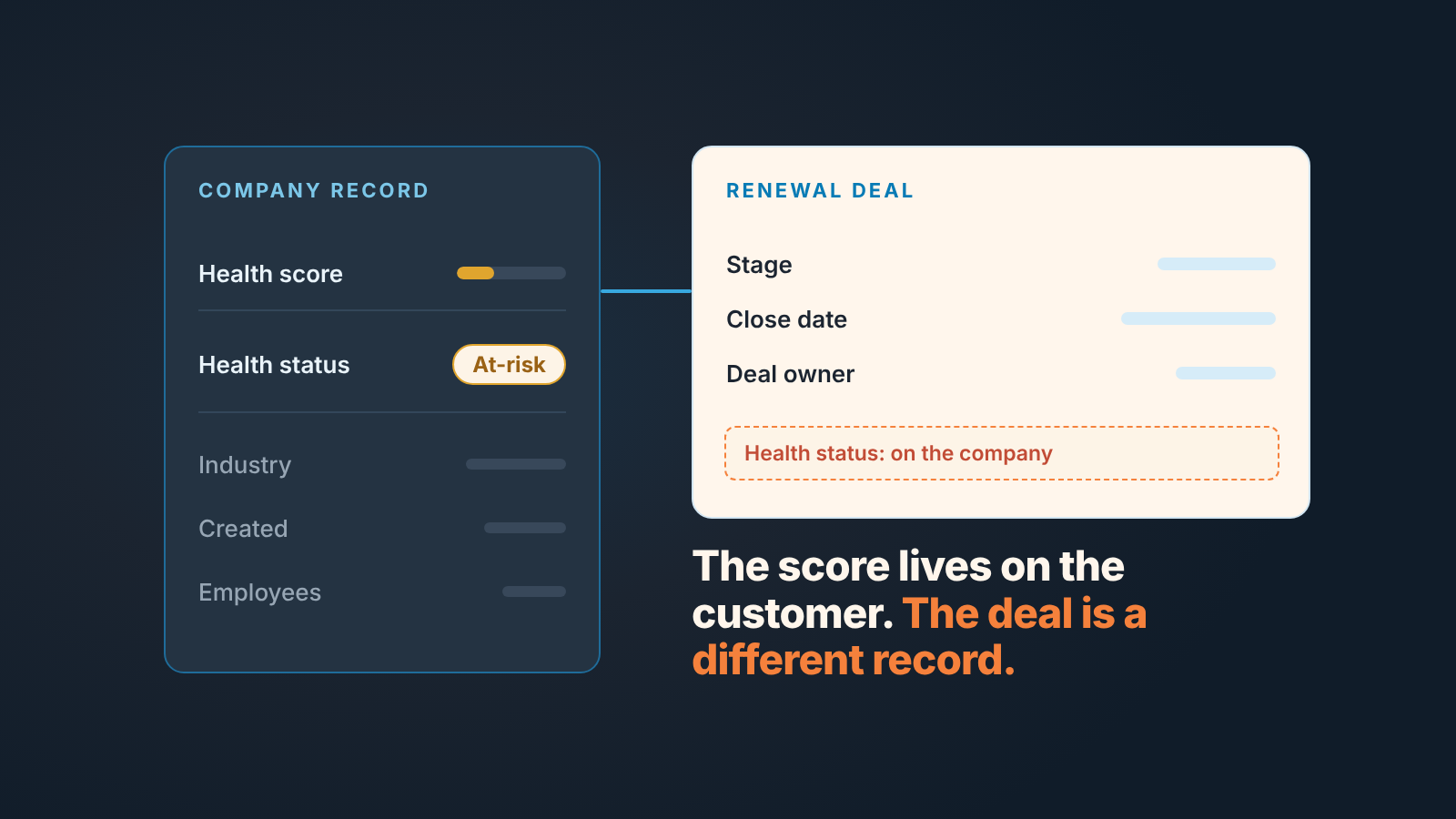
The score belongs to the customer, the deal belongs to you
The score is applied to Contacts or Companies, whichever object you picked to represent customer accounts when the workspace was set up, and it can cover up to five segments of those records (HubSpot help). Your renewal is a deal. Different object, different question.
We think a sales manager should not try to own or rewrite the health score. When sales people start arguing about whether a support ticket should cost eight points or twelve, the renewal deal is still sitting in the the same stage it was in last month. Treat it as a signal someone else maintains, and spend your energy on what happens after it moves.
Nor is the health score a substitute for HubSpot’s deal score. The deal score answers “is this deal likely to close”; the health score answers “is this account all right”. A customer can be Healthy and the renewal can still be stuck because nobody has sent the quote.
What goes into a HubSpot health score: event rules and property rules
A score is built from groups, and a group holds either events or properties, never both. Each rule adds or subtracts points when a record meets the condition, and each group has a Max points cap so one category can’t swallow the whole score (HubSpot help).
Event rules count things that happen, such as Meetings or Calls, within a timeframe and at a frequency, and with Decay scores switched on old activity slowly stops counting. Property rules read the state of a field right now. The help page’s example adds ten points when Last activity date is less than 30 days ago.
There is no standard healthy range for a HubSpot health score: whoever builds it sets the thresholds and labels on the score’s Settings tab. Each band gets a threshold, a colour and a label, and the label is what lands in Health status. The help page uses Healthy, Neutral and At-risk in one example and Satisfied, Neutral and Unhappy in another. Before turning a score on you can test it on one record or preview the distribution across all of them.
HubSpot also ships pre-defined groups: 1:1 Engagement, 1:1 Call Engagement, Support Tickets, CSM Sentiment, NPS. Running more than one score, each with its own properties, is Service Hub Enterprise only.
What a sales manager needs from all this is two documents from whoever built the score: the list of groups with their max points, and the threshold table. With those you can read “42, Neutral” without asking anyone what it means. Without them the number is decoration.
Scoring in HubSpot without product usage data
Every pre-defined group is CRM-side: meetings, calls, tickets, a CSM’s recorded sentiment, an NPS answer. Not one of them needs telemetry from your product. A distributor with no login data can still run a sensible score.
For a team like that we would keep it to two or three groups. A recency rule on last activity, like the help page’s 30-day example. A tickets group that subtracts for repeated support issues. Maybe sentiment, if your account managers will actually fill the field.
What property rules won’t notice is a slowing reorder rhythm, because a property rule is a snapshot of a field today; we’ve written up the arithmetic for that in customer health without a CS platform.
Where HubSpot shows the score, and where your rep is looking
HubSpot’s help describes two places for the score. One is the Health score and Health status properties on the scored contact or company. The other is a Health Score card that shows the score, the status and the most recent score changes on records with an assigned health score; users with Account Access permissions can add it to the middle column or right sidebar of records (HubSpot: health score card on records). One line on that page matters to sales: a Service Seat is required to access the card. If your reps work on Sales seats only, that requirement alone keeps the card out of their view.
Neither page describes the score on a deal record. Your rep opens the renewal deal and works deal properties, while the score sits one association away on the company. One click is far enough that most people never take it.
Can you put Health status on the renewal deal anyway? Yes, with a workflow. HubSpot’s Edit record action can set or copy a property value into an associated record, as long as the source and target property types are compatible (HubSpot: choose your workflow actions). So a company-based workflow can copy Health status into a property on the open renewal deal. If you do it copy the status only, and treat that deal property as a mirror nobody edits by hand. A label like At-risk tells the rep to look. A number on the deal starts the “is 42 bad?” debate in every pipeline review.
The reverse we’d avoid. Property rules can read associated records, so a renewal deal’s fields could in principle feed the score, and then it only reflects your own pipeline back at you.
Here is the case this article exists for. A company’s Health status drops to At-risk while a renewal deal is open on it. The rep sees a close date next quarter and no reason to hurry; the CSM sees an unhappy account and doesn’t know a deal is open. Nobody sees all of it.
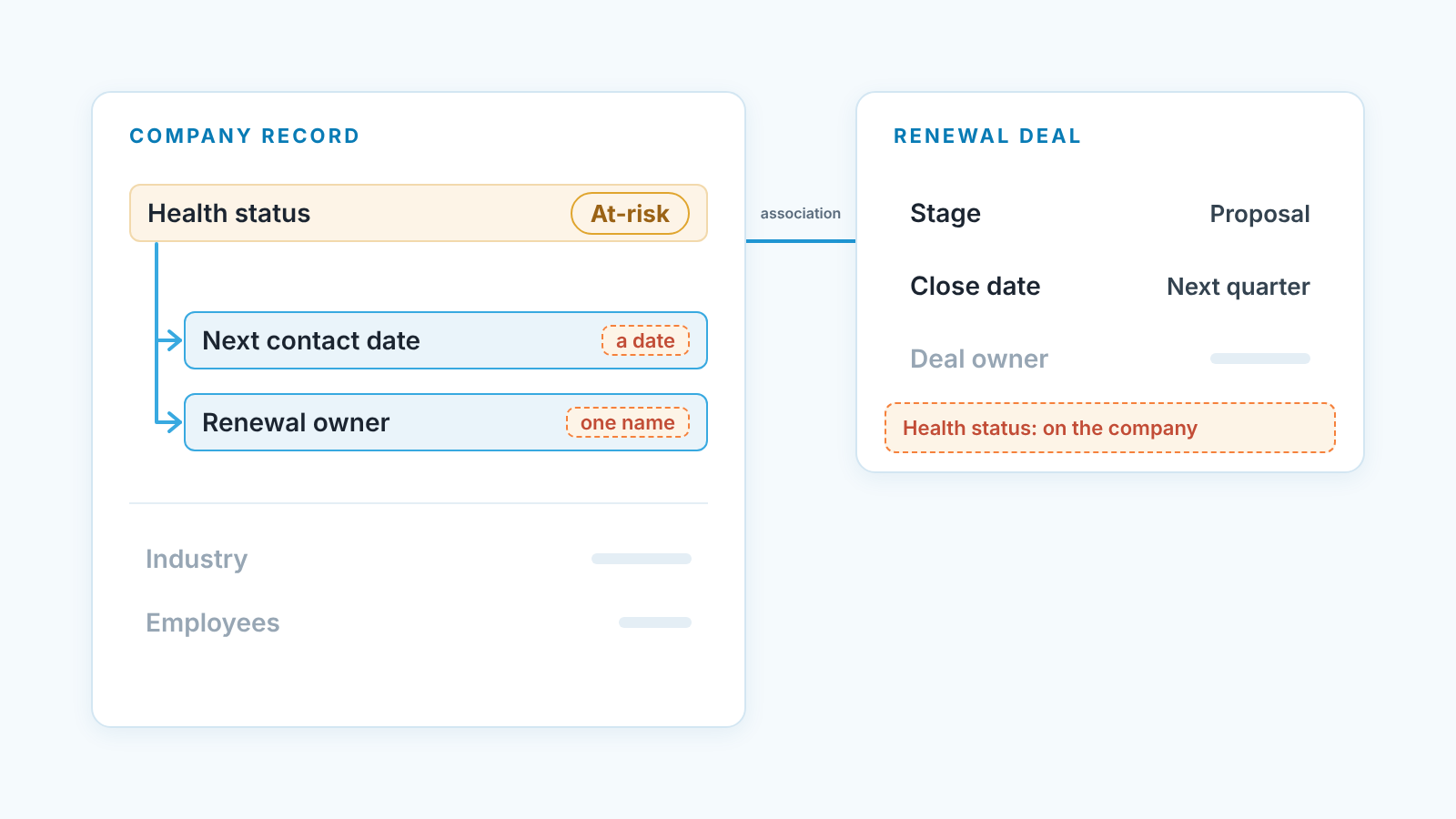
Two fields next to the score: next contact date and renewal owner
The fix is not a cleverer score. It’s two properties on the score’s object, filled by a person.
- Add a date property called Next contact date on the company (or contact, if that’s your customer object). It is never empty for a customer in your bottom band or with an open renewal deal.
- Add a property called Renewal owner that names one person on your team. Don’t reuse Company owner for this. In most small teams that’s whoever closed the first deal two years ago.
- Build one saved view on the customer object: Health status equals your bottom label, and Next contact date is empty or in the past. That list is your Monday morning.
- Fill both fields in the weekly review, not through a workflow. An automated date nobody chose is a date nobody keeps.
Why two fields and not a fourth group in the score? Because a blank is unambiguous. “Next contact date: empty” means someone forgot. “Health score: 42” means a conversation about what 42 is.
A weekly read of the falling scores
Fifteen minutes, one list.
Open the saved view from step three, lowest Health score first. For each company ask: did the status fall since last week, is a renewal or expansion deal open, and who owns the renewal, with what next contact date? Where that last answer is a blank, fill it on the spot with teh person in the room.
What comes out for Monday’s meeting is boring on purpose: “Acme dropped to At-risk, the renewal is open at Proposal with a close date in March, Dana owns it, next contact is Thursday.” State, reason, owner, date. If a renewal deal has been in the same stage for weeks while the score slides, the time-in-stage report will say so, and the deal side of the picture is in our piece on what a deal health score should contain.
Where we’d start
We build SalesBond, a sales management layer on top of the CRM a team already uses, HubSpot included. Our Customer Health skips the points total. It works out each customer’s buying cycle from the gaps between their purchases, compares the time since the last purchase with that cycle, and gives a status: on track, overdue or leaving. If HubSpot’s score says the account is unhappy and Customer Health says the reorder is late, you have two independent reasons to call. Check your CRM with SalesBond.
Whichever you use, add the two fields this week and run the first fifteen-minute read on Monday. A health score with a date and a name next to it is a plan.