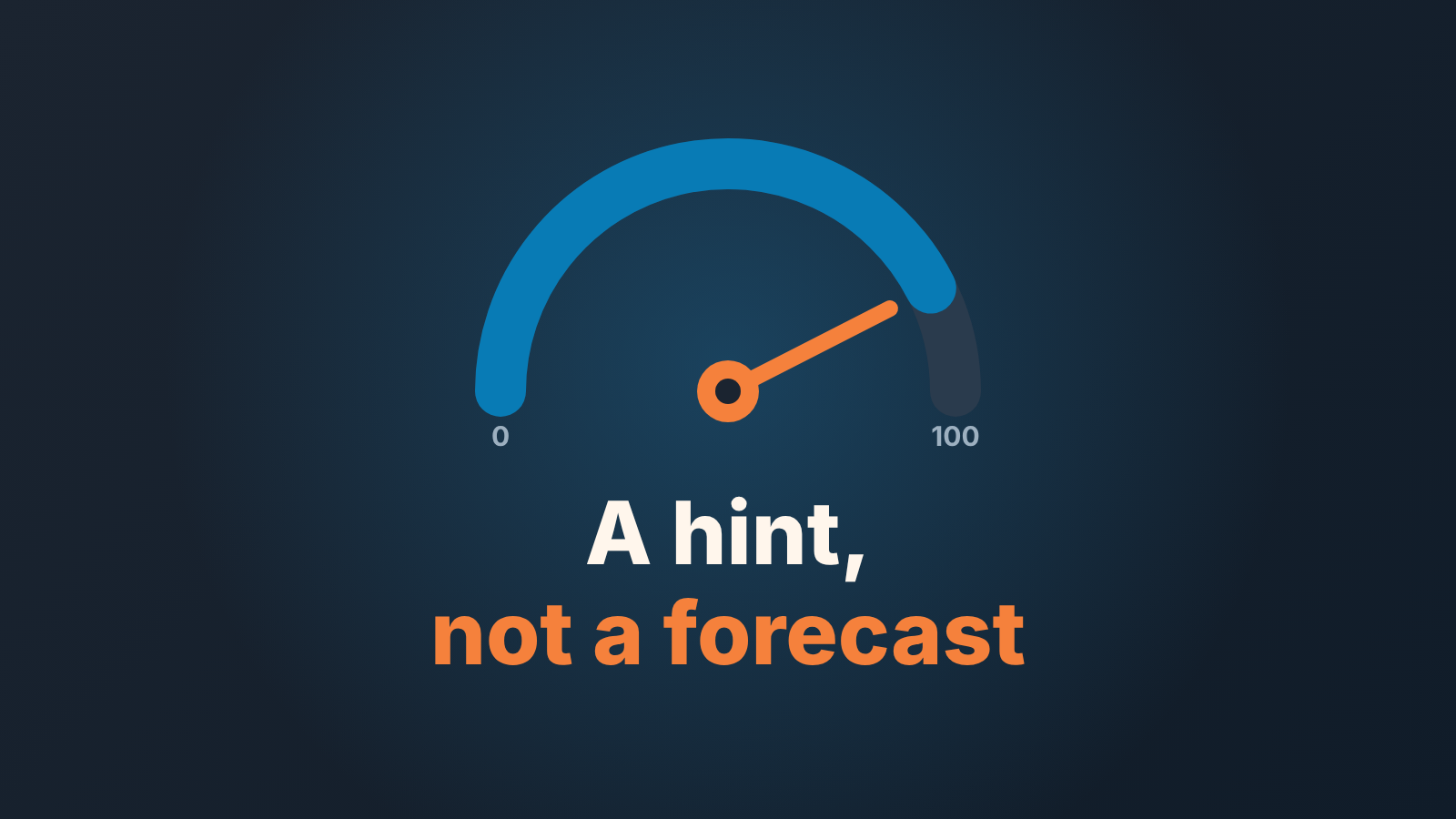
HubSpot’s deal score is an AI-generated number from 0 to 100 that estimates the probability of winning an open deal. It is available on Sales Hub and Smart CRM Professional and Enterprise, it reads deal properties and logged activity, and it has no idea what was said in the room. Treat it as a prompt to go look at a deal, and check it against your own closed deals before you let it anywhere near a forecast.
HubSpot’s help page on predicting likelihood to close with deal scores covers where the column lives and what the card shows; this article is about the question a manager asks two weeks later: is this number right about my deals? How scoring models work for a small team in general is in AI deal scoring for small teams.
What the HubSpot deal score actually is
A score of 85 means the model predicts an 85% likelihood of winning that deal. Higher is better, and it only applies to open deals (HubSpot: deal scores). You get it on Sales Hub Professional and Enterprise and on Smart CRM Professional and Enterprise, as a Deal Score column in the deals table and a Deal score card on the record. Hovering for the factor breakdown needs Sales Hub Professional or Enterprise; the Key factors list and score history on the card need an assigned Sales Seat.
HubSpot publishes the factors the model reads, listed below, but no formula and no weights. Its own page also says deal scores “are for information only and shouldn’t be used as the only factor in making business decisions”, and that the model “may not always be accurate”. That is not boilerplate. It is a fair description.
Our position: the score answers “do this deal’s CRM signals look like a likely win?” It does not tell you whether the deal is a good one. A deal with a fresh next step and a meeting on the calendar scores well on paper, and may still belong to a tidy rep about to lose to a competitor nobody logged. Used as a reason to ask “why is this one lower than its neighbours?”, the score earns its column. Used as a forecast, it is a liability. For a sanity check on the forecast itself, look at HubSpot pipeline coverage, which divides open pipeline by the gap to goal rather than the full goal.
What it reads, and what it does not
HubSpot lists the signals the model considers (HubSpot: deal scores). Here they are, with what each turns into when nobody fills the field in:
- Deal amount and changes to it: a placeholder typed at creation and never revised looks like a stable deal.
- Close date, the time until it and changes to it: a date pushed every Friday reads as a deal that keeps slipping, and a date left at the default reads as on schedule until it isn’t.
- Create date, the time since the deal was created: a deal opened months ago “just in case” brings its age into the score.
- Deal stage, the time spent in the current stage: meaningful only if reps move the stage when the proposal goes out, not two weeks later.
- Activities: time since the last one, time until the next scheduled one, and how many calls, emails and meetings were logged. Calls from a mobile that never got logged look like silence.
- Deal probability and changes to it: a manual 0% or 100% in place of closing keeps the deal in scoring.
- Next step, the time since it was updated: a blank field reads as a deal nobody is driving.
- Owner, time without one and changes of owner: a territory reshuffle looks like a handoff.
With buying signals the list grows: overdue tasks, scheduled meetings, owner assignment date and outbound calls on the rep side; email opens, clicks and replies and inbound calls on the buyer side; and “deal stalling without engagement”. Same page.
Now look at what is missing. Nothing about what the buyer said on the last call. Nothing about whether the person you are emailing can sign, or the competitor, or the champion who left last month. An email saying “we have gone with someone else” and one saying “send the contract” are, on HubSpot’s signal list, both just a reply.
So the score is only as good as the deal record. If deals have no next step and no logged activity, the model is not seeing a weak deal, it is seeing nothing. HubSpot doesn’t say what history the model learns from, so how it rates nothing is anyone’s guess. The fix lives in your stage setup: required properties per stage in HubSpot makes the signals exist, and a saved view of deals with no next activity shows how much of your pipeline is invisible to the model right now.
When the number moves
The score is not live, and HubSpot publishes the schedule (HubSpot: deal scores).
A new deal usually gets its first score within about 36 hours, up to 48 in peak periods. An existing deal is re-scored only when the new score is significantly different, which HubSpot defines as ±3%, and that change can take up to 6 hours to show. If the relevant properties haven’t been updated in two weeks, the score refreshes on its own anyway.
Signals move at two speeds. Fast triggers, such as an overdue task, a newly scheduled meeting or a change in stage probability, can reach the score within 6 hours. Slow triggers, such as engagement history and note changes, are processed in batches and can take up to 48 hours.
Then the edges. Once a deal moves to Closed Won or Closed Lost, its score stops updating. A reopened deal gets no score at all; HubSpot recommends creating a new deal instead. And the stage, not the probability, is what counts as closed: set probability to 100% by hand without moving the stage and the deal keeps getting scored.
For a Friday pipeline review, read the score as where the deal stood a day or two ago. Before anyone argues with it, check it’s last update time on the Deal score card.
A 20-deal check you can run in a spreadsheet
HubSpot’s help page gives no accuracy figure beyond “may not always be accurate”. Someone on r/hubspot asked whether anyone had built accuracy reporting on deal scores. That is the right instinct, and you don’t need a report builder to answer it for your own portal. You need twenty closed deals and an hour.
The limits first. Twenty deals is a sanity check, not a validation study. Use deals that closed while deal scores were available in your portal. Because the score stops updating at close, the Deal Score column on a closed deal already shows its last value before the close, so you don’t need the score history or a Sales Seat for this. If you don’t have twenty such closes yet, wait. Do not pad the sample.
- Pull the last 20 deals closed in one pipeline, ideally 10 won and 10 lost, into a deals view with the Deal Score column.
- Copy each deal’s score and its outcome into a spreadsheet.
- Add two plain columns from each deal’s timeline as it stood just before closing: was there a Next step or a scheduled activity (yes/no), and how many days since the last logged activity.
- Sort by score and count the wins in the top half and in the bottom half.
- Sort by the next-step column instead. Count again.
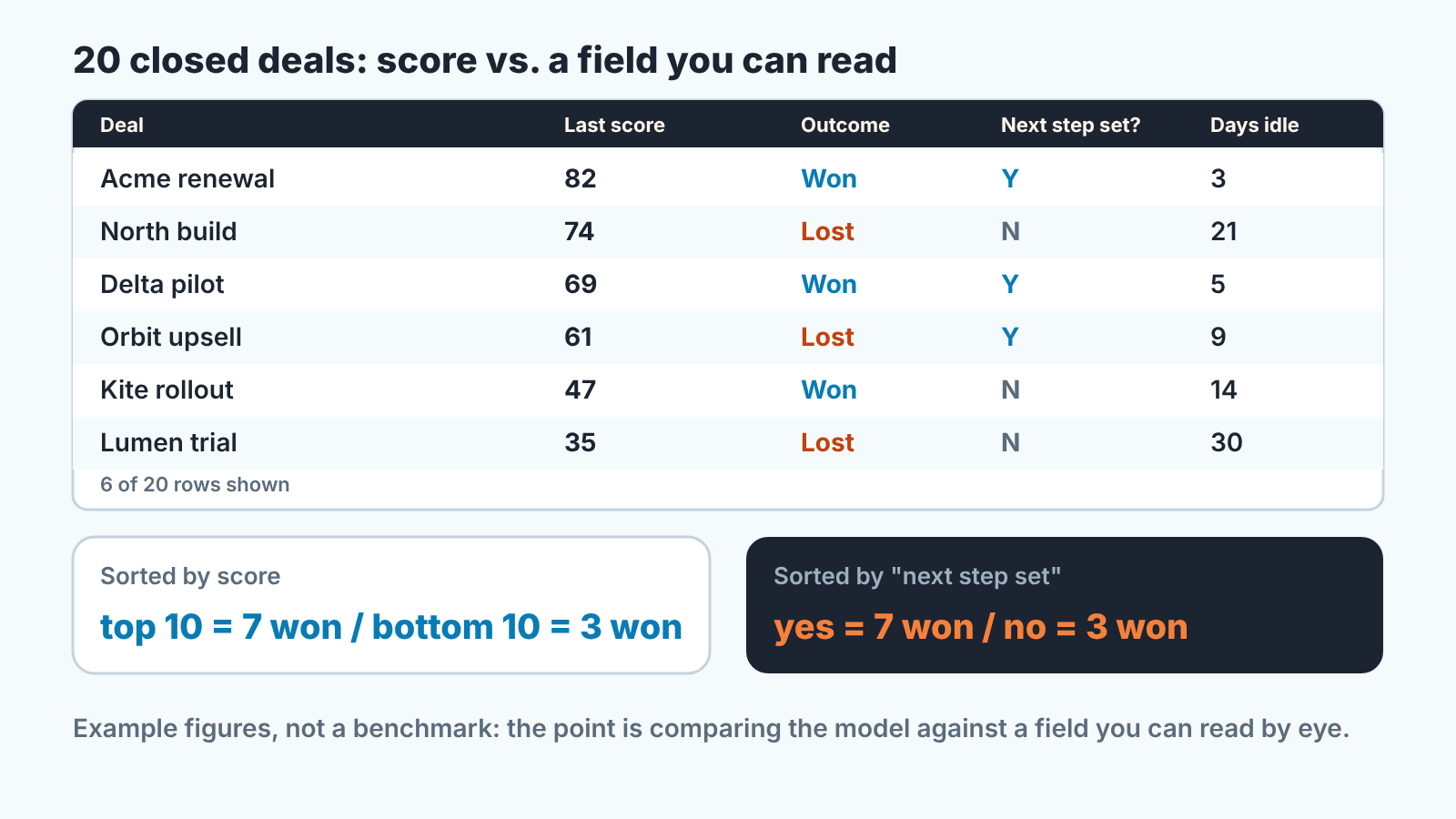
The question is not a percentage. It is whether the score separates wins from losses more cleanly than a field you could check by eye.
An example, invented for illustration and not a benchmark. Say the top ten by score hold seven wins and the bottom ten hold three. Looks like a model doing something. But if “next step set = yes” also splits the same twenty into seven and three, then in your portal the score is mostly a dressed-up version of a field you already have, and the the field is faster to read. And if the top half by score has fewer wins than the bottom half, stop using the column for prioritisation until the pipeline data improves.
Run it once a quarter. What your reps put into HubSpot changes every week, so the answer can move in either direction.
When not to trust it
Where we would not let the score near a decision, in no particular order:
- A young pipeline. HubSpot doesn’t say how much history the model needs or whose closed deals it learns from. With a handful of closes you can’t run the check above either.
- Reps who close by probability instead of stage. A deal set to 0% by hand and left open keeps getting scored, and keeps sitting in the column next to live deals. Stage is HubSpot’s source of truth for closed; use it.
- Holes in logged activity. The list above is everything the model reads. A team that works from the phone and logs on Friday, or not at all, is feeding it a pipeline of silence.
- Long cycles. A nine-month deal spends long quiet stretches with no stage change and a far-off close date. On the signal list that looks like a stalled deal.
- Reopened deals. No score, by design. Create a new deal as HubSpot recommends, or accept a blank.
Where to go instead of one number
If you want a score whose logic you can explain in a meeting, HubSpot has a second tool. In Lead Scoring you can build a custom deal score (Sales Hub only) from property values and events, for example an associated company in the right industry plus associated contacts who are decision makers and recently attended meetings with your team (HubSpot: build lead scores). Two things to know first: events for a deal score are pulled from associated contacts, not from the deal itself, and call events only count calls made through HubSpot’s calling. The types and number of scores you can create depend on your subscription. It is a rules engine, and that is the point. If a rule adds 20 points for a booked meeting, everyone in the room knows why the number moved. A custom score is only worth keeping if it sorts outcomes, so export contacts by score band and compare deal rates once a quarter.
The other route is to skip the score and work from yes/no checks on the deal, which is what a deal health score is. Pipedrive teams face the same choice with a different native feature (what Pipedrive’s scores tell you about deal priority), and if you forecast with stage probability, remember it is one of the deal score’s inputs and not the same number (HubSpot stage probability and forecasting).
A disclosure, since we have reached the tooling question. We build SalesBond, a sales management layer on top of the CRM a team already uses; we started with Pipedrive. Its Deal Health checks every deal against more than 20 rules on deal fields such as next activity and close date, and explains each flag along with what to do about it. A rule is something you can argue with. A probability from a model is not. If you want to see that on your own pipeline, check your CRM with SalesBond.
The column is a question, not an answer
We like the deal score more than this article may suggest. Sorted descending on a Monday morning, it is a decent way to pick which five deals to ask about first. What we don’t like is the score standing in for the conversation. It summarises what your reps typed into HubSpot, a day or two late. If that data is clean the score can be useful; if it isn’t, the score is telling you the CRM needs attention before the forecast does. Run the twenty-deal check, keep the result next to the column, and when the two disagree, go read the deal.