
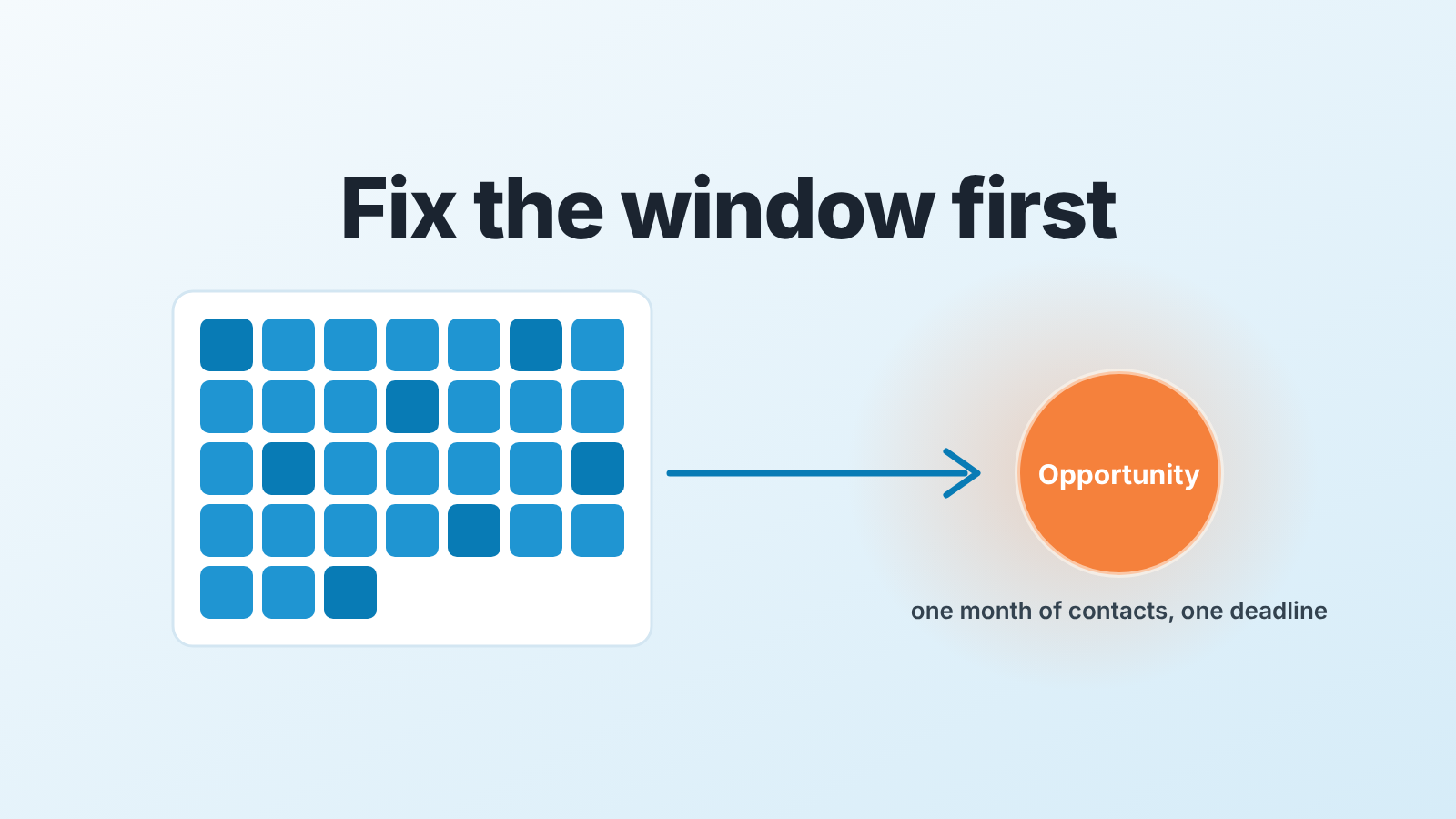
Lead conversion rate in HubSpot is the share of contacts created in a month that reached a deal (or the Opportunity lifecycle stage) within a window you fix in advance, say 90 days. HubSpot’s funnel report can count it: in the legacy builder, “All” mode with “All created contacts” as the first step limits the report to contacts created in the period (HubSpot: create custom funnel reports). We don’t build the rate on Lead status, because HubSpot’s pages describe date-entered history for lifecycle stages, not for lead status (HubSpot: default contact properties).
What counts as a lead conversion: one cohort, one end point, one window
HubSpot’s glossary calls lead conversion the point when a contact is advanced into a qualified opportunity, a deal or a paying customer, and stops there (HubSpot: lead conversion). The sales conversion rate page adds the arithmetic, conversions divided by all prospects times 100 (HubSpot: sales conversion rate). Neither page says which prospects go in the denominator or by when a conversion has to happen. Without those two decisions the number drifts every time you open it.
So we fix three things before we read anything.
The cohort is contacts by Create date. Everyone created between 1 and 31 October is the October cohort, whatever happened to them later. HubSpot sets Create date automatically, so nobody maintains it.
The end point is one lifecycle stage, and for us it is Opportunity. Every lifecycle stage, default or custom, gets it’s own Date entered and Date exited (HubSpot: use lifecycle stages), so the end point is timestamped for free. If your line between marketing and sales sits at a different stage, the rule for drawing it is in our MQL vs SQL acceptance rule.
The window is a fixed number of days from Create date. We use 90. A three-week-old cohort has had no time to convert; last year’s has had all the time in the world. Their raw rates tell you about the calendar, not sales.
This is lead conversion, not stage conversion or win rate, the same split we used for lead conversion rate in Pipedrive. As for a “normal” rate, HubSpot’s glossary lists 2-5% for B2B lead to customer without naming a source, so we compare each cohort with our own earlier ones.
The HubSpot report that can show a monthly lead conversion rate
The legacy funnel report analyzes conversion rates between stages of the contact lifecycle or a deal pipeline. “All” mode reports on records that moved through every selected stage; “Any” mode, on records that entered at least one. It needs a Professional or Enterprise subscription (HubSpot: create custom funnel reports).
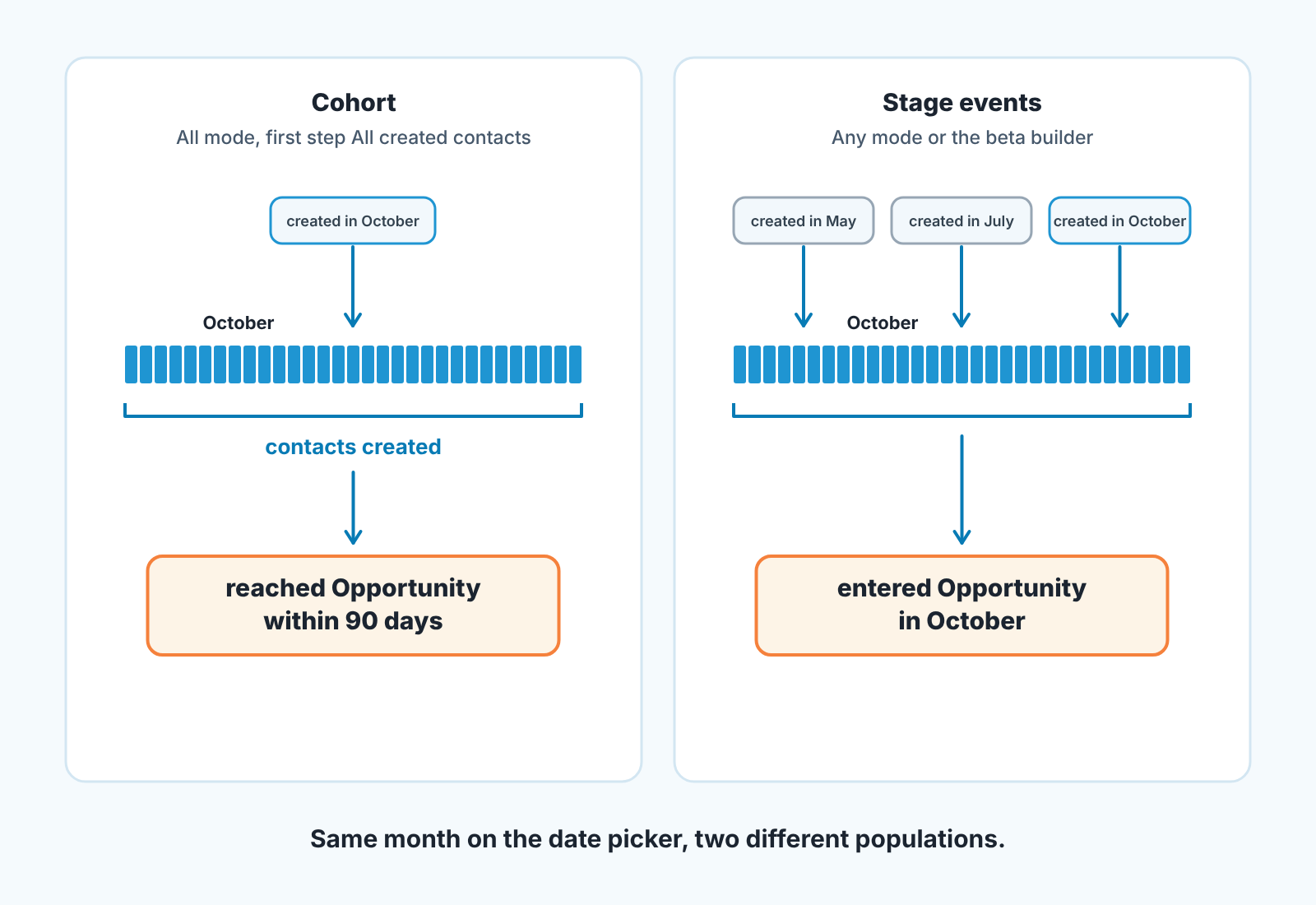
What turns it into a cohort report is the first stage. In “All” mode with “All created contacts” first, the report shows only contacts created in the selected timeframe. Put Opportunity first and it shows contacts that entered Opportunity in the timeframe, which is a different population. In “Any” mode the date range picks up stage entries regardless of Create date (same page). So the setup is short:
- Legacy funnel report, data source Contacts, mode “All”.
- First stage “All created contacts”, next stage Opportunity, nothing in between.
- Date range equal to one calendar month.
- Write down both counts and do the division outside the report: reached Opportunity ÷ All created contacts × 100. The page doesn’t define the rate’s numerator and denominator, so the counts are what you keep.
How to assemble a funnel report and the traps in reading it week to week are in our HubSpot funnel report guide, we won’t repeat them here.
The beta builder answers a different question
The new funnel builder looks similar but its date range filters by the date of the activity, not the date the contact or deal was created (HubSpot: create new custom funnel reports). Set it to October and you get every contact who entered a step in October, including contacts created in May. That is a throughput view: how much moved this month. It is not the share of October’s contacts that converted.
Neither funnel page mentions a conversion window. In HubSpot the window is not a report setting. It’s a rule you keep.
Why we don’t build the rate on Lead status
Lead status is the field reps touch every day, so it’s the obvious first try. But HubSpot lists Date entered and Date exited for lifecycle stages only, and its property history page describes single records and exports, not reports (HubSpot: view record property history). A HubSpot Community user wrote in February 2023 that a Lead status conversion report isn’t possible natively; we read that as one user’s experience, not a product fact. How the two fields differ is in lead status vs lifecycle stage. Lead status stays the rep’s working field. The rate rides on lifecycle stage.
Setting the window from create date
The window has two parts: a rule and a reading date. The rule is 90 days from Create date. The reading date is when the youngest contact in the cohort turns 90 days old: 31 October plus 90 days is 29 January. You read the October cohort once, on or after that day, and the number written then is the October number. Read it earlier and the rate is smaller. Read it later and stragglers get in, which quietly changes the metric.
A caveat. The funnel report in “All” mode doesn’t cap the window, so on 29 January a contact created on 1 October has had 120 days. The reading date fixes the cohort’s age (90 to 120 days), not an exact 90 days per contact.
If your end point is a deal, the contact record has an exact per-contact window: “Time between contact creation and deal creation”, the time until the contact was associated with a deal. It needs Marketing Hub Professional or Enterprise (HubSpot: default contact properties). A contact created in October whose value is under 90 days converted inside the window, whenever you look.
Then there is direction. HubSpot tools such as imports, forms, the API and workflows only move lifecycle stage forward; to set an earlier stage, the value has to be cleared first, manually or with a workflow (HubSpot: use lifecycle stages). So “reached Opportunity” means reached, not “is still one”: a contact whose deal died in week eight still counts as converted. That is correct for this metric; whether those deals close is win rate’s job.
Three cohorts side by side on Monday
Compare the last three finished cohorts, each read at the same age. Nobody can act on one cohort. With two counts and a rate for each, the Monday question is short: did the share that became opportunities within 90 days move, and if so, which contacts are missing? The chart answers the first half. The second always ends in a list of contacts and a conversation with the the rep who owns them.
Count before percentage. A quiet month with a handful of contacts gives a rate that swings on two people. Say the counts out loud and the room stops arguing about decimals.
We build SalesBond, a sales management layer on top of the CRM a team already uses; we started with Pipedrive. A cohort number belongs in the same weekly review as stalled deals, not in a spreadsheet nobody opens. Check your CRM with SalesBond.
The report is the quick part. The habit of one window and one reading date for every cohort takes a few months, so start with the cohort that’s already 90 days old.


