
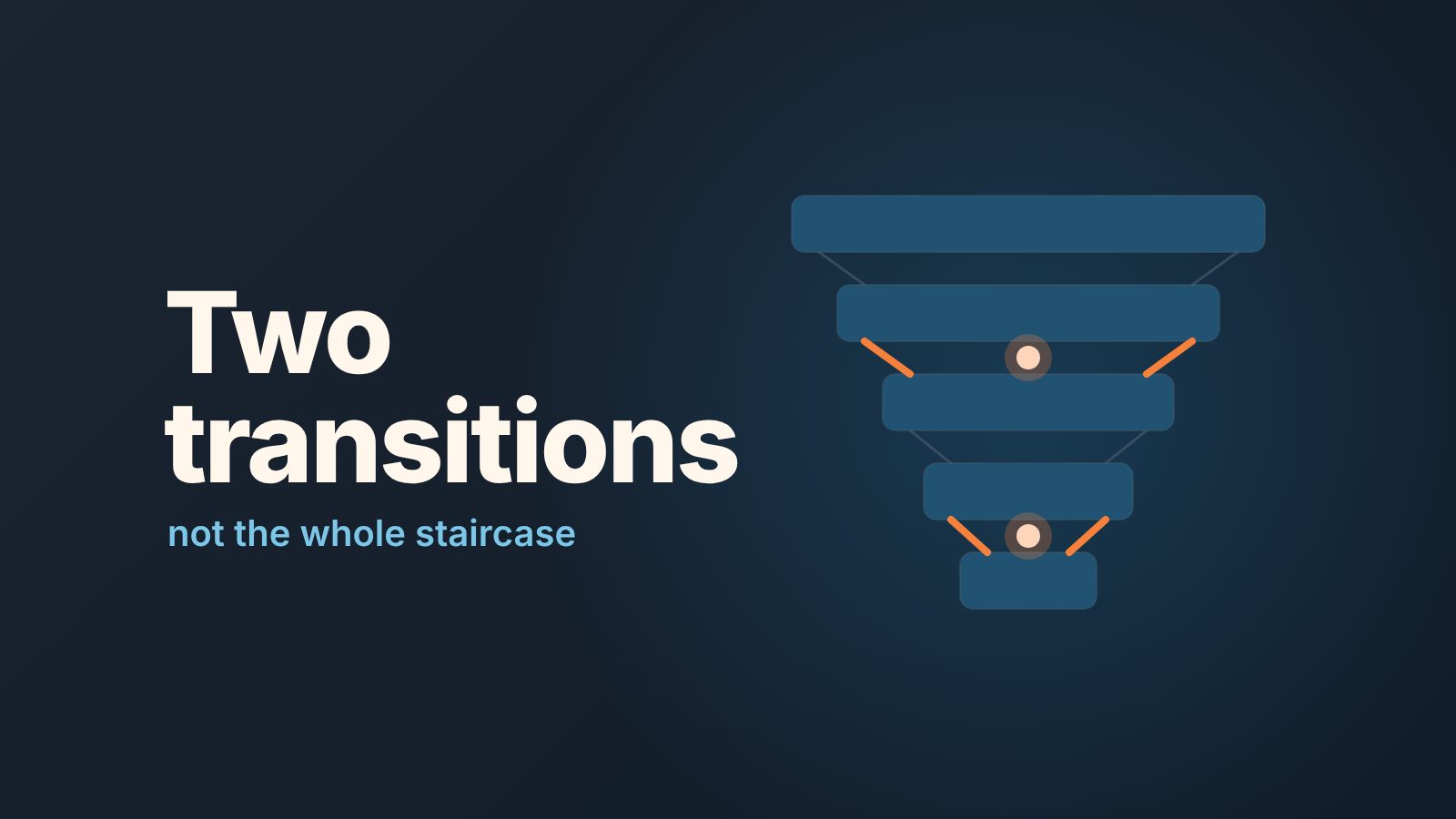
A HubSpot funnel report counts how many deals (or contacts, or companies) moved from one stage to the next, and it does that from the built-in Date entered [stage] timestamps on Deal stage and Lifecycle stage. That is why only standard stages can be funnel steps: a custom property never gets those timestamps, so it cannot be a step (HubSpot: create custom funnel reports). The report needs a Professional or Enterprise subscription, and HubSpot’s new funnel builder is still in beta (same page). As for reading it, a manager should look at two transitions, not the whole staircase. Two numbers you understand beat ten you can only stare at.
What a HubSpot funnel report counts (and what it can’t)
You pick a data source first. Contacts and Companies run on lifecycle stages, Deals run on deal stages (HubSpot: create custom funnel reports). With Deals as the source you get a deal funnel report: stage events inside the date range, and how many records went on to the next stage. What comes out is a conversion rate between stages plus a total. Not a sum of money, not a list of deals.
The thing teams trip on is the custom property. Someone tracks “proposal status” in a dropdown and wants that dropdown as a funnel step. HubSpot says no, and the reason is mechanical: the funnel reads Date entered timestamps, and only Lifecycle stage and Deal stage write them. If your real process lives in a custom property, the funnel cannot see it. Either make it a deal stage or accept that the funnel measures the pipeline as HubSpot records it, not as the team describes it.
The same timestamps feed the stage timers behind a stalled-deals list (which HubSpot stage timer to trust), so honest stages pay off twice.
Build a HubSpot funnel report: template or scratch
Both routes start at Reporting > Reports > Create report (HubSpot: create custom funnel reports).
- Template: open Template report library, click Next, search for “Funnel”, pick a template, review it and click Save report. Fastest first look.
- From scratch: choose Funnel report, click Next, then pick the data source. For a sales funnel that is Deals.
- Select the First stage event, the stage where the journey begins. Starting later than the first pipeline stage is fine when the early stages are noise.
- Click Add new stage for each step. To let deals skip a stage, hover over it, choose Edit stage and tick Optional. The first and last stage cannot be optional.
- Click Run report, set the date range, and filter deals by lists or properties if you want one rep or one segment.
The beta builder has to be switched on by a Super Admin, who clicks “Get early access to the new funnel builder” in the funnel builder (same page).
Read two numbers, not ten
A five-stage pipeline gives you four transitions and a total. On Monday read two: the transition where deals most often die in your pipeline, and the one right before Closed won. Name them once and stop re-deciding every week.
Keep the length of the date range fixed and let it roll. A window such as the last 90 days moves slowly, so a change from one Monday to the next is a signal and not a calendar artefact. Write the two percentages down next to last week’s. One question per number: what changed on this transition, and which deals? The chart will not answer the second half, so the next click is always the deal list.
Check the percentage against the counts before you quote it. Deals that reached the later stage divided by deals that reached the earlier one: if your own division doesn’t match the chart, something in the setup (an Optional stage, a filter) is doing work you forgot about. And a handful of deals is not a rate. The same two-transition routine, done from an export, is in pipeline stage conversion rates in Pipedrive.
Where the funnel lies: skipped stages, old deals, edits
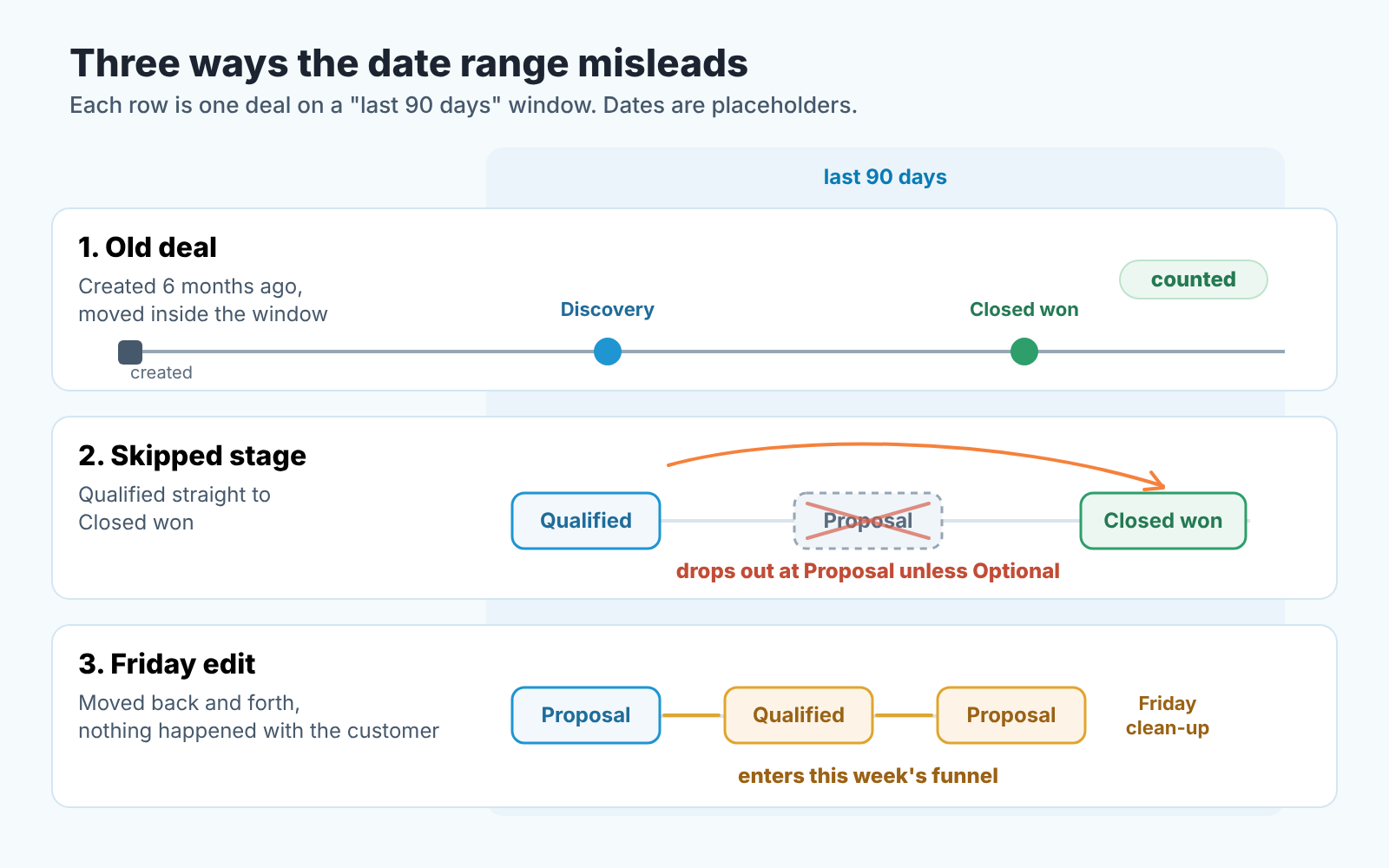
Three things skew a HubSpot funnel report: the date range counts stage events, not the date a deal was created; a deal that skips a stage not marked Optional drops out at that stage; and every stage move, a clean-up included, updates the Date entered timestamps the report reads. The report is honest about what it counts. It is just not counting what most managers assume.
Old deals come first. HubSpot’s own example: a funnel from Discovery to Closed won over the last 90 days includes a deal created six months ago if it went through both stages in those 90 days (HubSpot: create custom funnel reports). So “last quarter’s funnel” is the conversion of whatever moved last quarter, not a cohort of deals opened last quarter. Presenting it as a cohort is how a team ends up arguing about a number nobody built.
Skipped stages are the second trap. Marking a stage Optional is what lets a record continue along the funnel without passing through it (same page). A rep who drags a deal from Qualified straight to Closed won has produced a win in the pipeline and a drop-out at Proposal in the funnel. A low rate at a middle stage is sometimes a selling problem and sometimes a data-entry habit. The cheap check is the the deal list behind that stage: deals that closed without ever being in Proposal.
Edits are the third. HubSpot updates the stage timestamps automatically, and the funnel reads timestamps, not conversations with customers. So a Friday clean-up where a rep moves eight deals back and forward can push them into this week’s funnel even though nothing happened with any customer. When a transition jumps in one week, ask about edits before you ask about selling.
Funnel or pipeline snapshot on Monday?
Both, for different questions. The funnel looks backward and is about rate: are we losing more deals at Proposal than last month. The pipeline snapshot, the deals-by-stage report on your manager dashboard, is about now and about money: is there enough in Proposal to make the quarter. The funnel is built around counts and conversion rates; on HubSpot’s help page Amount shows up only as an example of a deal property to filter by. If you want money by stage, that’s teh snapshot’s job, and making one report do the other’s job is where the Monday meeting goes wrong. The difference is in sales funnel vs pipeline, the snapshot setup in a HubSpot dashboard for a sales manager.
Our routine: snapshot every day, funnel once a week, two transitions, one question each.
The “which deals” half of that question is the slow part. We build SalesBond, a sales management layer on top of the CRM a team already uses; we started with Pipedrive. It flags the deals that need attention and explains why, which gets you to the deals behind a weak transition faster than opening them one by one. Check your CRM with SalesBond.


