
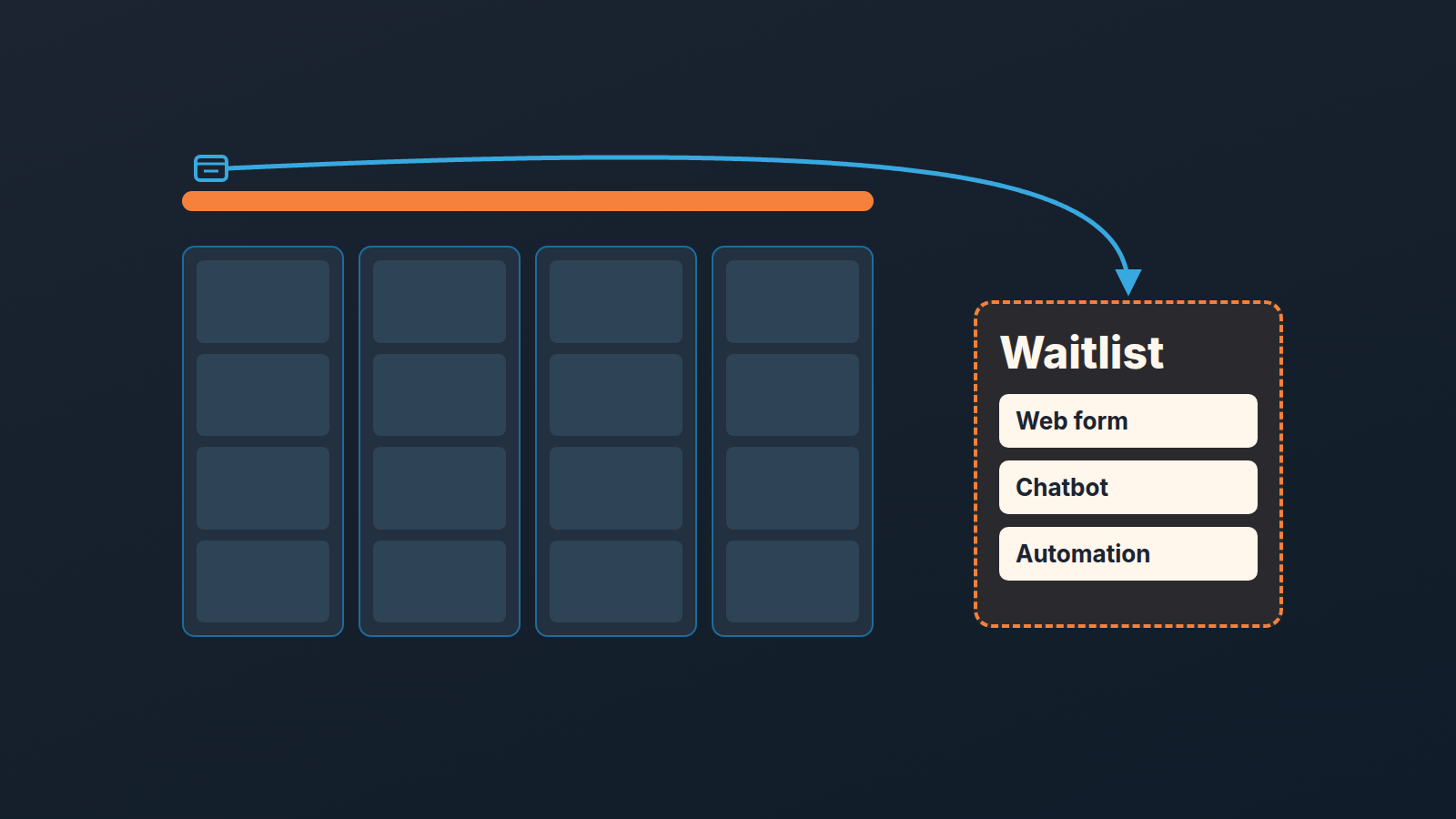
When a Pipedrive account reaches its leads and deals limit, new deals from automations, chatbots, web forms and the API stop landing in the pipeline. They go to the deals waitlist instead, a list under Settings > Usage, and they stay there until someone frees up space and adds them, or deletes them (Pipedrive: deals waitlist). Adding a deal by hand is blocked at the limit, and leads created automatically are not held anywhere: they are discarded (Pipedrive: usage limits). Nothing in the pipeline view tells a rep any of this happened. The form still works, the contact still gets created, and the deal that should have followed simply is not there.
That last part is what the help pages do not say out loud, so this post is about it: who notices, how long it takes, and the three rules that make the waitlist a non-event instead of a lost week.
Monday, quiet inbox, and a form that was fine
An invented scene with a shape we keep meeting. Dana Okafor runs a five-person sales team. Inbound comes through a web form on the pricing page; the form creates a deal in the Inbound stage and an automation creates a call activity for whoever is on the rota. It has run without attention since spring.
On Friday, September 25, a rep imported a batch of deals from a trade show. Nobody looked at the usage count; why would they. The account’s admin is the founder, who had received Pipedrive’s email about the limit two weeks earlier and filed it under billing. Over the weekend four people filled in the pricing form.
Monday, September 28. Jonas Reuter is on the inbound rota and has an empty morning. He mentions it at the stand-up, mildly. Dana opens Marketing’s form tool and sees the four submissions, so the form is fine. She opens Pipedrive and finds the four people as contacts, each with a note holding the form submission. No deal on any of them. No call activity either, because the activity was linked to the deal that was never made.
It took until Tuesday afternoon to find Settings > Usage > Deals waitlist, where the four deals sat with the source “Web forms” and a created date of Saturday. By then the warmest of the four had already booked a call with someone else. That is not a Pipedrive bug. It is a limit doing what the documentation says it does, in an account where nobody on the sales team owned the number.
What the leads and deals limit counts, and what goes to the waitlist
Pipedrive caps the total number of leads and deals in an account by plan. The limit counts active leads together with open, won and lost deals that have not been archived or deleted (Pipedrive: usage limits). This is the newer model. It replaced the old open deals limit, which counted only open deals, for new accounts from May 2025 and for existing accounts at their renewal from October 2025; every account is on the new limit by October 2026. You will still see the old name in places, including the waitlist help page, which was written for it.
When the limit is reached, deals created by automations, by LeadBooster (Chatbot and Web Forms), through the public API or during an import are sent to the deals waitlist or to the import skip file instead of the pipeline (Pipedrive: usage limits). Pipedrive does not delete anything you already have; it blocks you from adding more of the thing that is over (Pipedrive: usage limits).
Two things make this harder to notice than an ordinary error.
First, the count does not go down when you work the pipeline well. A deal you win still counts. A deal you mark Lost still counts. A deal you convert back to a lead still counts, because leads are in the same number. The only two things that take a record out of the count are archiving it and deleting it. So the account that hits the limit is not the lazy one with stale deals; it is any account that has been selling for a while and has never archived. We wrote up archiving old deals and leads in Pipedrive, and under this limit that is the routine that keeps the door open for new inbound.
Second, the waitlist is not a holding stage. A waitlisted deal has not been added to the pipeline yet, so it sits in no stage and no rep sees it in their pipeline view. Deals that sit on the waitlist for a year are deleted automatically (Pipedrive: deals waitlist). A year is a long time but the point stands: the list cleans itself, and it does not tell you.
We do not write the limit figures here on purpose. They differ by plan and they change, and a number copied from a pricing page in October is wrong by the time someone reads this.
What happens to automations and imports at the limit
At the limit, anything that creates a deal on its own fails at the create step and the deal lands in the waitlist or the import skip file, while adding one by hand is simply blocked. But every source fails a little differently, and each one leaves a different trace, which is why the same problem looks like four different problems.
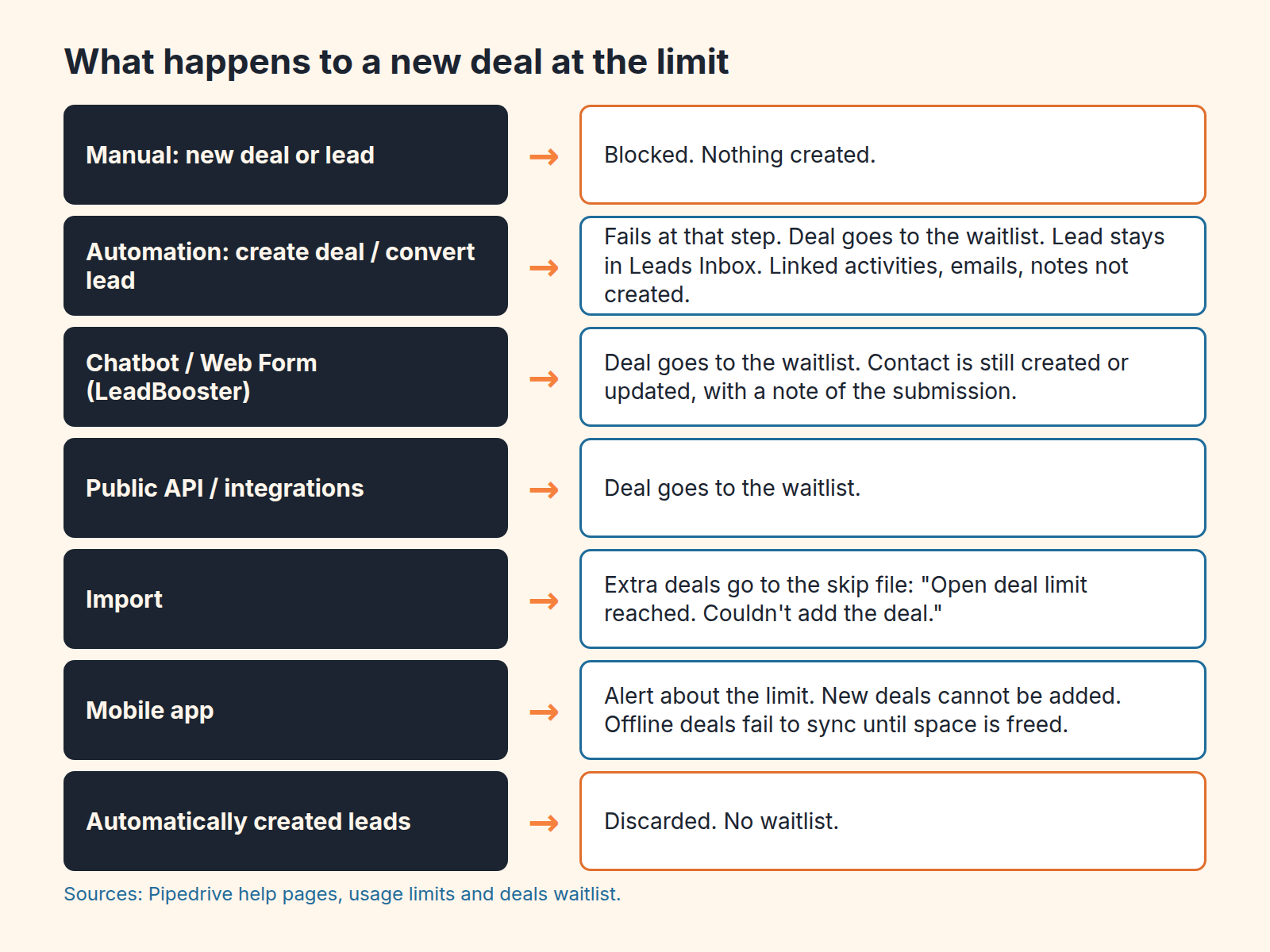
Automations first. An automation set up to create a new open deal, or to convert a lead to an open deal, fails at that step. The deal is not created, the lead stays unconverted in the Leads Inbox, and the deal that was not created is sent to the waitlist. Anything the automation would have done after creating the deal, such as an activity, an email or a note linked to that deal, is not triggered (Pipedrive: deals waitlist). That is why Jonas had no call activity. One exception: an automation that reopens a closed deal also fails at that step, but nothing goes to the waitlist, because it was updating an old deal rather than creating one.
If you came here from an automation that did not trigger, this cause is not on that list, and it is the one where the trigger fired and the run still produced no deal. Look at the usage page before you rebuild the automation.
With Chatbot and Web Forms the deal fails too, but the contact is still created, or updated if the person was already in the account, with a note holding the conversation or the submission (Pipedrive: deals waitlist). This is the trace that makes the problem look like something else. The contact exists, so the integration “worked”. If your lead source field is set by the form, it is set on a deal that does not exist, which is one more report that will quietly undercount inbound.
Imports are the one source that leaves paperwork. If the limit is reached during an import, the extra deals go to the skip file with the message “Open deal limit reached. Couldn’t add the deal.” (Pipedrive: deals waitlist). The import either fails completely or partially. The person importing is the person who sees that file. In Dana’s case the Friday import was what used up the last of the space, and the skip file was empty because the import fit. The deals that did not fit were Saturday’s.
On the mobile app there is no waitlist at all; it is a web-app feature. Instead you get an alert that the limit is exceeded and cannot add new deals. Deals added offline will fail to sync once online and are added after space is freed (Pipedrive: deals waitlist). A rep adding deals from a car park after a visit may be the first person on the team to learn the account is full, and they will learn it from a phone alert, not from the manager.
Then there are leads created automatically, the quietest case of all. A lead that an automation or integration tries to create at the limit does not go to any waitlist. It is discarded (Pipedrive: usage limits). There is no list to recover it from, so if your inbound lands in Leads Inbox rather than as deals, the limit costs you the record itself, not two days.
Where to look: the waitlist is web-app only
Settings > Usage > Deals waitlist. The list shows deal name, source and created date, sorted newest first, with a filter by source (Pipedrive: deals waitlist). That is the whole interface. It is in Settings, which is where reps do not go, and under Usage, which sounds like billing.
What you can do there is limited and better learned before you need it. Select deals and press Add to pipeline; the button shows how many you can add, adjusted to the space you have. If you select more than fits, Pipedrive adds the oldest ones first unless you choose specific deals. Deals you add are removed from the waitlist. You can delete what you do not want, and you can export the whole list to CSV to import later (Pipedrive: deals waitlist).
Note what you get when you add a deal from the list: the deal, and nothing else. The call activity the automation would have made on Saturday does not exist. The follow-up has to be created by hand, by someone who knows the the deal arrived two days late. In our experience that someone is the manager, because the rep never saw the deal go missing.
Three team rules: weekly check, clean before the cap, one owner for the waitlist
Pipedrive does warn you. Admin users get an in-app notice and an email when the limit reaches 80% and again at 100% (Pipedrive: usage limits). The catch is who gets it. In a small company the admin is often the founder or whoever set the account up, not the person running inbound, and an email that mentions a usage limit reads like a billing notice. In the scene above it was read, filed and forgotten two weeks before the Friday import. So the warning exists; what is missing is a person on the sales side who treats it as theirs. We think three rules cover it.
-
One person on the sales team owns the usage page, and opens it every Monday. Not “someone checks”. A name. Ask the admin to forward the 80% email to that person, or make them an admin. The check is two numbers (leads and deals against the limit) and one list (the waitlist, newest at the top). If the list is not empty, the deals go into the pipeline the same morning and their follow-ups get created by hand, dated from the day the form came in, not the day they were found. Five minutes a week. The scene above cost two days.
-
Archive before the cap, not after. Our rule of thumb, not Pipedrive’s: treat the 80% notice as the day to archive, and never let usage go past about 90%. That last tenth is a reserve, not a cleaning window, and it matters because the records that use up the last slots arrive at weekends and overnight, when nobody is cleaning. What goes into the archive: won and lost deals older than whatever your reporting still needs, deals with no activity scheduled and none logged in weeks, deals whose close date has been pushed more than twice and whose owner cannot name the next step. Marking those last ones Lost is still the right call for your win rate, but it does not free a slot; archive them after. The same goes for converting a stuck deal back to a lead: we have written about when that makes sense, and it is a good move for the deal, but the record stays in the count. Stalled deals vs dead deals has the distinction; the short version under this limit is that a dead deal that is still unarchived is now costing you an inbound lead.
-
Any import or bulk automation gets a space check first. The Friday trade-show import was the real cause in the scene. Before importing a list or switching on an automation that creates deals or leads, the owner of the usage page looks at the count. If the import would not fit, archive first. This is one line in the import checklist and it removes teh most common way of hitting the limit by surprise.
A note on rule 2, since this is where we have skin in the game. We build SalesBond, a sales management layer on top of the CRM a team already uses; we started with Pipedrive. Its Deal Health part checks every deal against more than 20 rules, shows the specific violations with a recommended action, and lets the owner resolve, snooze or ignore each one. For the weekly clean that is the list of what to close and then archive, ready-made. It cannot see the waitlist, though. Those deals were never created, so no tool reading the pipeline will find them; rule 1 stays a human job. Check your CRM with SalesBond if you want the clean-up list without building the filters.
Dana’s team now has the usage page as the first item of Monday stand-up, read out loud by the person who owns it, and the founder forwards the 80% email to her the day it arrives. The form has not sent a deal to the waitlist since, which is less a sign that the rule works than a sign that old deals are being archived on a schedule, and that was the problem all along.


