
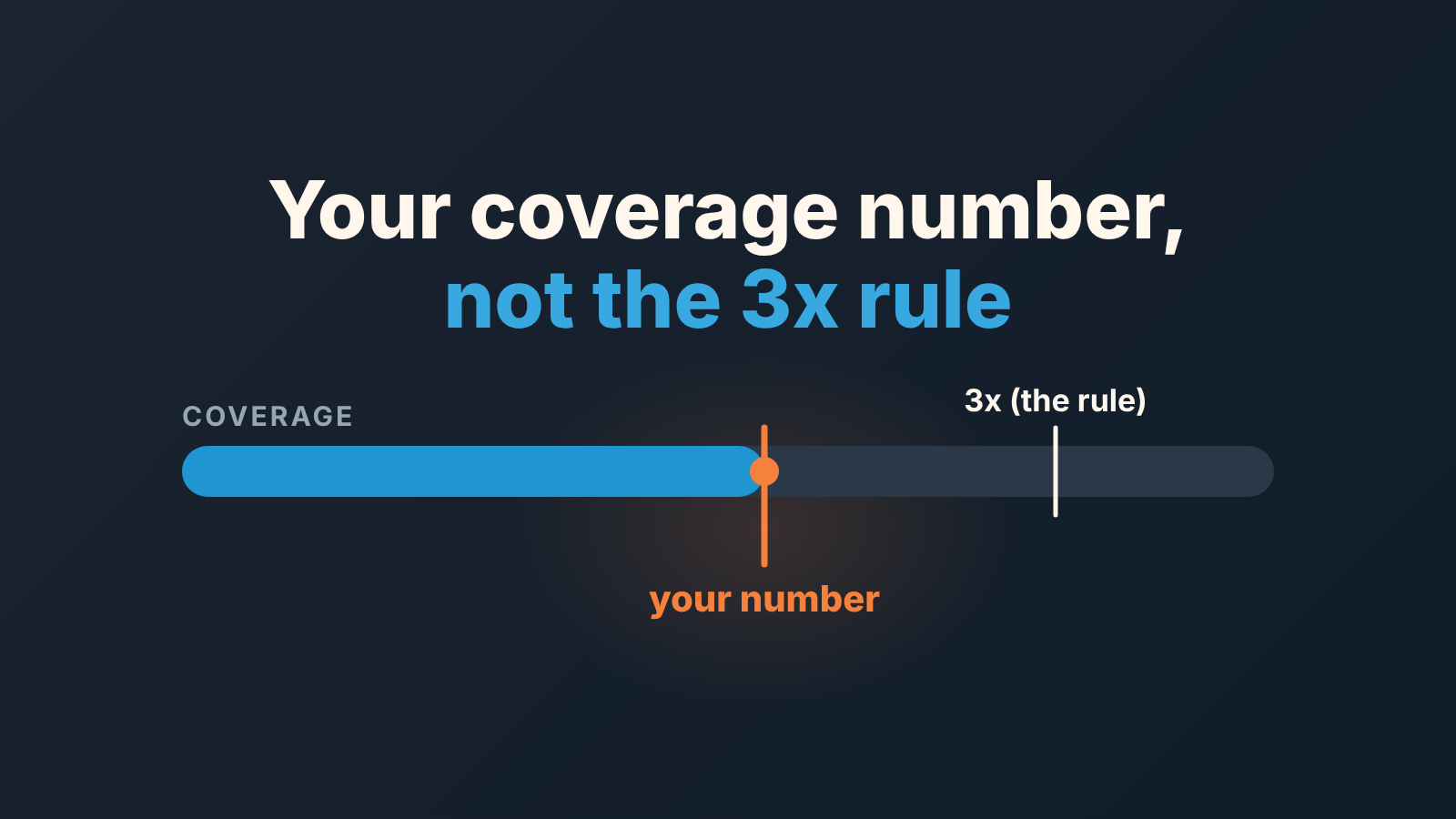
Pipeline coverage ratio is your clean open pipeline for the period divided by the target still left to close. The coverage you need is one divided by your win rate on deals that reached the stage you count from. Win 50% of what gets to Proposal, and you need 2x pipeline from Proposal onward. Win 25%, and you need 4x. The 3x rule most articles repeat only works if your win rate happens to be about 33% (Forecastio on the 3x rule).
“Clean” matters as much as the division: open deals with a value, an expected close date inside the period, and a date that hasn’t already passed. Below is how to count that pipeline, how to get both numbers out of Pipedrive with one filter and one report, and what to do when the result is 1.2x with five weeks to go.
3x is a habit, not a law
Ask where the 3x comes from and you get a shrug. A good pipeline coverage ratio is one divided by your stage win rate: about 1.7x at 60%, 3x at 33%, 4x at 25%. Forecastio traces the 3x rule to the 1990s and makes the same point about the arithmetic underneath: an SMB team closing 60% of its pipeline needs something like 1.7x to 2x, and an enterprise team closing 15% needs 5x to 6x (Forecastio, figures from their article). Salesforce’s explainer gives the basic formula, pipeline divided by target, with the standard example of $600,000 of pipeline against a $200,000 target being 3x (Salesforce on pipeline coverage). Nobody claims 3x is a measured constant. It stuck because its easy to say on a Monday call.
The trouble is what it hides. A team with a 60% win rate and 2x coverage is comfortable, and a 3x target would only push its reps to pad the top of the funnel. A team with a 20% win rate and 3x coverage is going to miss, and the dashboard will say everything is fine right up to the last week. Same ratio, opposite situations.
We think a manager should be able to say “we need 2.4x and we have 1.9x” and explain where both numbers came from. Reps stop arguing with a number once someone can explain it.
Use 3x for one quarter, until you have your own win rate. After that, it’s your win rate’s job.
What counts as pipeline: four filters
The ratio fails more often on the top of the fraction than on the bottom. “Open pipeline” in most CRMs means every deal that is not won or lost. That total includes deals with no amount, deals whose expected close date was last month, and deals created yesterday from a cold list. Coverage counted on that is a wish.
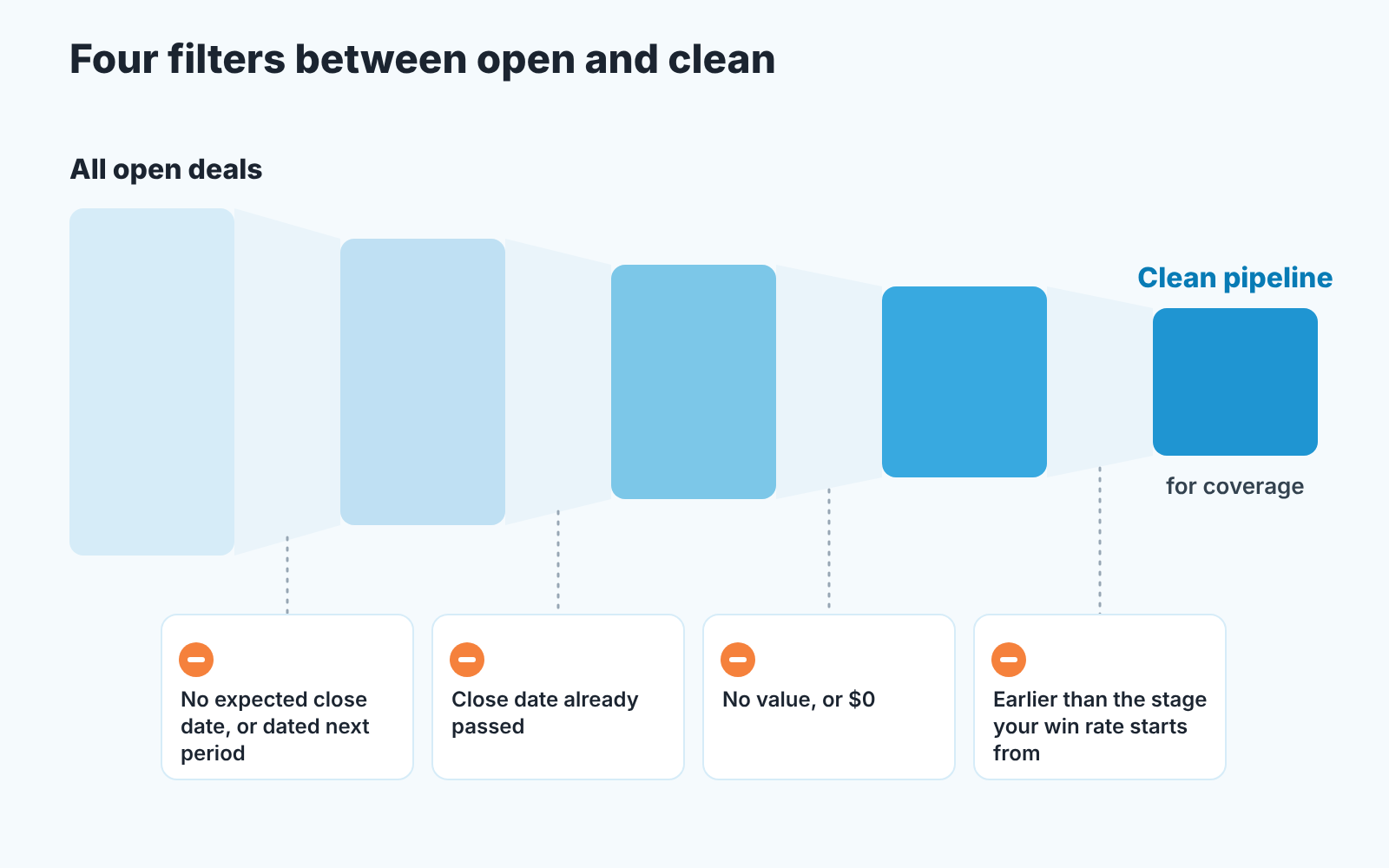
Four conditions get you to a number that means something, and a deal has to pass all of them:
- Expected close date inside the period. A deal dated next quarter is next quarter’s coverage, however good it looks. Pipedrive’s forecast view and its revenue forecast report both lay out open deals by expected close date (Pipedrive: the forecast view, Pipedrive: revenue forecast report), so the date field is what the whole calculation hangs on. A deal without a date is a deal nobody has asked the buyer about.
- Expected close date not before today. An open deal dated three weeks ago has already missed its own forecast. The date gets moved after a real conversation with the buyer, or the deal stays out of coverage until it is.
- A value that is not empty and not zero. A $0 deal adds nothing to the total but inflates every count, including a win rate counted by number of deals. The weekly filter for those is in deals with no value in Pipedrive.
- Stage at or past the one your win rate is measured from. This is the filter people skip. If your win rate is “deals that reached Proposal and were later won”, coverage has to count deals at Proposal or later, and nothing earlier. Counting from Lead with a Proposal win rate inflates coverage two or three times over. Pick one stage and use it on both sides of the formula.
Rotting and last activity are left out on purpose. They’re good hygiene filters, but they are judgement calls, and the coverage filter should be one a rep can’t argue with. Keep hygiene in a separate view.
The pipeline coverage ratio formula, with your own win rate
Three numbers and two divisions. All figures below are made up to show the arithmetic.
Remaining target is quota minus what is already won this period. Say the quarterly target is $300,000 and $90,000 is closed-won by mid-quarter, so $210,000 remains.
Clean pipeline is the total value of the deals that pass the four filters above. Say it is $380,000.
Coverage is clean pipeline divided by remaining target: $380,000 / $210,000 = 1.8x.
Required coverage is 1 divided by your win rate: the share of deal value that reached your counting stage and was later won, over a window long enough to hold a few dozen closed deals. If the team has won 42% of Proposal-stage value over the last four quarters, required coverage is 1 / 0.42 = 2.4x. So the team’s 1.8x is short, and by a sum you can name. It needs $210,000 / 0.42 = $500,000 of clean pipeline and has $380,000. The gap is $120,000 of Proposal-stage pipeline, or around $50,000 of closed revenue at that win rate.
Now run the same pipeline for a team with a 60% win rate. Required coverage is 1.7x, actual is 1.8x, and the honest message to the owner is “on track, with no slack”. Same $380,000, different verdict. That is the the whole argument against 3x in one example.
Two habits keep the number trustworthy. Use win rate by value, not by count, when the pipeline is measured in value; a team that wins most of its small deals and loses the big ones will see a count-based rate flatter the ratio. And never divide a weighted pipeline by win rate. Weighted pipeline is deal value multiplied by a probability of closing, and Pipedrive’s forecast view shows weighted values once you have set stage or deal probabilities (Pipedrive: the forecast view). Dividing that by win rate applies the probability a second time. Use plain deal value for coverage and keep weighted value for the forecast.
Which window to use for the win rate, and whether to cut it by rep or deal size, is its own topic: the win rate you can trust covers it.
Building it in Pipedrive: one filter, one report
A saved filter and one Insights report. After that, the Monday number is two reads and a division.
- Open the Deals list, click the filter dropdown in the top right and choose “+ Add new filter” (Pipedrive: advanced filtering). In the ALL section, where a deal must meet every condition, add status is open plus the four filters: expected close date within the period, expected close date not earlier than today, value present, and stage at or past the one you chose. If you count from more than one stage, put the stages in ANY, so a deal matches one stage or another.
- Name it after the period (“Coverage Q4”) and make it shared, so the whole team reads the same number. A private filter is visible only to the person who created it; no one else sees it, not even an admin (Pipedrive: advanced filtering).
- For the pipeline total, switch to the forecast view in the Deals tab with that filter applied. The summary shows the total value of open deals, the total of won deals, and the two combined (Pipedrive: the forecast view). Pipedrive lists the forecast view for Professional plans and higher.
- If you’d rather have it on a dashboard, build the Insights deal revenue forecast report instead: Insights, “+”, Report, Revenue forecast, Deal revenue forecast. Set the period to the current quarter, keep “measured by” on deal value rather than deal weighted value, and hover over a column to see existing and predicted revenue broken down (Pipedrive: revenue forecast report). One report then gives you the won-so-far figure for the remaining target and the open pipeline for the top of the fraction. Per the same page it needs a Growth plan or higher, and lost deals don’t appear in it, which is what you want here.
- For the win rate, build a deal conversion report: Insights, “+ Create”, Report, Deal, Conversion, funnel type. Each column shows the share of deals that reached that stage, the overall win rate sits at the top, and “measure by” can be set to deal value (Pipedrive: deal conversion report). Your stage win rate is the Won share divided by the share at your counting stage. The default filter is deals created this year, so widen it if a year holds too few closed deals.
One warning about step 5. Pipedrive treats a won deal as having completed every stage, wherever it was actually closed, and a lost deal as stopped at the stage it was lost in (Pipedrive: deal conversion report). Deals reps skip straight to Won still count as having passed Proposal. That’s fine for coverage as long as your pipeline filter counts from the same stage. It is not fine if half your deals never see Proposal because they get closed from Qualified. Then count from Qualified.
Coverage is 1.2x with five weeks left
This is the situation the coverage articles never finish. You ran the numbers in week eight, you need 2.4x and you have 1.2x. The temptation is to send the team out to “build pipeline”. For this quarter, that is mostly wasted.
The reason is cycle length. If a deal takes seven weeks from Qualified to Won on average, a deal created today lands next quarter, whatever the rep types into the expected close date field. New pipeline stops helping the current quarter at roughly quarter end minus your cycle length. Before that date, generating pipeline is the fix. After it, the only lever left is the win rate on the deals already in, and the plan changes shape.
So the week-eight plan has three parts and generation is the smallest of them. First, work the deals already past the counting stage: which of the 1.2x can move this week, which need a decision from the buyer that nobody has asked for, which have an expected close date that is honestly a hope. A short, correctly dated pipeline beats a long, optimistic one, because the owner can plan around it. Second, say the number out loud early. Using the example above, 1.2x times a 42% win rate is about half of the $210,000 still to close, roughly $105,000. Add the $90,000 already won and the quarter lands near $195,000, about 65% of a $300,000 plan. Telling the owner that in week eight, with a range, is a hard conversation; telling them in week thirteen is a worse one. Grading your own forecast afterwards is what makes the week-eight call believable next time. Third, start next quarter’s generation now, because what put you at 1.2x in week eight was a slow tap in weeks one to four. A pipeline generation target per rep is the inflow number. Coverage is the stock, and you can’t fix a stock in five weeks by opening the tap.
What you don’t do is drag next quarter’s deals into this one so the ratio looks better. The dashboard will look fine, the quarter won’t, and next quarter starts at an honest 0.8x instead of a real 1.5x.
Two ways the number lies
The first is concentration. A 2.4x made of one deal and eleven small ones is not 2.4x. It is a coin toss with a decimal point. One big deal in the forecast has the two checks for that, and both are worth running on the coverage pipeline, not only on the commit.
The second is deals that sit in the pipeline because a rep put them there, not because a buyer did anything. Read a sales coverage ratio per rep every Monday and you’ll get more of them. Pipeline padding in Pipedrive shows the trail they leave and why counting coverage only from buyer-touched deals is the lasting fix. The four filters catch the lazy version: missing dates, missing amounts. The patient version passes all four and still never closes.
That gap is where we come in, so a disclosure: we build SalesBond, a sales management layer on top of the CRM a team already uses; we started with Pipedrive. Deal Health checks every deal in the connected CRM against the rules you switch on, more than 20 of them, gives each deal a health score and lists the specific violations with what to do about them. So a stalled deal that is quietly propping up coverage shows its violations, instead of hiding inside the total. It won’t tell you what your coverage should be; that’s still your win rate’s job. Check your CRM with SalesBond if you want the stale ones flagged without building the hygiene filters yourself.
If you do one thing this week, build the shared “Coverage” filter and run the conversion report next to it. You’ll have both numbers by Monday, and an answer to whether 3x was ever yours.


