
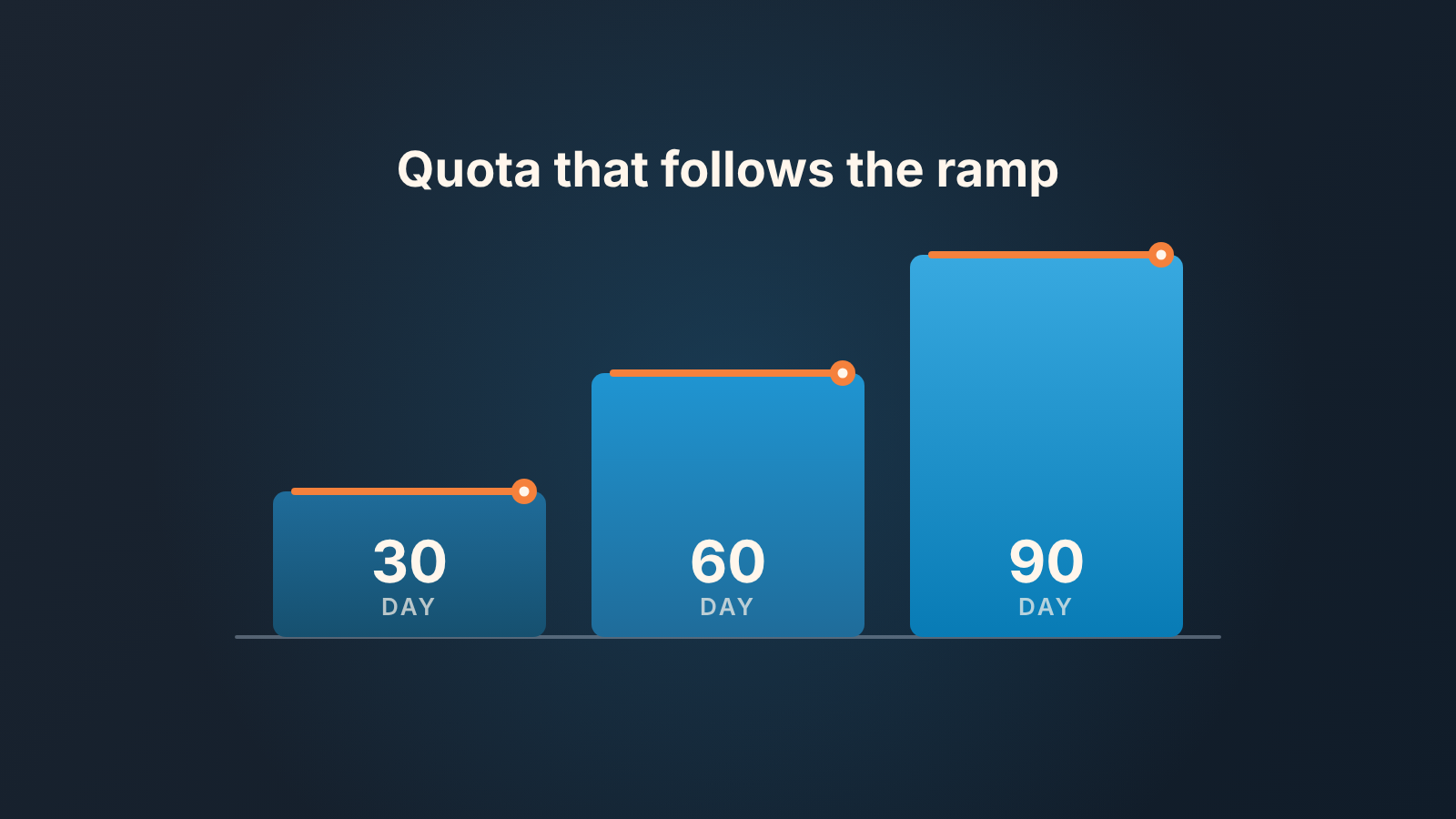
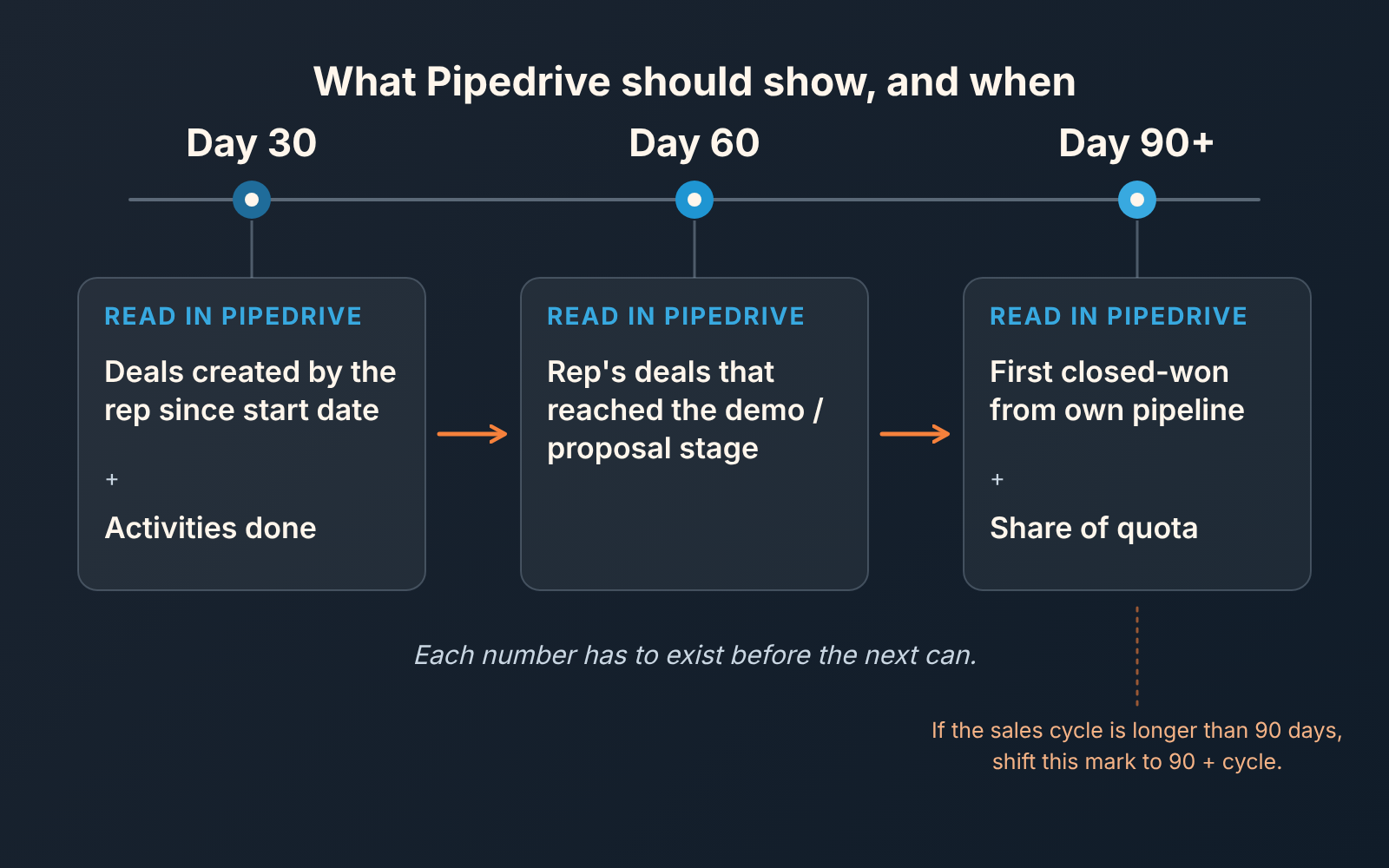
Sales ramp is the time between a new rep’s first day and the day they carry a full quota. Our answer to “how long should it take” is that it shouldn’t be a date at all. Set it as three numbers and a stepped quota. At day 30, count the deals the rep has created and the activities they have done. At day 60, count the rep’s deals that have reached your demo or proposal stage. At day 90, look for the first closed-won deal from the rep’s own pipeline and the share of quota it represents. The quota climbs in steps, for example 25, 50 and 75 percent, and the next step opens when the previous number is in, not when the calendar says so. All three numbers come out of one Pipedrive filter on the rep’s name and start date.
“Closing by day 90” is a deadline, not a plan
Here is the usual version. The founder hires a rep, says “I’d expect you to be closing by the end of the quarter”, and then waits. Nothing is checked in between, because nothing was defined to check. Day 90 arrives, the rep has closed nothing and the conversation that follows is about whether the hire was a mistake. Nobody can answer that. Nobody knows what happened in weeks two through ten.
Benchmarks help less than you’d hope. One SaaS page puts ramp at about 3.2 months, stretching to six (Alexander Jarvis on ramp-up time in SaaS). A glossary page gives 30 to 60 days for an SDR and 60 to 90 for an SMB account executive (RepCard: sales ramp time). They measure different things, so don’t average them. Both end ramp at full productivity, which is a lagging number: by the time you know it, the months are spent.
We think of ramp as the order in which numbers show up in the CRM. Activity comes first, because a new rep can make calls in week one. Pipeline at your key stages comes next, because a deal needs weeks of discovery before anyone agrees to a demo. Revenue comes last, after a full sales cycle has run. Each number has to exist before the next one can, so the honest way to watch a ramp is to check each one where it should have appeared and nowhere earlier.
What the rep should be able to do at each point (explain the product, run discovery alone, forecast their own deals) is in our 30/60/90 onboarding plan. This article is the other half: what Pipedrive should show on those days.
Sales ramp in three numbers, not one date
The day-30 number is deals created by the rep since their start date, plus activities done. That is all the first month can honestly show. A rep who has created nothing in thirty days has no leads, no courage on the phone, or a CRM habit problem, and you want to know which while it is still week five. We can’t give you a figure for “enough”. Take your median rep’s monthly count of new deals from the same filter and expect the new rep to be below it, not at zero.
The day-60 number is deals the rep created that have since reached the stage where a buyer commits time: demo, proposal, whatever your pipeline calls it. This is where the rep’s own discovery either produces qualified conversations or doesn’t. Of the three, it’s the one we’d watch hardest, because it is the first number the rep cannot inflate just by working longer hours.
The day-90 number is the first closed-won deal from the rep’s own pipeline, and the share of full quota it adds up to. One condition. If your sales cycle is longer than ninety days, a deal the rep opened on day one can’t close by day 90. We made the same point about ramp in capacity planning: plan on the cycle length and treat anything faster as upside. Move the third mark to day 90 plus your cycle, and let the day-60 number carry the weight until then.
Read all three for the first time on day 90 and you are doing a post-mortem, not a checkpoint.
A quota that steps up when the number is in
Comp plans usually treat ramp as a quota set lower for the first months. QuotaPath files it under compensation rather than onboarding (QuotaPath: ramp). The shape is a quota that starts low and rises in steps.
We keep the steps and change the trigger. In the first weeks there is no revenue quota at all, only a target for deals created. Meet the day-30 number and the quota opens at 25 percent of the full figure. Meet the day-60 number and it goes to 50. The first closed-won deal from the rep’s own pipeline takes it to 75, and two months in a row at that level make it full.
Those percentages are illustrative, not a benchmark; set your own. The rule that matters is what opens each step. A rep who hits the day-30 number in week three moves up in week three. A rep who misses it stays where they are, and it’s the clock that slips, not the quota. It’s fairer than a calendar ramp in both directions.
The quarterly version, with the baseline it rests on, is step 4 of how to set sales quotas; pay at 25 percent is the OTE for a first sales hire question.
Write the steps into the offer. One sentence does it: “Your quota starts at 25 percent of the full number and steps up to 50, 75 and 100 as each milestone is met; the milestones are deals created, deals reaching proposal, and your first closed-won deal.” A rep who signs that never has to ask what ramp means.
The Pipedrive setup: one filter, three columns, two reports
All of this is a few minutes of setup. Check the exact operator wording in the filter builder itself.
Start with the filter. In the deals list, open the filter dropdown in the top right, click “+ Add new filter”, then “Add condition”. Pipedrive filters have ALL conditions, where every one must hold, and ANY conditions, where one is enough (Pipedrive: advanced filtering). You want ALL: the owner is the rep, and the deal was created on or after the rep’s start date. That second condition is the ramp clock.
Before saving, set the filter’s visibility so it is shared rather than private. A private filter is visible only to the person who created it (same page), and the rep should be looking at the same list you are.
Then the columns. The gear icon on the far right of the list view lets you check and uncheck what’s shown (Pipedrive: list view). Three are enough for a ramp review: stage, deal created date, and the activity column, so you see at a glance whether every deal has a next step. The day-30 deal count is simply the length of this list. Activities done is the one number we don’t set up here, because the monthly scorecard already walks through it; build it once and change the date range.
For the day-60 number, open the deal progress report in Insights. It shows how many deals entered each stage in a period; the defaults are “Date of entering stage > is > this year” and your default pipeline (Pipedrive: deal progress report). Measure by number of deals, view by user, set the period from the start date, and read the rep’s bar for your demo or proposal stage.
For day 90, the deal performance report counts deals started, won and lost. Its default filter is “Deal created > is > this year” (Pipedrive: deal performance report); change the date to the start date, and pick the scoreboard chart if you want a single figure on a dashboard.
When the ramp stalls: a conversation, not a PIP
A missed number is a diagnosis. The point of splitting ramp into three is that each miss points at a different cause.
Missing day 30 usually means one of three things: there is nothing to work, the rep is avoiding the phone, or the work is happening and not being logged. The first is yours to fix. The second needs a direct conversation in week five, not week thirteen. The third poisons every later number.
A day-60 miss after a good day 30 means the rep’s discovery isn’t producing conversations buyers want to continue. That is a coaching problem, and it’s the most common one we see. Sit in on two calls before you decide anything. When a miss points at skills, check whether sales training programs for a small team move the CRM numbers before you pay for one.
A day-90 miss with both earlier numbers met is usually not about the rep. Either your cycle is longer than ninety days, or the deals are parked at proposal over pricing, legal or a decision-maker nobody has met. Open them and look.
The rule we’d hold to: a missed number delays the next quota step and does nothing else. A performance improvement plan is for a ramped rep whose numbers have fallen from a level they once held. A ramping rep has no level yet. In the the one-to-one, keep it short: “Step 2 opens when the day-30 number is in. Here is where you are, here is what I think is in the way. What do you think?”
Deals that don’t count
The deals you hand a new rep on day one are not ramp. They are a training batch with their own label and their own audit, which what deals to give a new sales rep covers deal by deal. A deal you created in spring and the rep closed in month two tells you something about your pipeline and thier follow-through. It says nothing about whether the rep can build pipeline of their own, which is what the ramp numbers exist to answer.
The created-date condition in the filter drops most inherited deals on its own. The exception is a deal you created after the start date and then reassigned, or a lead routed to the rep with your name on it first. Give those the same handover label as the day-one batch and exclude it with one more condition in the ALL group.
Shared deals, where the rep owns the record and you are still on the calls, are the grey area. Decide before day one whether a close on a shared deal opens the 75 percent step, and put it in the same sentence as the steps. Our answer is no. That step is the rep’s first close from their own pipeline; a shared close is a good sign to talk about in the one-to-one, not to count.
We build SalesBond, a sales management layer on top of the CRM a team already uses; we started with Pipedrive. Its Deal Health product checks every deal against more than 20 rules, in categories such as Activity and Progression, and shows for each deal what the problem is and what to do next. Filtered to the new rep, that is the list of deals that stopped moving between day 30 and day 60, before the review rather than during it. Check your CRM with SalesBond if you’d rather not read that off a list view. Which three numbers you pick, and what opens each step, is still your call.


