
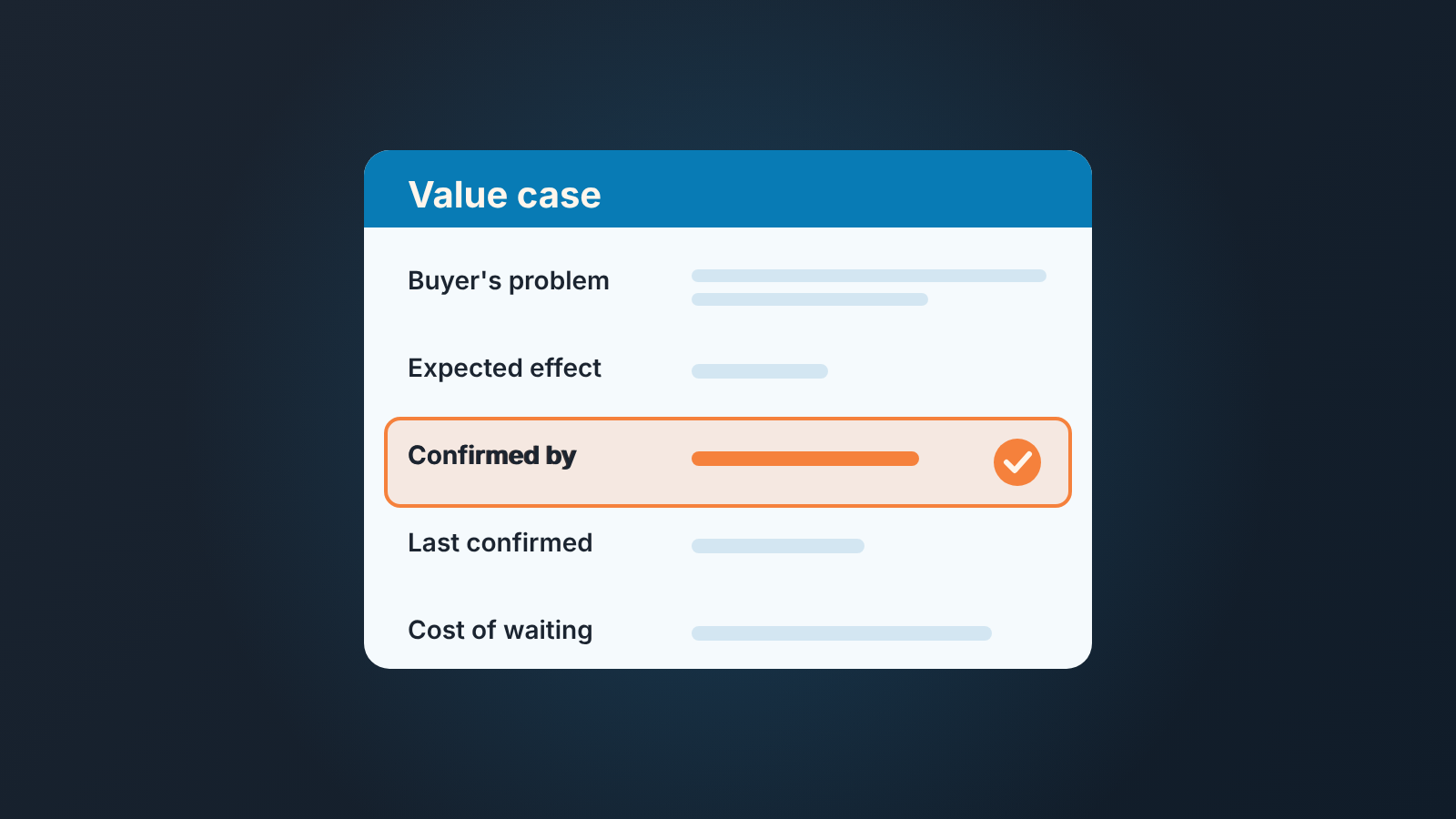
Value selling means selling against the outcome the buyer says they want, in numbers they agree with, instead of against your feature list. In the CRM that comes down to a few deal fields: the buyer’s problem in their words, the measurable effect, who on their side confirmed it, and when. If those fields are empty, the deal has a pitch but not a value case.
A value case is the buyer’s own statement of the problem, the measurable effect and who on their side stands behind it.
That is most of this post. The value selling guides we read (Gong, Highspot, Zendesk) explain the method and give steps for the conversation. Highspot gets closest, with ROI calculators in deal rooms. None of the three says what should be sitting in the deal record when the conversation is over, or how a manager tells a recorded value case from a rep retelling the demo. We care about that part because it survives a rep leaving, a quarter ending and a forecast call.
What “value” means once the call is over
Here is a test we run on deal notes. Cover the company name and read the value section out loud. If it could be pasted into any other deal in the pipeline without a single edit, it is not the buyer’s value case. It is our value proposition, copied from the deck.
The difference is who is speaking. Our value proposition is what we believe the product does for a company like theirs. It lives on slide four, and it is true in general. The buyer’s value case is what one specific person at that company said would change for them, in a number they came up with or at least nodded at. It is true for one deal, and only until that person changes their mind.
Reps mix teh two up all the time, and not out of laziness. After a good call the slide language and the customer’s language blur together. “They want to reduce manual reporting effort” feels like a quote. Usually it is our bullet point with “they want to” in front of it. The customer said something messier and more useful, something like “Dana spends every Monday morning rebuilding the pipeline sheet and still gets the numbers wrong.” That sentence has a name in it, a day of the week, and a consequence. Nobody could have pasted it from a deck.
So “value”, once the call is over, is a record of what the buyer said. What we said lives elsewhere. The whole point of putting it in fields instead of a notes box is to make that distinction impossible to skip. A notes box lets a rep write a paragraph that sounds like discovery. A field called “Confirmed by” with nothing in it does not sound like anything.
The number is also what separates value selling from its neighbors. Value-based and consultative selling are about how you run the conversation: ask before you pitch, tie the offer to the buyer’s situation. Value selling, as a methodology, adds one demand on top: the outcome gets a number the buyer agrees with, and somebody writes it down.
Gap selling is a closer cousin. Gap selling stores a current state, a wanted state and the distance between them. The value case is narrower and more political: it stores the effect the buyer will defend internally, and who will defend it. The two overlap on the number. They do not overlap on the name. A neighboring method, conceptual selling, asks for a different record: the picture of the solution the buyer holds, kept in fields rather than in memory.
Five value selling fields, and one rule
A value case fits in five deal fields; four is fine for a small team. Field names and types below are generic; every CRM we work with has an equivalent, and the exact setup lives in your CRM’s own documentation.
- Buyer’s problem, in their words. A large text field. One to three sentences, quoted or close to it. The test from the previous section applies: it should contain something that could only be true of this customer.
- Expected effect. A number field, with the unit in the field name, because a unit buried in the value cannot be sorted or filtered. If your deals are sold on money, make it a currency field (“Expected effect, per year”). If they are sold on time, a numeric field (“Expected effect, hours per month”). One number, one unit. Do not make it text. Text fills up with “significant”.
- Confirmed by. A short text field holding a name and a role: “R. Okafor, Head of Operations.” Not a company, not “the team”. The person who said the number out loud, or replied to the email where you wrote it down. Usually that is your champion or the economic buyer, and if it is neither, that tells you something too.
- Last confirmed. A date field. The date the person in field three last agreed the problem and the number still stand. It gets updated after every call where the value case comes up, and not otherwise.
- Cost of waiting. A short text field, one line, for what the buyer said happens if they do nothing this quarter. “Another hire in ops.” “Nothing, honestly.” Both answers are useful, the second one is a forecast signal on its own.
Now the rule. One of these fields is required before a deal leaves the evaluation stage, and we would make it “Confirmed by”, not the number.
That surprises people. Here is why. A number can be lifted from our ROI slide and typed into the field in ten seconds, and it will pass a required-field check. A name and a role cannot be lifted from anywhere. To fill that field honestly, the rep has to have asked a real person whether the number is theirs. If the answer was no, the field stays empty and the deal stays in evaluation. That is the cheapest place to find out.
If you are on Pipedrive, the mechanics are in our post on required fields, including the cases the check does not cover. In HubSpot, Salesforce or Zoho CRM the feature has a different name and different edges; check your CRM’s help before promising the team it will block anything.
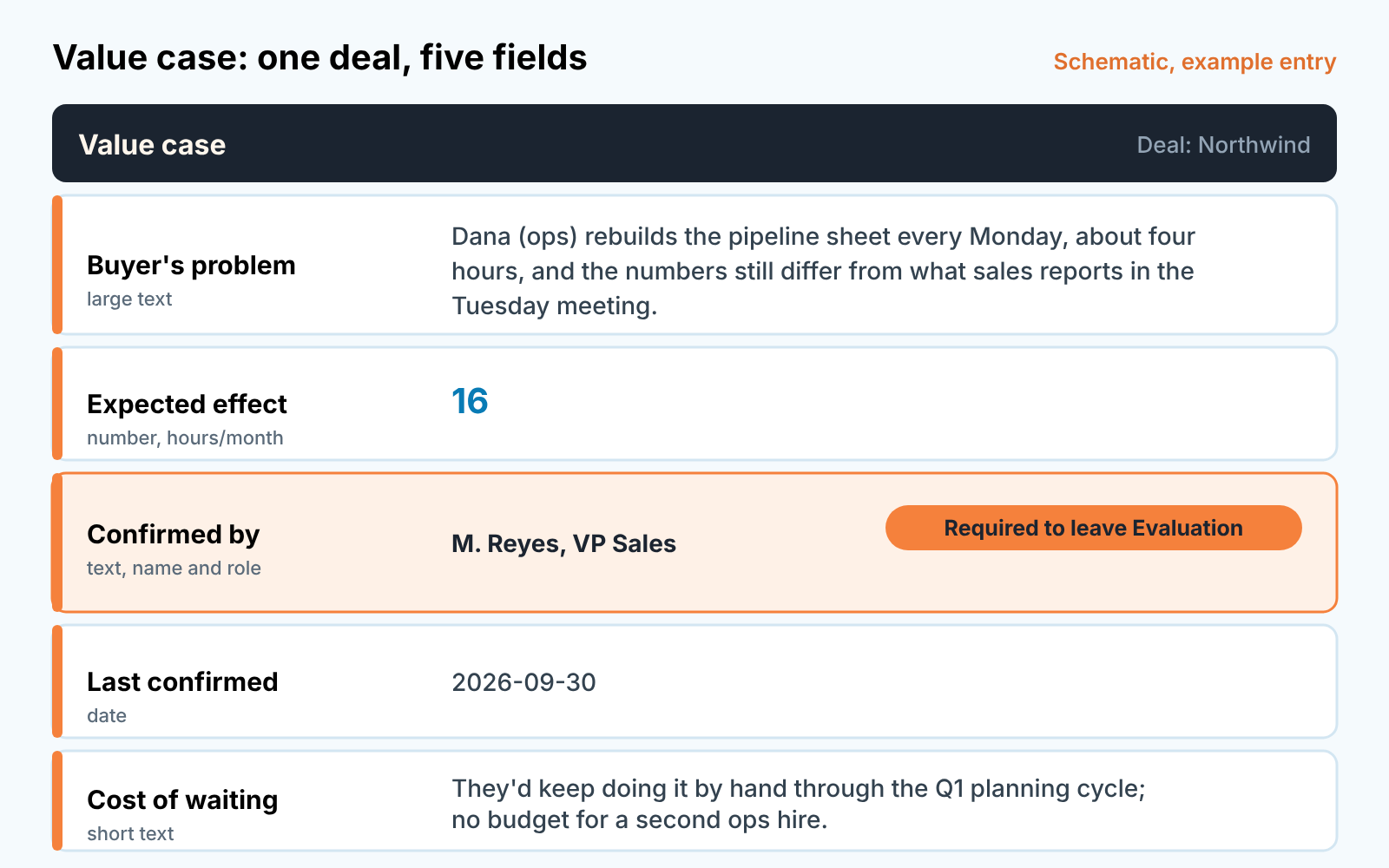
A thin entry and a usable one
Both entries below are made up. Same product, same stage, same deal size; only the fields differ.
Thin. Buyer’s problem: “Manual reporting, lack of pipeline visibility.” Expected effect, hours per month: empty. Confirmed by: “Northwind team.” Last confirmed: empty. Cost of waiting: “High.”
Usable. Buyer’s problem: “Dana (ops) rebuilds the pipeline sheet every Monday, about four hours, and the numbers still differ from what sales reports in the Tuesday meeting.” Expected effect, hours per month: 16. Confirmed by: “M. Reyes, VP Sales.” Last confirmed: 2026-09-30. Cost of waiting: “They’d keep doing it by hand through the Q1 planning cycle; no budget for a second ops hire.”
Read the thin one again as the manager. Every field is technically touched, and you know nothing. “Lack of pipeline visibility” is on our website. “Northwind team” is not a person. “High” is not a cost. If this deal is in commit, it is in commit on the rep’s confidence alone.
The usable one tells you four things in fifteen seconds: what breaks and for whom, how big it is in a unit you can compare across deals, that a VP (not Dana) put their name to it, and that this happened last week. You can now ask one sharp question on the review instead of ten vague ones. Notice also that the number is modest. Sixteen hours a month will not impress anyone on a slide. It is still a better value case than a six-figure estimate nobody at Northwind has seen.
One thing the usable entry does not do is explain our product. There is no feature in it. That is correct. The value case belongs to the buyer; the mapping from their problem to what we sell is the rep’s job on the next call, and it changes. Other methods land the same way, with one CRM field each sales book adds to your deals.
The value case goes stale
If “Last confirmed” is older than your typical sales cycle for that deal size, treat the value case as unconfirmed. The date is in the record so the manager does not have to guess.
Buying groups move. The VP who agreed to sixteen hours a month in September may have been handed a different priority in November, or may have left. The ops person who was rebuilding the sheet may have found a workaround that makes the problem feel smaller. Nothing in the deal record changes when that happens, unless someone asks and writes the date down.
That holds whatever the other fields say. For a thirty-day cycle, a confirmation from two months ago is not evidence of anything except that discovery once happened. The deal may still close. It just should not be in the forecast on the strength of that number.
In the review that translates to a plain instruction rather than a lecture. “Your value case is from September. Before Friday, get Reyes to confirm the sixteen hours still stands, and update the date. If it doesn’t stand, we move the deal back and find out what does.” The rep has a task with a name and a a deadline. The manager has a date to check on Friday. Nobody has to argue about how the deal “feels”.
An empty or stale value case is also a decent input for any deal health score you keep, alongside the usual signals like a missing next step or a close date that keeps moving. We build SalesBond, a sales management layer on top of the CRM a team already uses; we started with Pipedrive. Deal Health checks every deal against more than 20 rules and shows which ones it breaks, and the value case fields are the check we would run next to that list, with a saved filter for “Confirmed by is empty” and “Last confirmed is older than N days”. Check your CRM with SalesBond if you want the rest of the list without building the filters yourself.
What to ask on the deal review
With the fields in place the manager’s part of the review gets short. We ask these, in this order, and stop at the first one the rep cannot answer.
- Read me the buyer’s problem field. Could that sentence be true of any other account?
- Where did the number come from: their calculation, or ours with their nod?
- Who is in “Confirmed by”, and would that person say the same thing to their CFO?
- When did they last confirm it, and what has changed on their side since?
- What did they say happens if they do nothing?
The order matters. A rep who gets stuck on the second question does not need to be asked the fourth; the deal goes back to evaluation with one task attached. A rep who sails through all five has a value case the forecast can lean on, and the review moves to the next deal.
If you want to try it this week, skip the field setup at first. Take the five deals closest to commit, ask the first question on each, and count how many problem fields you could paste into another account. That count tells you whether the fields are worth adding.


