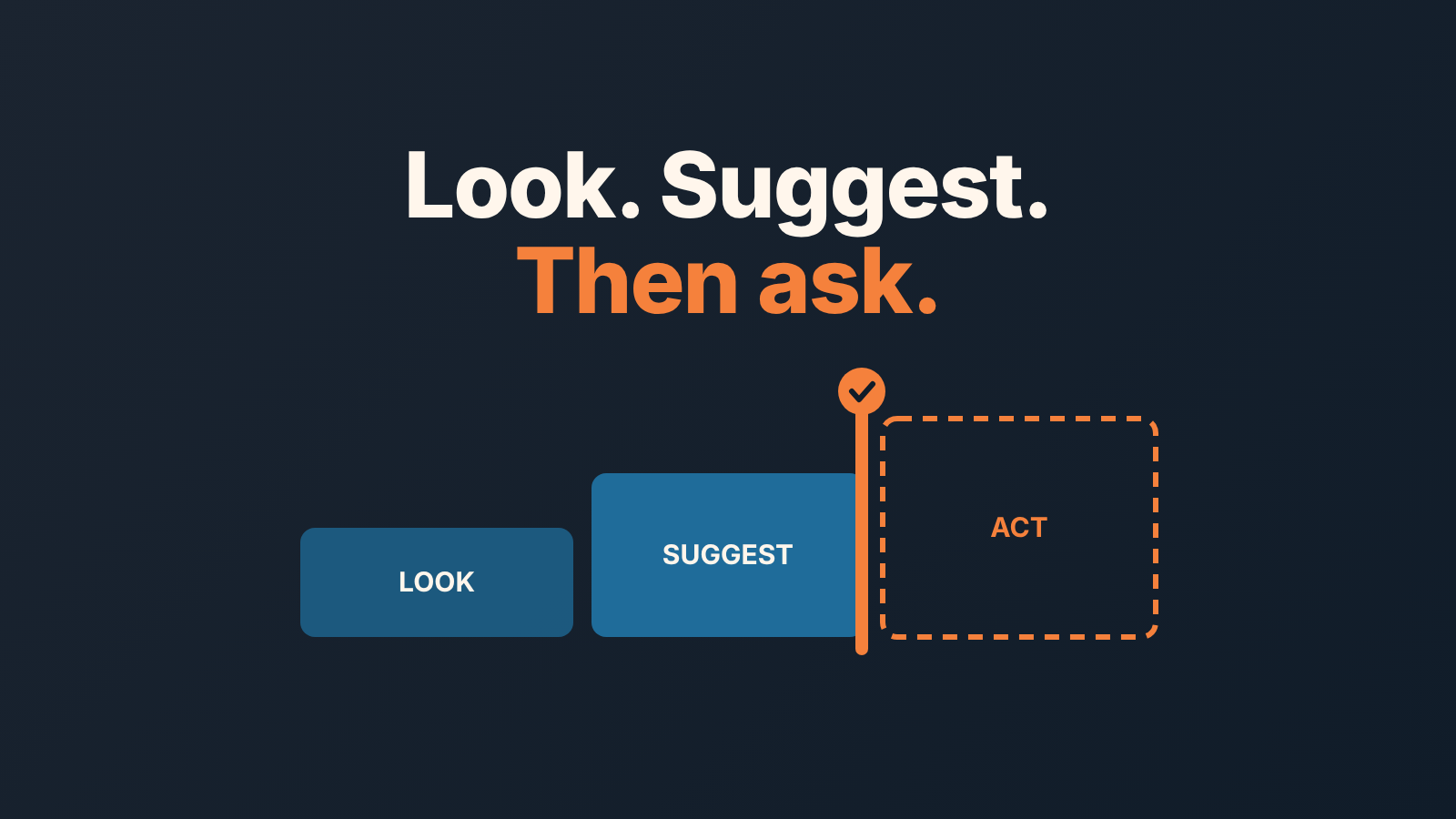
An AI sales agent is software that reads your sales data and either recommends or performs steps such as qualifying leads, drafting follow-ups or flagging risky deals. In a CRM, the safe split is simple: let it look and suggest, and keep every change to amounts, stages and client messages with a person.
Where exactly the line goes depends on which writes the agent gets on day one, and a ten-minute weekly check shows whether it has quietly rewritten your pipeline. The broader question of what AI should decide and what people keep covers AI in sales as a whole; here the subject is the agent, the CRM and the write permissions between them.
AI sales agent in plain words
An AI sales agent is a program that decides the next sales step on its own and then takes it, or hands it to a person to take. An assistant or copilot only does the second half: it drafts, summarizes and suggests, and a person clicks. Most products sold as agents can run either way, and which way they run in your CRM is a setting you choose.
Vendors lean towards the autonomous end. Salesforce’s guide calls AI sales agents “autonomous applications that analyze and learn from your sales and customer data to perform tasks with little or no human input”, and lists email outreach, answering questions, booking meetings and quote creation as examples (Salesforce, AI Sales Agents: A Complete Guide, updated February 13, 2026). SalesHood describes software that will “plug into your CRM and tools, and handle everything from lead follow-ups to renewals” (SalesHood, AI Sales Agents Explained, September 16, 2025).
The word that matters in both is perform. A report reads your CRM. An agent writes to it, and sometimes writes to your customers. A chatbot answers when asked; workflow automation runs the same rule every time. An agent picks the step. Picking the step makes an agent useful, and the same ability makes it risky, so the question for a head of sales is where it is allowed to write.
Six ways an agent touches your CRM
Strip the demo away and an agent touches a CRM in six ways: it creates a lead or contact, logs an activity, adds a note, changes a field, creates a task, or moves a deal between stages. Everything a vendor shows you is one of those six wearing a nicer name. “Qualified the lead” is a field change plus a note. “Booked a meeting” is an activity plus, often, a new contact. “Updated the opportunity” is a field change, and sometimes a stage move.
Four of the six show up in a feed. The other two, a changed amount and a moved stage, you will not notice until the forecast is wrong and nobody remembers who touched the deal. That is why the permissions matter more than the model.
If the AI you are worried about is built into the CRM itself rather than bolted on as an agent, the same writes look slightly different; we mapped them in what AI in CRM actually writes to your deals. The vendor lists and definitions that rank for “ai sales agent” do not say which of the six writes to allow, and we sort them into three buckets.
Three buckets: look, suggest, act
We sort every agent capability into one of three buckets before we decide anything else.
Look. Read every deal, every activity, every email thread. Summarise, flag, rank. The agent changes nothing. Give it this bucket in full on day one, the only cost is read access, and the only risk is a wrong summary that a person reads and ignores.
Suggest. Draft the follow-up, propose the next step, propose a value for the empty field, propose which deal to work first. The output waits for a click. The person who clicks owns the result. This is where an agent earns its licence, and it is where most teams should stop for the first month.
Act. Write to the CRM or to a client without anyone clicking. This bucket is small by design. Logging it’s own call, saving its draft as a note, filling a field it was explicitly asked to fill: fine, if every write is stamped with the agent’s own user and can be undone. Anything that changes money, dates, stages or what a customer receives stays out.
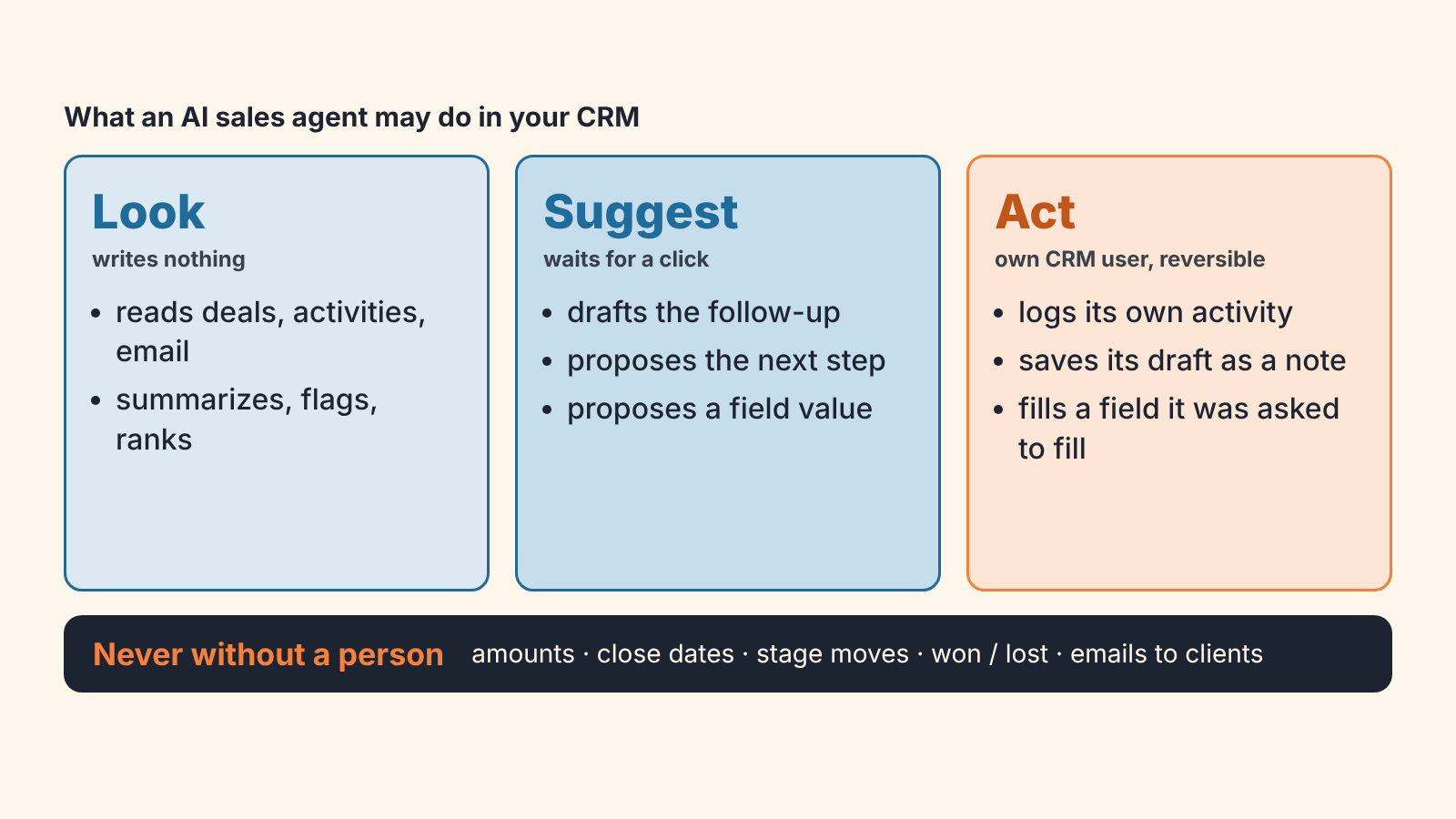
A capability that does not fit cleanly into one bucket goes into the stricter one. “It updates the deal after the call” goes under Act, however it is phrased in the sales deck.
What to let it do: review deals, rank work, draft a follow-up
Three jobs sit comfortably in Look and Suggest, and they pay back fastest.
The first is reviewing every open deal against a short checklist: no next activity scheduled, close date in the past, no amount, no contact attached, a month without a touch. A person reviewing 120 deals on a Monday skims after deal forty. An agent reads deal 120 as carefully as deal one. Let it produce the list with a reason on each line, and let the rep decide what to do about it.
Ranking the day’s work is the second. Given fifty deals, fifty leads and a handful of customers late to reorder, which three calls come first? An agent can hold all of that in one view and a rep cannot, as long as the rank comes with a reason the rep can argue with.
Then the follow-up. The agent drafts it into a note, a draft folder or a task description, and the outbox stays closed to it. We would put one line on the board at tomorrow’s stand-up: “Agent drafts land in Drafts. Nothing leaves this company without a person’s name on it.” The rep edits, the rep sends, the CRM logs the rep.
That is alot of value for zero write permission on money, dates or stages.
What stays with a person: client emails, amounts, stages, other people’s tasks
Writing to a client is the obvious one. An email from the agent is an email from your company, and the client does not grade on a curve for software. If an agent does send outreach, inspect the handoff: the eight checks for an AI-booked meeting are in what to verify in the CRM before a rep takes the deal, and the HubSpot version is in the prospecting agent’s outreach, checked in the CRM.
Amounts and close dates feed the forecast. One agent run that “corrects” twenty amounts from a template, or pushes close dates to next quarter because the deals look stale, and your forecast is fiction with a timestamp. Stage moves are the same problem one level up: whoever moves deals owns the pipeline report.
Marking won or lost is a decision with consequences. It triggers commission, reorder tracking and the lost-reason field your win rate depends on. A person does it.
Then there is the one many guides put on the safe list, and we don’t: creating tasks for other people. A task is a promise that someone will do something. An agent that creates forty tasks a night produces a list nobody reads by Thursday, and the real tasks drown in it. A dead task list is the most common damage we have seen an agent do, and it never shows up in a demo.
How to check an agent: a ten-minute audit of what it wrote to your CRM
Start by giving the agent its own CRM user, separate from the admin’s account and from any integration user shared with the marketing tool. Every write it makes is then filterable by “created by” and “modified by”, and the audit becomes a saved filter instead of forensics.
With that in place, once a week:
- Filter records created by the agent user in the last 7 days. Count them. If the number surprises you, read before you do anything else.
- Look for duplicates among those records: same email domain, same company name with a suffix, same phone. Agents that create contacts are the main source of new duplicates.
- Filter deals where the amount or close date was last modified by the agent user. The right number here is zero unless you explicitly allowed it.
- Filter stage changes by the agent user. Same rule: zero, or a list you can explain.
- Open the activities it logged and check them against reality. A “meeting held” with nobody in the calendar is a record you need to fix before the pipeline report runs.
- List tasks created by the agent user that are still open after 7 days. More than a handful means the agent is creating work faster than people can read it, so turn that permission off.
- Skim the notes it wrote for one deal you know well. If the summary is wrong about that deal, assume it is wrong about others.
Ten minutes, one saved view per line. If your CRM cannot show “modified by” at field level keep the agent in Look and Suggest until it can. The fields worth watching are in the CRM data quality metrics worth tracking.
Ask it why the top deal is on top
Any tool that ranks your deals should be able to answer that with fields, say “no next activity, close date passed 9 days ago, amount in the top 20%”, which a rep can check in thirty seconds. A bare number gives the rep nothing to argue with but the number. We set out the full version of this test, and why we prefer rules and weights to a model that cannot explain itself, in the explainability test for AI in sales.
How SalesBond fits: checks and cards, one task after a person accepts
A disclosure, since we are at the vendor question. We build SalesBond, a sales management layer on top of the CRM a team already uses; we started with Pipedrive. It is not an AI sales agent. It lives in the first two buckets and we keep it there on purpose.
Deal Health is the Look bucket. It checks every deal in the connected CRM against more than 20 rules: no next activity, close date passed, no amount, stuck in a stage, and so on. Each deal gets a 0–100 score with the specific violations listed underneath. A rep can resolve, snooze or ignore a violation, and thresholds are configurable. The rules are the explanation. More on how that works in Deal Health and the deals that are truly at risk and in what a deal health score is and how it is built.
Sales GPS is the Suggest bucket. It turns those violations and the customers Repeat Sales flags as overdue, leaving or due to buy soon into a prioritised plan of deals and customer cards, one card per customer. Every priority and every recommended step comes with its reason, so the rep can read why this one is first.
The Act bucket is where we stop. Accepting a card creates exactly one task in the CRM. SalesBond does not create tasks on its own and never writes to a customer. Decline the card and no task is created.
If you want an agent-free read of your pipeline first, the free CRM audit is the shortest route. SalesBond reads the last 30 days of your CRM and sends a PDF report: money at risk, a CRM score, the top findings, deal health, the pipeline bottleneck, the top-10 clients and what to fix. Seven days later a second PDF shows what changed. Check your CRM with SalesBond.
Whatever you run, the order is the same: the Look bucket today, the Suggest bucket this month, and the weekly ten-minute audit before anything moves into Act.
FAQ
What is an AI sales agent? Software that reads your sales and customer data and either recommends or carries out steps in the sales process: qualifying leads, drafting and sending follow-ups, booking meetings, updating CRM records. Vendors stress “autonomous” (Salesforce guide); in practice the autonomy is set by the permissions you grant in the CRM.
AI sales agent vs AI SDR: is there a difference? An AI SDR is an AI sales agent pointed at the top of the funnel: prospecting, first outreach and booking meetings. Its riskiest output is the meeting it hands to a rep, which is why we wrote eight CRM checks before a rep takes an AI-booked meeting.
AI agent vs chatbot: what is the difference? A chatbot answers when asked and changes nothing. An agent chooses the next step and can act on it, including writing to your CRM or emailing a client. That ability is what makes it useful, and also what needs permissions and a weekly check.
Will an AI sales agent replace reps? Not in the parts of the job that are decisions: pricing, saying no, moving a deal to won or lost, and anything a client reads with your company’s name on it. It does replace the Monday morning read of 120 deals, which is the part reps were skipping anyway. What an agent costs a small team is a separate question; see Agentforce for sales pricing for a five-person team.