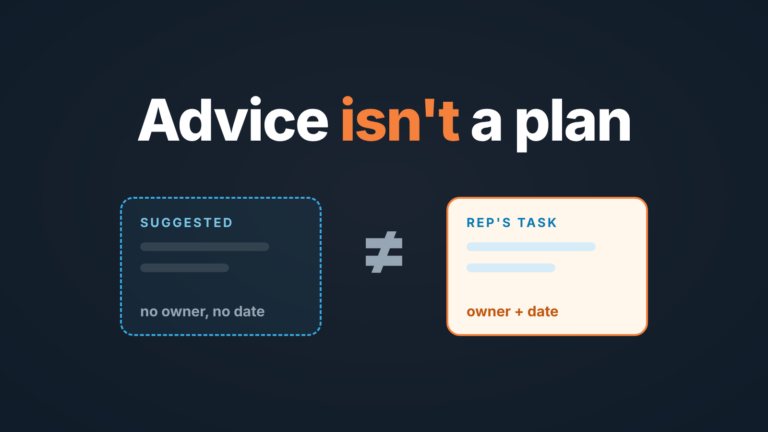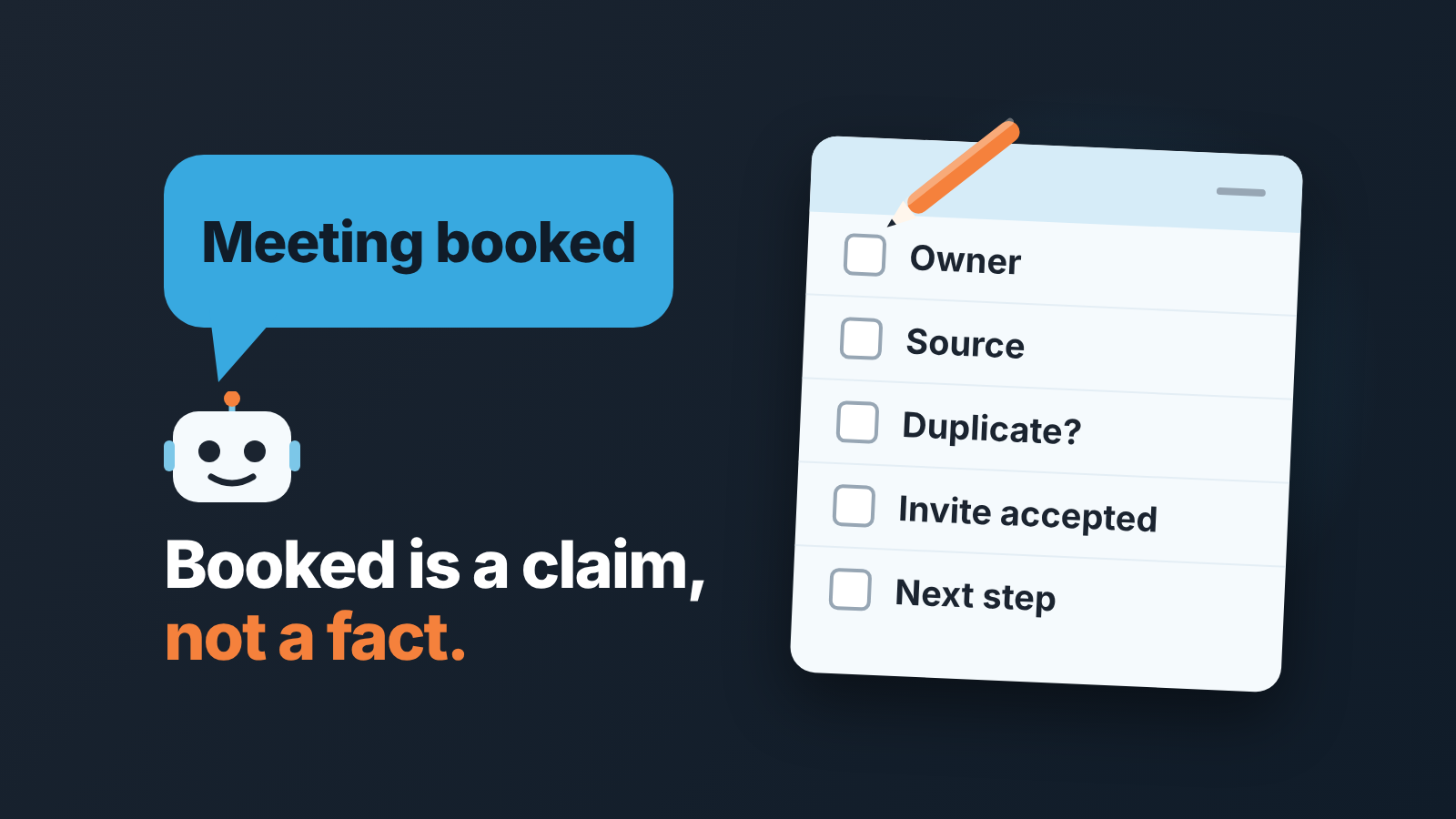
An AI sales agent (often sold as an AI SDR or AI BDR) is software that finds leads, sends outreach and books meetings on its own, so a booked meeting is a claim, not a fact. Before a rep takes the deal, check that the record has one owner, a real source, no duplicate contact, evidence the meeting exists, and a next step. Below are eight checks for any CRM and one rule for when a booked meeting is still not a qualified deal.
What an AI sales agent (or AI SDR) actually does in the pipeline
Salesforce’s guide calls AI sales agents autonomous applications (Salesforce: AI sales agent guide, updated 13 February 2026). Autonomous is the word to hold on to. A sequence tool sends what a rep wrote to a list a rep built. An agent picks the company and the person, writes the message, reads the reply and puts a slot on the calendar. The rep finds out about the deal after the deal exists.
So the careful part of the job moves. With a sequence, the rep was careful before sending. With an agent the rep has to be careful on receipt, because nobody on the team has looked at this person yet.
Think of the agent as a new colleague who writes into your CRM without asking first. Pipedrive’s MCP documentation puts the permission question in the open: AI takes actions only when the user or an administrator has explicitly allowed them (Pipedrive: MCP). We looked at what such writes look like in what Claude and ChatGPT write into Pipedrive over MCP and in an audit of AI writes to Salesforce opportunities. An outreach agent is the same thing with a wider mandate.
Where its output lands: lead, contact, activity, deal
One booked meeting can land in four places, often all at once: a lead or contact, new or matched to an old one; activities (the emails, the reply, maybe a calendar event); a deal at whatever stage the agent was told to use, sometimes with an amount it had no way of knowing; and a task for whoever the agent thinks is the owner.
In HubSpot, Agent Hub is the one workspace where all agents and their results can be reviewed (HubSpot: Understand Agent Hub); what the prospecting agent itself writes is in HubSpot prospecting agent: what it writes into your CRM. In other CRMs, find teh equivalent: a filter on “created by” or on a source field, plus the agent’s own log.
Do this once with a test lead before the agent goes live. Let it run on one contact, then write down where the person, the emails, the invite and the deal ended up. With that map, the checks below stop being a hunt.
Eight CRM checks before a rep takes an AI-booked meeting
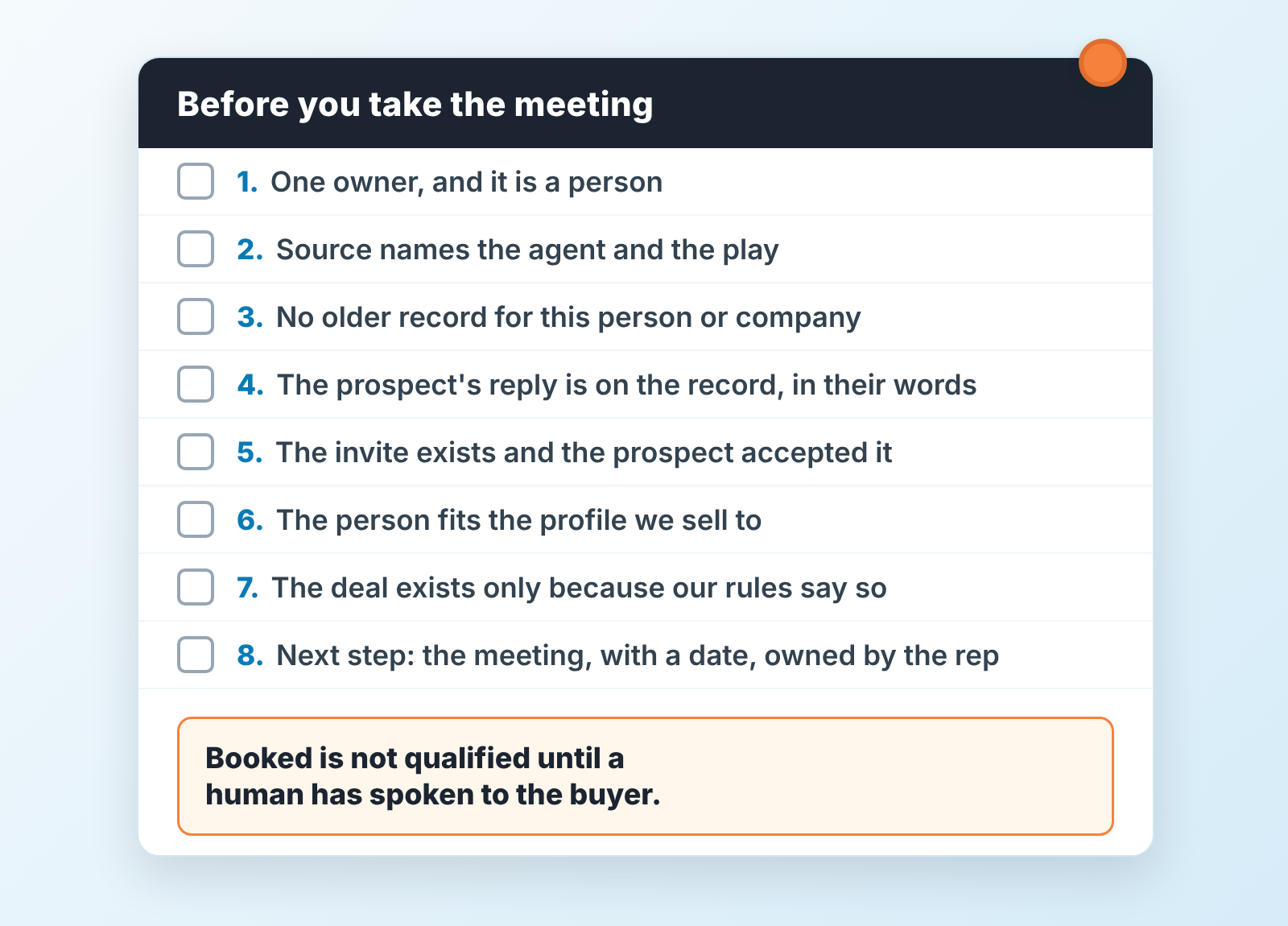
Run them in order. The first three take seconds; the rest are where the rep earns the deal.
- The record has one owner, and the owner is a person. Not the agent’s service user, not the admin who set it up, not the shared mailbox. If it’s anyone but the rep who will hold the meeting, reassign first.
- The source field names the agent and, if your setup allows it, the play. “Inbound” stops being a source once an agent is running, and in six months you will want to know which plays produced the meetings that closed.
- Search before you touch: the person by name and email domain, the company by domain. Agents match on the address they wrote to, prospects sometimes reply from another one, and an older record with a different owner may be sitting there (see duplicates and wrong owners).
- The prospect’s reply is on the record in their own words. Read it. “Sure, send me some info” is not a meeting.
- The calendar invite exists, went to the prospect’s address and shows as accepted. The agent’s confirmation email is the agent talking to itself; the acceptance is the prospect talking to you.
- The person fits the profile you sell to. A student researching vendors costs a rep the same hour as a buyer.
- A deal exists only if your rules say one should exist now. If your team creates deals after discovery, archive the agent’s and keep the contact. If it stays, it sits in your earliest stage with the amount empty.
- The next step is the meeting itself, dated and owned by the rep.
The rule under all eight: a booked meeting is not a qualified deal until a human has spoken to the buyer. Until then it is an appointment, and your pipeline report should count it as one. If checks 4 and 5 fail, it is not even that.
Duplicates and wrong owners
Duplicates are the first thing we would look for. The agent writes to firstname@company.com, the prospect replies from a personal address, and the agent creates a new person because nothing matched. Meanwhile the company has been in the the CRM for a year with an open deal owned by someone else. Two reps now have a reason to call the same buyer in the same week, and the buyer notices.
The fix is boring and it works. Search by domain, not full email. Merge toward the older record so history survives. When two owners collide, the older open deal wins the contact and the agent’s deal is archived with a reason. The merge mechanics for one CRM are in duplicate records in Pipedrive; the order is the same anywhere.
Wrong owners come from somewhere else. Agents send from someone’s connected inbox, so the CRM may stamp that person as owner, or the admin who configured the play. The rep who will run the meeting takes ownership and writes down that they took it, the way a finder hands a lead to a closer in a lead handoff agreement. Without that written “taken”, you get a booked meeting nobody from your side shows up to.
Is the meeting real? Proof in the record
Usually, yes. Sometimes, no, and the record tells you which.
Proof is the prospect’s own action: a reply that names a day and a time, a calendar acceptance from their address, a reschedule request. That last one is annoying and also the strongest, because nobody reschedules a meeting they never meant to attend. The agent’s own entries (its confirmation email, it’s “booked” status) show what the agent did, not what the prospect agreed to. HubSpot teams can also find booked meetings that never happened from call and deal activity.
Three patterns end as empty calendar slots. An out-of-office reply read as engagement. A polite “maybe next quarter” read as a yes. A time zone the agent got wrong, so the prospect accepted eleven in the morning and the rep dialled in at eleven at night. Each leaves a trace in the thread.
The practical step: the day before, the rep sends a short confirmation from their own inbox with a question in it, like “you mentioned the renewal in March, is that the main thing to cover?” An answer means the meeting is real and the rep has a first topic. No answer and no accepted invite? Mark it unconfirmed and keep it out of the pipeline count. That is a status, not a verdict. For meetings booked through the HubSpot link of a rep rather than by an agent, our booked meetings and deal owner check shows what to look for on the record.
Booked, held, qualified: the three numbers that do not lie
The agent will report meetings booked, and the number will look good, because booking is the one thing the agent fully controls.
Booked is written by the agent: a slot is on the calendar and the agent says the prospect agreed. Held is written by the rep, who marks the meeting done and records an outcome. Qualified is written by the rep after the call, against a definition your team set before the agent went live.
Watch held divided by booked and qualified divided by held, per play, every week. We won’t say what either ratio should be: the sources we checked give no number we would trust, vendor figures are marketing and your ratio depends on your list, your offer and your reps. Working with human setters too? The same split is in outsourced appointment setting: booked vs held in Pipedrive.
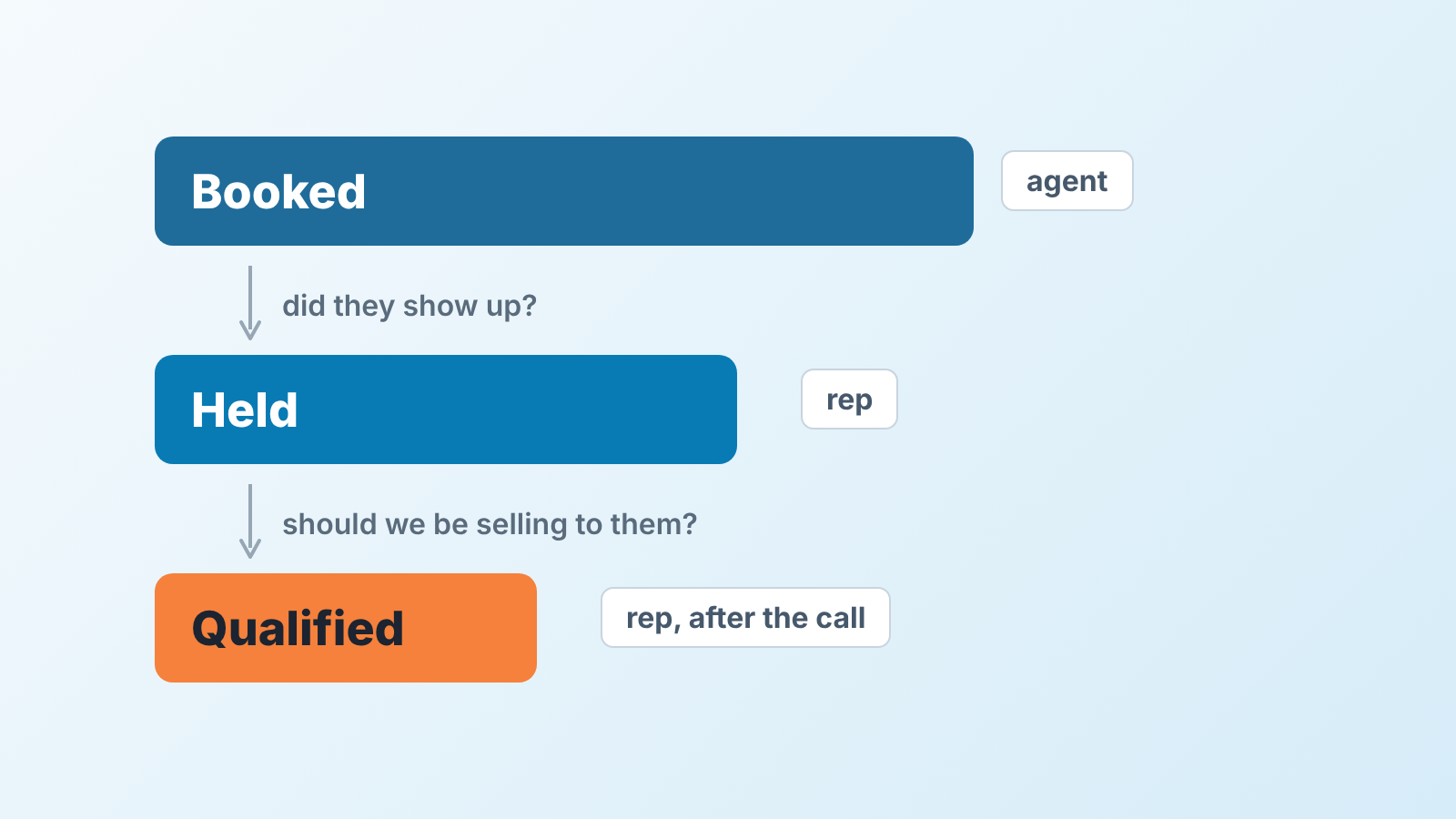
If the agent can mark its own meetings as held, you have one number wearing three names. Booked is a claim, held is a fact, qualified is a judgement, and only a person makes the last one.
When to pause the agent
Pausing is cheap and the team’s trust in the pipeline is expensive, so our bar is low. Pause when the checks keep turning up duplicates or wrong owners; that is a matching problem in the setup. Pause when held over booked drops two weeks in a row on the same play, or when a prospect writes back angry about a meeting they never agreed to. And pause when reps stop running the checks because “the agent is usually right”. That is the week it stops being right.
Restarting is easy: fix the match rule, tighten the segment, run the test lead again. The map from the second section is now your regression test.
A disclosure, since this is where our part begins: we build SalesBond, a sales management layer on top of the CRM a team already uses; we started with Pipedrive. It doesn’t book meetings. It comes in after the handoff, checking deals in the connected CRM against the rules you enabled and explaining each flag, so an agent-made deal that breaks one shows up with its reason instead of passing as healthy pipeline. Check your CRM with SalesBond if you’d rather not build those filters by hand.
FAQ
Can AI agents do sales?
They can find leads, write outreach, read replies and book meetings on their own. Qualifying the buyer and running the conversation is still a rep’s job, so treat what the agent hands over as an appointment, not a deal.
Do AI SDRs actually work?
Count it yourself and ignore the vendor’s figure. Track held divided by booked and qualified divided by held, per play, every week. The rep records whether a meeting was held, not the agent.
Who should own a meeting an AI agent booked?
The rep who will run it. Reassign the record from the agent’s service user or the connected inbox before the call, and write down the handoff.