
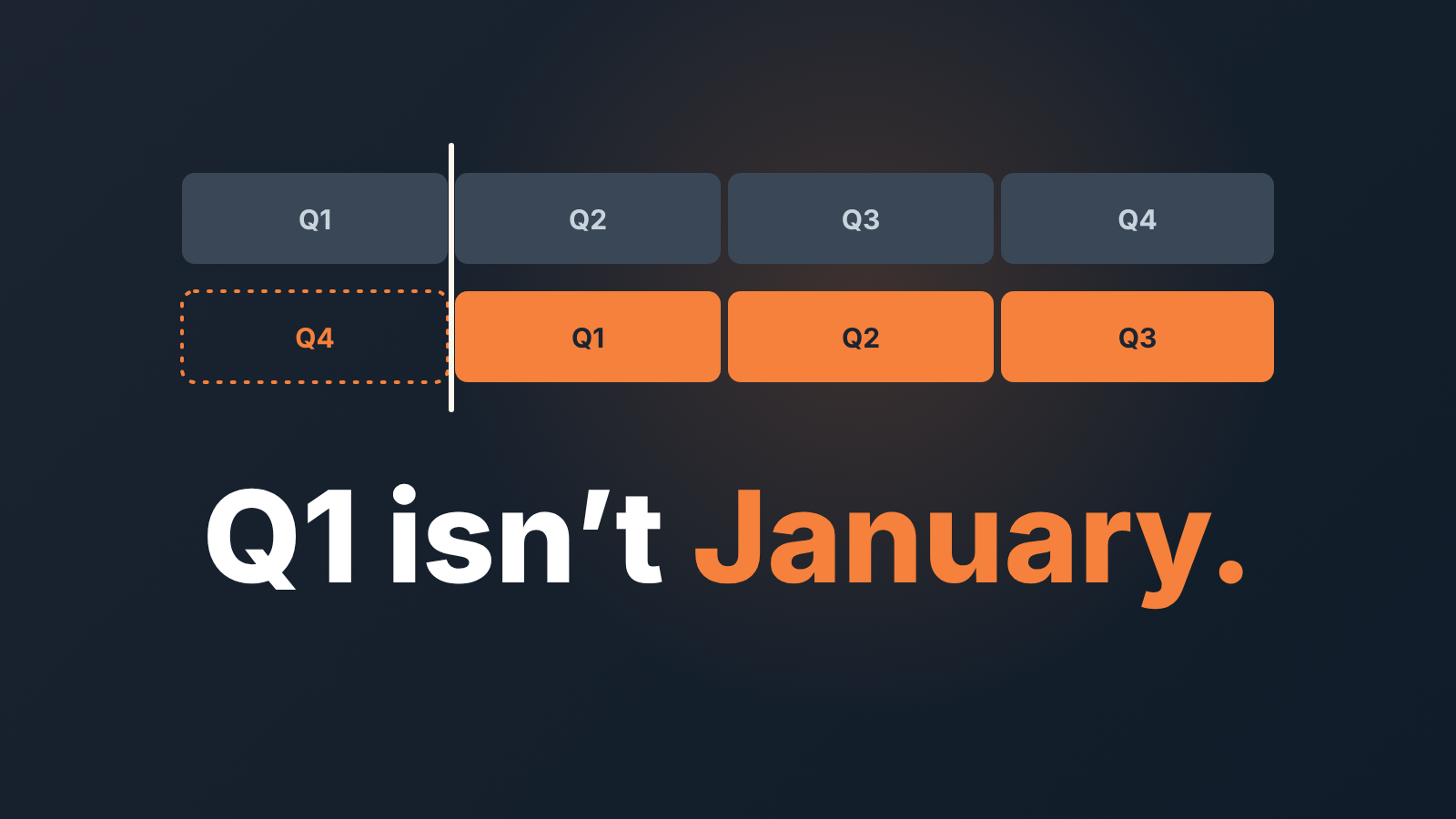
Pipedrive’s help pages for Insights, goals and the forecast view don’t mention a fiscal-year setting, and users in Pipedrive’s community report that quarters follow the calendar year. So a team whose financial year starts in April should build its own fiscal calendar: one saved report per fiscal quarter with hand-set dates, goals dated to the financial year, and one written rule for deals won on the quarter boundary.
The reports take an afternoon once a year. The rule takes ten minutes and prevents most of the arguments.
The Q1 that isn’t Q1
Hanna runs a four-person sales team at a company whose financial year starts on 1 April. In early July her finance director asks for “Q1 bookings”. Hanna opens Insights, clicks the quarter filter, and sends a number.
It is the wrong number. Her Q1 is April to June. The quarter she clicked ran on the calendar, and nobody notices until the board pack goes out with two figures that don’t match.
This happens in plenty of companies with an April, July or October year start. The CRM counts quarters the way a calendar does; the company counts them the way its accountants do. What hurts afterwards is the hour of reconciliation, and then the slow erosion of trust in every number sales reports from that day on.
We think the fix is boring on purpose. Decide once what “our Q1” means in Pipedrive terms, save it, and make the same decision for goals and for the edge cases.
What Pipedrive does with quarters
For a “can it or can’t it” question, the only ground worth standing on is Pipedrive’s own help pages. Here is what they say.
Goals have a Frequency field (weekly, monthly, quarterly or yearly) and a Duration field where you “choose a start and end date” (Pipedrive: Insights goals). Each goal “tracks progress towards a target within a selected reporting period” (Pipedrive: Insights reports, goals and dashboards). Dashboards carry a Period filter that “shows data from within a fixed time period”, and that quick filter is not supported in goals (Pipedrive: Insights dashboards). Reports, goals and dashboards can all be duplicated from the “…” menu (Pipedrive: Insights duplication).
What none of those pages describe is a company-level fiscal-year setting. We looked through the Insights help and didn’t find one, and we couldn’t confirm it either way from the help pages: they neither say quarters are calendar quarters nor show how to move them. Users in the community say they are calendar quarters. So the working assumption here is that your quarter filters count January to March as Q1. If your account shows something else, good news, and the goal dates and the boundary rule below still apply.
Why does the same deal land in different quarters depending on the screen? Because Pipedrive places a deal in time by different dates. The revenue forecast report shows open deals “by the expected close date” and won deals “by the won time” (Pipedrive: deal revenue forecast report). The forecast view does the same: once a deal is won, “that deal’s won date will be used instead of the expected close date” (Pipedrive: the forecast view). So “which quarter is this deal in” has one answer while the deal is open, and a possibly different one after it closes, set by whoever clicked Won and when.
A fiscal calendar you set up once a year
Four saved reports and a dashboard. Do it in the last week before the financial year starts and you won’t touch it again until next year.
-
Write the four periods down first, on paper or in a note in Pipedrive. For an April year start: FQ1 = 1 Apr–30 Jun, FQ2 = 1 Jul–30 Sep, FQ3 = 1 Oct–31 Dec, FQ4 = 1 Jan–31 Mar of the following year. Put the fiscal year in the label (FY27 Q1), because in eighteen months a bare “Q1” will be ambiguous again.
-
Build one deal performance report for FQ1: deals won, by value and by count. If its date filter offers a custom range, set it to the exact start and end dates from step 1 and name the report with the label. Pipedrive’s help doesn’t list which report types accept a custom period, and a third-party review of Pipedrive reporting says not all of them do (Lowcode Agency: Pipedrive reporting limitations). If yours only offers presets, try another report type that takes dates, and check this in your own account before you commit.
-
Duplicate the report three times and change only the dates and the name. The “…” menu on a report you created offers “Duplicate”, and the pop-up lets you edit the title and pick a folder and a dashboard (Pipedrive: Insights duplication). Touch nothing else. Change a filter on one copy and your four quarters stop being comparable, which you’ll discover at year end.
-
Put all four on one dashboard, in quarter order, and share it, so finance sees what the sales manager sees. Leave teh dashboard’s own Period filter alone. It narrows what is shown, not what the reports contain (Pipedrive: Insights dashboards), and a helpful colleague setting it to “this quarter” is exactly how Hanna’s number went wrong.
-
Next year, copy the reports, not the dashboard. When you duplicate a dashboard, the help page says “Any reports you already own won’t be duplicated” (Pipedrive: Insights duplication), so a copy of your own FY27 dashboard most likely points at the same four reports. Shift the dates there and you have quietly rewritten FY27. Instead, create an empty FY28 dashboard, duplicate each FY27 report with “Duplicate”, send the copy to the FY28 dashboard in the pop-up, then move its dates forward a year and rename it. The FY27 dashboard stays as it was, for the year-end review.
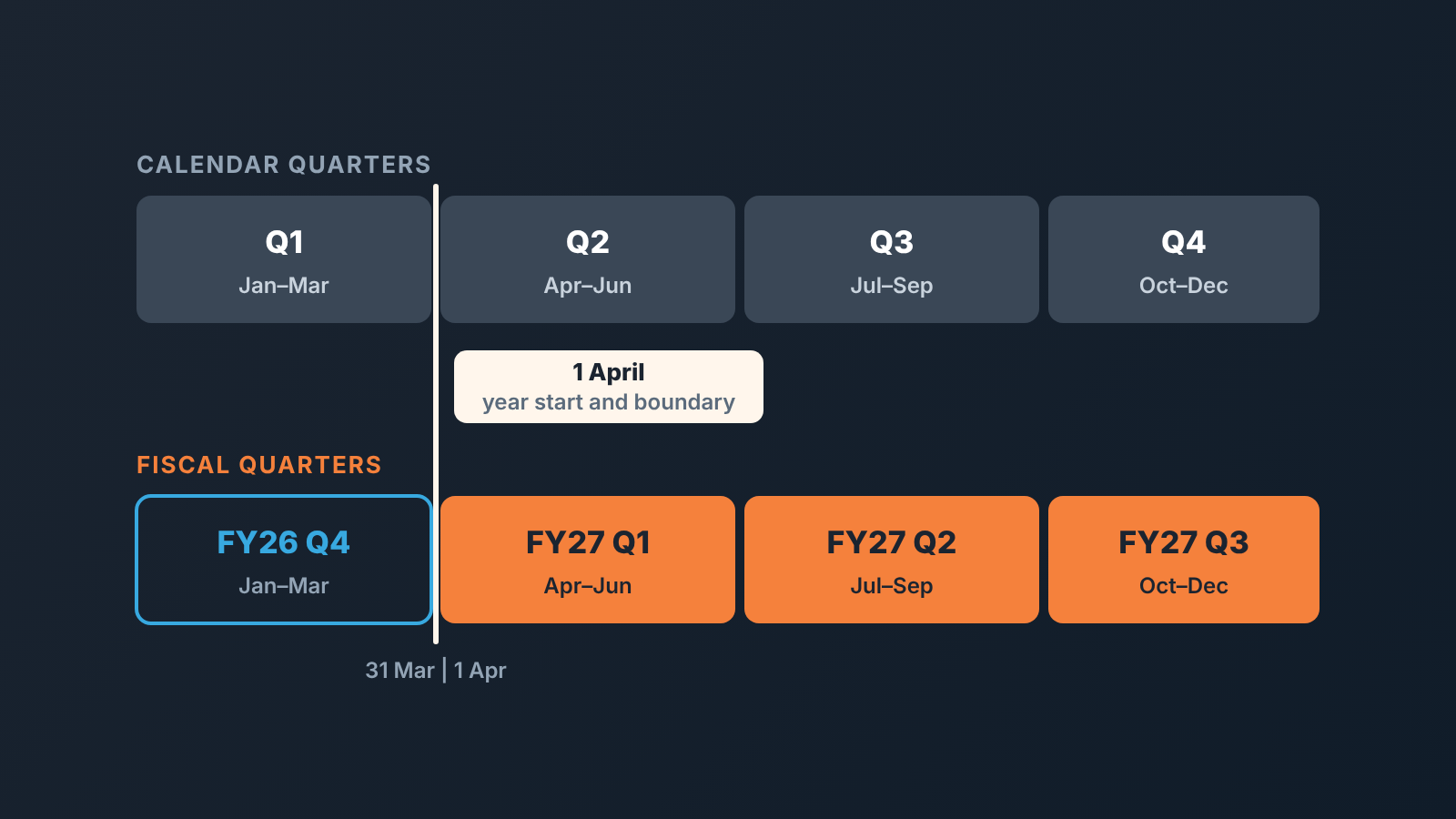
We have seen teams keep a parallel spreadsheet instead and the spreadsheet is always one quarter stale. Saved reports with hard dates are duller, and they stay right. If two of them disagree, that is usually a date-field or filter difference rather than a bug; why Pipedrive Insights reports show different numbers walks through the usual suspects. And once you have a full fiscal year saved, comparing FQ3 with last year’s FQ3 is the comparison that means something; more on that in comparing the pipeline with the same month last year.
Goals and quota dates that follow your fiscal year
Goals look like the easy part. They are also where people stop too early.
The goal form asks for a frequency and a duration with a start and end date (Pipedrive: Insights goals). Set the duration to your financial year: start on the first day of the year, not the day you happened to create the goal, and end on its last day. The help page lets you leave the end date blank if there’s no end. For a fiscal quota, don’t. An open-ended goal has no year end, so it has no year-end number to review.
Then check one thing the help page doesn’t spell out: whether quarterly intervals are counted from your start date or from the calendar. Open the goal’s visual report and look at the first quarter it shows. If it runs April to June, you’re done. If it shows calendar quarters, switch the goal to monthly frequency and read each quarter as the sum of three months, or use individual period goals.
Individual period goals are also the answer when your quarters aren’t equal, which for most companies with a summer holiday or a December freeze they aren’t. Pipedrive calls the option “Specify individual period goals”. It is available for deal and activity goals with a defined end date and lets you “set different targets for each period” (Pipedrive: Insights goals). If FQ4 is traditionally your heavy quarter, the goal should say so. Otherwise the FQ1 review is a scolding, the FQ4 review is a parade, and neither tells you anything.
Two practical notes. The goal’s visual report defaults to the goal duration, and you can switch to a different interval by clicking “Goal duration” (Pipedrive: Insights goals), so when someone asks for “the monthly view of the quarterly target”, that is where it lives, no second goal needed. Goals can be duplicated too, within permission limits: admins all goals, team managers their team’s, regular users their own (Pipedrive: Insights duplication). Next year’s quota starts as this year’s goal, duplicated, with the dates moved.
Choosing the quota number itself is a separate question, covered in how to set sales quotas. If you run monthly targets under the quarterly ones, the mechanics are in monthly targets with Pipedrive goals.
The boundary deals
No setting will do this part for you.
Marek signs the contract on 31 March, the last day of FY26. He is on a train, the signed PDF arrives at 17:40, and he marks the deal Won the next morning, 1 April. Pipedrive now has a won time of 1 April. By won time, the deal is in FY27 Q1. By signature date, it is FY26 Q4. Finance recognises revenue by its own rules, which may agree with neither. Marek’s commission depends on which answer wins, and so does whether last year’s team hit target.
Our position: a quarter-boundary mistake does more damage than any setting you might be missing. Three people can each be right about the quarter and nobody wrote down which “right” counts. A report built on the wrong filter is embarrassing for a day. A boundary rule that doesn’t exist gets relitigated every quarter end, usually by whoever gains most from a particular answer.
So write the rule, and apply it to every deal. We suggest: the quarter a deal belongs to is the quarter of its won time in Pipedrive, and won time is the date the signed order arrived, not the date someone found time to click. A rep who closes on the last day of the quarter marks the deal Won that day, from the train if necessary. A manager who edits a won time after the fact is changing which year a deal counts in, and needs a reason that survives a finance audit. The editing side and its traps are in editing won time at month end in Pipedrive; we won’t repeat them here.
The second half of the rule covers open deals: expected close date is the quarter the rep believes the signature lands in, and it changes the day that belief changes. The forecast report places open deals by expected close date and won ones by won time (Pipedrive: deal revenue forecast report). A deal parked on 30 June that everyone privately expects in July inflates FQ1 until the day it slips, then dents FQ2 as a surprise. Dragging dates around in the forecast view has its own side effects, described in what dragging a deal in the forecast view changes. The last-fortnight pile-up from the month-end sales spike is the same effect on a smaller scale. At fiscal year end, with the buyer’s own budget deadline added in (year-end budget deadline deals), it gets bigger and it moves the annual number.
A disclosure, since periods are the whole point here: we build SalesBond, a sales management layer on top of the CRM a team already uses; we started with Pipedrive. Its Sales Dashboard shows team and individual performance by period, which is only useful if the the period the owner picks is the one the team reports on. Whatever tool you use, check in both directions: open your dashboard, open the FQ report in Pipedrive, and confirm they show the same quarter before anyone quotes a number from either. Check your CRM with SalesBond if you want that comparison done for you; a spreadsheet and ten minutes also work.
Three days before each quarter
Hanna does a short check in the weekly pipeline meeting before every fiscal quarter starts. She confirms the next FQ report exists with the dates from the written list and the fiscal year in its name, and that the goal covers the quarter with the agreed seasonal number. Then she goes through every open deal with an expected close date in the last five days of the quarter and asks the owner, out loud, whether the signed order will really arrive by then; if the honest answer is no, the date moves that day. Last anyone on the team should be able to say the boundary rule in one sentence.
It takes her about twelve minutes. Her finance director hasn’t asked her to reconcile a number since.


