
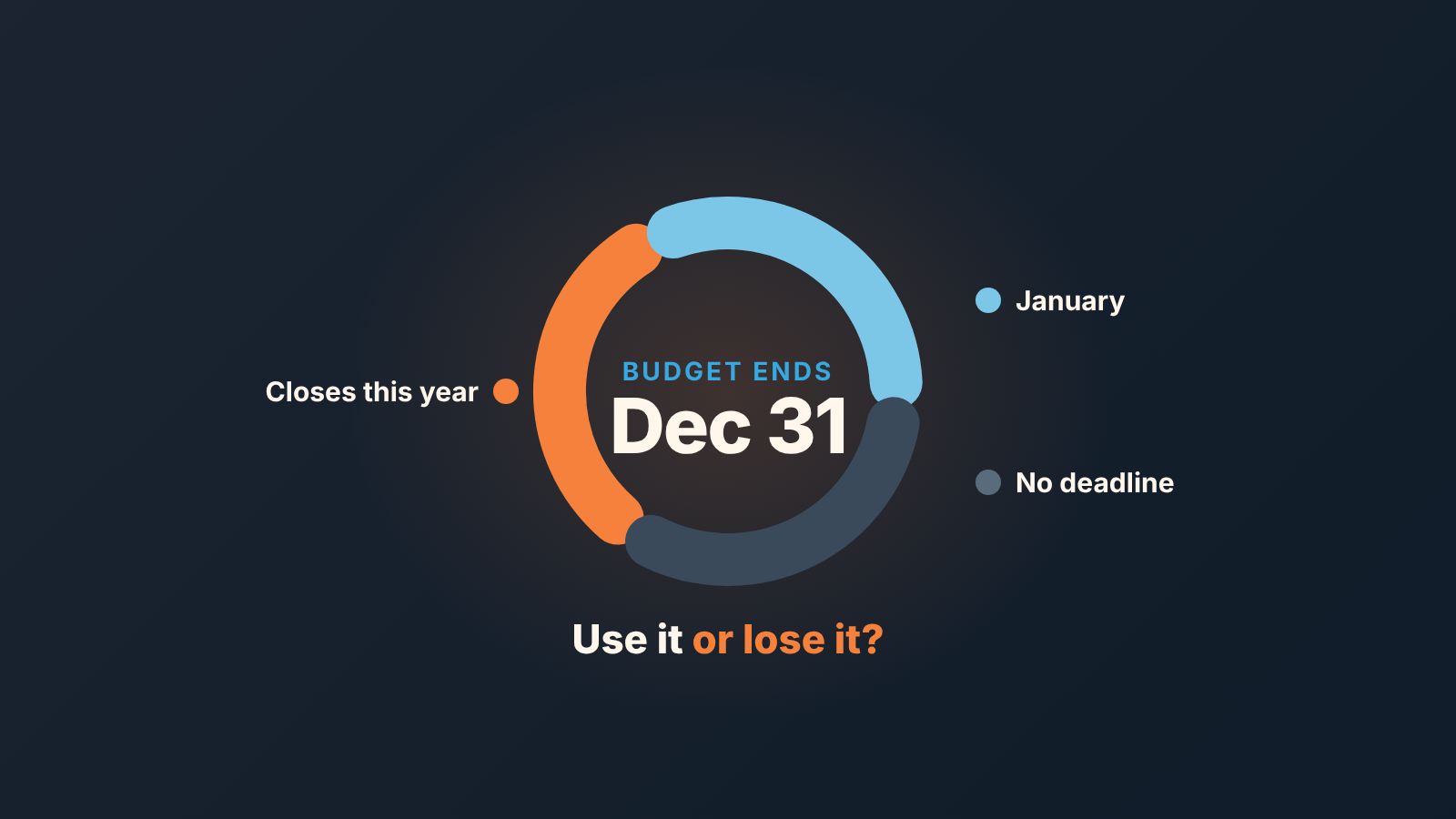
Ask every open buyer one question in November: is this a use-it-or-lose-it budget that expires on December 31, or does it roll over? Write the answer into a custom field, sort open deals into three piles (closes this year, closes in January, no deadline at all), and forecast the year only from the first pile. The other two piles get their own line, their own close dates and their own plan for next week. That is the whole method. The rest of this post is how to run it in six weeks and keep it honest in Pipedrive.
“Everyone says they need it by year-end”
Monday, November 16, 2026. A sales manager we will call Ruth runs the weekly review with the pipeline filtered to deals closing in December. Nineteen deals. Every one of them, according to the rep, is a buyer who “wants to get it done before the holidays.”
She asks the rep on the fourth deal how he knows. A reply from October: “we’d love to wrap this up by year-end.” On the ninth, the buyer said budget was “approved for this year.” The eleventh deal has had no reply since the proposal went out on November 3.
Nineteen deals, three kinds of evidence. One buyer with a budget that is gone on January 1. One buyer with a wish. One buyer who may already have spent the money elsewhere. In the pipeline they are the same card with the same December date, and in the forecast they are the same number.
We have sat through this review. Reps rarely lie; “by year-end” is just what buyers say in October to be polite, and nobody checks later whether it was a deadline or a mood.
Use it or lose it? The one question for November
The question is: “Does this budget expire on December 31, or does it carry into next year?”
A use-it-or-lose-it budget is money the buyer loses if it is not spent by the end of the year. Plenty of buyers don’t have one, and you only find out by asking.
Ask in the third week of November at the latest, which in 2026 means the week of Monday, November 16. Thursday, November 19 is six weeks before December 31. Ask later and the answers come back from out-of-office replies.
Why this question and not another stage review? It describes the buyer’s calendar, not ours. A buyer whose budget disappears on January 1 has a reason to sign on December 22 that has nothing to do with our discount. A buyer whose budget rolls over has no such reason, and a December close date on that deal is a decoration.
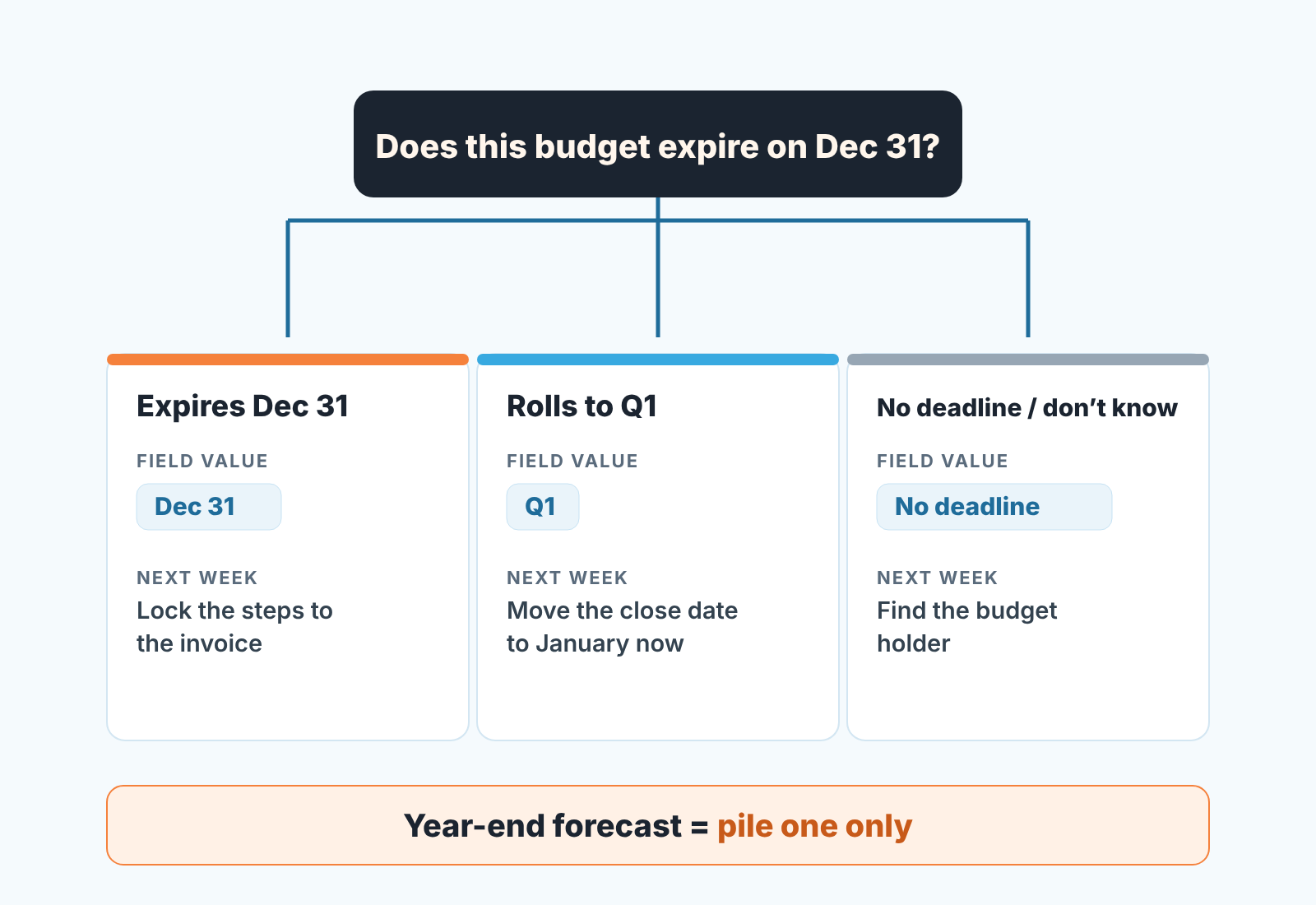
Three answers come back, and only three.
“It expires.” Then ask the follow-up: what has to be true for the invoice to land before December 31? A signature, a PO number, an invoice date, a vendor form. Each of those is a step with an owner, and the steps go on the deal.
“It rolls over” or “we’ll have new budget in January.” Then there is no December deadline, and the honest next question is which week of January they want to start.
“I’m not sure.” That answer is common and its the most useful one: the person you are talking to does not hold the budget. Getting to the one who does is the next activity.
This is not a closing technique; buyers are counting the same weeks you are. Mailshake’s December outbound guide (March 18, 2026) splits December buyers in two: those who need a tool “live in January” and want 10–15 minute micro-calls and clear January start dates, and those saying “not now” who want calendar holds for January (Mailshake). The question tells you which one you have.
Three piles
Once the answers are in every open deal with a December close date lands in one of three piles. The piles are not equal in size, and the work for each one next week is different.
-
Budget expires December 31. These are the only deals that belong in the year-end number. Next week: list every step to an invoice (signature, PO, security review, vendor onboarding), put a date and an owner on each, and ask the buyer which one worries them. Confirm the signer’s last working day of the year. Often it is not December 31; ask.
-
Budget rolls into January, or new budget starts in Q1. Move the expected close date to January now, this week, while you are talking to the buyer. Agree the January start week and first step, and book the activity for the first working days of the year (Monday, January 4, 2027 is a reasonable default). Nothing else here is urgent, and treating it as urgent steals December attention from pile one.
-
No deadline, or nobody knows. Do not forecast these in either period yet. Find the person who owns the budget and ask them the question. Until then the close date is a guess, so the deal sits in a third line of the forecast, visible and unweighted.
The ratio between the piles is itself a finding. If pile one is three deals out of nineteen, the December number was never nineteen deals. It was three, and better to know that on November 20 than on December 30.
Putting it in Pipedrive
The answer has to live on the deal, not in the rep’s head, or you will ask the same nineteen questions again in two weeks.
Create a single option field called “Budget deadline” with three options: “Dec 31”, “Q1”, “No deadline”. Pipedrive’s single option type holds predefined options with one selectable value, exactly this shape (Pipedrive: types of custom fields). On the Growth plan and above, the field can carry a description that reps see behind the info icon, and we would use it for the literal question so everyone asks it the same way (Pipedrive: custom fields). Add it as a column in the deal list view (gear icon, “Choose columns”): a blank in November is a deal nobody has asked.
A date field works if buyers give actual dates, and the forecast view can show deals by it (more on that switch). We still prefer the single option field, because “Q1” and “no deadline” are answers a date field cannot hold.
For the piles themselves, you do not need a new report. An advanced filter with the condition Budget deadline is “Dec 31” works in the deals list, the pipeline and the forecast view, and filters can be shared with the team or kept private (Pipedrive: advanced filtering). The forecast view is available on Professional and above (Pipedrive: the forecast view); on a lower plan, the same filter in the list view does the job. With the filter on, the December column is pile one. Switch it to “Q1” and the January column should hold everything in pile two. If it does not, somebody has not moved a close date yet, which is the next section.
One warning. A field nobody asks about after November becomes one more blank column by March. If the account already carries a few of those, start with our note on cleaning up custom fields in Pipedrive.
The honest close date
Pile two is where forecasts quietly go wrong. The buyer has said January. The rep knows it. The expected close date still says December 18, because changing it feels like giving up and December 18 keeps the deal in the column the manager looks at.
Move it now. The date moves on the day the buyer says January, with a note on the deal that says who said it and what the January step is. Pipedrive records changes to the expected close date and to custom fields in the deal’s Changelog tab (Pipedrive: deal detail view), so a date moved on November 18 with a reason reads very differently from a date moved on December 30 with none. As we wrote about pushed close dates in Pipedrive, a push with a buyer’s reason attached is information; a push without one is a hope.
The reverse case matters as much. A pile one deal should not be dragged into January on December 29 because the signature has not arrived. If the budget really expires, the deal closes in December or is lost in December, and losing it with the real reason is more useful next year than a January date nobody believes. Dragging a card in the forecast view edits its close date, so our old rule stands: look, don’t drag.
People are out
From around December 18 the buyer’s side thins out, and a pile one deal with a single contact is at the mercy of one person’s holiday. So in the week of November 23, before anyone has left, ask each pile one buyer two more things: who signs, and who covers for them between December 21 and January 4.
Write both names on the deal. If the signer is away for the last two weeks of the year, the real deadline for pile one is their last day in the office, and the step list gets rebuilt around that date. If a stand-in can sign or raise the PO, they should see the proposal before the signer leaves, not on December 28 in a “per my colleague” email.
The same applies on our side. A rep who is out between Christmas and New Year should hand pile one deals to a colleague with teh step list, and the colleague should be on the deal in Pipedrive so the buyer’s December 29 reply does not sit in an empty inbox. The mechanics are in our posts on Pipedrive followers when a rep is out of office and on switching the deal contact when the buyer’s stand-in becomes your real contact.
What we would not do is send a December 22 “just checking in” email to a pile two or pile three buyer. They told you January. Believe them.
Count the year from pile one
The year-end forecast is pile one. Not pile one plus a percentage of pile two, not the December column as it stood on November 1. Pile two goes on a separate line called January, pile three goes on a line called unknown, and the the three lines are reported together so the total does not look smaller. It looks the same size, only more honest.
This sits comfortably next to the commit and best case split we described earlier: pile one deals with their steps dated are commit candidates, pile two deals are next period, and pile three deals are not in best case until someone has found the budget holder. Reading that split against the same month a year ago tells you whether this year’s December is thin or just normal.
A disclosure: we build SalesBond, a sales management layer on top of the CRM a team already uses; we started with Pipedrive. Its Deal Health checks every deal against more than 20 rules in categories that include Forecast, shows the specific violations and explains what to do, including on deals that have gone quiet. Check your CRM with SalesBond if you would rather not build the filters yourself. The question to the buyer, though, is still the part no tool asks for you.


