
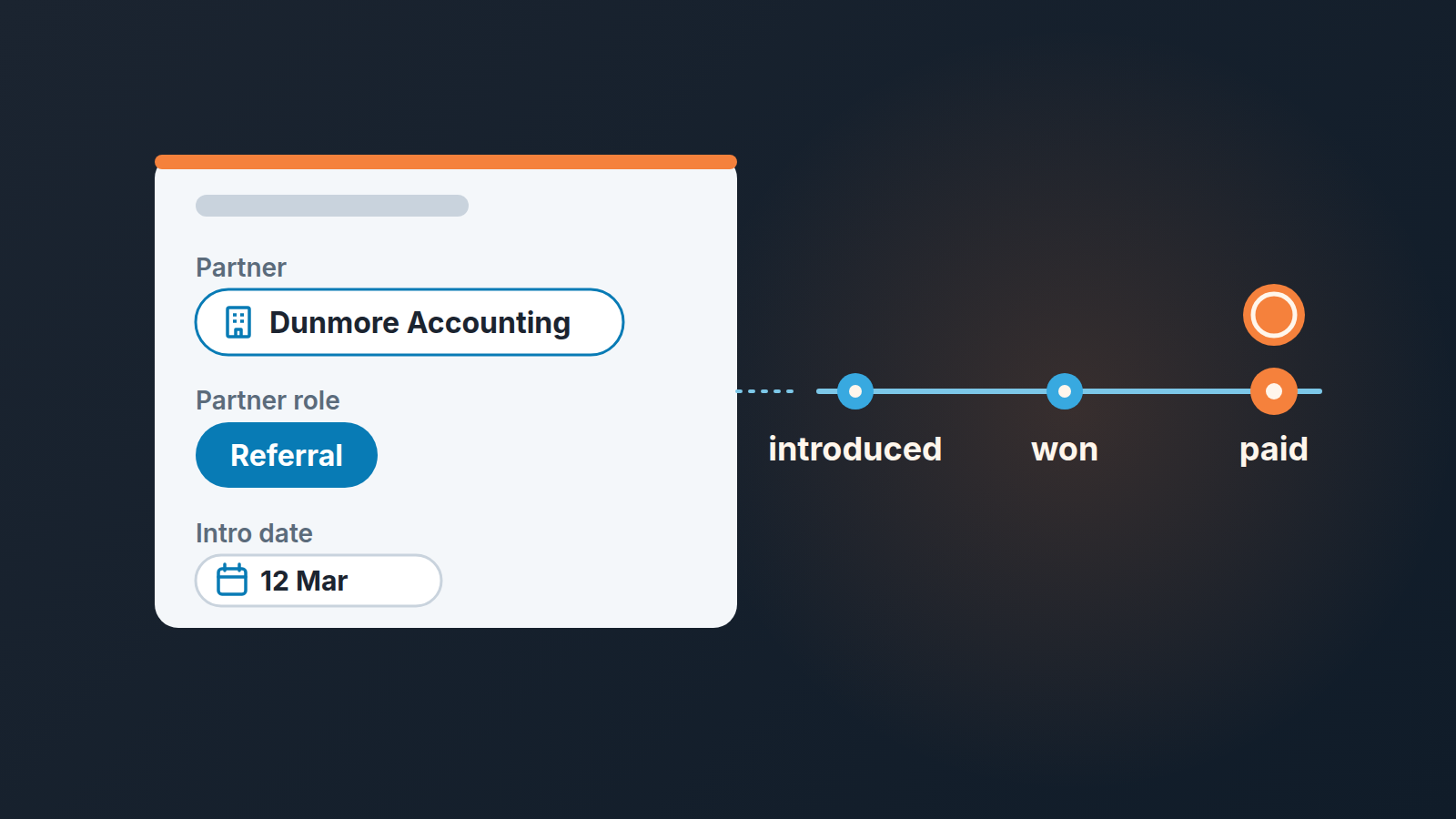
If you run a referral partner program in plain Pipedrive, record the partner on the deal itself, not in a note and not in a spreadsheet: one Organization-type custom field for who introduced it, one single-option field for how (referral or co-sell), one date field for when the introduction landed, and an agreed window inside which that introduction still counts. Pay when the deal is won and the money has arrived, not at the introduction. And before the first call, check whether the company is already in your pipeline, because that is where most partner disputes start. Everything below is how we run this without partner software. We think that is the right setup while you have fewer than ten partners and a handful of introductions a month.
Three kinds of “partner”, and why this article is about two of them
A referral partner introduces a prospect and steps back. ZINFI’s definition of the model: the partner identifies a prospect from their network, makes the introduction, stays out of the sales process and earns a commission when the opportunity closes (ZINFI: referral partner management explained). An accountant who sends you a client, a consultant who forwards an email: that is a referral. (A customer who recommends you is a different case: see asking customers for referrals.)
A co-sell partner stays in the room: the integrator who introduced the deal also joins the demo and scopes the implementation. The deal and the pricing are still yours, but the partner’s name comes up in every call. Referrals are the lightest form of channel sales, and the full comparison with selling direct is separate.
A reseller is a different animal. They own the buyer, the price and the invoice, so what lands in your Pipedrive is an order from the reseller, not a deal with the end customer. That needs its own process. Everything below is for referral and co-sell. A full partner program with all three kinds is a bigger setup; running the whole partner program in Salesforce without a PRM is covered separately.
Three fields for a referral partner deal, and why a label won’t do
Pipedrive offers 16 custom field types, and three of them do this job (Pipedrive: what types of custom fields are there).
| Field | Type | What goes in it | Who fills it |
|---|---|---|---|
| Partner | Organization | the partner firm, picked from your organizations | whoever creates the deal, at creation |
| Partner role | Single option: Referral, Co-sell | how the partner is involved | same person, same moment |
| Intro date | Date | the day the partner sent the introduction | same person, from the partner’s email date |
The Organization type is the one that matters. Pipedrive describes it as a way to “tag an organization from your Pipedrive database” and names “partner organizations” among its common uses (same source). Two things follow. The value is a real record, so clicking it opens the partner’s organization page with every deal they ever sent you. And nobody can type “Dunmore (sort of)” into it.
One caution from the same help page: when you add a value in an organization field and no contact with that name exists, Pipedrive creates a new one. So “Dunmore Accounting” and “Dunmore Acc.” become two partners with half the deals each. Our rule: the manager creates the partner organization once, with a “Partner” label on it, and reps only pick from what exists. Already bitten? The fix is the same as for any other duplicate in Pipedrive.
Keep Partner role to two values. The moment you add “Referral (warm)” and “Referral (cold)”, the field stops being filled.
Intro date gets its own field because the rep may create the deal a week after the partner’s email, and the window below counts from the introduction, not from deal creation.
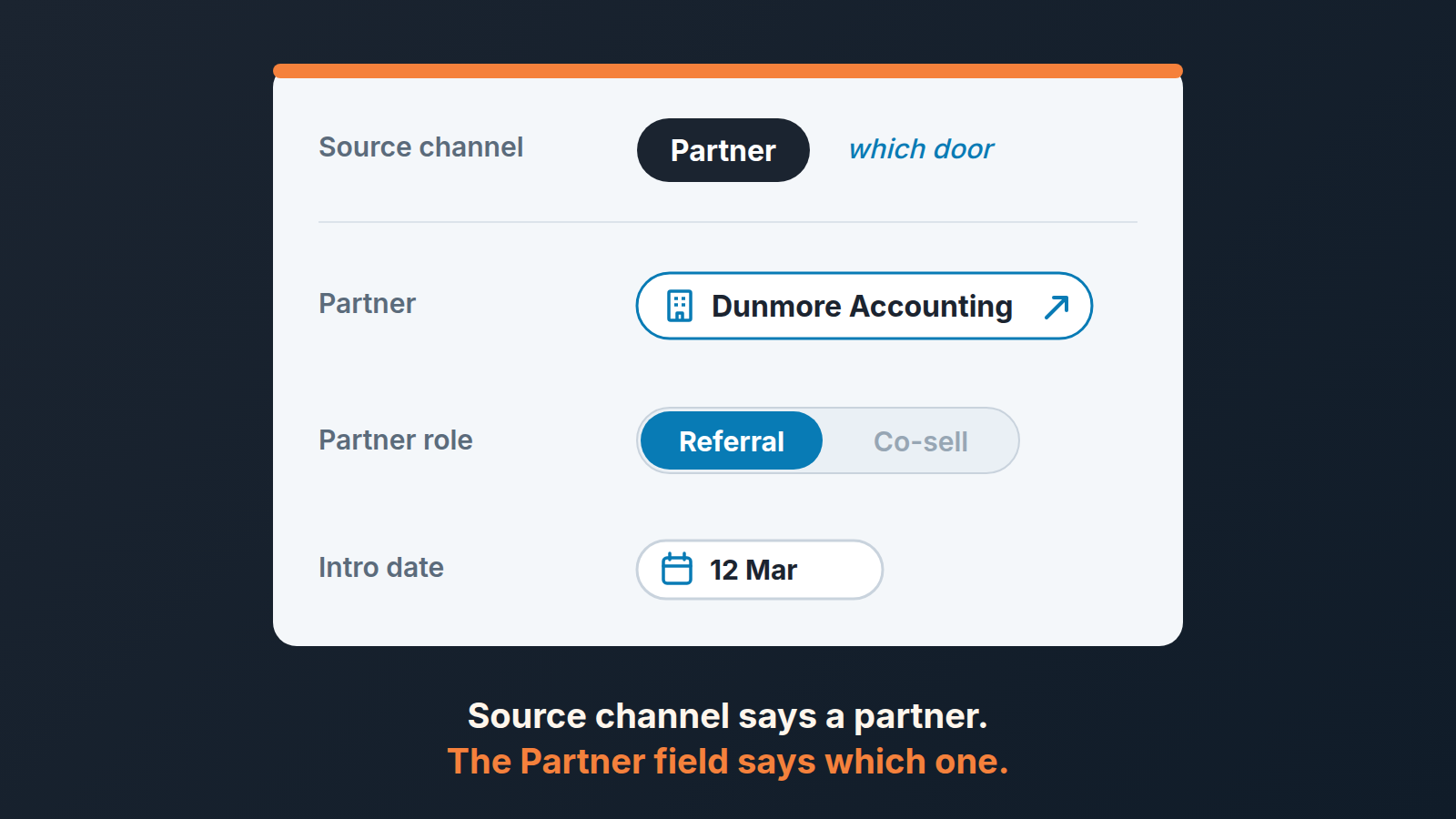
Why not a deal label called “Partner”? A label says a partner was involved, not which one. And keep the lead source: Pipedrive’s source channel answers “which door did this deal come through”, Partner is a fine value on that short source channel list, and the Partner field then says which partner. Two questions, two fields.
The partner sends you a company you are already talking to
This is the dispute that ends partnerships, and it is avoidable in two minutes. The partner emails: “Introducing you to Teodora at Harbor Logistics.” Your rep has had an open deal with Harbor Logistics since March. If the rep says nothing, in June the partner asks about their fee for a deal they did not source. If the rep says “we already had them” in June, the partner hears “we found a way not to pay”.
So the check happens before you reply to the introduction, not after the win. Pipedrive’s filter examples include one for organizations with at least one open deal linked to them, and the same help page shows how to include won and lost deals in that filter (Pipedrive: filters, common uses). Save it, share it with the team and make it the first step of accepting an introduction.
Then the rule, and it has to be written down before the first partner signs anything. Ours is “first in wins”, with two halves:
- An open deal with that organization created before the Intro date: the introduction does not count. No Partner field on the deal. The partner hears this the same day.
- A lost deal, or no deal at all: the introduction counts. The rep creates a new deal, fills the three fields, and the old lost deal stays lost. A company you failed to close eighteen months ago is fair game for a partner who reopens the door.
The one sentence to the partner, sent the same day as the check: “Thanks for the Harbor intro. We’ve had an open conversation with them since March, so this one won’t fall under our agreement, but please keep them coming.” Nobody enjoys sending it. Sending it in March costs you a minute, sending it in June costs you the partner.
Credit inside your team is a separate question. The same deal can have an external partner and an internal “sourced by” rep, and our internal split between two reps still applies.
An attribution window you can defend in an email
An attribution window is how long after an introduction a new deal still counts as the partner’s, and we set it from our own sales cycle. Partner software treats it as a setting; Affise’s write-up describes custom attribution windows as the thing that “defines how long a referral remains eligible for a reward” (Affise: B2B referral program software). We would not copy anyone’s number of days. A window that fits a two-week sale is wrong for a six-month one.
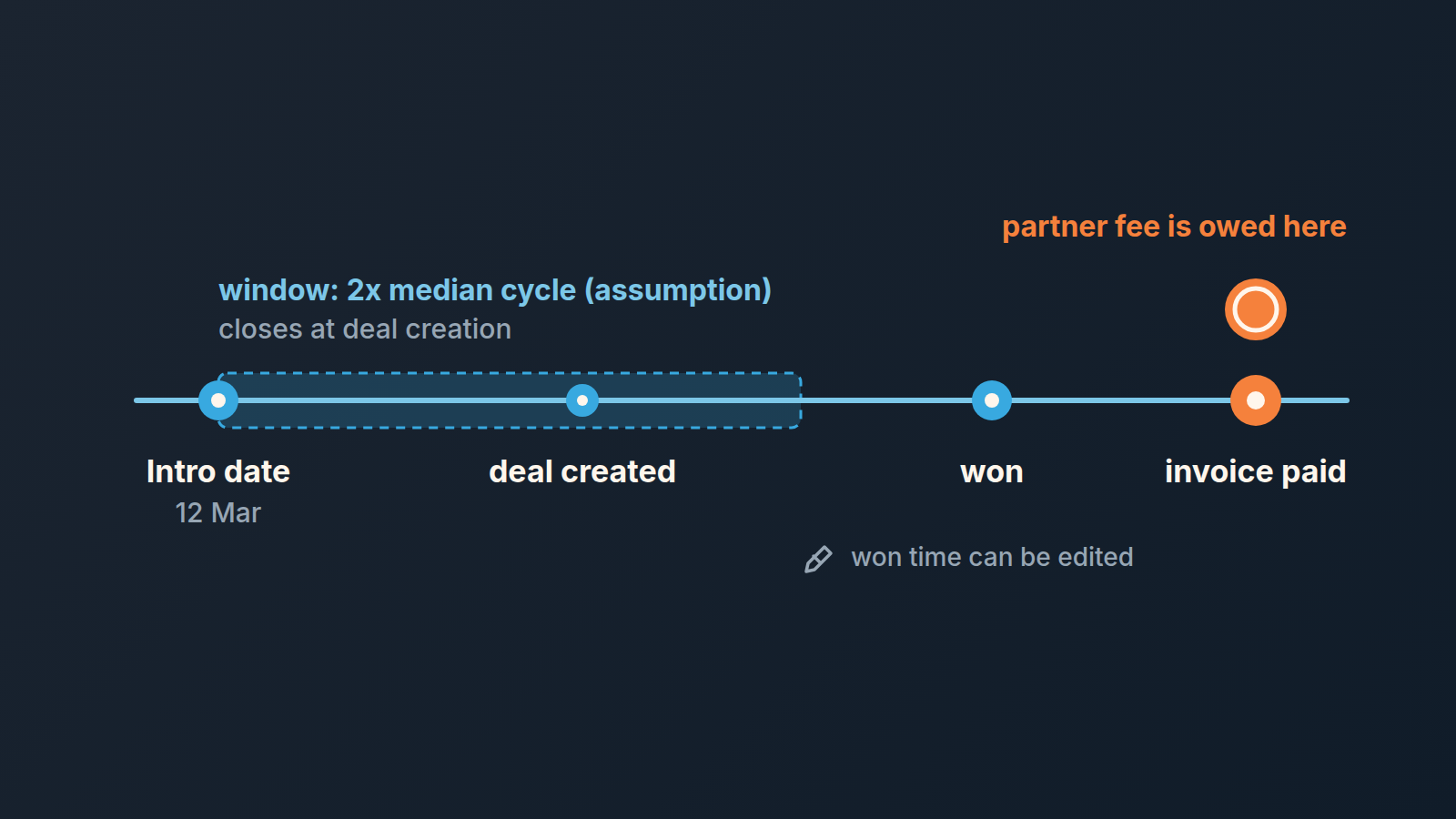
Our working assumption, and we mark it as an assumption rather than a standard: the window is twice your median sales cycle, counted from Intro date to the day a deal is created, with the cycle measured as in how to measure sales cycle length in Pipedrive. A team with a 60-day median cycle gets a 120-day window: an introduction on 12 March counts for any deal created with that organization up to 10 July. Why twice? Because a good introduction often sits for a while before the prospect has budget, and a window equal to one cycle punishes the partner for your buyer’s calendar.
Two decisions sit inside that sentence, and both go in the agreement. First, the window closes at deal creation, not at the win. Once a deal is created inside the window with the Partner field filled, it counts whenever it closes, because the partner cannot control how long your sales cycle runs. Second, after the window, a fresh introduction from the same partner for the same company restarts the clock.
Pay on won plus cash, not on the handshake
The payout trigger is two conditions, not one: the deal is marked won in Pipedrive, and the customer’s first invoice is paid. ZINFI puts it as commissions “paid only on closed revenue” (same source as above); we would add “collected”. Won is a status that says the customer said yes. Paid is the bank saying so.
Why not at the introduction? Because an introduction is cheap to make and you would be paying for email volume. Why not at won alone? Because won can move. The won time field can be edited by a user with deals admin permission, and we wrote about how one edit to won time moves revenue between months. A partner fee that keys off won time inherits every one of those edits. The paid invoice does not move.
Where to record it: a fourth custom field, “Partner fee”, of the Monetary type, which Pipedrive lists with “commission” as a typical use (same custom fields source), filled on the day the invoice clears. A note on the deal with the date and the amount works too, but the field is easier to read in the monthly review.
Returns and cancellations need one sentence before the first payout, not after. Ours: if the customer cancels or is refunded within the first billing period, the fee is netted off the partner’s next payout; after that period the fee stands. How the deal itself is recorded is covered in cancellations after Won in Pipedrive. What the rep earns on the same deal is a separate document, covered in our take on commission structures for a small team.
Ten minutes a month: who feeds you, who just emails you
Once the fields are filled the monthly question answers itself from a saved filter. Pipedrive’s advanced filters take ALL and ANY conditions and can be shared with the whole company account or kept private (Pipedrive: advanced filtering). Build one shared filter: deals where Partner is not empty and Intro date is within the last twelve months, in the Deals list view with the Partner, Partner role, Intro date, Value and Status columns showing. Sort by Partner.
Then read it per partner, four numbers each: introductions, won, lost, still open. Divide won by introductions for a win rate, and look at the average value of the won ones. For fewer than ten partners, the list view is usually enough.
The reading is where the judgment lives. A partner with one introduction and one win in the year deserves a thank-you call, not a dashboard. A partner with six introductions, zero wins and six open deals older than your median cycle is sending you names, not prospects, and the next section is the the conversation to have. A partner whose deals close above your average value is worth more of your time than their fee suggests, so they get the first demo slot and an early look at anything new.
We build SalesBond, a sales management layer on top of the CRM a team already uses; we started with Pipedrive. Its Deal Health checks every deal in the connected CRM against the enabled rules, from Activity to Data, and shows the specific violations with what to do, partner-sourced deals included, while the Partner field and the written rule stay your job. Check your CRM with SalesBond.
The partner who brought you the wrong customer
Sooner or later a partner introduces someone who is not a fit: too small, wrong country, a company that wants the thing you deliberately do not sell. The temptation is to run the deal anyway, because a partner’s feelings are involved, and then to lose it slowly over two months. That costs you the two months, and it leaves the partner with a story about how you “could not close their lead”.
Say it early and say it specifically. Our version goes out within a week of the introduction: “We spoke to Calloway Freight. They need on-site installation in three regions and we only deliver remotely, so we’ve told them no and pointed them to two firms that do this. For us the sweet spot is a company like Pinecrest, forty to two hundred people, one office, already on a cloud CRM.” The deal still gets created with the three fields filled and is marked lost, with a note saying “not a fit”, because next month’s list should show that this introduction happened and how it ended.
Most partners adjust after one email like that. They were guessing at your profile and nobody had told them. If thier introductions keep missing, the monthly list shows the pattern: thank them for the year, end the agreement, and keep the organization record. People change jobs.


