
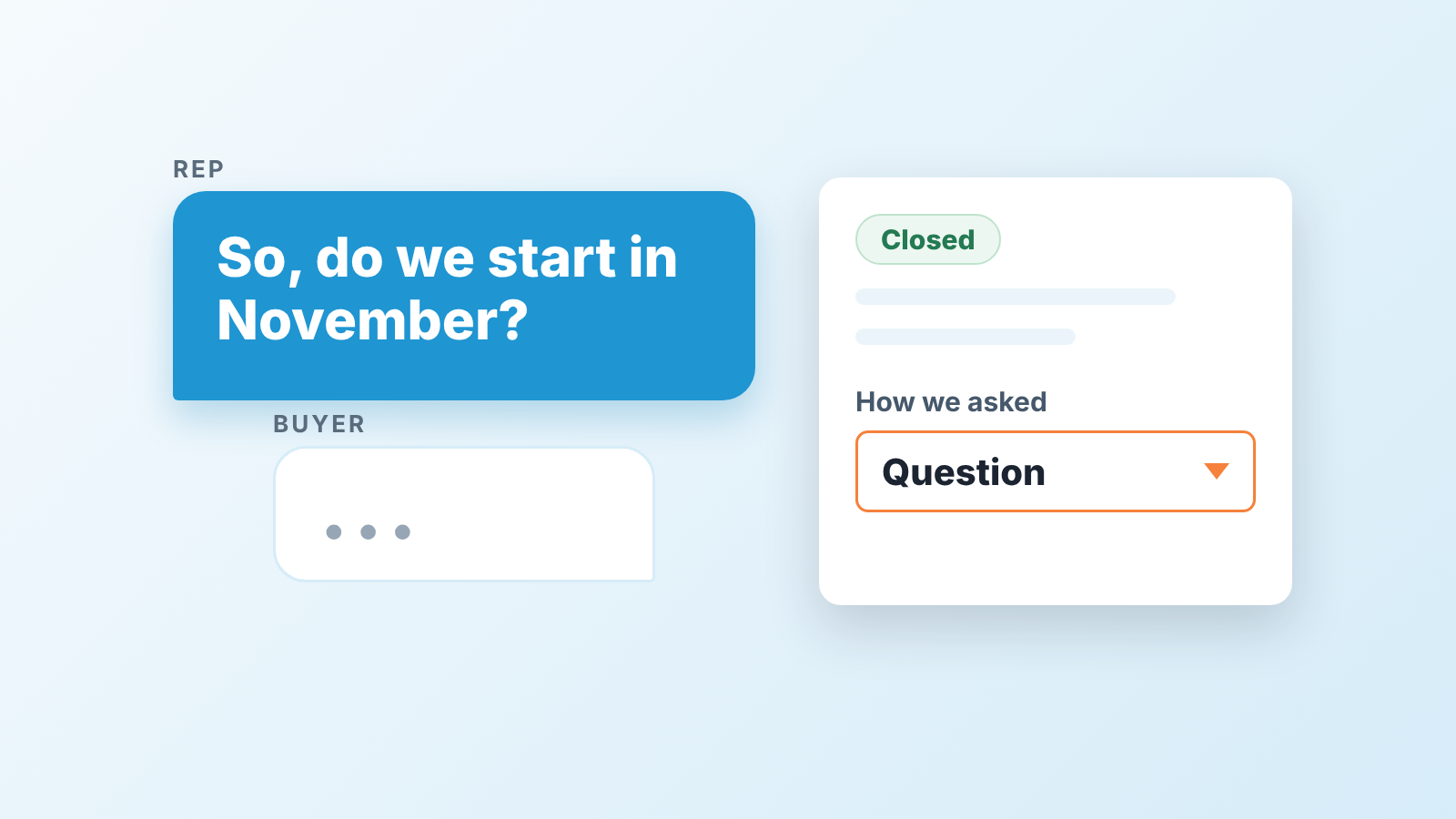
A closing technique is a specific way of asking the buyer for a decision: assuming the next step, summarizing what you both agreed, or offering a choice between two options. It works only once the buyer has a real reason to act and a named next step already exists. Before that, every technique is pressure with a nicer name. A small team does not need twelve of them. It needs a handful it can say out loud without flinching, and one field on closed deals in Pipedrive to learn which ones work with its own buyers.
Closing is the question you were afraid to ask
Most lists of closing techniques read as if the hard part were choosing the right words. It isn’t. The hard part is that a lot of reps never ask at all. The deal sits in Proposal Sent for six weeks while everyone waits for the buyer to volunteer a decision. Outreach makes the same point in its own list of twelve techniques: many reps simply don’t ask for the sale (Outreach: sales closing techniques).
A familiar scene. A rep has done everything right: three good calls, a proposal that matched the brief, a champion who kept replying. And he cannot bring himself to say “so, do we start in November?” He says “let me know if you have any questions” instead. The buyer did not have questions. The buyer had other things to do.
So treat a technique as the sentence that stops you dodging the question, not as a trick that produces a yes. Then you stop hunting for the cleverest one and pick the one you will actually say. Which of them you can verify later is a separate list: techniques you can check from the desk.
Closing starts earlier than the close
If you want to know how to close a sale, start before the close. A technique only has something to work with when three things are already true. If one is missing, the technique is noise, and the fix is upstream.
The buyer has a reason that is theirs. Not “they liked the demo”, but something that costs them money or time every month it stays unsolved. If you cannot say it in one sentence in their words, you are hoping.
You are talking to the person who can approve it. Outreach puts this near the top of its list: confirm you are speaking with the person who can sign off before you ask for the deal (same article). On a small team this is the check that gets skipped most, because the champion is friendly and the economic buyer is not on the call. Our deal review questions piece is built around this gap.
There is a next step with a date on it. A calendar entry with the buyer’s name on it, not “they’ll get back to us”. In Pipedrive that means an activity scheduled on the deal, so a deal in Negotiation with no next activity shows up for what it is. The longer version is our mutual action plan for small teams.
Three checks. If all three pass, pick a technique. If one fails the right move is a question about the missing piece.
Five closing techniques worth keeping
The five: the assumptive close, the summary close, the choice close, the takeaway close and the question close. Vendor blogs list twelve or more; Outreach’s list runs to twelve (source). In our view these five are enough, because each one works with a buyer who already has a reason and fails politely with one who doesn’t. The names are the common ones; the wording is ours.
-
Assumptive close. You talk about what happens after the decision as if it is settled: “When we set up your pipeline in the first week, who on your side owns the stage names?” Use it when the buyer has said “when we do this” themselves. On a buyer who has only said “interesting”, it sounds like you were not listening.
-
Summary. You replay what they told you was broken, what you agreed would fix it, and what it costs, then ask. It is boring, which is why it works. It suits a buyer who has been in four meetings over two months and has honestly lost the thread. If you catch yourself listing features they never asked about, stop.
-
Choice. “Would you rather start with the two-seat plan in November or the five-seat plan in January?” Both answers are a yes. It works when the real decision is made and only the shape is open; used to skip the decision, it gets you a “neither” from a buyer who feels managed.
-
Takeaway. You remove something: “Honestly, the onboarding package may be more than you need right now. Let’s drop it and keep the price where it is.” A buyer who was leaning in will often lean in harder. Use it only when the thing you remove is genuinely optional, because a takeaway you would reverse the moment they object is a bluff, and small-market buyers talk to each other.
-
Question. “Is there anything that would stop you from going ahead this month?” The plainest of the five. Its also the one that most often turns up the objection you had not heard yet, which is why we’d make it the default when a rep is unsure. The answer is usually a name, a budget cycle or a procurement step: each is a next step you can date. If the same answers keep coming back, that is your objection handling log, and it belongs in Pipedrive rather than in heads.
A rep who does these five well, and knows which buyer event has to happen before each one, will get further than a rep with twelve scripts and no sense of timing.
Techniques to drop or handle with care
The “now or never” close and its cousin, scarcity, are on every list, including Outreach’s (same source). We would not ban them, but we do not teach them, and the reason is the next deal rather than ethics.
A small team sells into a small market. The buyer you pushed with “this price ends Friday” is the same buyer a peer will ask about you in six months. If the price did not really end Friday, they know. If it did, they remember being pushed, and the renewal conversation starts a foot behind. Pressure works once, on the deal in front of you. Then it bills you for a year.
There is a narrower version that is fine: a real deadline that belongs to the buyer. Their budget closes in December, or their old contract renews in March. Naming the buyer’s own clock is good listening, and it belongs inside the summary close rather than as a separate move.
One field to find out what works for you
Everything above is our view. Yours will differ, and one field over one quarter will start to show how. The idea: when a deal is marked won or lost, the rep records how the ask was made. A quarter later you filter closed deals and look at the split.
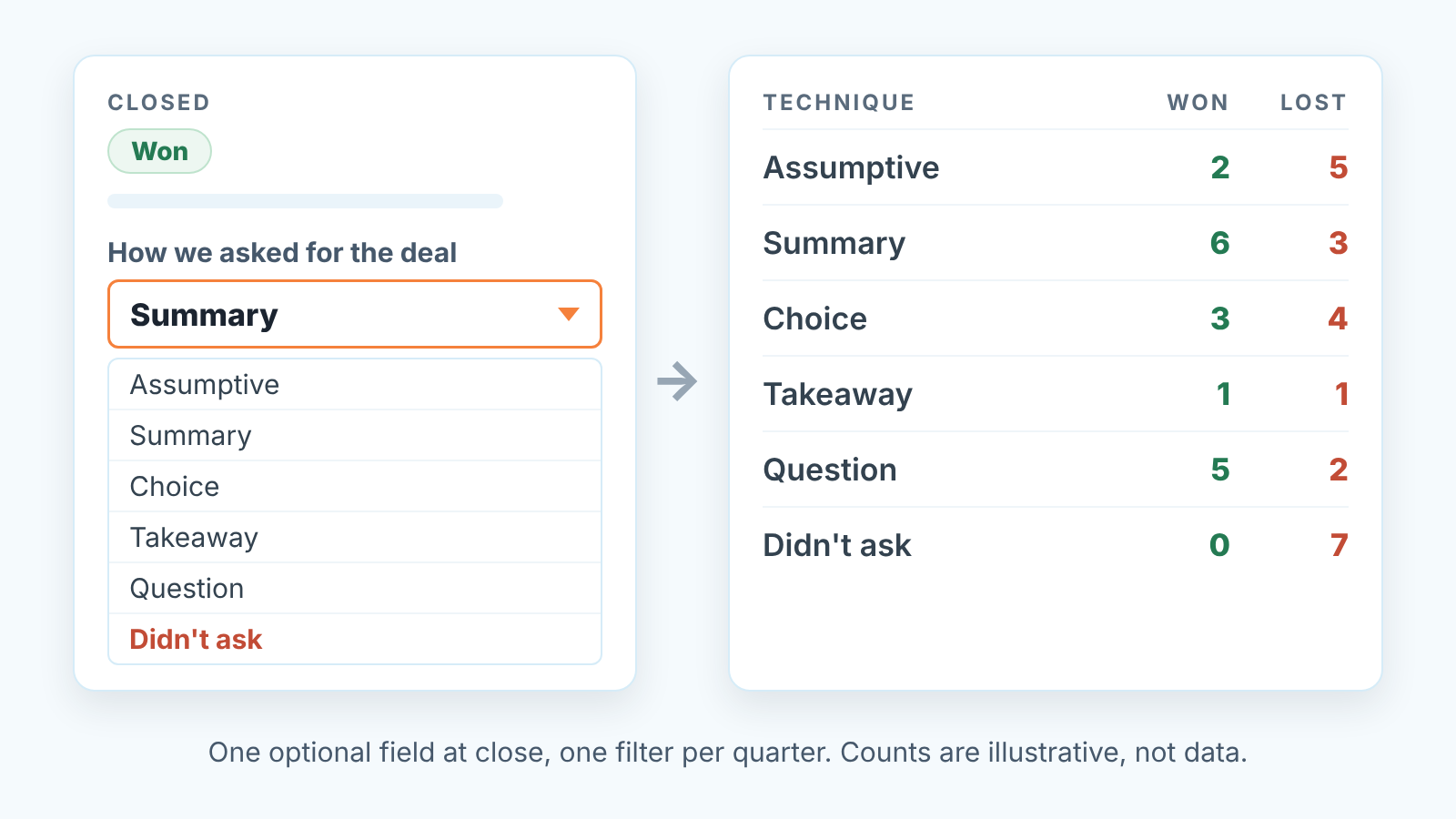
Here is the setup, from Pipedrive’s own guide to custom fields (help article as updated September 3, 2026; menus move, so check yours).
- Open the account menu in the upper right, go to Personal preferences > Data fields, and pick the deal entity. Click + Custom field.
- Name it How we asked for the deal and choose the Single option type, which Pipedrive describes as a list of predefined options where only one can be selected (Pipedrive: types of custom fields, updated September 3, 2026). Not Multiple options: if a rep used three techniques, you want the one they think landed. Get this right on day one, because the field type can’t be changed once the field is created (same custom-fields article).
- Add six options: Assumptive, Summary, Choice, Takeaway, Question, Didn’t ask. The last one matters most. It is the honest answer on many lost deals.
- Leave it optional. Required fields sit on the Premium plan (same custom-fields article), and a required field here gets gamed anyway: reps pick the first option to close the dialog. Optional, plus a manager who asks about blanks, fills up more honestly.
- Show it in the deals list. In the list view, click the gear icon to the right of the table, tick the field under Choose columns, then save (same article). Now blanks on closed deals are visible at a glance.
- Build one saved filter for closed deals. Pipedrive’s guide to filtering for won, lost or deleted deals (updated September 3, 2026) puts the won and lost conditions under match ANY of these conditions. Put them under ALL and you get zero results, since no deal is both. Keep the new field as a column. For the period, add the Won time and Lost time columns to the list and sort by them; if your filter conditions include a close date, add the quarter there. Once a custom field holds data it can also feed custom Insights reports (custom-fields article), the same mechanism we used for field averages.
Now the caveat. Say your team closes twenty to forty deals a quarter (our assumption for illustration, not a benchmark). That is not a sample, it is a list, and nothing in that filter is statistically anything. If, in an illustrative quarter, Summary went 6 and 3 and Assumptive went 2 and 5, you have not proved that summary closes beat assumptive closes. You have a reason to ask the two reps who used assumptive on seven deals what the buyer had said beforehand. That is the point of the the field: the quarterly conversation gets a starting line that is not “how did it go”.
Two rows matter more than the technique rows. “Didn’t ask” on lost deals: if it is the largest, your problem is the first section of this article, and the fix is coaching one sentence. And the blanks: a rep whose closed deals have no entry is usually not sure how they closed either. Keep all this apart from lost reasons, which are the buyer’s side of the story; this field is yours. Read the two together in a win-loss review for a small team.
What a manager does with the field each quarter
One decision, once a quarter: which technique the team practices next quarter, and which one it stops using.
You open the filter, look at the won and lost split by option, look at “Didn’t ask”, and pick. If question closes are winning and nobody uses the takeaway, role-play the question close and drop the takeaway until someone can explain when it fits. If “Didn’t ask” is the biggest lost row, the quarter is about asking, and teh technique discussion waits.
What the manager should not do is grade reps on the field. The moment a rep believes “Didn’t ask” counts against them, the field fills with “Summary” and the data is gone.
A disclosure, because this is where the product sits for us. We build SalesBond, a sales management layer on top of the CRM a team already uses; we started with Pipedrive. Deal Health checks each open deal against more than 20 rules, including whether a next activity is scheduled and whether anything has happened on the deal recently. That is the “closing starts earlier” section above, checked for you instead of by hand on Monday. It does not pick the technique or make the ask. It tells the manager a rep is about to close a deal with no next step, so the conversation happens before the call, not after the loss. To see which of your open deals are being “closed” on hope, check your CRM with SalesBond.


