
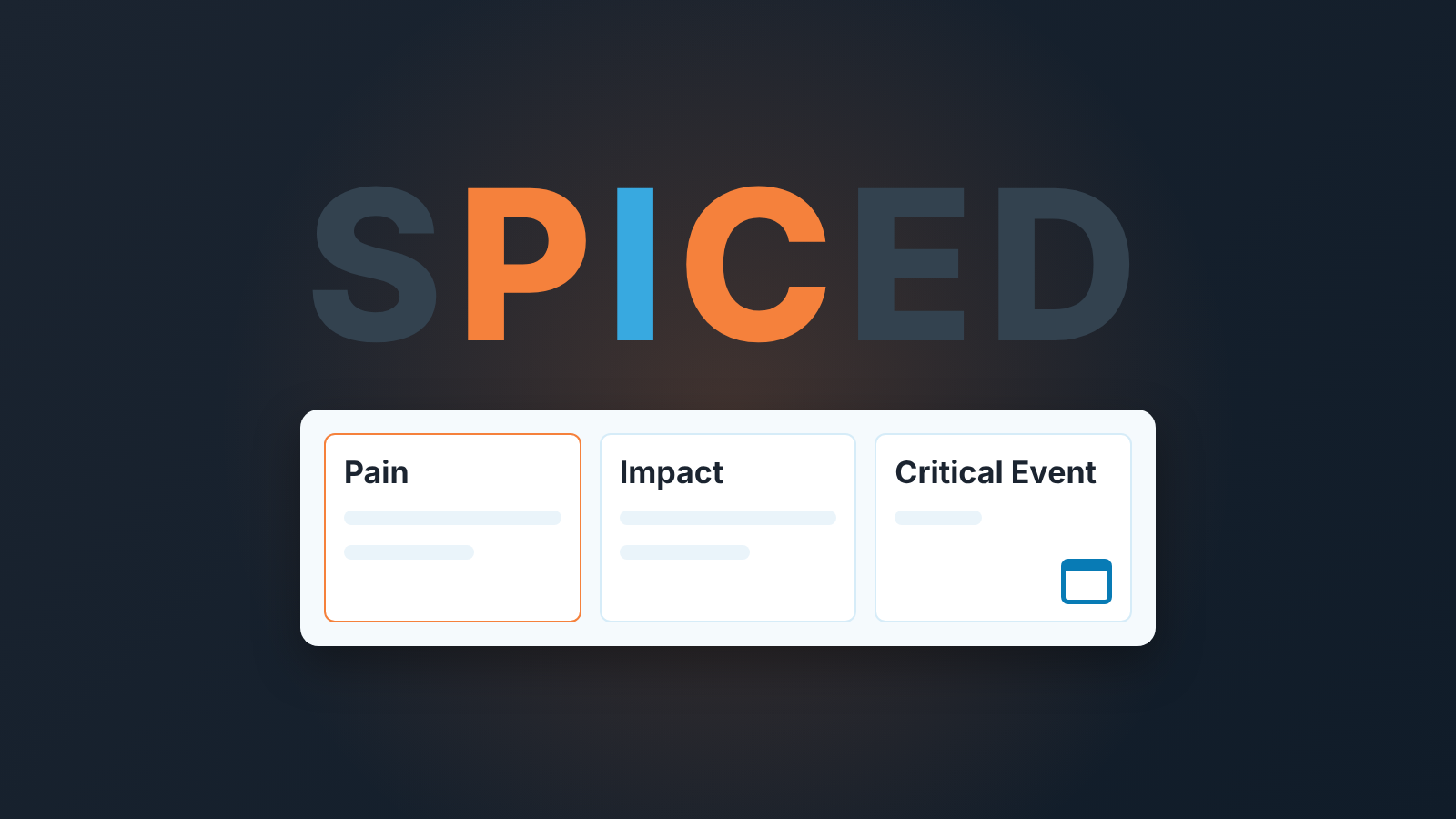
The SPICED sales methodology stands for Situation, Pain, Impact, Critical Event and Decision. In Pipedrive a small team needs only three deal fields for it: Pain (one sentence), Impact (a number with a unit) and Critical Event (a date the buyer owns). Situation and Decision fit in a note or in the deal’s participants.
A deal with no reason to close this quarter
Picture a Tuesday deal review. The deal is at Proposal Sent, value 18,000, expected close date the last day of the quarter. Good contact, clear problem, they liked the demo, pricing went over on Friday. Everything sounds fine.
Then you ask what happens on the buyer’s side if they don’t sign by the end of the quarter.
Silence. Then: “Well, nothing, really. They’d just do it next quarter.”
That deal is not closing this quarter, and maybe not next, because the only date attached to it is ours. The rep picked the quarter end because that is what reps do with expected close dates (we wrote about where that leads in pushed close dates in Pipedrive). The buyer has a problem, a budget and no event forcing a decision. So the deal sits in the pipeline looking healthy and quietly ages.
SPICED names what was missing from that conversation. We like it for small teams because it’s short, and because the fourth letter asks the question most reps skip.
What the SPICED framework asks, in one paragraph each
The framework comes from Winning by Design and was built for B2B companies with recurring revenue, where the customer’s result after the sale matters as much as the signature (Weflow’s write-up of SPICED). It starts from the buyer, not from our qualification needs.
Situation is the context from the first call: company size, how they sell today, what tools they use, who is on the call. Most of it is already in Pipedrive on the organization and the contact.
Pain is what is broken in that situation. Not “they want to grow”, which everyone wants, but the thing that goes wrong every week. “Reps forget to follow up after proposals and nobody notices for two weeks.”
Impact is what the pain costs them. SPICED splits it into a rational side (money, hours, churn) and an emotional one (the manager grilled about forecast accuracy at every board meeting). The CRM gets the rational one; the emotional one goes in call notes.
Critical Event is the buyer’s deadline: the moment after which fixing the pain gets harder, more expensive or impossible. Typical shapes are a budget planning cycle, a board meeting, a contract renewal, a new executive, a regulatory date. It belongs to the buyer. A date we invented so the forecast looks tidy is not a critical event.
Decision is how they will choose: who, what criteria, what process. If you run something like MEDDIC, you know this part.
Three fields in Pipedrive
Five letters, three fields. Situation lives on the organization and person linked to the deal. Decision is partly the deal’s participants and partly a note. Make fields out of those two and you get blanks nobody fills. Pain, Impact and Critical Event change what you do with the deal, so they get fields.
Create them under Personal preferences > Data fields in the account menu, on the lead/deal entity (Pipedrive: custom fields, help page updated September 3, 2026). Leads share deal fields, so Pain can be captured at the lead stage too.
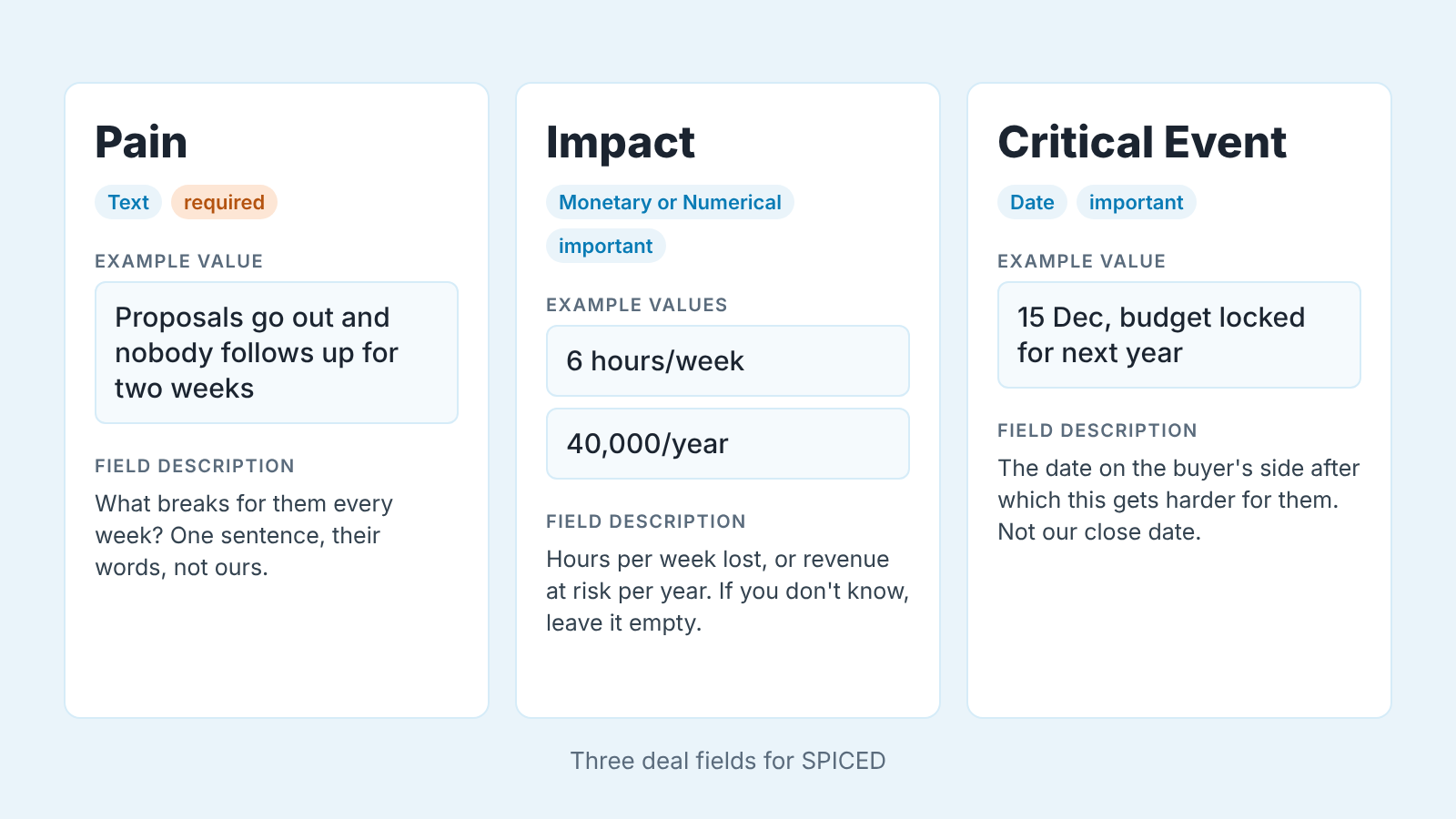
- Pain, type Text. One sentence, in the buyer’s words. Field description (the hint your team sees after clicking the info icon): “What breaks for them every week? One sentence, their words, not ours.”
- Impact, type Monetary if the pain is priced in lost revenue or cost, Numerical if it’s hours per week or deals per month. Put the unit in the description: “Hours per week lost, or revenue at risk per year. If you don’t know, leave it empty.”
- Critical Event, type Date. Description: “The date on the buyer’s side after which this gets harder for them. Not our close date.”
These are standard field types (Pipedrive: what types of custom fields are there, updated September 3, 2026), and descriptions exist only for lead and deal fields. Field limits and some properties depend on your plan.
Now the property that matters most. A required field blocks saving the deal until it has a value; an important field only flags the gap in the deal detail view and lets the rep save (same custom fields page).
We’d make Pain required and leave Impact and Critical Event important. As in our post on required fields in Pipedrive: a required field the rep cannot honestly fill gets filled dishonestly. Force a Critical Event and the rep types the quarter end, which is worse than empty because it looks like a buyer date. An important field keeps the blank visible. The blank is the information.
With several pipelines, show the three fields only in new business (Pipedrive lets you pick pipelines per field). Renewals already have their critical event: the contract end date.
The critical event test: whose date is it?
We don’t ask whether the Critical Event field is filled. We ask who owns the date.
Say the date out loud, then say what happens to the buyer if it passes without a decision. “15 December: their budget for next year is locked and this project waits twelve months.” That is a critical event. “31 December: our quarter ends.” That is our event, and the buyer does not care. “Sometime in Q1, they’d like to be live by spring.” That is a wish with no consequence attached, so it goes in a note and the field stays empty until a consequence appears.
The consequence makes the date real. A board meeting counts only if something is decided there. A competitor’s contract renewal counts because after it the buyer is locked in for a year. A new VP starting in March counts if the VP will pick the tools, not if the VP is a rumour.
Our position: a deal whose Critical Event cannot be stated as a date with a consequence has no reason to close.
Not this quarter, not any quarter. “Eventually” is not a pipeline stage. We’d treat such a deal as early, whatever stage the rep has dragged it to, and the forecast conversation is short: its not in the forecast.
The first weeks are uncomfortable, because deals that looked like Proposal Sent turn out to be early. That is the pipeline getting honest, not shrinking. And when the field holds a real buyer date, the rep’s next three weeks write themselves: everything lined up so the buyer can decide before it.
How a manager checks it in a deal review
Ten minutes before the review, five in it.
Before: in the Deals list, add a filter with a condition on the Critical Event field that catches deals where it’s blank. Check the operator list for that field type in your account; Pipedrive’s filtering help (updated September 3, 2026) doesn’t spell out an “empty” operator. Save the filter as shared so reps can open it (Pipedrive: filtering).
For deals that have a date, show Critical Event as a column next to Expected close date and read down both. The help shows filter conditions against a value or period you enter, not against another field, so this part is by eye. Any deal we plan to close after the buyer’s deadline means the deadline is wrong or we’ve already lost.
In the review go through the empty-field list first, newest deals last:
- What happens on their side if they don’t decide? (If the rep can answer with a date, fill the field now.)
- Whose date is that, theirs or ours?
- If there is no date, what would create one? A renewal we haven’t asked about, a budget cycle, a project that depends on this.
- If nothing creates one, which stage does this deal honestly belong in?
Then the deals with a date: is it still true, and what is scheduled before it?
Don’t add a scoring column. A manager reads “no critical event” faster than a 3 out of 5, and a rep can argue with a score but not with an empty date.
Is it fair to judge reps on a field the buyer controls? Nobody is judged on the value, only on whether they asked. “They don’t have one” goes in a note and tells the manager the deal is early. “I didn’t ask” is what we want to make rare.
We automate this check for our own pipeline. We build SalesBond, a sales management layer on top of the CRM a team already uses; its Deal Health product applies more than 20 rules to every deal, including whether the fields your process depends on are filled and fresh, and what to do with each flagged deal stays the manager’s call. Check your CRM with SalesBond.
SPICED next to MEDDIC and BANT: pick one, not three
If your team already runs MEDDIC or BANT, don’t bolt SPICED on top. Three sets of overlapping fields on a deal is how you end up with with none of them filled.
The difference is where each starts. BANT starts from our side: can they pay, can this person sign, do they need it, when. MEDDIC starts from the mechanics of the buyer’s decision: budget holder, criteria, process, champion. SPICED starts from the buyer’s situation and works forward to the event that forces a decision; Weflow draws the same line. We wouldn’t rank them. They ask similar questions in a different order, and the order decides what your reps find out first.
If you lose deals to “no decision” more than to competitors, the fourth letter is the reason to pick SPICED. If deals die because the wrong person was in the room, MEDDIC’s economic buyer and champion fit better. No method yet? Start with what your deals die of, as in choosing a sales methodology for a Pipedrive team.
Whichever you pick, give it three fields, not twelve, and keep one Impact number: if you run gap selling, you already have a gap field, so do a custom fields cleanup first. The questions get asked on the discovery call, the fields are only where the answers go so the manager can see them on Tuesday.


