
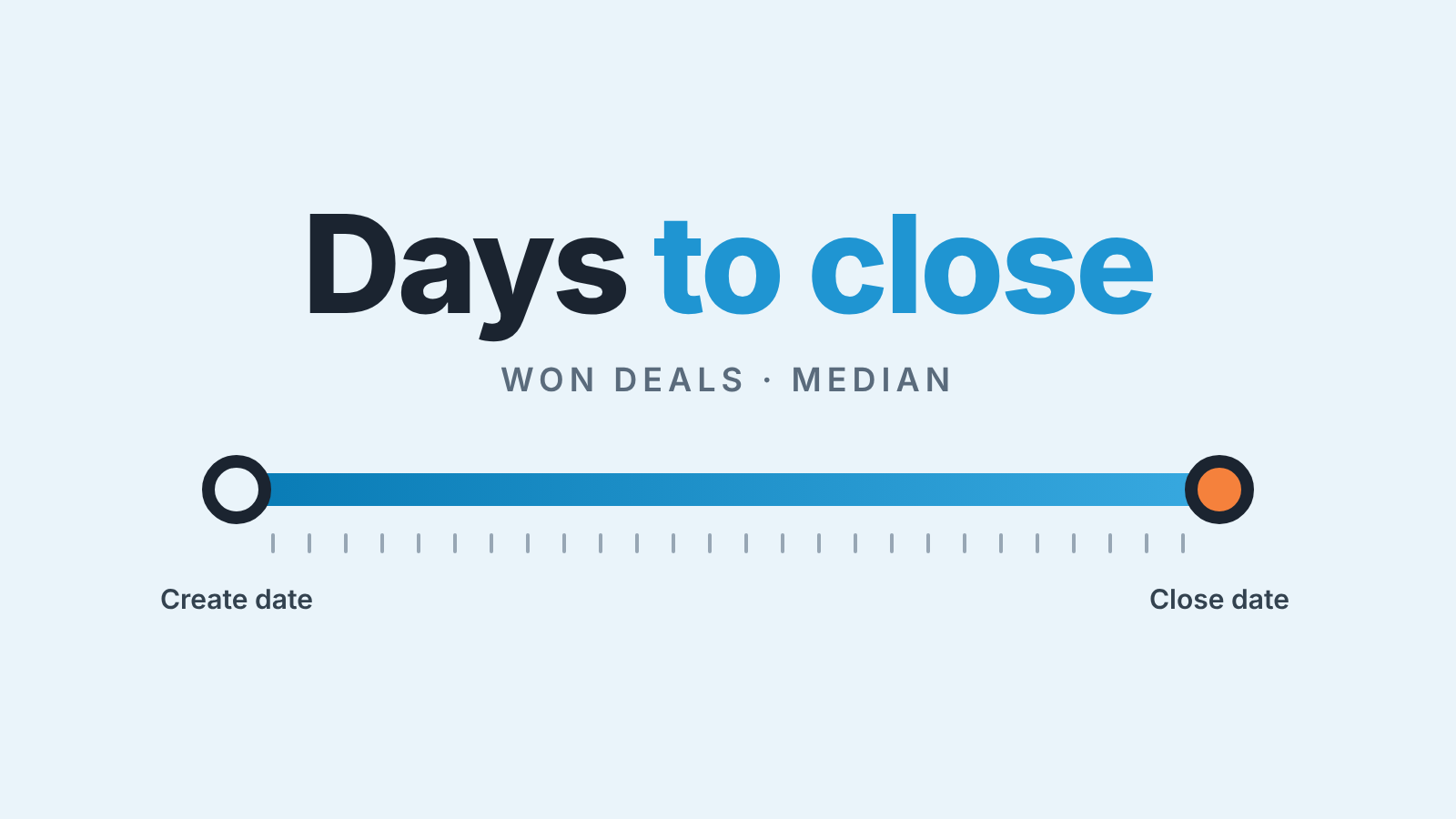
Your sales cycle length is the number of days between a deal’s Create date and its Close date, counted only for deals you won over a recent period and best shown as a median. HubSpot already has the measure: Days to close is “the time between Create date and Close date”, and it lives only as a measure or filter in custom reports, not on the deal record (HubSpot: default deal properties). Build a deals report, filter to closed-won deals, set the aggregation to Median, and split it by pipeline and source before you let the number near a forecast.
That takes about fifteen minutes. Most teams get it wrong by counting every deal, taking the average, or trusting imported dates. The general method is in our Pipedrive version of this article. Here we stay inside HubSpot.
Sales cycle vs time in stage: two different numbers
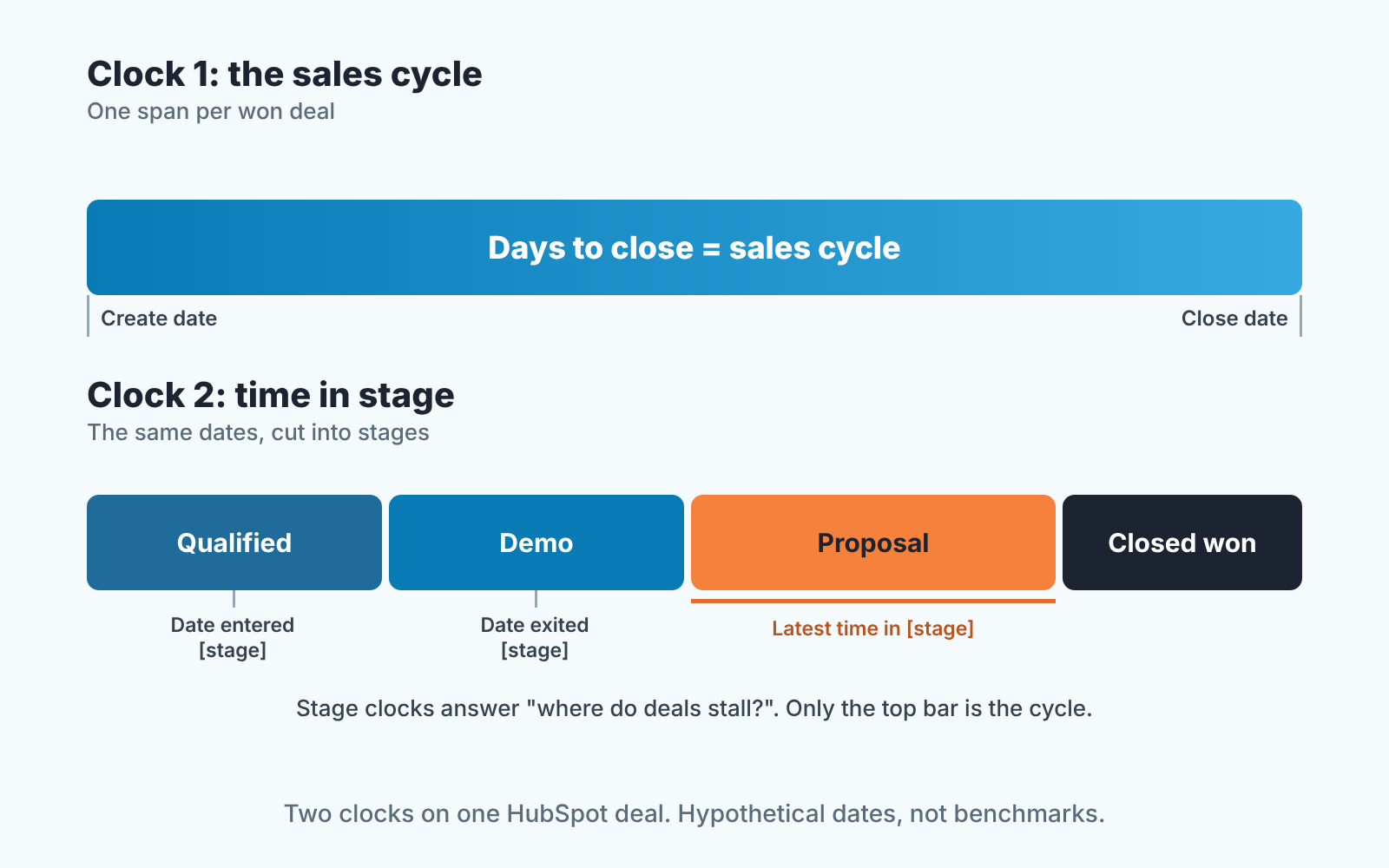
The sales cycle runs from Create date to Close date. Time in stage runs from the moment a deal entered a stage to the moment it left. HubSpot keeps both clocks on every deal, in different properties, and managers mix them up because both are counted in days.
The stage clock is the set of calculated properties HubSpot adds per stage: Date entered [stage], Date exited [stage], Cumulative time in [stage] and Latest time in [stage], plus Time in current stage for an open deal (HubSpot: default deal properties). They answer “where do deals get stuck?”, which has its own report: the HubSpot time-in-stage report for stalled deals.
The cycle clock answers “how long does it take us to win?”. One number per won deal, and the one you plan quota against. Quote the average time in Proposal as “our sales cycle” and the forecast is wrong before anyone opens it.
Which deals to include: won only, last 6 to 12 months
Won deals only. A lost deal ran a different clock: how long you carried it before someone admitted it was dead. Open deals have no end yet. Include either and the cycle moves for reasons that have nothing to do with with how you sell. Geckoboard’s KPI definition agrees: average cycle length is the time from first contact to close, averaged across won deals (Geckoboard).
In HubSpot that is one filter: Is Closed Won is true, “true if the deal is in the closed won state, false otherwise” (default deal properties). Use it instead of a stage name. Every pipeline needs a Won and a Lost stage under Deal probability for sales reports to process deals correctly (HubSpot: set up and customize pipelines), but the names of those stages differ from pipeline to pipeline, and Is Closed Won doesn’t care what you called them.
Then the period: Close date in the last six months. If the report comes back with twenty deals, widen it to twelve months; a median of twenty is an anecdote with decimals. Go back further than a year and you’re measuring a team that no longer exists.
So the formula, in one line:
Sales cycle length = median of Days to close across won deals closed in the period.
Median beats average: the Days to close report
Two or three big slow deals drag an average a long way from what a typical deal does. The median ignores them, and HubSpot computes it for you: a measure’s aggregation can be None, Distinct count, Sum, Average, Median, Min or Max, and Median “arranges values from smallest to largest and returns the middle value” (HubSpot: understand the custom report builder).
The build is short. Go to Reporting > Reports > Create > Create report > Custom report, choose Create report on your own and pick Deals as the primary data source (HubSpot: create reports with the custom report builder). On the Filters tab set Is Closed Won to true and Close date to the last six months. On the Configure tab add Days to close with the aggregation set to Median, and add Count of deals next to it; that one is always a distinct count. Save it to the sales dashboard, then save a copy with the aggregation switched to Average.
Why both? Take a made-up team, numbers for illustration only. Median 31, average 33: the deals are alike, and the number is safe to plan on. Median 31, average 58: a handful of large deals is running on its own schedule, and the next section is where you find them.
Put the definition in the report name. “Days to close, closed won, last 6 months, median” is long, and it ends the argument before it starts.
Cut it by pipeline, source and deal size
One median across the whole company hides more than it shows. Put the median in a bar chart and use Break down by, one report per cut.
By Pipeline. A new-business pipeline and a renewals pipeline have different cycles by design, and blending them gives a number nobody sells against.
By source. The deal-level property is Original Traffic Source, “the original traffic source of the associated contact with the earliest activity for the deal”, falling back to the company when there’s no contact (default deal properties). Inbound demo requests and outbound prospecting rarely close on the same clock.
By deal size. Amount won’t go into Break down by as bands, so pick a threshold where your won deals naturally split and run the report twice, with an Amount filter above and below it. Always show the median with its deal count: a band of six deals will swing next quarter, and the count is the warning label.
Three traps: imported deals, reopened deals, missing close dates
The report is only as honest as the two dates, and HubSpot fills both in automatically in ways that are easy to forget.
Imported deals. Create date is “the date the deal was created”, set automatically by HubSpot but editable by users (default deal properties). For a deal that came in by import, that can be the day the file landed rather than the day a rep first spoke to the buyer, if the original date didn’t travel with the data. And by default Close date is set to today whenever a deal moves into a closed stage (same page). History loaded and closed in one go then shows Days to close near zero, and it drags the median down until it ages out of the window. A run of zeros and ones in a single month is the tell. Either exclude that batch with a Create date filter or correct Create date on the records. Leave Close date alone; those deals did close.
Reopened deals. When a closed deal goes back to an open stage, HubSpot keeps the old Close date unless you’ve turned on the setting that clears it (default deal properties). When it closes again, Close date moves to the new day while the cycle still counts from the original Create date, so a deal won, reopened and won again shows one long cycle. We think that’s right: the buyer took that long. Just know its in there when one bar looks odd.
Missing close dates. A deal created in an open stage without a close date gets the last day of the month, or your custom default (default deal properties). Closing overwrites it, so the won-only report is safe, but reuse these filters on open deals for a “projected cycle” and you’re measuring placeholders nobody updated.
What to do with the number
The median by pipeline is the quota planner’s input nobody writes down. Picture a hypothetical new-business pipeline with a 45-day median and a 90-day quarter: a deal created after about day 45 is, by that team’s own history, more likely to land next quarter than this one. That tells you how much pipeline has to exist by mid-quarter, a leading metric you can still act on rather than a close rate you read after the fact.
For the forecast, the cycle is the sanity check on stage probabilities. In that same example, a deal at day 80 is not a 70% deal whatever its stage says. We wrote about reading HubSpot’s deal stage probabilities against your own history, and the cycle median is the first number to put next to them. Add the weekly funnel read and a manager’s Monday fits in two reports.
A disclosure: we build SalesBond, a sales management layer on top of the CRM a team already uses; we started with Pipedrive. Flagging deals that have run past their band’s median is one of the things it does, so build the report above first to learn your medians, then check your CRM with SalesBond when you want the flagging done for you.
Re-run the median every quarter. If it holds while the gap to the average narrows the process is getting more predictable; if it drifts up for one source or one pipeline, you know exactly where to look.


