
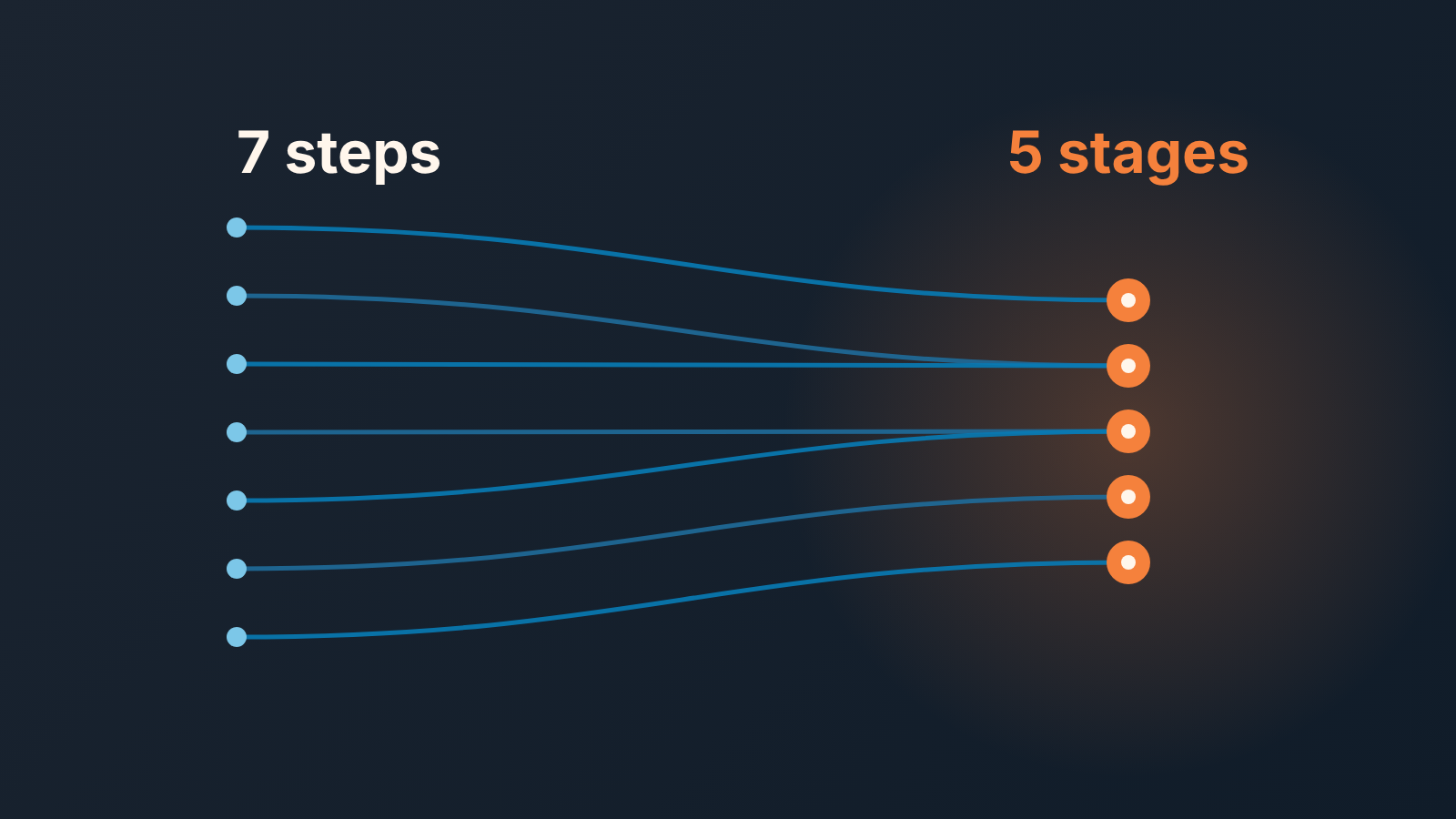
The textbook sales process has seven steps: prospecting, preparation, approach, presentation, handling objections, closing, follow-up. A CRM needs fewer stages than that. Keep one visible trace per step, a field, a date or a scheduled task, and merge the steps your team never tracks separately. What matters is what each step leaves behind on the deal record, much more than how many steps you teach.
Seven steps in the textbook, five in real life
Open the top results for “sales process steps” and you get a different count on every page. Lucid gives the classic seven, the ones above, in that order (Lucid: the 7-step sales process). Salesforce also counts seven, but its list starts long before a rep talks to anyone, with “build product knowledge” and “create a buyer persona”, and ends with “nurture the relationship and upsell” (Salesforce: how to build a sales process). RingCentral counts eight, and squeezes “ask for feedback” in between closing and nurturing (RingCentral: how to create a sales process). LinkedIn’s version stops at five: prospecting, qualifying, presenting, negotiating/closing, following up (LinkedIn: sales process).
None of them are wrong. They are counting different things. Some count what one rep does with one deal. Some count what the sales organization does once, before any deal exists. The number is a teaching device, and the disagreement tells you the number itself does not matter much.
What does matter is whether you can tell, from the deal record, that a step happened. That is the test we use. A step a rep can do and the CRM cannot see is a step the manager has to take on trust, and in a team of four that is fine for a month and a problem by the end of the quarter.
So: teach seven, track five. The rest of this piece is about how those two numbers fit together.
A step is what a rep does, a stage is what the CRM shows
A step is an activity. A person does it, it takes minutes or days, and it often repeats. You handle objections on the second call, again after the proposal, and once more when procurement wakes up. A stage is a state. A deal sits in exactly one stage at a time, and it should move forward more often than back.
The mistake most new pipelines make is naming stages after steps. “Presentation.” “Objection handling.” “Follow-up.” Each of those sounds like progress, but what it records is that the rep did something, not that the buyer moved anywhere. A deal can sit in “Objection handling” for a year with the rep handling objections every week. The stage is honest and useless at the same time.
Stages should follow the buyer, and we covered that side in how many stages a sales pipeline should have. Highspot’s process guide asks for entry and exit criteria for each step (Highspot: sales process). Put the two together and you get the rule for this article. A step ends when a criterion is met, and the criterion is a thing the CRM can hold. The step is the work. The trace is the proof. The stage is what the proof adds up to.
The one trace each sales process step leaves in the CRM
One trace per step. Not a checklist of six fields, one. If a step leaves two things behind, pick the one a manager would check first and let the other be nice to have. Field names below are generic; your CRM calls them something close.
-
Prospecting leaves a record with a source and an owner. If the source field is empty, the step did not happen; someone typed a name into the CRM. The owner matters because a prospect with no owner is a prospect nobody will call.
-
Preparation leaves a dated note written before the first meeting: who we are meeting, what we think they need, the one question we want answered. Most teams do not track this step and we would not fight for it. If you do, the trace is the note’s date being earlier than the meeting’s date, nothing more.
-
Approach leaves a completed activity with the contact and a scheduled next one. The next activity date is the single most useful field in the whole pipeline. A deal with no next activity is not in the process, whatever its stage says. We would check this one before any other.
-
Presentation leaves a deal value and an expected close date that came from the buyer, plus a contact with a decision role on the record. A value the rep guessed and a close date the CRM filled in by default are placeholders. They will spend the next quarter sliding.
-
Handling objections leaves the objection written down in the buyer’s words, with what was answered. This is a note or a field, never a stage. If the same objection shows up on a third of your open deals, you have a pricing or positioning problem, and you will only see it if reps write the objection down instead of “discussed concerns”.
-
Closing leaves a stage change to won or lost, and when lost, a lost reason. Half-done closes are everywhere: the deal is marked lost and the reason field says “other”. The reason is the trace. Without it a lost deal teaches nobody anything.
-
Follow-up leaves a scheduled activity dated after the close, on the deal or on the customer record. That is all it is. A won deal with no future activity is a customer you will hear from again when they cancel.
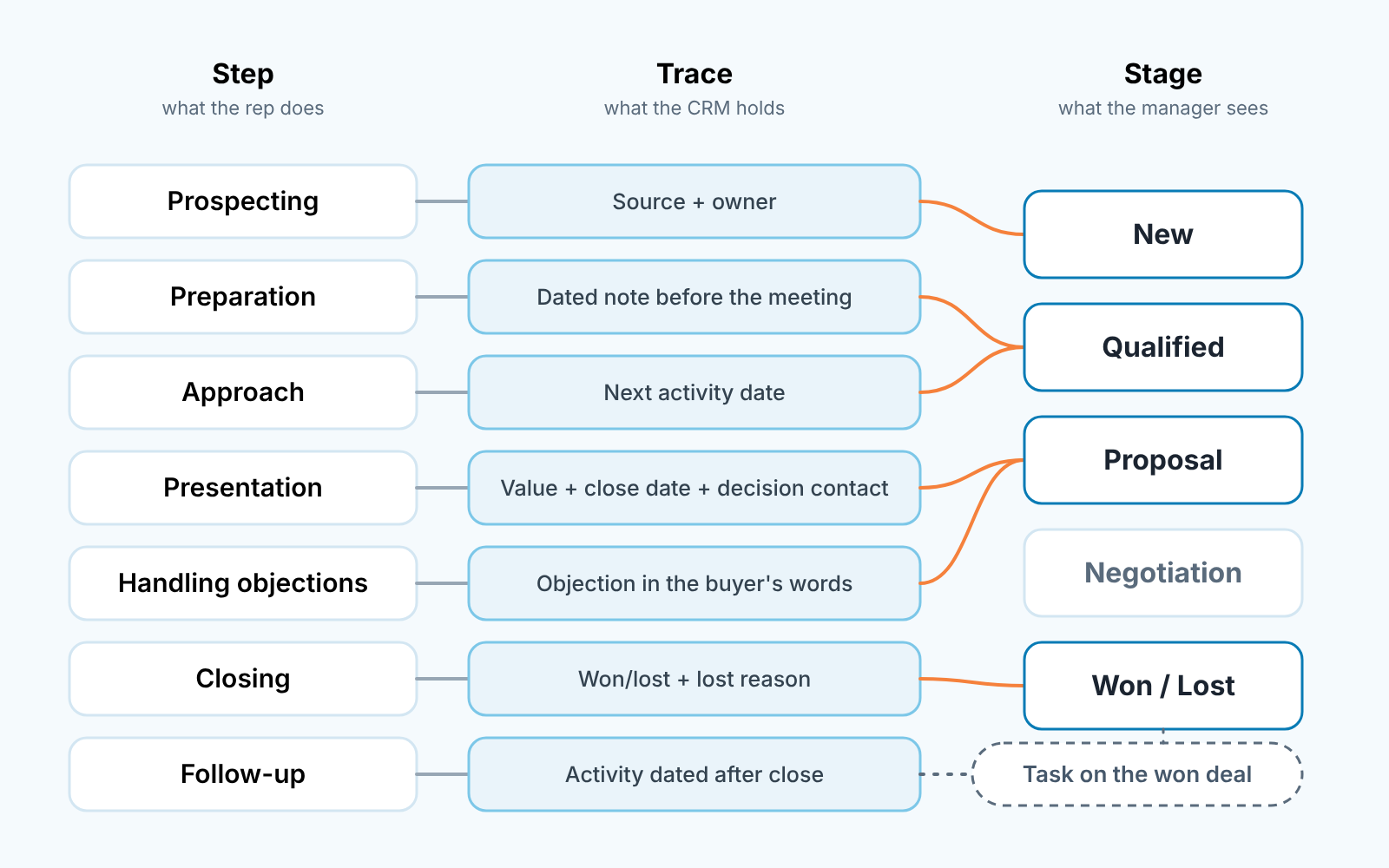
Seven steps, five stages: which steps share a trace
Here is where seven becomes five. Preparation and approach fold into one stage, because the trace that proves both is the same first logged activity with a next step behind it. Call the stage Qualified, or Contacted, or whatever your team already says out loud. Presentation and handling objections fold into one as well. The objection is a note on a deal that is already in Proposal; it does not need a column of its own. And follow-up is not a stage at all. It is a task on a won deal.
That leaves New, Qualified, Proposal, Negotiation, and one closing stage that ends in Won or Lost: five. Whether your team needs Negotiation, or a different count altogether, depends on how your deals close, and we worked through that in the pipeline stages guide.
Prospecting is often the step that disappears. If reps prospect from a separate list and only create a deal once someone answers, your pipeline starts at Qualified and that is fine. The CRM should show the stages people count, not the steps people were taught.
If you want the full per-stage contract, exit criterion plus the field that proves it, we did that for one CRM in Salesforce opportunity stages: write the exit criteria, not the names. The method travels. For the same idea in Pipedrive across four funnels, see these sales funnel examples.
How a manager reads the process from the pipeline
The pipeline report tells you which stage a deal is in. It does not tell you whether the steps behind that stage were done. For that you read the traces, and three questions cover most of it.
Which open deals have no next activity date? That is step three undone, whatever the stage says, and it is the first filter we would build in any CRM. Which deals in Proposal have a value or a close date the rep never touched? Step four skipped; the forecast is counting air. Which lost deals have no reason, or a reason of “other”? Step six half done, and a quarter from now you will not know why you lose.
Run those three before the the weekly pipeline meeting and the meeting changes shape. You stop walking the biggest deals by value and start with the deals that fail a trace. That is a smaller list and a more honest one. It is also most of what we mean by managing a sales team by process rather than by the number: the number is a result, the traces are the inputs, and only the inputs are still yours to change in week eight.
One warning. It is tempting to automate the traces, to have the CRM fill the close date, or set the next activity by rule. Some of that helps, some of it manufactures a trace that nobody did the work for. We drew that line in what not to automate in your sales process, and the short version is that a trace a rep did not leave is not a trace.
Teach the seven steps. Reps need the vocabulary, and the textbook order is as good as any. Then open your CRM and ask, for each step, what it leaves behind that you could point to in a review. Where the answer is nothing, either add the field or stop pretending the step is tracked. Where two steps leave the same thing, merge them. You will end up with fewer stages than the textbook has steps, and a pipeline where a stage change means the buyer moved. A busy calendar on the rep’s side does not count.


