
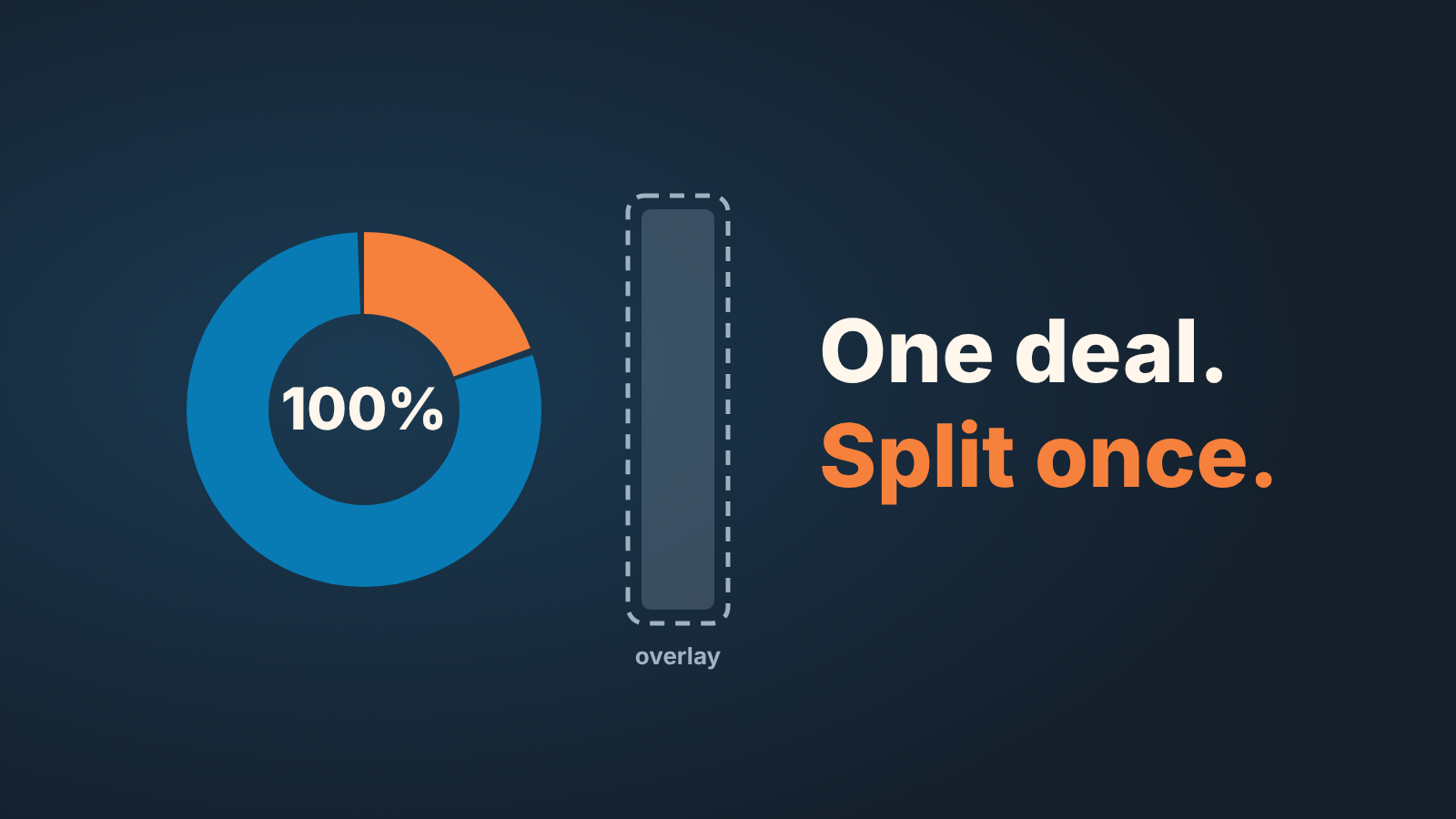
With Salesforce opportunity splits, use revenue splits to divide a deal’s credit among the people who worked it, so the shares always add up to 100%. Keep overlay splits for extra contribution that may go above 100%. Then write down who may change the shares and when they freeze, so quota reports and the forecast agree with the deal amount. In Salesforce, the owner of the opportunity or anyone above them in the role hierarchy can add and adjust splits, and the owner holds 100% of the revenue until somebody changes it (Trailhead: Sell as a Team and Split the Credit). That default is where most of the quarter-end arguments start.
Two reps, one deal, one quarter-end argument
Thursday of the last week. The deal closed on Tuesday, the customer signed, everyone was happy for about a day. Then the rep who ran the first four months of the cycle opens the opportunity and sees that the colleague who took over after the territory change is the owner, with 100% of the revenue. No split. No opportunity team, even. Just one name.
She writes to her manager. The manager writes to the other manager. By Friday the two of them are negotiating percentages in a chat thread, from memory, about a cycle that started in spring. Neither manager was on the deal. Whatever they agree, one rep will feel it was decided over their head, and the quarter’s numbers will depend on who pulls the report and when.
We have seen this at teams of six and at teams of sixty. The CRM did not fail. Salesforce has a place for this credit, opportunity splits, once an admin turns them on in Performance or Developer Edition, or Enterprise or Unlimited Edition with Sales (Salesforce Help: Share Revenue by Using Opportunity Splits and Opportunity Product Splits). Nobody used it while the deal was open.
A community thread puts the mechanics bluntly: “creating Opportunity Splits is manual, and Oppty Splits can only be created from users already present on Opportunity Teams” (Trailblazer Community: Opportunity Splits). By default, yes: splits go to members of the opportunity team, though an admin can let users add members while editing splits. Manual means somebody has to decide to do it, and that somebody is the owner, the one person with no reason to give credit away. An old Stack Exchange question asks how to automate it, because the author “cannot trust Sales Reps to add the Opportunity Team and Opportunity Splits” (Salesforce Stack Exchange). A written rule is cheaper, and it comes first anyway: a trigger needs to know what to do.
Revenue split, overlay split, product split: what each is for
Salesforce gives you two main kinds of split and one refinement on top. Reps mix up the names, and that mix-up is what produces a forecast that does not match the deal. Everything in the next three paragraphs comes from Trailhead (Sell as a Team and Split the Credit).
A revenue split divides credit for the deal among the people who sold it, and the shares must total 100%, never more. Trailhead notes it is “often used in scenarios where compensation is tied directly to revenue.”
An overlay split recognises extra effort or expertise, and the total can go above 100%. The classic case is a technical account manager who ran the demo and gets credit on top of the primary rep’s full share.
Product splits break the credit down by product line item on a multi-product deal. They follow the cap of the split type they refine: capped at 100% on a revenue split, free to go over on an overlay.
Our position is that revenue splits belong in the revenue forecast and overlays stay out of it. A revenue split is a different description of the same number: 20% to the owner and 80% to the colleague is still one deal with one amount, which is why Salesforce will not let it go past 100%. Trailhead’s own overlay example gives a designer 101% credit so the company can track the business they helped close and pay an end-of-year bonus. Useful for the bonus. Useless for “how much will we close this quarter”, and a report that adds it to the deal amount is wrong about the quarter.
So: revenue splits are money, overlay splits are recognition. Keep them in separate reports and separate conversations. Partners are a different kind of credit, and tracking partner-sourced deals in Salesforce is a separate field and report, not a split.
Write the rule before you split anything
The button is easy: Splits, Edit Opportunity Splits, type percentages (Trailhead). The hard part is that the person with the button is the owner, and the owner starts at 100%. Every split is a decision to give something away, made by the person who loses from it.
So the rule has to exist as text before anyone touches a percentage, short enough to say out loud at a Monday meeting. Ours fits in three sentences.
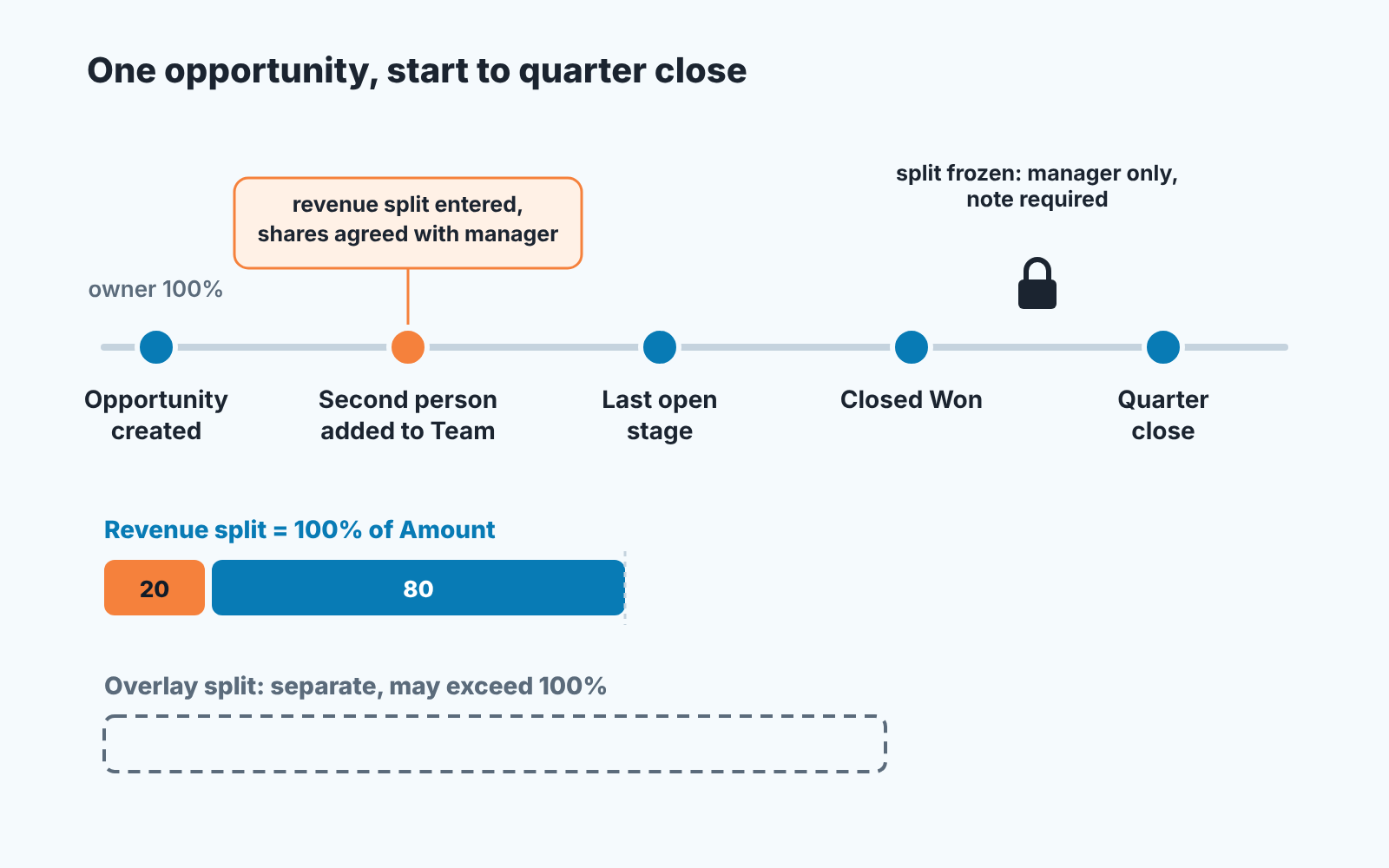
Any opportunity with more than one person on the opportunity team gets a revenue split entered by the owner before the deal moves to its last open stage. The shares follow the roles: the person who sourced and qualified, the person who ran the cycle, and anyone who takes it over mid-way, with the percentages agreed between them and their manager on the day the second person is added. After the deal is Closed Won, only the sales manager changes a split, and only with a note on the opportunity saying why.
Three things are doing the work in that paragraph. First, the trigger is the second name on the opportunity team, not the close. Salesforce ties splits to team membership anyway, so that is the natural moment to settle the shares, while everyone still remembers their part. Second the shares are agreed with a manager, not negotiated between two reps, because the reps have a direct stake and the manager has a quota for the whole team.
Third, the freeze. Salesforce describes splits as a way to share revenue from a Closed Won opportunity among team members (Salesforce Help: Opportunity Teams and Opportunity Splits), so after the close a changed split changes somebody’s attainment for a quarter that is already being reported. One person may do that, with the reason on the record (the note, plus audit history if your admin has turned it on; see the Friday check). Salesforce lets anyone above the owner in the role hierarchy edit splits, so the rule names one of them and the rest know not to.
Overlay splits get a shorter rule. Decide once wich roles are overlay roles in your team, say solutions engineers or designers, and let the owner add them at any point without negotiation. An overlay split takes nothing from anyone. Who sits on the deal at all is a separate question, covered in opportunity teams vs account teams in Salesforce. If your team runs HubSpot instead, the same credit question comes up with HubSpot deal splits.
On Pipedrive, where there are no built-in splits, the same rule lives in two fields: shared deal credit for SDRs and AEs in Pipedrive. And if the question behind the split is really “how do we pay people”, that is a commission plan, which we keep separate on purpose: commission structures for a small team.
What the forecast and the reports do with opportunity splits
Trailhead says that team members working on an opportunity “can roll their individual sales credits into forecasts and into quota and pipeline reports for the entire team”, and names three report types built for it: Split Opportunities, Opportunity with Opportunity and Product Splits, and Opportunity Product Schedules with Opportunity and Product Splits (Trailhead). They answer “how much credit does each person have”, and they are why a split is worth the manual work. Without one, the rep with 80% of the cycle has 0% in a quota report.
Watch the step where individual credits become a team total. Revenue splits must total 100%, so a team report built on them sums back to the deal amount. A report that includes overlay splits does not, by design. Build your quota and pipeline reports on different split types and someone will spend an afternoon reconciling them. Pick the split type per report on purpose and write it in the report description, so whoever clones it next knows why.
Any tool that reads your Salesforce data on top of the CRM makes the same choice, whether it says so or not. Ask it three things before you trust its number: does the manager see the deal once at full value, does each rep see only their share, and are overlays switched off unless you asked for them?
One boundary. Splits decide who gets credit for an amount. They do not decide whether the amount is believable or when it closes, that is the forecast category and the manager’s adjustment, covered in Salesforce forecasting and when a manager should change the number.
When splits drift: a Friday check
Splits drift for a boring reason. Deals change hands, people join teams mid-cycle, an owner edits the shares and tells nobody. All of it shows up at quarter end if nobody looks earlier, so we look on Fridays, in the same pass as the rest of the pipeline review.
- Deals with a second name on the opportunity team and no revenue split. This is the one that becomes the argument. The owner still holds 100%, which Salesforce set by default, not anyone’s decision. Send it back to the owner with the rule, this week, not at close. A change of owner is a good moment to look too: on a deal with overlay splits, changing the owner without keeping the opportunity team gives the new owner the sum of the previous owner’s split percentage (Salesforce Help: Guidelines and Considerations for Using Opportunity Splits and Opportunity Product Splits).
- Revenue splits that do not match the roles in the rule. A 50:50 where one person did discovery and the other ran the whole cycle is a deal struck without a manager. Ask while the cycle is fresh.
- Overlay credit on a deal with no overlay role. Somebody used the wrong tab. The money report is unaffected, but the bonus report now says a thing that did not happen.
- Splits edited after Closed Won. Open the opportunity and look for the note. No note, no edit; revert and ask. To see the edit at all, ask your admin to turn on Audit History for splits, product splits and the opportunity team: it works in Lightning, is set up through Field History Tracking and needs the Modify All Data permission (Salesforce Help: Set Up Audit History for Splits and Opportunity Teams).
The first item is the only one we insist on every week; a team that handles it for a month tends to stop producing the other three. If the the deeper problem is that nobody agreed who owns which CRM field, start one level up with who owns which field in a small sales team. We go through the weekly pass itself in the Salesforce pipeline inspection, done weekly; the splits check is one line in it, after the team membership check and before the stage check.
A disclosure, since this is where tooling helps: we build SalesBond, a sales management layer on top of the CRM a team already uses. Deal Health checks every open deal against more than 20 rules, including ownership and data rules, and shows each violation with its reason, so a deal whose team changed without a matching record surfaces before Friday. It does not decide the shares; that is still the rule and the manager. Check your CRM with SalesBond if you want the list without building the report.
The argument you do not have
Back to the Thursday. Picture it with the rule in place. The second rep was added to the opportunity team in May. The owner entered 20% for herself and 80% for him the same day, because the rule said so and the manager agreed. The deal closed on Tuesday with those shares on it. On Thursday nobody writes to anybody. The quota report shows what the people on the deal agreed in May, and the forecast counts one deal, one amount, once.
So write the three sentences this week, read them out on Monday, and run the Friday check once before the quarter closes. The tab was always there. The sentence is the part you have to write.


