
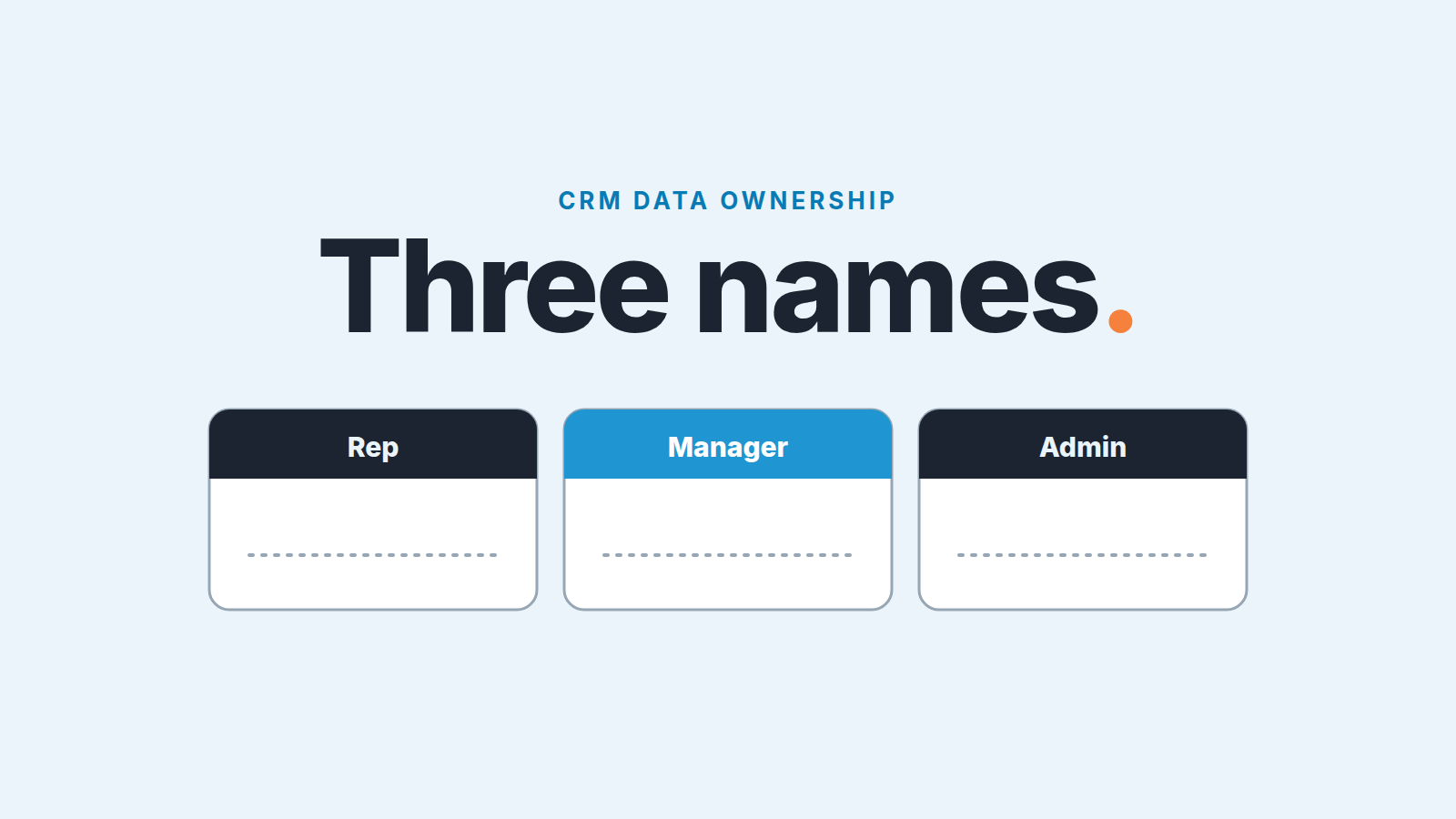
In a small sales team with no ops person, CRM data ownership splits into three jobs, and each job needs one name on it. Reps own their own records and a short list of fields they must fill. The sales manager owns the standard and checks it once a week. One person, usually the manager or a senior rep, owns changes to fields, pipelines and permissions in Pipedrive. That is the whole model for a team of five to fifteen with nobody called “ops”, and it costs about ten minutes on a Monday.
This piece covers only who owns which data and who gets to change fields. The sales ops role as a whole is in sales operations for a small team, and why reps drift away from the CRM in the first place is in our CRM adoption piece.
Why “everyone owns the CRM data” fails
We have seen this play out in enough small teams to call it a pattern. The founder says data quality matters, everybody nods, and a couple of months later half the deals in Proposal have no value and the close dates are all in the past. Nobody did anything wrong. Nobody did anything, full stop, because the the job had no name on it.
The textbook answer is a three-tier model: a data owner who is accountable, a data steward who maintains, and data consumers who use what the other two produce. It is a sound model, and the roles map onto a small team well enough: the manager is the data owner, the admin is the steward, and each rep owns their own records. The catch is that the textbook version gives each role its own person, a RevOps lead here and a CRM admin there, which is exactly what a twelve-person team does not have. Copying the structure without the headcount gives you titles with nobody behind them, which is the “everyone” problem again in a nicer font.
Shared responsibility fails for a plainer reason too. When a field is wrong, someone has to notice, decide whether it matters, and either fix it or go ask the person who knows. Those are three different kinds of work. A rep will do the first for their own deals and nothing else. A manager will do the second if there is a moment in the week for it. The third is admin work, and it lands on whoever happens to be in Settings. Unless you say out loud who does which, the gaps between them are where the bad data lives. Ownership is the second question; the first is what a small sales team should store in its CRM database.
The three jobs: rep, manager, admin
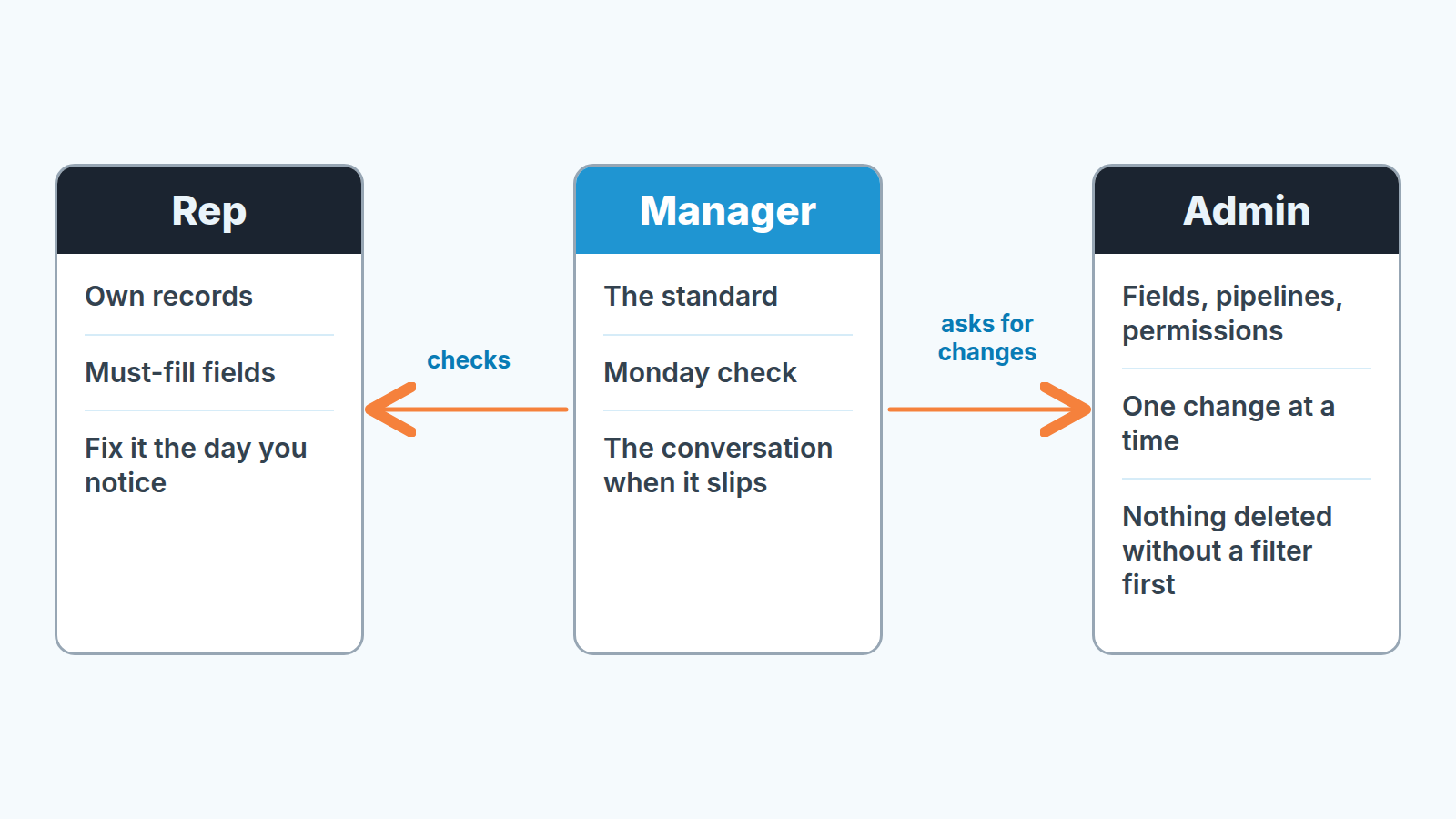
Rep: your deals, your fields, fixed the day you notice
The rep’s job is deliberately small, because a small job gets done. In Pipedrive terms, the record owner is the user named in the Owner field of a deal, person or organization. Reps own every record where that is them, and they keep a short list of fields correct on each open deal. For most B2B teams the list is something like:
- deal value
- expected close date
- the stage, moved on the day it changed
- one next activity scheduled
- the contact who can sign
Five items, maybe six. Not twenty. The moment the list grows past what fits on a sticky note, reps stop reading it and the manager is back to being the only one who cares. Which fields belong on the list depends on what the manager needs in order to run the pipeline and that is the manager’s call, not a committee’s.
One more rule covers the rest: if you see something wrong in a record you own, fix it that day, even if the error was someone else’s. Owning the record means owning its state, not its history.
Fields also matter when a won deal moves from sales to the account owner; the closed-won handoff fields are the minimum worth enforcing there.
If your reps split into hunters and farmers, our piece on account executive vs account manager covers which of them should own the record after Closed Won.
Manager: the standard and the Monday check
The manager owns the definition of “good” and owns the check. That is a bigger job than it sounds, because it includes the hard part: the conversation with a rep whose deals keep failing the check. Pipedrive can flag a missing field. It cannot have that conversation.
Concretely, the manager writes the must-fill list above, decides what “stale” means for each stage, and runs the weekly check described in the next section. When the check turns up a pattern rather than a one-off, that is a coaching problem, and we have a separate piece on why reps stop using the CRM and what brings them back, so we will not rehash it here.
Some teams have already handed the routine hygiene work to their most careful rep, the setup we describe in what sales ops looks like before you hire for it. That works with this model. The careful rep can run the Monday check, and in practice they are the admin from this article. The standard and the conversation with a rep who keeps slipping stay with the manager.
The manager also decides when a request for a new field is a real need and when it is one rep’s preference. Most are the second.
What the manager does not do is edit other people’s records as a routine. Fixing a rep’s deal for them teaches the rep that someone else will fix it.
Admin: the one pair of hands in Settings
The admin owns changes to the system: custom fields, pipelines and stages, important and required fields, permission sets and visibility groups. In a team this size the admin is often the same person as the manager. That is fine. What is not fine is three people with admin rights each adding fields as they think of them, which is how you end up with “Industry”, “Sector” and “Vertical” all on the same organization record.
Ownership applies to automations too: each one belongs to a single user and stops when that user is deactivated, so it is worth knowing who owns your Pipedrive automations.
Pipedrive makes this role easy to enforce because the rights already exist. Permission sets control what users can do, visibility groups control what they can see, and only users with account settings access can change either (Pipedrive Help: permission sets, visibility groups). Adding, editing and deleting custom fields is likewise limited to users with the right global permissions (Help: custom fields). So the practical move is: one admin, everyone else on the regular permission set, and a short route for asking the admin for a change. A message in a channel is enough. Hidden activities are a good test of that route, because the fix sits with the admin. For a worked setup of both before a rep’s first login, see permission sets for a new Pipedrive rep. Know one side effect before the next review: the same Insights report shows different totals to different users, depending on those settings.
Exports belong to this role too: decide who is allowed to press the export button for the monthly backup, and write that name down with the others.
The Monday ten minutes, in Pipedrive
Here is the check we would run, in order, with a timer going. It is built from saved filters on the deals list. Pipedrive lets you save a filter and share it with the whole account (Help: filtering), so the first week takes longer while the admin sets the filters up; after that it is clicking through five views and writing down names.
- Open deals with no next activity scheduled. Every one of these is a deal nobody has promised to touch. Note the owner.
- Open deals whose expected close date is already in the past. These are either late or already lost. Either way the field is wrong.
- Open deals with a blank value. You cannot forecast what you cannot sum.
- Rotting deals. Pipedrive’s rotting feature turns the deal tile red when a deal has had no update for longer than the number of days you set for that stage. The clock runs from the deal’s last updated time, not from when it entered the stage, and a future activity on the calendar does not reset it; marking one done, adding a note or sending an email does (Help: the rotting feature). Sort by stage. A cluster of red in one stage is a process problem, not a rep problem.
- Duplicates. Where they come from and how to stop them at the source is its own article; on Monday you only count them.
Then the only output that matters: a list of names next to counts, sent to the team before the pipeline meeting. “Anna, three deals with no next step; Marcus, two past close date.” No lecture. Reps fix their own, because that is the rep’s job, and the manager watches whether the same names come up three weeks running.
Ten minutes is a budget, not an estimate. If the check takes thirty, the must-fill list is too long or the filters are not saved. Cut the list before you add time. The owner of the standard can start from five weekly questions the CRM should answer.
For what to track over months rather than weeks, the CRM data quality metrics piece has the handful we watch, and the pipeline hygiene guide covers the stage-by-stage side.
Who changes fields, and how
A request for a new field is the most common way a clean CRM gets messy, so the change path deserves its own rules. Ours are three.
The request goes to the admin, with the reason. “I want a field for Competitor” is not a reason. “I lose deals to the same two competitors and want to filter on it in the lost-deal review” is. The admin can say no, and should, more often than feels polite.
The admin changes one thing at a time and tells the team. Pipedrive’s field settings live under Data fields, and a deleted custom field takes its data with it (Help: custom fields). So before any field is removed, the admin filters for deals where it is filled and looks at what would be lost. Rename rather than delete when the data is still useful. For a crowded field list, the safe order is in group, hide, lock, and delete only when you mean it.
The same goes for lead routing rules: the admin decides the order they run in and tells the team when it changes.
Enforcement belongs to the standard, not the system, until the standard is stable. Pipedrive lets you mark a field as important, which flags missing data in the deal view for the pipelines and stages you pick, or as required, which blocks adding, editing or moving the deal until it is filled; required fields are set by global admins with account settings permissions, and neither option is on every plan (Help: important fields, required fields). Our rule: a field earns “required” only after it has passed the Monday check for a month without nagging. Make something required on day one and reps type a dash in it to get past the prompt. Where the line sits between helpful and harmful is the subject of our required-fields piece.
Required fields also do not fire when data arrives through import, bulk editing, the API, automations or integrations (Help: required fields). That is one more reason the admin, not a form, is the real guard. The biggest batch of bad data a small team ever gets is an import, and the Monday check is where it shows up. Treat a connected AI assistant the same way, with the same rules as a new rep.
Integrations are the quiet source of that, so decide up front which tool is allowed to change which field; our small-team tech stack piece shows the map.
When this stops being enough
The rep/manager/admin split has a ceiling. You will know you have hit it when the manager’s Monday check stops being ten minutes and starts being an hour, and when the “one change at a time” rule is what slows the team down instead of protecting it. Two pipelines become four. Someone wants a field that only makes sense for one of them. Marketing starts putting leads in and asks why half the organizations have no industry. The admin, who was supposed to be selling, spends Friday afternoons in Settings.
None of that means the model was wrong. It means it did it’s job: the data stayed good enough to run the business while the business grew into needing someone whose job it is. What that role looks like at this size, and what to hand over first, is covered in sales operations for a small team. A periodic Pipedrive audit is the bridge in the meantime, for the weeks you want a deeper look than the Monday check without hiring for it yet.
Until then: three names, one list of fields, ten minutes on Monday. Write the names down this week. The model fails the moment it lives only in your head, because that is the version where everyone owns it.


