
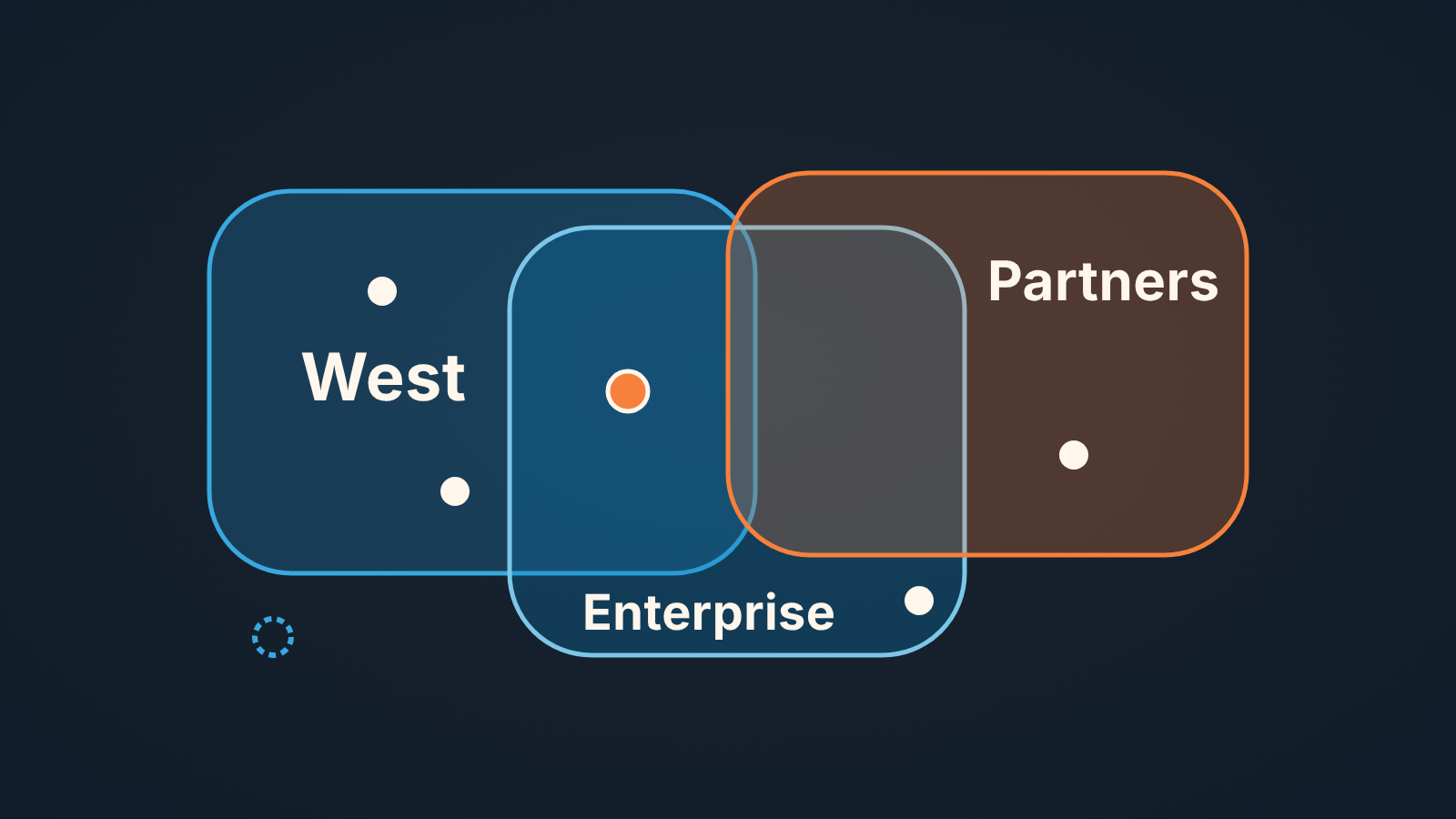
Salesforce territory management, which Salesforce now calls Sales Territories, assigns accounts to territories by rules, and one account can sit in several territories at the same time. That is why a territory is not an owner. A sales manager who wants one clear owner per account should check three things every week: accounts that landed in no territory, accounts that landed in more than one, and opportunities whose owner does not match the territory on the record. Below is how we run those checks, plus the honest case for not turning territories on at all.
Do you need territory management at all
Most small teams skip this question. Salesforce’s own Q&A from the launch of the current territory model answers it: for a very small sales team or a very simple structure, the effort may not be worth the benefit (Territory Management Q&A, Trailblazer Community). Our test for “small”: if you can name every account’s owner from memory, you don’t need a model to tell you.
What territories do well is access and rollup. A territory gives its users a default access level to its accounts (Read Only, Read/Write or Owner, with separate levels for opportunities, contacts and cases), and it can have a forecast manager (Territory2 object reference). That pays off when eight reps and an overlay team all need the same accounts.
What territories don’t do is decide who owns the account. Territory assignment does not change the account owner; the same Q&A says so and suggests a workflow for that. So ask first: is my problem “the wrong people can see accounts” or “nobody knows whose account this is”? Only the first is a territory problem. The second is covered in CRM data ownership for a small sales team.
Enterprise Territory Management is now Sales Territories
If your admin says “ETM” and Trailhead says “Sales Territories”, its the same feature under its new name. It is included in Lightning Experience and Salesforce Classic in Developer and Performance editions, and in Enterprise and Unlimited editions with Sales Cloud (Trailhead: Manage Territories and Crush Your Sales Goals).
The API kept the old names: the territory is Territory2, the link between an account and a territory is ObjectTerritory2Association, and the field on the opportunity is Territory2Id. Search results are full of threads about the older Territory Management 1.0; if a post never mentions Territory2, treat it as history.
Territory model: one active version
A territory model is the whole structure: hierarchy, assignment rules, users. You can build several, but only one is active at a time, and when you deploy a model it assigns your accounts automatically (Trailhead; Q&A). Standard users can’t see models in other states, such as Planning or Archived (Territory2 object reference).
So when a rep says “the account is in my territory,” check they mean the active model. We have seen a manager spend an afternoon arguing about a planning copy that was never activated.
Rules can use any standard or custom account field, from ZIP code to your own picklist (Q&A), and in a hierarchy the same rules can be assigned to every territory at once (Trailhead). Convenient, and also an easy way for one account to match two territories.
Accounts without a territory
The easy check. Sales Territories gives you reports that show the accounts in each territory and which accounts have no territory assigned (Trailhead). New accounts, whether created in the UI or through the API, are assigned by the rules automatically (Q&A). So a gap usually means one of three things.
The field the rules read is blank. A rep created the account after a phone call and skipped Billing State, so the “West” rule never matched. Fix the field, not the rule.
The account fits no rule: a country you didn’t plan for, an industry missing from your picklist. These show the model drifting away from the business.
Someone removed the association by hand. Each association has a Method field that says whether a rule or a person created it, and a deleted association can be queried for up to 12 hours (ObjectTerritory2Association reference). If the same account keeps dropping out, ask who.
Read the newest rows first. An account without a territory for three months is rarely urgent. One created on Tuesday with an open opportunity is.
Accounts in several territories
Accounts and territories are many-to-many, and Salesforce designed it that way for direct, named-account and overlay sales teams (Q&A). An account in two territories isn’t an error. It becomes a problem when both territories think they own the deal. For who can see which deal outside the territory model, see Salesforce sharing rules for opportunities.
For this check we look at ObjectTerritory2Association, one row per account and territory, grouped by account, keeping accounts with more than one row. Whether your admin exposes it as a report or a query depends on your org. The Method column shows whether two rules fired or somebody added the account by hand.
An intentional overlap, say a region plus a partner overlay, stays; just make sure the account owner sits in one of the two and the opportunity carries that one. An accidental one, usually two sibling territories whose rules both match, means fixing the rule: a manual removal lasts only until the rules run again.
Keep a short list of accounts allowed in two territories. Without it every overlap looks like a mistake to the the next manager. The team-level version of this question is in opportunity teams vs account teams in Salesforce.
Once ownership is clear, the next layer is the plan for each account, and Salesforce account plans are where that lives.
Owner vs territory on the opportunity
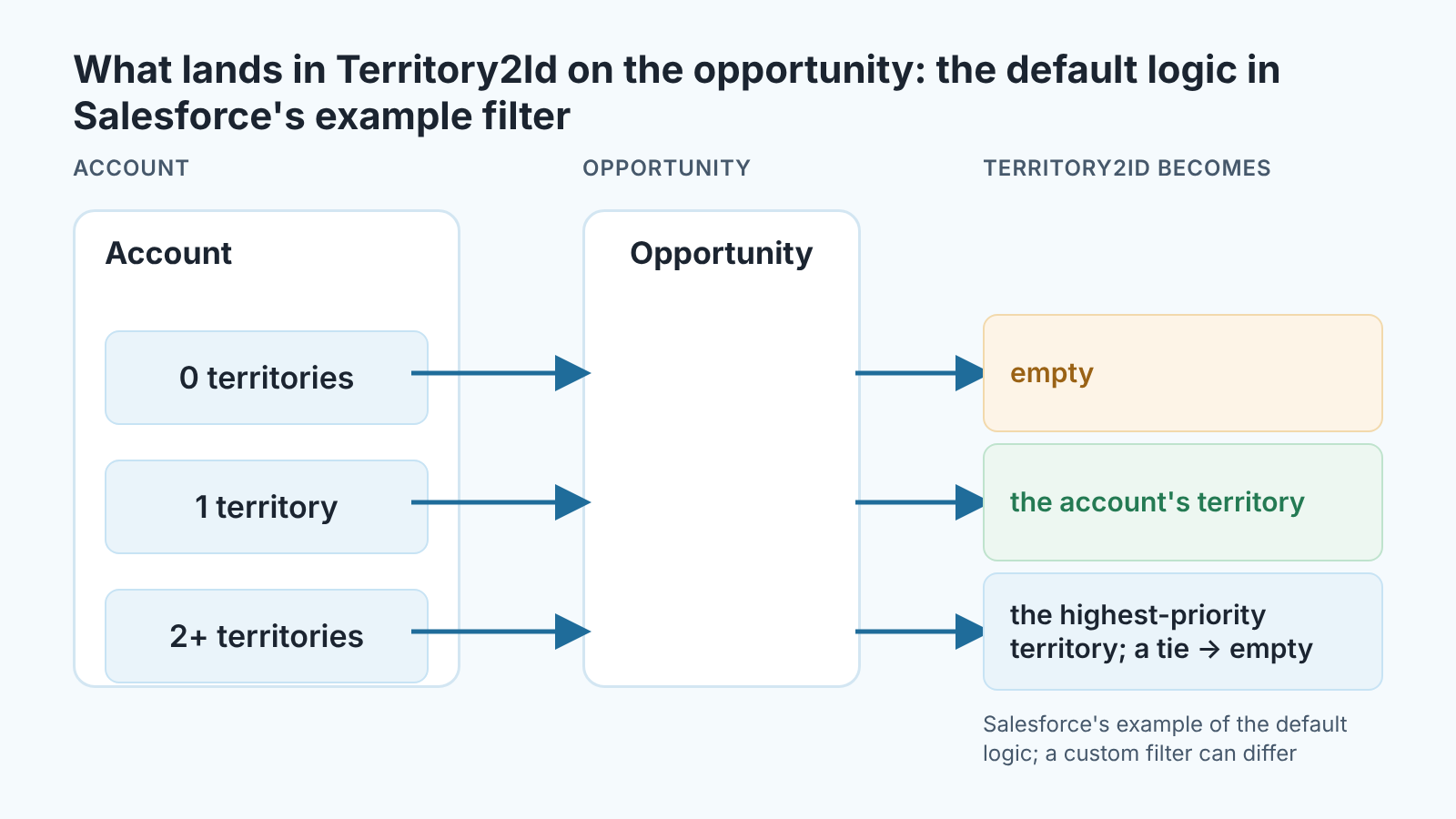
When an account is in several territories, Salesforce’s default logic gives the opportunity the highest-priority territory, and on a tie it leaves Territory2Id empty. That is the default as Salesforce spells it out in its example filter class, OppTerrAssignDefaultLogicFilter: no territory on the account clears the field, one is copied over, and with two or more the territory whose type has the highest priority wins (OpportunityTerritory2AssignmentFilter, Apex Reference). It is an example, not the only possible behavior: an org can implement its own filter with different rules, so ask your admin which one runs. Opportunities with IsExcludedFromTerritory2Filter set are skipped by the filter altogether.
The field can also be set by hand: a user with full access to the account can pick any territory from the active model, and a user without it only a territory that is also assigned to the account (Opportunity object reference).
The tie is where “one clear owner” quietly breaks. Two territories, same priority, no territory on the deal. If you forecast by territory, neither territory shows the deal, and each manager assumes the other one has it.
So the third check is on open opportunities, with Owner, Territory and the account’s territories side by side. Two patterns matter. An empty Territory on an account that has territories means a tie or a deal excluded from the filter. An owner outside the territory on the record means the deal changed hands or the rep moved teams, and nobody touched teh field. Salesforce did what the rules said. They just never said who the owner is.
Our position: the opportunity owner is the owner, and the territory is an access and rollup label. When the two disagree, fix whichever is wrong for the business and tell the reps which one it was. Let them drift for a quarter and you reconcile forecasts by hand.
Reports to run weekly
Three reports, ten minutes on Monday, on one dashboard so an empty one is visible too.
- Accounts with no territory, newest first, from the reports Sales Territories provides.
- Accounts in more than one territory, with the Method column, so you see whether a rule or a person caused the overlap.
- Open opportunities with an empty
Territory2Id, or with an owner outside the territory on the record.
If you route leads by territory too, the association object has supported leads since API version 55.0 (ObjectTerritory2Association reference). That audit is separate: auditing Salesforce lead assignment rules.
We build SalesBond, a sales management layer on top of the CRM a team already uses; we started with Pipedrive. It does not manage territories. What it does is check each open deal against Deal Health rules, such as a passed close date or no next activity, per owner, so the deals going quiet sit on a list instead of in a report someone must remember to open. The reports above work without it. If you want that list built for you, check your CRM with SalesBond.
When fields and queues are enough
If all you need is one clear owner per account, the Owner field plus a required Region picklist is enough. Add a flow that sets the owner from the picklist and a weekly report of accounts where the picklist is blank or “Other”, worked through by a named person. It’s the same habit as in the weekly report that finds the records nobody owns. Drawing the regions is covered in sales territory planning for a small team, written for Pipedrive. No contradiction there: in Pipedrive the territory is the owner rule; in Salesforce Sales Territories it is access, not ownership.
Turn on Sales Territories when the picklist stops being enough: several people legitimately need the same accounts, you want a forecast rolled up by region rather than by rep, or the rules have outgrown one flow. By then you will have run the three checks by hand for months, and the model formalizes something that already works. A model built to create order, rather than to record it, mostly produces reports nobody reads. If the real question is a group of related companies, a simple account hierarchy may be all you need.


