
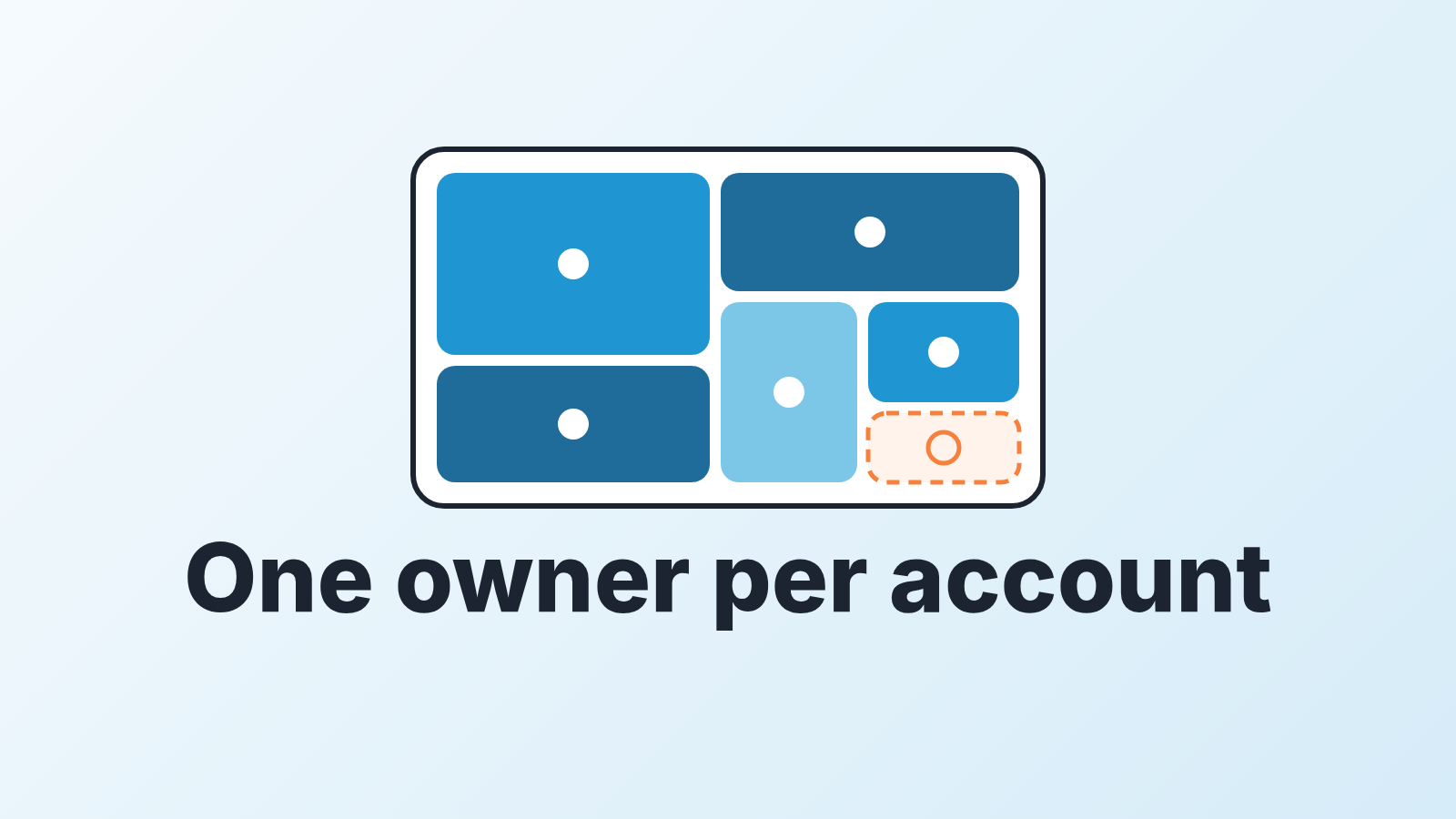
Sales territory planning is deciding which rep owns which accounts, and by what rule. For a team of three to ten reps it comes down to three decisions: split accounts along one axis (segment, region or named accounts), cap the number of accounts per rep at what they can actually work, and write down who wins when two reps land on the same company. In Pipedrive that is the organization owner plus one custom field for the segment. No mapping software, no RevOps hire, and the whole plan fits on one page.
Two proposals, one customer
Priya closed a 40-person logistics company last November. This autumn their operations lead emailed about adding seats. Jonas, who looks after existing customers, opened an expansion deal in the account management pipeline and sent a quote. Priya saw the renewal date coming up and opened an upsell deal in the new business pipeline, with a different price. Same organization in Pipedrive, two open deals, and the customer got two proposals in one week. Then the question reached the manager: whose account is it?
The manager picks Priya, because she closed it. Next quarter the same thing happens with another customer, and the manager picks the other way, because that rep is behind on quota. Nobody wrote either decision down. A few months later the team has learned that ownership is negotiable and that the way to keep an account is to argue well.
The visible cost is the double quote. The invisible cost is bigger. With 300 organizations in the CRM and five reps, the fights are over the three or four accounts everyone wants, while a couple of hundred belong to everyone and therefore get called by no one. That gap is what territory planning fixes for a small team. The dispute is just the symptom. Part of the fix is bookkeeping: one expansion deal on the organization, with a field for the type, so a second deal is visible before a second quote goes out.
The renewal date that started the second proposal belongs in one place too: a renewal pipeline.
Territory is an ownership rule, not a map
Most of what ranks for “sales territory planning” is written for field sales or for companies with a compensation team. CaptivateIQ’s guide walks through five steps: assess the market, segment it, assign territories by capacity, tie them to quotas, then review (CaptivateIQ: what is sales territory planning). The steps are sound. They also assume someone whose job is to run them, plus scenario modelling in dedicated software, which is not where a five-rep team lives. If some of your reps do work a territory in person, here is how to track field and desk reps in one CRM.
Strip the enterprise layer away and what remains is a rule: every organization in the CRM has exactly one owner, and here is how we decide who. Pipedrive gives you the first half for free. An item has one owner, and depending on its visibility setting it can be viewed and edited by the owner, its followers and admins (Pipedrive: visibility groups and ownership). The second half, how the owner gets decided, is your territory plan, and it is a paragraph, not a map.
We think the map metaphor actively hurts small teams. Nobody drives to the client any more. What you are dividing is attention: which companies get a rep’s follow-up this week and which do not. Once you see it that way geography is one option among several, and usually not the best one.
Pick one axis: segment, region or named accounts
One axis. Not two. Two regions times three segments is six cells for five reps: one cell has no owner, and every cell that loses a rep later is empty too. Pick the axis along which your sales conversation differs most, and let the other dimensions stay mixed.
Segment is the axis when the sale itself changes with company size or industry. A 10-person company buys after one demo; a 200-person company needs procurement, security questions and three stakeholders. Those are different jobs, and reps get good at one of them. If you have not defined the segments yet, start from the deals you have already won: your ideal customer profile is sitting in your won deals.
Region is the axis when timezone, language or local regulation changes the conversation. A rep in Lisbon covering German-speaking accounts is a real constraint. A rep in Austin covering “the Northeast” because that is how the previous VP did it is an inherited habit.
Named accounts is the axis when a short list matters more than the long tail: the 30 companies you most want this year, assigned by hand to the reps who can win them, with everything else in a shared pool. Keeping a target account list in Pipedrive takes a label and a shared filter, not a new pipeline. The pool then needs its own routing, which is a different problem from territory; we covered it in lead routing in Pipedrive for a small team.
Before you pick, make one earlier decision: do existing customers stay with the rep who closed them, or move to whoever handles accounts after the sale? Either answer works. Not answering is what produced the two proposals at the top of this page: a renewal that turns up as a new deal in two pipelines. The same goes for reps who do both motions; see inbound vs outbound for a small team.
If the answer is a second person, that is the hunter and farmer split.
Size it to capacity, not to equality
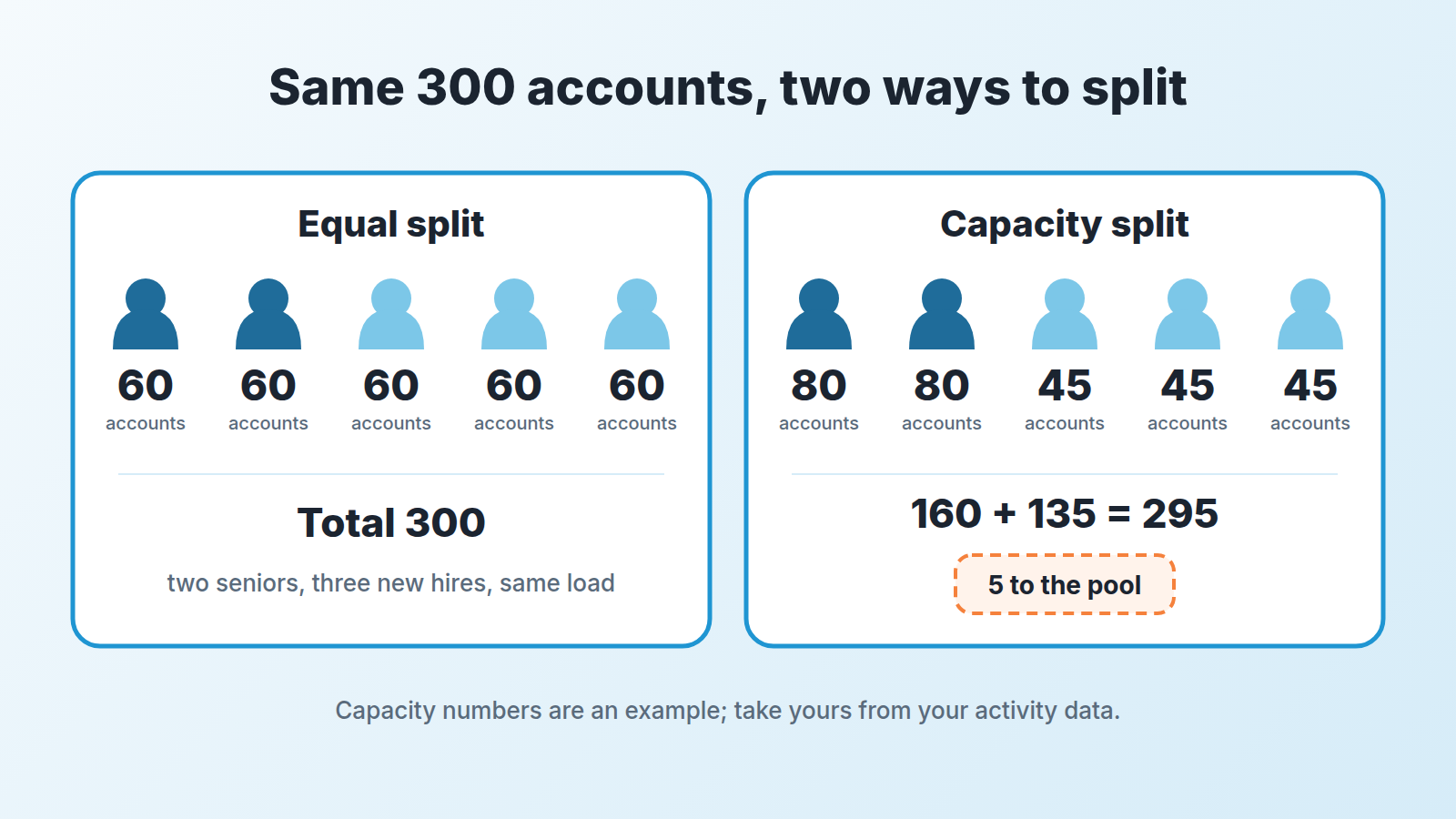
Three hundred organizations, five reps, sixty each. It looks fair and it is wrong, because two of those reps are in their third year and three started in spring.
Suppose your own activity data says an experienced rep can properly work 80 accounts a quarter and a new rep 45. Then the team’s capacity is 2 × 80 + 3 × 45 = 160 + 135 = 295 accounts. Five accounts have no owner. Good: they go into the pool rather than being spread as a thin extra load across everyone. Now suppose the numbers come out at 60 and 35 instead: 2 × 60 + 3 × 35 = 120 + 105 = 225. Against 300 organizations that is 75 accounts nobody will work this quarter, whatever the plan says. That is not a territory problem. It is a decision to put 75 accounts into a nurture sequence and stop pretending they are covered.
To apply the split to 300 existing records in one pass, export, fill the new owner, re-import by System ID.
Where do 80 and 45 come from? From activities per rep per week and teh touches a real cycle needs, which is the arithmetic in sales capacity planning for a small team. Do that calculation once and the territory sizes fall out of it. Quotas then follow the book each rep holds, not the other way round; a rep with 45 accounts and the same number as the rep with 80 is being set up to miss (how to set sales quotas).
Conflict rules and what happens when a rep leaves
The plan needs four rules, written where everyone can read them. Ours look like this, change the numbers, keep the shape.
- Organization owner wins. Whoever owns the organization in Pipedrive owns every deal and contact under it. A rep who opens a deal in someone else’s organization hands it over the same day and gets a thank-you, or a referral credit if your comp plan has one. For an introduction from one customer to another company, settle in writing whose deal is a referral deal before the first call.
- For an organization with no owner, the first logged activity decides. An activity in Pipedrive, not a claim in the meeting. If both reps logged one the same day, the account goes to the rep with the smaller book.
- Silence releases the account. If the owner has completed no activity on an organization for 30 days, it goes back to the pool. We would start at 30 days and adjust after one quarter.
- The manager breaks ties within a day, and the decision goes into the organization’s notes, so the next dispute can be checked against the last one.
Rule 3 does the quiet work. It means a rep cannot sit on 80 accounts and work 20; the untouched 60 drift back to the pool and someone else gets a shot. The same idea for a single inbound lead is in lead routing in Pipedrive; here it applies to the whole organization, with its history and contacts, not to one request.
When a rep leaves, resist splitting their book evenly in their last week. Open deals with activity in the last month go to the rep with spare capacity, from the numbers in the previous section. Customer organizations go to whoever already has a contact there. The rest goes to the pool and is re-assigned under rule 2. In Pipedrive the owner of an item can be changed from the list view as well as the detail view (Pipedrive: ownership), so this is a filter and a reassignment, not a migration project.
The mechanics of how to reassign their Pipedrive deals, and rebuild the forecast afterwards, are in a separate walkthrough.
Setting up sales territories in Pipedrive
The owner field already exists; you do not add anything to get it. Every organization, person and deal in Pipedrive has an owner; who else can view and edit the item depends on its visibility setting, which by default covers the owner, followers and admins. One detail matters for the cleanup: imported items are owned by the user who imported them unless the import said otherwise (Pipedrive: visibility groups and ownership). If your CRM was seeded from a spreadsheet two years ago, one person probably owns most of the organizations, which is a territory plan with one rep. So the first task is a filter on the the organizations list by owner, and an honest look at who holds what.
When one rep is away for a couple of weeks, the owner stays put and a follower can cover the deals, so the territory plan doesn’t change for a vacation.
The second piece is one custom field on the organization. Open the account menu, go to Personal preferences, then Data fields, choose Organization and click “+ Custom field” (Pipedrive: custom fields). Name it Segment and give it the three or four values from your axis. One field. If you find yourself adding Region and Tier and Priority on day one, you have picked three axes and are back to a grid with more cells than reps.
The third piece is the saved filter. Pipedrive’s advanced filters take ALL and ANY conditions, and the help page uses ownership as its own example: two owner conditions in the ALL group return nothing, because an item cannot have two owners, so you put them in ANY (Pipedrive: advanced filtering). For each rep, a filter with owner equals that rep and Segment equals their segment is their territory. For the pool, a filter with owner in the ANY group across the managers who hold unassigned accounts. Save them as Shared filters, so every rep sees the same list the manager sees in the pipeline meeting. A Private filter is visible only to the person who created it, not even to admins (Pipedrive: advanced filtering).
One more thing to align: the deal owner. Pipedrive credits the deal’s owner with the win or the loss (Pipedrive: ownership). If the organization belongs to Priya and the deal to Jonas, the territory is Priya’s and the win report is Jonas’s. Keep them the same, and make that part of rule 1. Who may change the owner field at all is covered in CRM data ownership for a small sales team.
Review once a quarter
A territory plan that is never revisited becomes the next inherited habit. This is the part of sales territory management that small teams skip, and it takes an hour. Once a quarter, three questions, in this order.
Does each rep’s book still match the capacity number? Books grow by inbound and shrink by churn, and a rep who was at 80 in January is at 110 by June without anyone deciding that. Pull the organizations filter by owner, count, compare. Narrow the same list to accounts with no open deal and you also see which books hold customers who have stopped buying.
Which organizations had no activity all quarter, by owner? That list, more than any dispute, tells you where attention is actually going. If one rep’s untouched accounts cluster in one segment, the axis may be wrong for that rep, not the rep for the axis.
Is there a hire coming? Carve a new rep’s starting book from the pool first, then from the heaviest existing book, and say so before the hire starts, so the handover is not a surprise to the rep losing accounts.
We build SalesBond, a sales management layer on top of the CRM a team already uses; we started with Pipedrive. It does not draw territories. What it does is the second review question continuously: Deal Health checks each open deal against rules like a passed close date or no next activity scheduled, per owner, so the deals going quiet inside each territory are on a list waiting for you instead of in a filter you build each quarter. Check your CRM with SalesBond if that list is the part you keep putting off.
The next time the logistics company asks about seats, there is nothing to decide: the organization has one owner in the field, rule 1 says every deal under it follows that owner, and the customer gets one proposal. If the other rep spotted the renewal first, they hand it over the same day.
Your next step is the owner filter on the organizations list. Count what each rep holds today, and you will know which of the sections above to start with. This is one place where sales operations in a small team is a document, not a department.


