
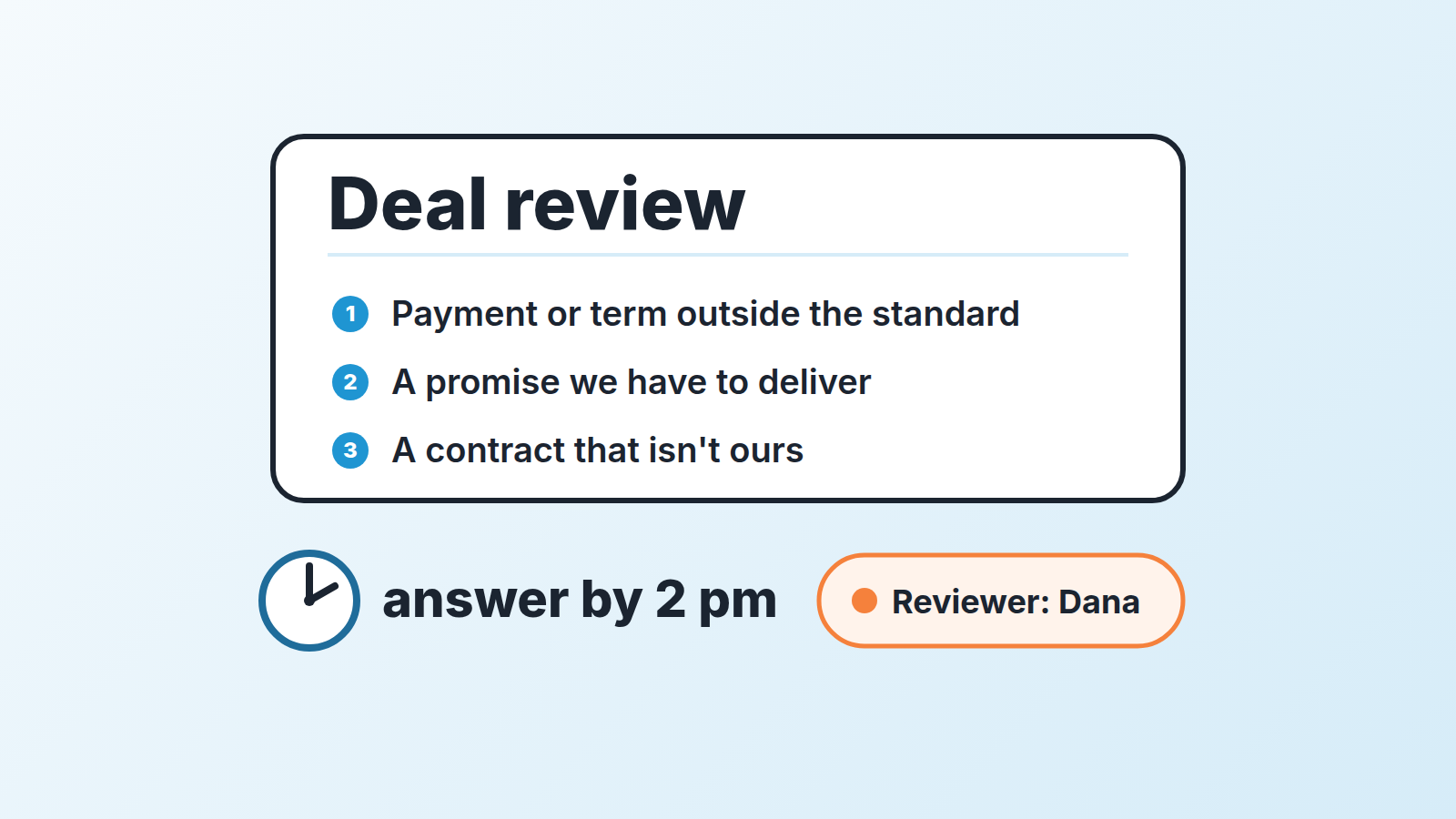
A small sales team does not need a deal desk as a department. It needs a deal desk as a rule: three triggers that mark a deal as non-standard, one named person who reviews it, and an answer the same day. Discounts are not one of the triggers. A plain discount policy handles price, and that article says it plainly: no approval matrix, no deal desk. What the discount policy does not cover is everything else a rep can agree to in a good conversation, and that is what this one-page version is for.
The discount nobody approved
The deal looked clean. Twelve-month plan, 8% off, inside the rep’s threshold, so no sign-off needed. It closed on a Thursday, the team rang the bell, and the number went into the forecast.
Three weeks later finance asked why the invoice had not gone out. The rep had agreed, by email, that the customer would pay monthly in arrears on net 60 instead of the usual annual upfront. He had also promised a dedicated onboarding call every week for the first quarter and a custom clause about data residency that nobody in the company had read.
None of that was a discount. The discount policy had worked exactly as as written. The deal was still a problem, because the margin lived in the payment terms and the delivery promise, not in the 8%.
Put round numbers on it and the arithmetic is easy to see. The plan is $1,000 a month, $12,000 for the year, normally billed upfront. In arrears means each invoice goes out at the end of the month it covers, so the first invoice goes out at the end of month one and, on net 60, is due on day 90. By day 90 the company has collected at most $1,000 instead of $12,000 (example). Same revenue on paper. Very different company for the next three months.
That is the gap a deal desk closes in a small team. Not price. Terms. A customer asking for net 60 payment terms is a typical case: it costs real money without touching the price.
What a deal desk is, in one paragraph
A deal desk is the place where a non-standard deal gets reviewed before the rep commits the company to it. In a large organization that place is a team. Salesforce describes the full version as a four-step process: a request comes in, sales works through it with finance, legal and product, somebody approves it, and the deal is handed off for delivery (Salesforce: what is a deal desk). That version exists because at that scale every deal touches several departments and a rep cannot know all the constraints.
At five to ten reps the constraints are mostly in one or two heads. So the deal desk shrinks to its essence: a definition of “non-standard”, a person who answers, and a record of what was decided. Everything else in the enterprise version is overhead you do not have the people for.
When a five-person team needs one (and when it doesn’t)
You need the rule the first time a deal closes with a condition nobody in the company knew about until after the signature. If that has not happened yet, you probably do not need it yet, and setting it up early mostly produces a form nobody fills in.
Three signs that the moment has come:
- Finance or the delivery lead has asked “who agreed to this?” about a closed deal in the last quarter.
- Reps are asking the founder for a quick yes in chat, and the yes is not written anywhere a second person can find it.
- The team has more than one person who can close, so “the founder reviews everything” has quietly stopped being true.
And one sign that you do not. If every deal is the standard plan on standard terms and the only thing reps ever vary is price stay with the discount policy. The whole point of that policy is that it needs no desk, and adding one would slow down deals it was built to keep fast.
We think the honest test is this: can a rep, today, promise something your company will struggle to deliver, and would you find out only when it goes wrong? If yes, write the rule. It takes an afternoon.
Three triggers and who reviews
The rule has to say exactly which deals get reviewed, or reps will either send everything (and the reviewer becomes a bottleneck) or send nothing (and you are back where you started). LeadMino’s guide for small teams does this with a table of triggers and dollar thresholds (LeadMino: deal desk for small teams). We prefer three triggers in plain words, because a table invites reps to look for the row they are not in.
A deal goes to review when the rep is about to agree to any of these:
- Payment or term outside the standard. Monthly instead of annual, net 60 instead of net 30, a 36-month term, a pilot with an exit at month three, a price lock beyond the term. Anything that changes when the money arrives, not how much.
- A promise your company has to deliver. A feature date, a named person on the account, a weekly call, an SLA you have not sold before, an integration that is “on the roadmap”. Promises like these belong in the scope, which is what a statement of work fixes in writing.
- Paper that isn’t yours. The customer’s MSA, a security questionnaire that asks for commitments, a redlined order form, a data clause.
Before a pilot reaches the deal desk, the rep should already have the success criteria and the decision date written down; how to run a pilot deal in Pipedrive covers both.
Price is deliberately absent. Discounts go through the discount policy, with its own threshold and its own approver, and this rule does not touch that threshold. If a deal has both a discount above threshold and a payment change, it gets two quick yeses, and that is fine. One overlap to settle in advance: when prepayment or a longer term is what the rep gets back for a discount, it stays with the discount policy. Review starts when the customer is the one asking for the non-standard term. To see the margin a discount leaves, add one formula field.
Who reviews? One person, by name, with one named backup for the days they are out. In most teams this size it is the founder or the head of sales for triggers one and two, and whoever owns contracts for trigger three. Do not write “finance” or “management”. Write “Dana, and Mark when Dana is out”. The rule is a person, not a function, because a function cannot be pinged at 10 a.m. and a person can.
One thing we have seen go wrong: the reviewer is also the best closer on teh team and starts rewriting the deal. The reviewer’s job is yes, no, or yes-with-one-change. Not a second discovery call.
The five-line request
The request is five lines, written by the rep, in the deal. Not a form in another tool. Not a meeting.
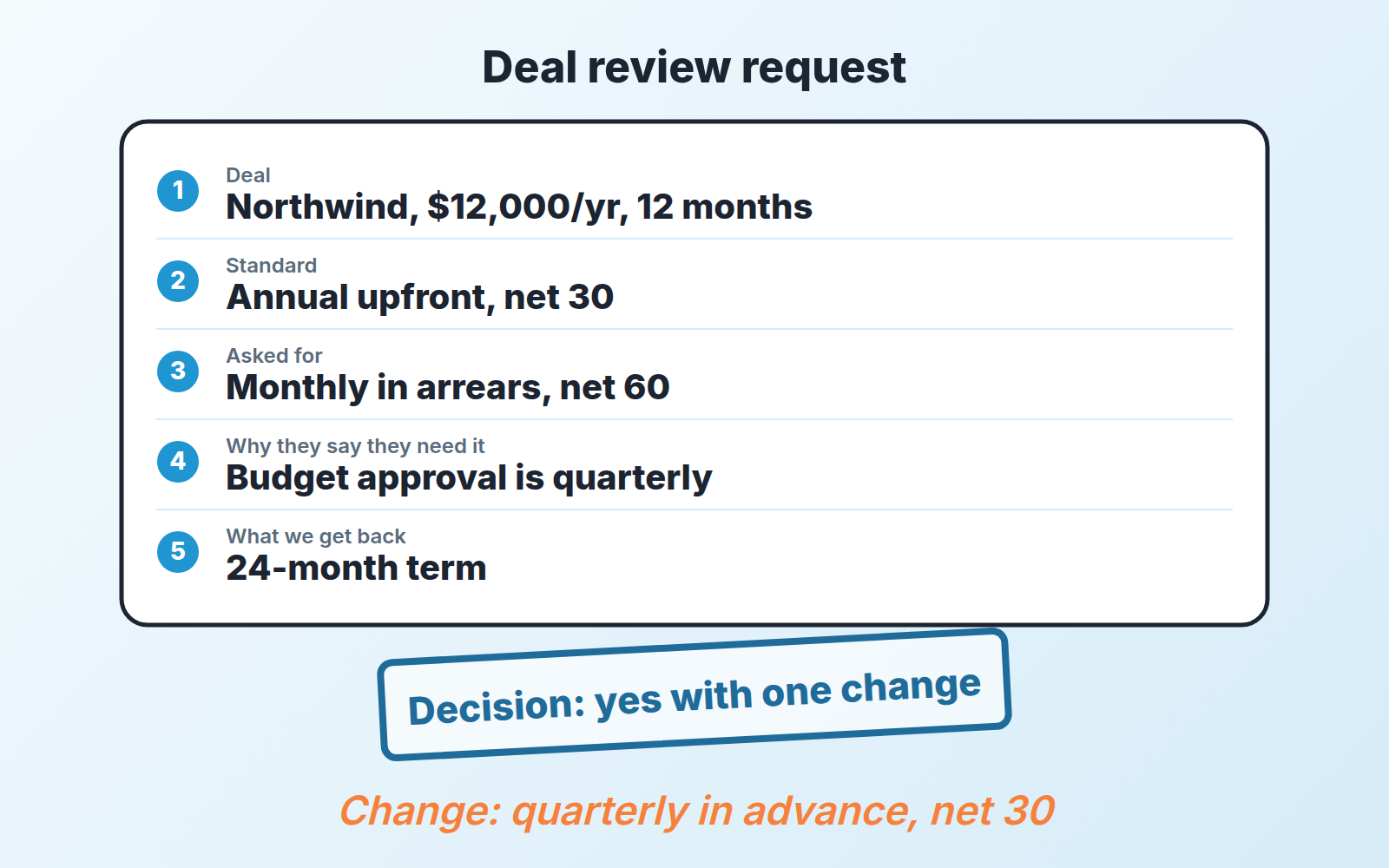
- Deal. Name, value, term.
- Standard. What our normal terms would be on this point.
- Asked for. The exact non-standard thing, in the customer’s words if possible.
- Why they say they need it. One sentence. If the rep cannot write this one, the answer is probably no.
- What we get back. The give-get: a longer term, a reference, a case study, prepayment on the rest.
Line five is the one that does the work. A request with lines one to four filled in and line five empty is a rep asking permission to give something away. A request with line five filled in is a negotiation, and those are usually easy to approve. What to ask back, and how to say it to the buyer, is covered in our guide to trading concessions in a sales negotiation.
Here is the example from the first section, rewritten the way it should have arrived: Northwind, $12,000 a year, twelve months. Standard is annual upfront, net 30. They ask for monthly in arrears, net 60, because their budget is approved quarterly. In return the rep proposes a 24-month term. Reviewer’s answer, ten minutes later: yes, with one change, quarterly in advance rather than monthly in arrears. That is $3,000 invoiced on day one and due on day 30 instead of $1,000 due on day 90 (example), and the customer’s quarterly budget problem is solved. Four lines in a note. The weekly onboarding call and the data clause would have been two more requests, and the data clause would have gone to whoever reads contracts.
The same care applies to the deal value itself: keep one-time fees out of ACV.
Keeping turnaround under half a day
The reason reps go around a review process is not that they disagree with it. It is that the customer is on the phone now and the review comes back on Tuesday. So the rule needs a clock, and the clock has to be short enough that the rep would rather wait than guess.
We use four working hours (example). A request posted at 10 a.m. is answered by 2 p.m. A request posted at 4 p.m. is answered by noon the next day (on a 9-to-5 day). The backup reviewer takes over if the primary has not answered in that window, and the rep is allowed to go directly to the backup when they know the primary is traveling.
What makes four hours realistic is that the request is five lines and the possible answers are three. Yes. No, with the reason in one sentence. Yes with one change, which is the most common answer and the one that keeps deals moving. A reviewer who has to read a thread or open a spreadsheet will not make four hours. A reviewer who reads five lines in the deal will, between other things.
Two practical rules that keep the clock honest. First, the request and the answer live in the same place, which for a Pipedrive team means the deal itself, so nobody is searching chat for a yes from last month. Second the reviewer answers in writing even when the rep asked out loud. A spoken yes is where the “who agreed to this?” conversation starts.
Tracking review in Pipedrive and the decision log
The whole thing fits in one custom field, one filter and the notes you already write on the deal.
The field. Add a single-option custom field on deals called Deal review with the options Not needed, Requested, Approved, Approved with change, Declined. In Pipedrive, custom fields are created from the account menu under Personal preferences > Data fields, and the single option type is a “list of predefined options where only one can be selected” (Pipedrive: custom fields, Pipedrive: custom field types). Mark it as an important field rather than required: Pipedrive’s important fields highlight missing information in the deal detail view without blocking the save, and a required field here would stop reps creating deals that will never need review. If your team already runs a short list of required fields in Pipedrive, this one does not belong on it.
The filter. Save a deal filter for Deal review = Requested. Pipedrive’s custom fields can be used in filters, and the same article notes that a change in a custom field’s value can trigger an automation, which is how we send the reviewer a notification the moment a rep flips the field to Requested. The reviewer’s queue is that filter, and on most mornings its empty.
The label, if you want the board to show it. Some teams prefer to see review status on the pipeline board rather than in a list. A deal label called needs review shows as a color on the deal card in the pipeline view, and a deal can carry up to 100 labels, so it will not collide with whatever labels you already use (Pipedrive: deal labels). We still keep the field, because the label tells you a review is pending and the field tells you what was decided.
The decision log. The log is the note on the deal. The rep posts the five-line request as a note. The reviewer replies as a note in a fixed shape: Decision (yes / no / yes with change), Condition (the one change, if any), Reviewer, Date. Then the rep sets the field. That is the whole audit trail, and it is on the deal, which is where finance and delivery will look when the question comes up.
Once a month, open a filter for Deal review = Approved with change and read the conditions. That list tells you which non-standard terms the company keeps saying yes to. After three months the most common one is usually ready to become standard, which is the point: the review rule should shrink over time as its decisions turn into policy. The same reading keeps your sales forecast honest, because a deal that closed on quarterly in advance is not the same cash as a deal that closed upfront, and now you can tell them apart.
A disclosure, since this is the part where tooling comes up: we build SalesBond, a sales management layer on top of the CRM a team already uses; we started with Pipedrive. Deal Health runs more than 20 rules against each open deal and tells the manager which ones need attention and why. A review field that has sat in Requested for two days is exactly the kind of signal a manager should not have to go looking for. If you want to see how your pipeline reads before you add the rule, Check your CRM with SalesBond. The review log itself, though, needs no tool beyond the note on the deal.
What a deal desk should not do
It should not price deals. Price has its own policy, and the moment the reviewer starts moving the discount, reps will send every deal through review hoping for a better number. Keep the two separate even when the same person answers both.
It should not approve standard deals. A rule that routes everything through one person is not a deal desk, it is a bottleneck with a name, and in a team of five it will be abandoned within a month. If more than one deal in five is hitting review, the triggers are too wide or the standard terms are too narrow. Fix one of those rather than adding a second reviewer.
It should not be a place where a weak deal goes to be rescued. Reps sometimes bring a non-standard request because the deal is slipping and the customer has asked for something to keep it alive. That is a slipping deal wearing a terms request, and the reviewer’s first question should be whether the customer has actually said yes to the the standard version of anything.
And it should not grow. The enterprise deal desk grows because the organization grows around it. Yours should get quieter, because every “approved with change” that repeats three times becomes a line in the standard terms and stops being a request. When the filter for Requested has been empty for a month, you have not lost a process. You have finished one, and the people who used to run it can go back to running sales operations the way a small team does, part time and in the CRM.


