
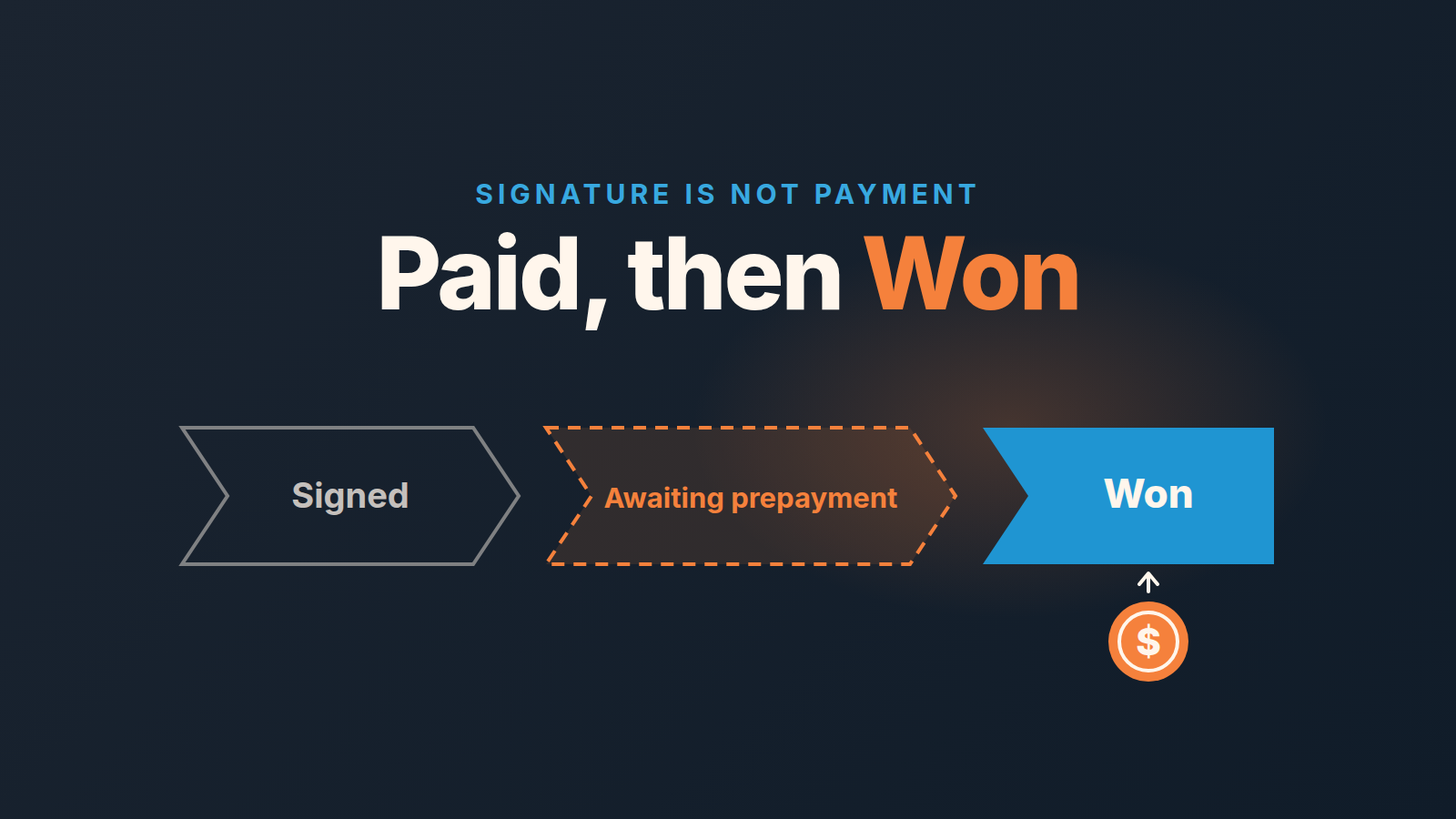
If work only starts after the prepayment lands, don’t mark the deal Won on signature. Keep it open in a last stage called something like “Awaiting prepayment”, give it a due date and an owner, and mark it Won (closed-won) on the day the money arrives. If you deliver first and invoice later, mark Won on agreement and track payment in its own field. Either way, write the rule down once, so the forecast and the bank statement stop arguing.
Signed on a Thursday, paid in September: two reports that disagree
A small team that fits out commercial kitchens. Nothing gets scheduled until half the contract is paid up front. On Thursday, August 20, Daniel gets a signed agreement for an 18,000 job and marks the deal Won in Pipedrive. The prepayment invoice goes out the same afternoon, due in fourteen days, Thursday, September 3.
The money arrives on Monday, September 14.
Now look at what each system said about August. Pipedrive: 18,000 won, one of the better months. The bank: nothing from that customer. And between September 3 and September 14 nobody was chasing, because a Won deal drops off every open-deal list in teh company. For sales it was done. For operations it hadn’t started.
This is not an accounting problem, and it isn’t Daniel’s fault. Nobody had written down what Won means in a company where the work starts only after the cash does.
Pick one closed-won rule, and pick it by when the work starts
Two honest answers, and one question decides between them: do you start delivering before or after the customer pays?
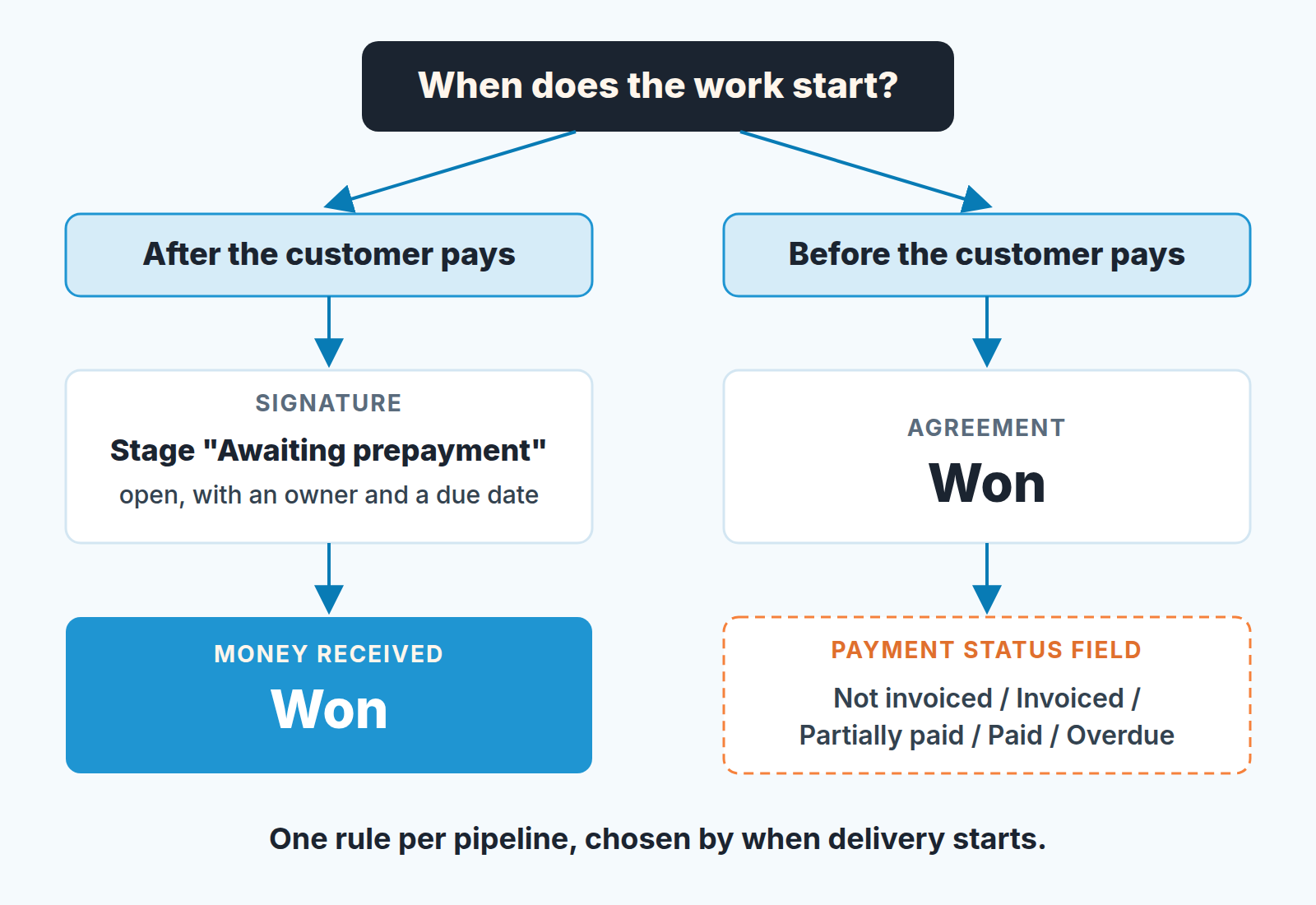
Work starts after payment. Then Won means the prepayment is in the account. Until the money lands you have a signature and an intention, and customers do change their minds in between. So the signature moves the deal into the last open stage, “Awaiting prepayment”, and the payment moves it to Won. Changing their mind after the deal is already Won is a different case: see customer canceled after Won.
Work starts before payment. You deliver on account and invoice afterwards, or you bill monthly. Here Won on agreement is the honest choice; otherwise your win rate and cycle length would describe your customers’ accounts payable departments instead of your sales team. Track collection separately, in a deal custom field we’d call Payment status, single option, with values like Not invoiced, Invoiced, Partially paid, Paid, Overdue. Single option, not free text, because you’ll filter on it later. Like any new field, it earns its place only with an owner and a filter that reads it (our custom fields cleanup guide has the rest of that argument).
The Payment status field exists because bookings, billings and revenue are three different numbers, and Pipedrive only holds the first.
Don’t mix the two inside one pipeline. If your team sells both kinds of deals, split them by pipeline, not by each rep’s judgment on the day. Twelve monthly payments on one deal is a different problem: recurring products versus installments.
The “Awaiting prepayment” stage: what’s in it, who owns it, what it’s worth
What belongs there: a deal with a signed agreement or accepted quote and a prepayment invoice already issued. What doesn’t: a verbal yes with no invoice. That deal is still in Negotiation, however warm it feels. A signed deal whose buyer still owes you a purchase order number before the invoice is a different wait, with a different owner.
The owner stays the rep who sold it. Not finance, not the project manager. Finance can send the reminders but the rep has the relationship, and the person who will mark the deal Won should be the one watching for the money.
Set the expected close date to the invoice due date. That’s the one piece of discipline the stage needs, and it saves you a separate field later. Add one activity for the next business day after the due date: “Confirm prepayment received”.
Then the stage probability. The temptation is 100%, because the deal is signed. Resist it. Set it to what your own history says about signed deals that actually paid, and if you don’t know yet, start lower than 100 and correct it after a quarter. Don’t reach for per-deal probability here; the stage is one rule for everyone. We’ve written up the difference and which one the forecast report listens to.
How long to wait before someone picks up the phone: until the due date, then one business day. Not a polite thirty. A signed customer who hasn’t paid on the due date usually has a reason, and it is cheaper to hear it on day one than on day twenty.
The invoice from the deal: what Pipedrive gives you and where it stops
You can create an invoice from the deal detail view with deal, person and organization details already filled in, and the invoice status then shows under that deal. The invoicing feature itself is included in all Pipedrive plans; the connected invoicing app may cost extra (Pipedrive KB: invoicing feature).
The integration Pipedrive documents for this is QuickBooks, Online only; other accounting apps are in the Marketplace. Install QuickBooks from Tools and apps, Invoicing, and the deal gets an Invoice tab. The statuses Open, Paid, Voided, Overdue and Partially paid sync back from QuickBooks onto that invoice (Pipedrive KB: QuickBooks integration).
Two limits from the same page are worth knowing before you rely on it. The contact has to be linked to a QuickBooks customer, or the “To” field shows a warning icon until you link or create one. And the invoice currency has to match the currency saved for that customer in QuickBooks; several currencies means turning on multi-currency there first. If your pipeline already mixes currencies, this is where the totals start to drift. (In France the integration hasn’t been available since December 31, 2023.)
Where it stops, and this is the part that matters for the rule: the KB describes the invoice status appearing on the invoice inside the deal. It does not describe the deal changing stage, status or a deal field when the invoice is paid. So the Paid flag is something a person reads on the deal, not something your filters or forecast report can see. That’s why the stage does the work in the first case and the Payment status field in the second. Automation templates that flip a deal to Won when an invoice is paid exist; build one once the rule is written down, not instead of writing it.
If your invoices live in QuickBooks instead, the same split applies: see the QuickBooks customer record and invoice status.
The customer who signed and went quiet
Assume the invoice got stuck, not that the customer changed their mind. In our experience the dull explanation wins most of the time: wrong inbox, a missing PO number, the person who signs off on holiday. None of that is fixed by a second automated reminder. The harder case is when a customer with an overdue invoice wants to reorder, and that needs a rule agreed with the books.
So the rep calls the person who signed, the business day after the due date. Not accounts payable, not yet. The question is practical: did the invoice reach the the right person, and is anything on it wrong? Then say out loud what starts once the prepayment is in and what slips if it doesn’t come this week. For Daniel, that’s a crew booking. Close with one next step and a date.
If the answer is “next week”, move the expected close date and the activity to next week. Don’t move the deal. If the answer is “we’re still deciding”, that is a Lost candidate with a reason, and that is fine: a Lost in September is a better record than a Won that never shipped. Finance joins at the second reminder, when the conversation has moved from “did you get it” to “when are you paying”.
What changes in win rate, cycle length and monthly revenue
Under the first rule, won deals are deals that paid. A signed deal that never pays becomes Lost with the reason “No prepayment”, probably the most useful Lost reason you’ll collect all year, because it points at qualification and terms rather than at the pitch. Your sales cycle gets longer by the payment wait. That wait was always there; now it shows up as time in the “Awaiting prepayment” stage, where you can look at it. And won revenue lands in the month the money does, so the Pipedrive report and the bank agree without anyone reconciling them. If you’re about to compare win rates before and after the change, agree on the formula first; switching the definition of Won moves the number by itself.
Under the second rule win rate and cycle length keep describing selling, and the Payment status field describes collection. Report the two next to each other, never blended.
One thing holds under both: don’t repair a mismatch by editing won time afterwards. If a deal was marked Won on signature under the old habit and paid the following month, leave the date alone, note it, and start the new rule from a stated Monday. Moving the date quietly turns one small inconsistency into a revenue number that changes after the month closed, and that costs more trust than the original mistake. “Has the customer paid” also belongs on the handoff checklist the delivery team reads at Won.
The weekly filter: two lists, ten minutes
Monday morning, before the pipeline review, two saved filters.
- Signed, not paid, overdue. Status is Open, Stage is “Awaiting prepayment”, Expected close date is earlier than today. Since the expected close date is the invoice due date, this is exactly the list of late prepayments. Sort by value.
- Won, not paid. Only for teams on the second rule. Status is Won, Payment status is not Paid, Won time is more than 30 days ago. Change the 30 to whatever your payment terms say.
Every line on either list gets a name and a date, nothing else. A deal on the first list for two Mondays running moves to a conversation about whether it is Lost. If the second list keeps the same deals for a month, the problem is collections, not sales.
We build SalesBond, a sales management layer on top of the CRM a team already uses; we started with Pipedrive. Deal Health checks every deal in the connected CRM against more than 20 rules, shows the specific violations and explains what to do, so a deal that has sat past its date doesn’t depend on someone remembering to open the filter. Check your CRM with SalesBond.
Daniel’s kitchen job did get paid, eleven days late, and nobody remembers it as a problem. They remember the August report that said 18,000 and the bank that said nothing. Write the rule down this week, one sentence, where every rep sees it: “Won means the prepayment has arrived.” Then the next one will be boring, which is the goal.


