
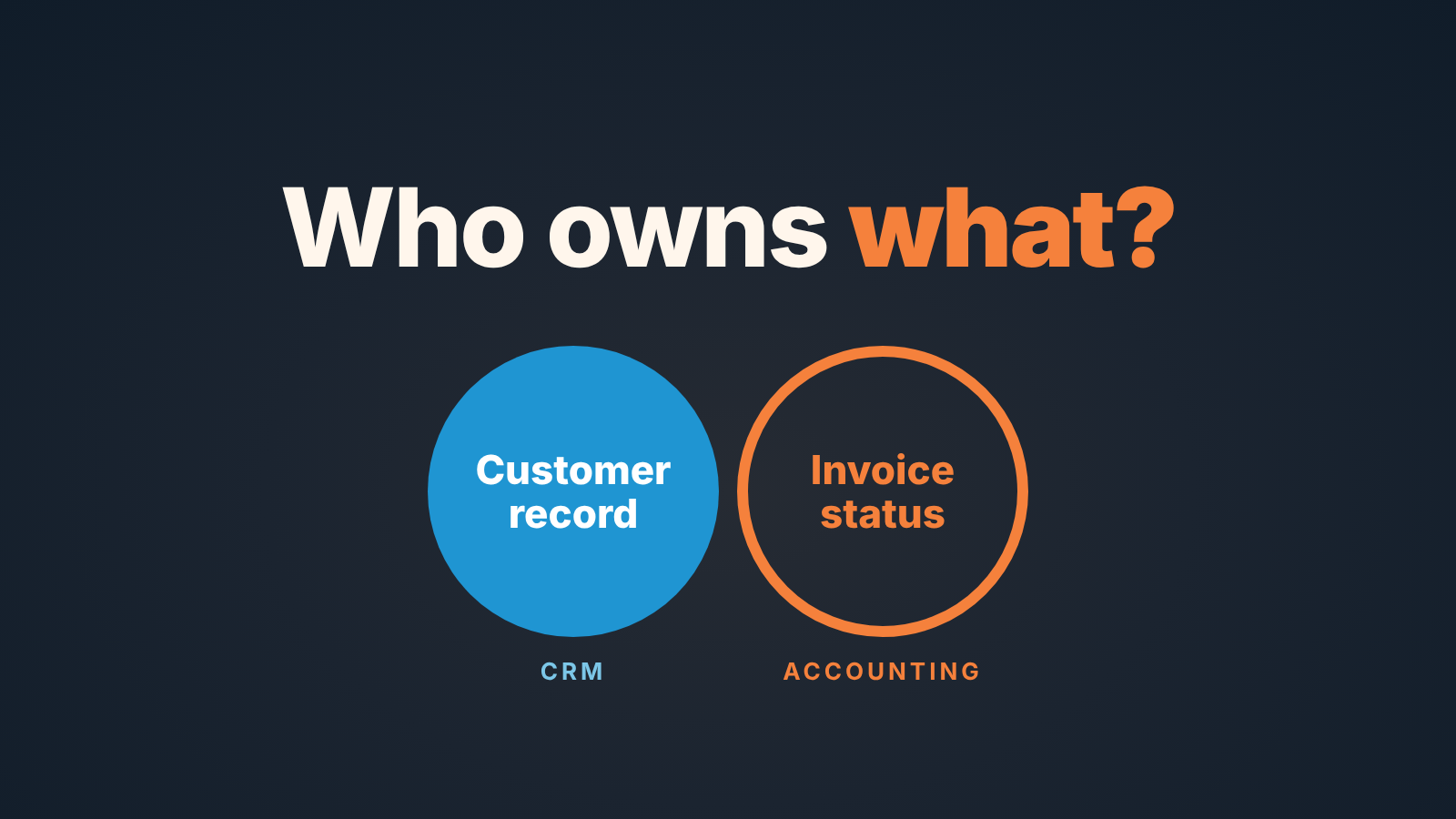
Create the customer in the CRM when the deal is won, push the invoice to QuickBooks from the deal, and let QuickBooks own the invoice status that flows back into the deal. Reps edit sales fields only. Everything that touches money after the signature, the amount on the invoice, the due date, whether it was paid, belongs to QuickBooks, and the CRM shows a copy it does not get to change.
That is the whole rule. The rest is where it bends in practice, written for a Pipedrive team using Pipedrive’s QuickBooks integration, with the field names you will actually see.
If you searched “quickbooks crm” to choose a CRM, start with what Intuit itself offers: QuickBooks now has built-in CRM features under the name Customer Hub (Intuit: Does QuickBooks have a CRM?). This article is for a different reader. Your team already sells in Pipedrive and is not switching. The deal just closed, and somebody is about to type the customer’s name into QuickBooks for the second time, slightly differently.
Two systems, one customer: who creates the record first
The CRM creates the customer first, because the CRM meets the customer first. By the time a deal is won, Pipedrive already holds the organization, the person, the email, and whatever address the rep bothered to collect. QuickBooks has none of that yet. So between the CRM and QuickBooks the real question is how the record crosses over without being retyped.
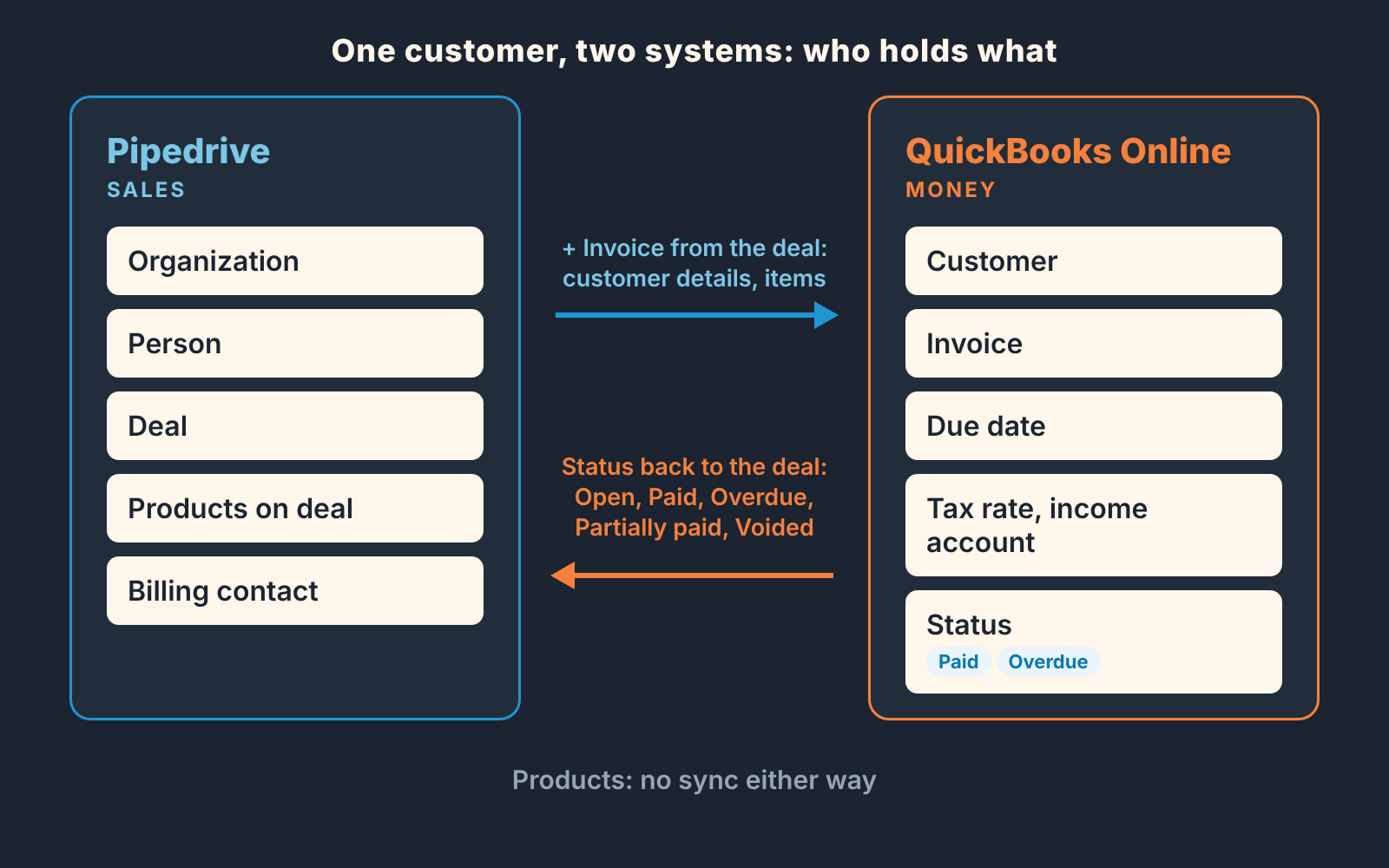
With Pipedrive’s QuickBooks app, the crossing happens at invoice time, not at won time, and it happens from the deal. When you open the deal’s Invoice tab and press “+ Invoice”, Pipedrive checks whether the recipient is linked to a QuickBooks customer. If it is not, a warning icon appears next to the “To” field and you choose: create a new contact, or link to an existing customer in QuickBooks (Pipedrive: QuickBooks integration). That choice is the moment a duplicate is born or avoided, and it is made by whoever raises the invoice, which in a small team is often the rep.
Our rule for that moment: always search before you create. If the company has ever paid you it exists in QuickBooks, probably under the legal name rather than the name the rep uses. Link to it. Create new only for a customer who has never been invoiced.
Two limits, so nobody assumes otherwise. The integration works with QuickBooks Online only, per the same support page. And Pipedrive no longer supports it in France, because QuickBooks itself has not been available there since December 31, 2023.
Fields that must match (name, billing contact, terms)
The integration settings suggest three Pipedrive fields for the QuickBooks side, and those suggestions tell you what has to be clean in the CRM. Contact comes from Organization Name. Address comes from Organization Address. Email comes from Person Email. Each can be swapped for another organization, person or deal field, and a customer tax ID can come from a custom field you create (Pipedrive: QuickBooks integration).
Read that list again as a hygiene list:
- Organization Name becomes the name on the invoice. “Acme” in the pipeline is fine. “Acme” on a tax document is not, if the paying entity is Acme Holdings Ltd. Store the legal name in the organization record, or in a dedicated field you map instead, and let reps use the short name in the deal title.
- Organization Address should be the billing address, not the office the rep visited.
- Person Email is the email of the person linked to the deal. That person is usually the sponsor who said yes, not the accounts payable mailbox that pays. If the invoice should go to AP, the deal’s linked person needs to be the billing contact at invoice time, or you change the recipient while creating the invoice. We wrote up how to capture that contact before the deal closes in who signs vs. who pays.
There is also an option worth knowing about. While creating the invoice you can switch on updating the customer info on the QuickBooks side, which pulls the address, email and tax ID from Pipedrive into QuickBooks. Use it the first time a customer is linked. After that, think before you tick it, because it can replace waht finance has already corrected in QuickBooks.
Terms are the odd one out. The settings handle the due date as an offset from the issue date (the help page’s example is seven days), plus a default tax rate and a default income account that can be overridden per invoice. Named terms such as Net 30 are where we would let QuickBooks be the only source. If a rep negotiated 60 days, that is a note on the deal and a conversation with finance before the invoice goes out. The due date can be changed in the invoice window, but a non-standard date is finance’s call, not the rep’s.
One more mismatch the page is explicit about: products. Invoice items come from the products linked to the deal, but changes to an existing product in Pipedrive are not reflected in QuickBooks, and changes in QuickBooks do not come back. Both product lists are kept up to date by hand, and a price changed in one place produces an invoice that disagrees with the deal value.
Creating the invoice from the deal vs in QuickBooks
Create the invoice from the deal in nearly every case. An invoice created from the deal is linked to the deal, and a linked invoice is what gives the rep a status later without asking finance. If your handoff starts earlier, at the quote, we drew that line in ERP vs CRM: the quote-to-order handoff.
The flow is short. Invoice tab on the deal, “+ Invoice”, then three sections to review: customer details, invoice details, invoice items. Items come from the deal’s products; you can add more. Currency is mandatory and must match the currency saved on the customer’s QuickBooks contact, and if you bill in more than one currency, multiple currencies have to be switched on in QuickBooks first (Pipedrive: QuickBooks integration).
A company that quotes one foreign customer in that customer’s currency will meet the currency rule the first time it tries to invoice, and the fix is in QuickBooks, not in the deal.
When would we create the invoice in QuickBooks instead? Partial billing that does not map to the products on the deal, a credit note, a correction to an invoice already sent. The app’s own menu points that way: “Open in QuickBooks” takes you there to edit the invoice, send it and accept payment. Finance creates those in QuickBooks and tells the rep, rather than the rep rebuilding a milestone invoice out of product lines.
Who is allowed to press “+ Invoice” is a setting, not a convention. The user access option decides whether only the person who set up the integration or all users can access, issue and manage invoices. If reps own customer details, let them issue. If one finance person sends every invoice, restrict it and let the rep’s job end at “won, billing contact filled in”. Either answer is fine. Not deciding is the problem, because then two people issue the the same invoice.
Whether the deal should even be marked Won before money moves is its own argument, and we have had it in signed but not paid.
Invoice status back in the deal: paid, overdue
An invoice created from the deal shows up under the invoices tab in the deal’s history, with one of five flags: Open, Paid, Voided, Overdue, Partially paid (Pipedrive: QuickBooks integration). This is the half that pays for the setup. The deal sidebar also has a refresh that brings in new updates from QuickBooks.
Note what that means for ownership. QuickBooks is the system of record for the invoice, and the flag is its opinion, shown in Pipedrive. None of the actions Pipedrive puts on the invoice marks it paid; accepting payment sits behind “Open in QuickBooks”. Good. The CRM is a window not a second ledger.
A Won deal with an invoice still Open weeks later is a conversation with the customer, and the rep has the relationship to have it. An Overdue flag is a conversation with finance about who chases. Partially paid on a deal that was supposed to be paid up front is a stop sign. None of this needs a report from accounting, only a rep who opens the deal and looks at the tab. That is why the invoice has to be created from the deal in the first place.
The limit: the help page describes the sidebar refresh as the way to pull in updates and does not say how quickly a status change shows up on its own. So we would not promise reps that Pipedrive will tell them a customer paid. We would tell them to check the tab before every follow-up call. For how Won, invoiced and paid show up as three different numbers in your reporting, see bookings, billings, revenue.
If you need more than the native app
Some teams want the customer list itself kept in step both ways. Pipedrive’s Marketplace lists SyncQ, a third-party app whose listing says it syncs Pipedrive records with QuickBooks customers, vendors, invoices and bills, both ways, shows estimates, invoices, payments and sales receipts in Pipedrive, and connects multiple QuickBooks companies (Pipedrive Marketplace: SyncQ). That is the vendor’s own description, so try it on a test company before you rely on it. The ownership rule gets more important with a two-way sync, not less: when both systems can write the customer record, decide in advance which one wins on a conflict, and make it the one finance uses for tax.
What the rep should and should not edit
Reps edit the deal, the person and the organization in Pipedrive. They do not edit the invoice, and they do not edit the customer in QuickBooks. The integration puts several actions on the invoice inside the deal (Pipedrive: QuickBooks integration), so here is the rule in the words we would say on a Monday.
Download, send by email, copy the payment link: yes, that is customer communication, and it is yours. Void, delete: no, ever, without finance, because a voided invoice can’t be unvoided and Delete removes the invoice from both Pipedrive and QuickBooks. Unlink: no. An unlinked invoice is one nobody in sales can see any more, and the Won deal starts looking paid when it is not. If the invoice is wrong, tell whoever owns QuickBooks and let them fix it through “Open in QuickBooks”.
The mirror rule for finance: if the legal name is wrong, fix it in Pipedrive and use the update-customer option on the next invoice, because the next invoice will be created from the Pipedrive record either way.
A disclosure, since this is where tools come up. We build SalesBond, a sales management layer on top of the CRM a team already uses; we started with Pipedrive. It works on top of the CRM: it reads deal and customer data there, finds risks and explains what needs attention, a deal with no next activity scheduled, say. If the CRM half is where your records go quiet, check your CRM with SalesBond.
Monthly mismatch check
Thirty minutes, once a month, one person from sales and one from finance, same screen. We would not automate this before doing it by hand three times, because the first three runs tell you which mismatches you actually have.
- Pull Won deals from the month in Pipedrive. For each, does the deal have a linked invoice? A Won deal with no invoice is either a prepayment case or a forgotten one.
- Compare the invoice total to the deal value. Where they differ, find out whether the products changed in one system and not the other.
- Check the invoice flags against what finance sees in QuickBooks. If they disagree, hit refresh on the deal before you argue.
- Look for QuickBooks customers created this month that duplicate an existing one. Each duplicate is a “+ Invoice” where someone chose create instead of link. Clean it up in QuickBooks, relink in Pipedrive, tell the rep.
- Read the Overdue list together and decide, per invoice, who chases this week.
Keep the notes in the deal, not in a spreadsheet. The point of the exercise is that next month there is less to find.


