
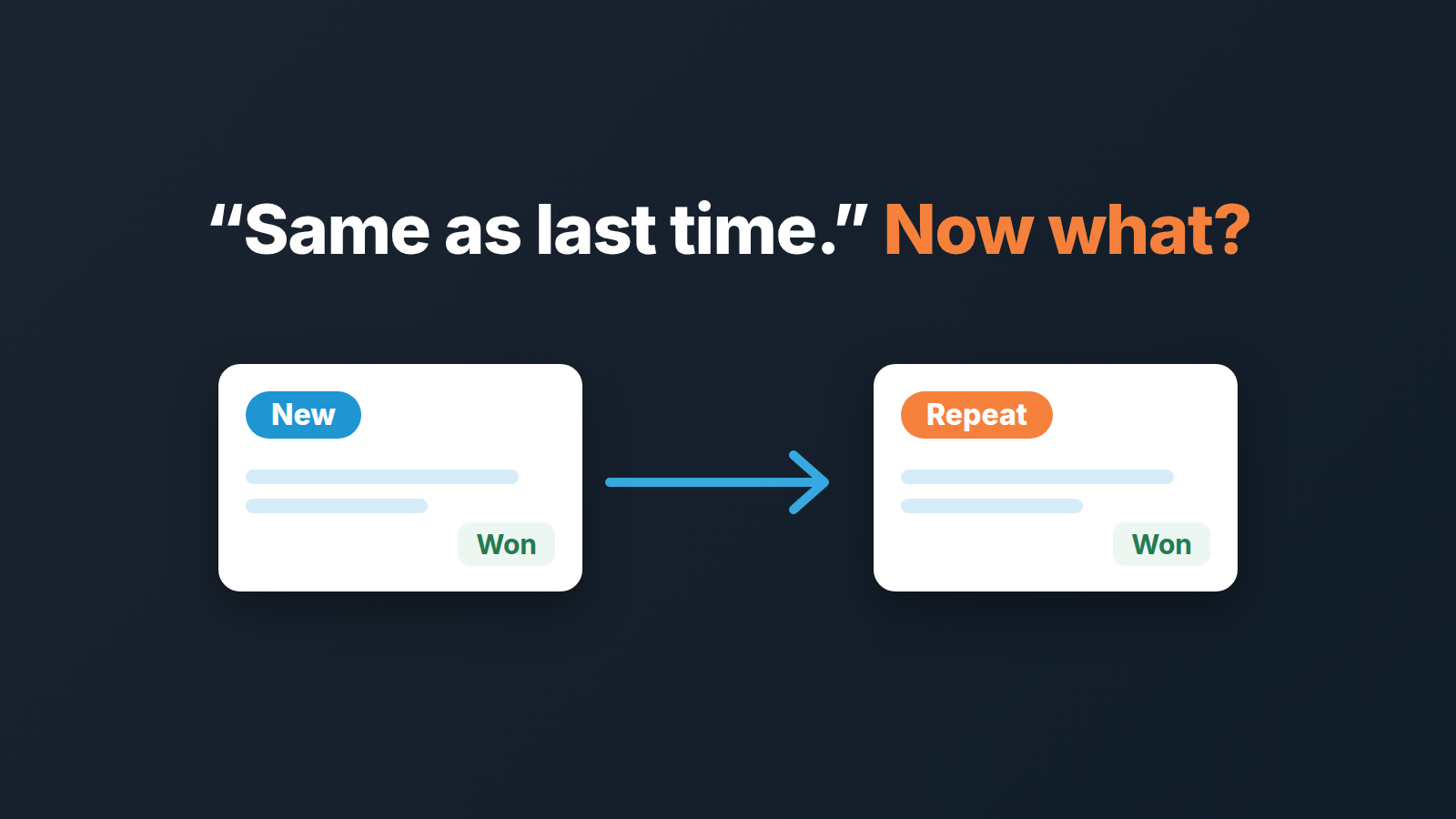
Open a new deal for every repeat order, and mark it with a Deal type field set to Repeat. Duplicating last order’s deal carries the organization, people, products, labels, value, probability, stage and pipeline over in a click, but not the notes, activities, emails or files (Pipedrive: how can I duplicate a deal). The field is what keeps a two-week reorder from flattering your win rate and shrinking your sales cycle on paper.
“Same as last time”: the reorder email every wholesale rep gets
A made-up scene, so the dates can be exact. Mateo Ruiz runs sales at a five-person company that supplies commercial cleaning chemicals to hardware dealers. One two-shop dealer has been ordering roughly the same pallet every seven weeks since May; the last order was won on August 17. On October 5, 2026, the dealer’s buyer emails Hanna Berg, the rep on the account: “Same as last time, please, delivery next week.”
Hanna has three choices, and we have seen teams make all three. Reopen the August deal and change the date. Skip the CRM and let the invoice be the record. Or open a new deal.
The first two feel faster. The third is the only one that leaves a trace a manager can read in January.
One deal per customer sounds tidy. It erases the history.
The “one deal per customer” idea arrives as a tidiness argument: the dealer is one relationship, so why add a new card every seven weeks? Keep one deal, update the value, move it back a stage when they order, mark it Won again.
A deal is Won once, and the workaround is worse than the clutter. If Hanna reopens the August deal, the August revenue moves to October, the August won date disappears, and anyone comparing quarters is reading a record that has been quietly rewritten. Several orders become one line, and the line says the dealer bought once, at the last price, on the last date.
Letting the invoice be the record is worse still. The warehouse knows the dealer reorders, sales doesn’t, so when the orders stop nobody in the pipeline notices.
So: a new deal, every time. The question is how to make that take thirty seconds, and how to stop the new deals from wrecking the metrics that were built for new business.
Duplicate the last order: a repeat order in thirty seconds
Open the August deal, click the “…” in its detail view and choose Duplicate. Pipedrive takes you to the copy, with “copy” added to the title (Pipedrive: how can I duplicate a deal). Rename it on the spot; we use the dealer’s name plus the order month, so the deal list reads like an order book. For other kinds of deals, the same idea gives a deal naming format that fits in a column.
What came across, per the same help article: linked people, organizations, products and projects; labels; deal value and probability; stage and pipeline. What did not: activities, sent and received emails, notes, @mentions and comments, files and documents, subscription or recurring payments.
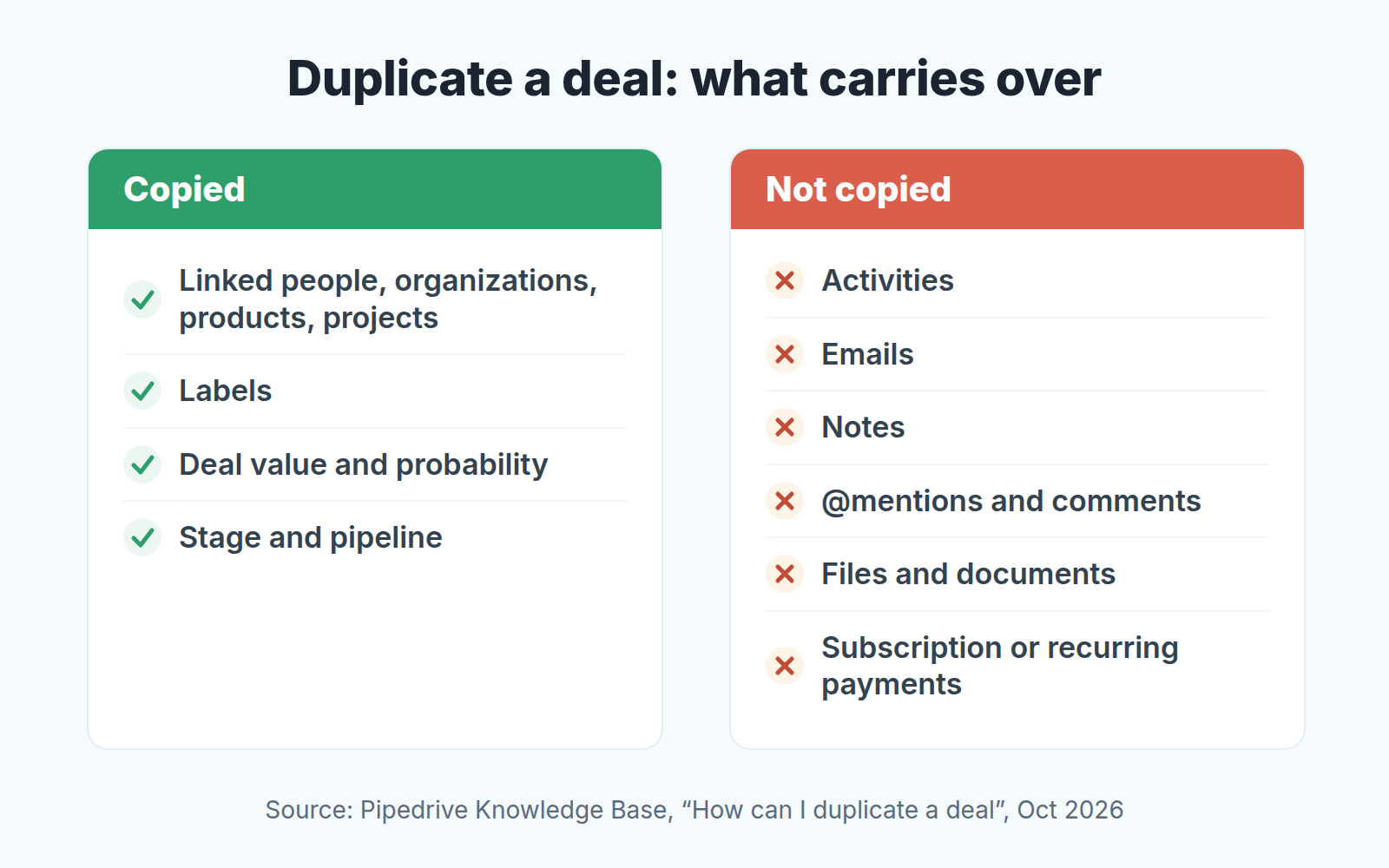
Read that list as a to-do list. The order itself is correct. But there is no next activity, and none of the August notes, so the dealer’s “delivery before 10am” is gone unless Hanna writes it again. Three things to do by hand on every duplicated reorder:
- Schedule the next activity: confirm the delivery date, or send the order confirmation. A deal with no activity is a deal nobody owns.
- Check the value. “Same as last time” is a sentence, not a quote. If the pallet costs more in October than in August, the copy still says August. While you are there, check the old invoice before you copy the order: if it is still unpaid, the reorder needs a decision first.
- Look at where the copy landed. Make sure it’s open and sitting in the stage the reorder has actually reached, not wherever the August deal ended up.
Every reorder is also one more record, and the same help article notes that how many deals you can have depends on your plan; what happens at the cap is in Pipedrive’s usage limit and the deals waitlist.
The Deal type field: New / Repeat, and the three numbers it protects
This is our own convention, not a Pipedrive default. Add a single-option custom field on deals called Deal type with two values: New and Repeat. Two, not five, because once sub-types appear reps pick at random and the field stops meaning anything. If you also win back churned customers, Win-back as a third Deal type is the one addition worth making.
If you already run the Expansion type field from upsell vs cross-sell in Pipedrive, the two coexist. There, Renewal means the same agreement again for a new term. A reorder has no term at all: it’s the same goods again, bought when the shelf runs low. Not an upsell, not a cross-sell, not a renewal. A Repeat.
Set the field on the duplicated deal before anything else; custom field values are not on the help article’s list either way, so don’t count on the copy. We treat an empty Deal type on a won deal as a data error, and the month-end cut below looks for it.
Now the numbers.
Win rate first. A dealer who reorders every seven weeks will almost certainly order again. Counted alongside Hanna’s cold outreach to new hardware chains, her win rate becomes a blend of two different jobs, and the blend says nothing about either. Filter won and lost deals by Deal type = New and you have the number that describes how the team sells to strangers; Repeat gives you a retention figure, which is worth knowing but is a different thing. The definitions and the pitfalls are in sales win rate in Pipedrive.
Sales cycle second. A reorder created in the morning and Won by the afternoon has a cycle of zero days. Enough of those and the team average drops while nothing about new business has changed. The honest average is computed over New only; the method is in sales cycle length in Pipedrive. Reorders have their own cycle, often a matter of hours, and its worth watching for a different reason: when it stretches to days, something in fulfilment or pricing is in the way.
Average deal value splits the same way, so you can see what a new customer is worth at the door separately from what a reorder is worth.
None of this needs a report built. It needs the field, filled in, and one saved filter.
Do reorders need their own pipeline?
Mostly no, for the reason we gave in one pipeline or several in Pipedrive: a second pipeline pays for itself only when its deals genuinely follow different stages. A reorder does skip stages. Nobody qualifies a dealer who orders every seven weeks, and nobody sends a proposal for “same as last time”, so the deal jumps to the last stage or the one before it, and the stage-conversion report sees a deal that went from Qualified to Won in an hour.
That is a reporting nuisance, not a reason for a pipeline. The Deal type filter fixes it: read stage conversion for New only and the skipped stages stop distorting it. The exception is a team whose reorders truly have their own steps, say a credit check and a stock confirmation before a delivery slot. Those deals are not skipping stages; they have different ones, and that is the case where a Reorders pipeline is honest.
The customer who hasn’t reordered is a different question
Deal type tells you what each order was. It says nothing about the order that didn’t come.
Finding the dealer who used to order every seven weeks and has now gone eleven is an account-level question, worked from the organization’s won dates and the gaps between them, and it needs no new field. That is the subject of which Pipedrive customers have gone quiet. What the reorder discipline does is feed it: the method there assumes every purchase exists as a won deal with a real date, and once you log reorders this way, yours do. And once orders are in as separate deals, their dates give you a health score too. If your repeat business is a contract that renews rather than a pallet that gets reordered, it belongs in a renewal pipeline in Pipedrive instead, with its own dates and stages.
The monthly cut: how much of the revenue came back on its own
Once a month, on the first working day, export last month’s won deals and work out how much of the revenue was reorders. Done by hand it takes us about twenty minutes for a team of five.
- Filter won deals for last month and export them with organization, won date, value and Deal type.
- Sum the value of Repeat deals and divide by total won value. That is the share of last month’s revenue that came from existing customers reordering. Write it next to the the previous month’s figure.
- Group the year’s won deals by organization and, for each dealer with two or more, note the days between consecutive won dates. The median across dealers is your reorder interval. Mateo’s dealers sit at about seven weeks. If those dealers resell to their own customers, dealer and distributor orders also need the end customer recorded on the deal.
- Count won deals with an empty Deal type. The target is zero. Anything else goes back to the rep the same morning.
We don’t attach targets to the first two numbers. A rising repeat share can mean loyal customers or a team that has stopped prospecting, and only the New win rate tells you which. What they do is make the reorder business visible as a business.
Where this stops being manual
Step four of that list, and the duplicated deal with no next activity, are exactly the checks a person forgets by March. We build SalesBond, a sales management layer on top of the CRM a team already uses; we started with Pipedrive. Its Deal Health part checks every deal against more than 20 rules, shows the specific violations with a recommended action, and lets the owner resolve, snooze or ignore each one. If your pipeline already holds more reorders than anyone is reading, check your CRM with SalesBond.
Hanna’s October deal took her under a minute: Duplicate, rename, Deal type set to Repeat, value checked, a delivery-confirmation task for Wednesday. In January Mateo will see each order from that dealer at its own price on its own date, and a new-business win rate the dealer never touched.


