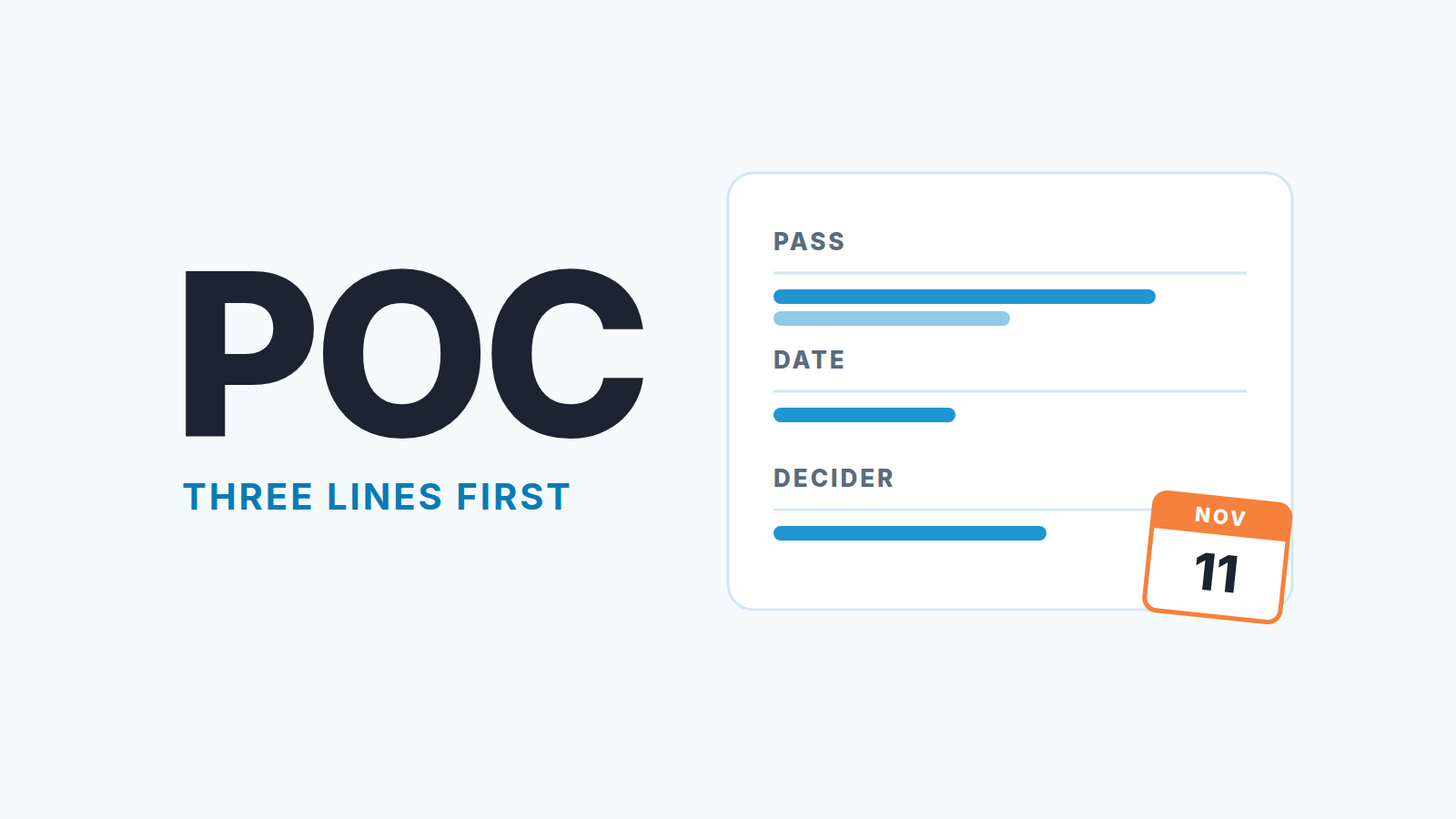
A sales proof of concept is a time-boxed trial in which the buyer tests your product on their own data against criteria you both agreed before it started. We use pilot and POC interchangeably here. In a small team the safe order is: write down what “pass” means, the date the decision will be made and the name of the person who makes it, and only then open the pilot. In Pipedrive that means the pilot is a deal with an end date in a field, not a note that says “evaluating”.
We have watched the other order play out too many times. The pilot starts because the buyer asked and the rep was glad to say yes. Six weeks later the deal is still in Proposal, the champion is “still collecting feedback”, and nobody can say whether the thing worked. That deal is not stuck in a pilot. It is stuck in a decision nobody scheduled. For physical goods, a sample request is a lighter version of the same trap.
When a proof of concept is worth the time (and when to say no)
A pilot is worth running when the buyer has a specific doubt that a demo cannot settle and a real contract behind it. “Will it match our order numbers to the carrier invoices?” is a doubt a pilot answers. “We want to see if the team likes it” is not. There is no pass or fail in liking.
Howdygo’s guide lists the cases where skipping the POC is the right call: a small contract, a product whose value is obvious in a demo, no agreed criteria, or a blocker that is not technical in the first place (Howdygo: sales POC). Their cost example is worth repeating. An engineer at $80 an hour for 40 hours is $3,200, and on a small deal that is 20 percent or more of the contract. For a team of five with no sales engineer the hours come out of the founder or the one technical person, which makes the math worse, not better.
So we say no, politely in three situations:
- The buyer cannot name the one thing they need to see. We offer a second demo on their own data instead.
- The contract is small enough that the pilot costs more to run than the first year pays. We offer a monthly plan with a 30-day exit.
- The real blocker is budget, a competing vendor or an unsigned sponsor. A pilot does not fix any of those; it postpones them. If the competing vendor is already in the room, treat it as a bake-off against a competing vendor and decide whether to enter on its own terms. If the pilot is requested inside an RFP, score the bid with a bid/no-bid gate before you agree to any pilot.
When the buyer passes all three, run it. We agree with Dock on paid pilots: a pilot the buyer pays for, even a small amount, has a sponsor who wants it to end. Dock quotes Todd Busler of Champify saying that 14 of their 15 paid, opt-out trials converted into long-term customers (Dock: sales proof of concepts). That is one vendor’s number about its own customers, so treat it as an anecdote rather than a benchmark. When the buyer only needs proof that it works for someone like them, a reference customer can stand in for a pilot.
Three things written before the pilot starts
Here is the test we apply before a deal moves into the pilot stage. If any of the three lines is blank, the pilot does not start. Not “starts and we fill it in later”. Does not start.
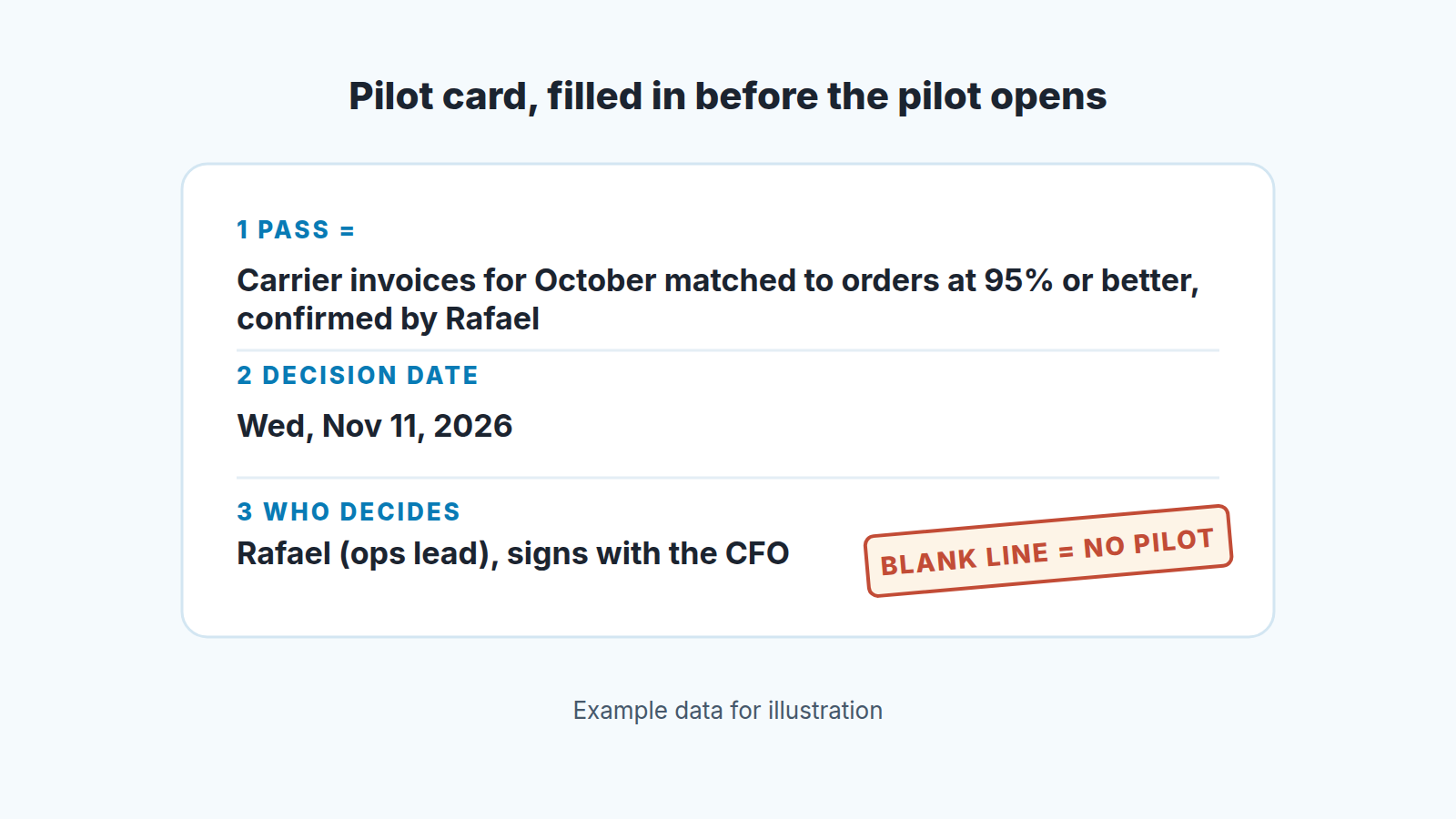
What “pass” looks like. One to four measurable statements, agreed with the buyer, written in their words. Dock recommends defining three or four SMART metrics with the customer and states the rule plainly: if they are met, “the POC is a success, and the deal moves forward” (Dock). Howdygo puts the same idea the other way round: “If they can’t say what ‘pass’ looks like before it starts, they won’t be able to say it passed” (Howdygo).
The decision date. A calendar date, not a duration. “30 days” drifts; “Wednesday, November 11” does not. Pick it from the buyer’s side: the day after their month-end close, the Monday after their ops meeting, so the result reaches the decider fresh. How long should a POC last? Guideflow’s guide argues that anything longer than four weeks “signals scope creep or a qualification problem” (Guideflow: sales POC). We are less strict about the number and more strict about the date. Four weeks with no date is worse than six weeks with one.
Who decides. A name, and whether that person can sign alone. Usually the champion runs the pilot and someone else signs, and the pilot plan has to include the handover between them. If the buyer cannot name the decider, that is the information the pilot was supposed to produce, and you can get it for free by asking.
Write all three into the the deal before you touch the stage. The buyer should see them too, in the kickoff email or a shared one-pager. If you already run a mutual action plan with this buyer, the pilot is simply its first three rows; the rest of that format is in our MAP guide for small teams.
Setting up a pilot in Pipedrive
An admin can do all of this in an afternoon, with no integrations.
- Decide on a stage first. If more than one deal in five goes through a pilot, add a stage called Pilot between Proposal and Negotiation, so the pipeline view shows how much money is sitting in evaluation. If pilots are rare, keep the deal in Proposal: an empty stage only confuses the weekly review.
- Add two custom fields to the deal, from the account menu under Personal preferences > Data fields, with “+ Custom field” (Pipedrive: custom fields, field types listed here). Pilot decision date is a Date field, the one you filter and sort on. Pilot pass criteria is a Large text field holding the one to four statements.
- Link the decider as a person on the deal, with their job title filled in. Pipedrive already knows how to show you a person, so it does not need another field.
- Mark the date as Important, not Required. Pipedrive says “Marking fields as required will block saving a deal until key data is filled,” while Important fields only highlight the gap in the deal detail view (Pipedrive: custom fields). Required would block every deal with no pilot at all.
- In the deals list, the gear icon opens “Choose columns” so the date shows as a column. Then save a filter, Pilot decision date is not empty, sorted by that date, and share it with the team rather than keeping it private (Pipedrive: filtering). Call it “Pilots by decision date” and open it every Monday.
- On the day the pilot starts, create an activity on the deal due on the decision date. Pipedrive’s default types are call, meeting, task, deadline, email and lunch (Pipedrive: activities); we use Deadline, named “Pilot decision: sign, extend or close”. The end date now lives in the field and in the calendar, and the deal never has an empty next activity while the pilot runs.
Take Lotte, selling a dispatch tool to Kestrel Logistics. The pilot kicks off Wednesday, October 14, 2026. The card says pass is October’s carrier invoices matched to orders at 95 percent or better, confirmed by Rafael, the ops lead, who signs with his CFO. Lotte sets Pilot decision date to Wednesday, November 11, exactly four weeks later and right after Kestrel’s month-end close, so October’s invoices are in. She creates the Deadline activity for that day and books four Monday check-ins: October 19, October 26, November 2 and November 9. Ten minutes of admin. The deal now has a shape.
The weekly check-in that is not a status call
A status call asks “how is it going?” and gets “good, still testing”. A check-in asks three questions and takes fifteen minutes.
First, which of the pass criteria have we already met, in your view? Make the buyer say it against their own list. If the answer is “none yet” in week three of four you have learned something a status call would have hidden until the decision date.
Second, what has changed about the decision? New stakeholder, a budget freeze, a competing pilot, a champion going on leave. Any of these changes the date or the decider, and both live in fields you can update right now.
Third, what do you need from us before next Monday? Log the answer as the activity for the following week, in the buyer’s words, and mark this week’s done. The marked-as-done date becomes your record that the check-in happened on the day it was booked.
Then write one line in the deal note: criteria met so far, out of the total. For Lotte on November 2 that reads “0 of 1 met: matching at 91%, target 95%”, a sentence a manager can read in a pipeline review without opening anything else. “Good progress” is not.
One uncomfortable rule. If the buyer skips two check-ins in a row, we move the decision date forward, not back. A buyer who cannot find fifteen minutes for a pilot they asked for has already told you how the decision will go. Better to hear it in week three than to discover it as one of the quiet deals we describe in no-decision deals in Pipedrive.
Pilot end day: sign, extend once, or close
The Deadline activity fires on November 11. There are exactly three things that can happen, and the rep decides which before the call, not during it.
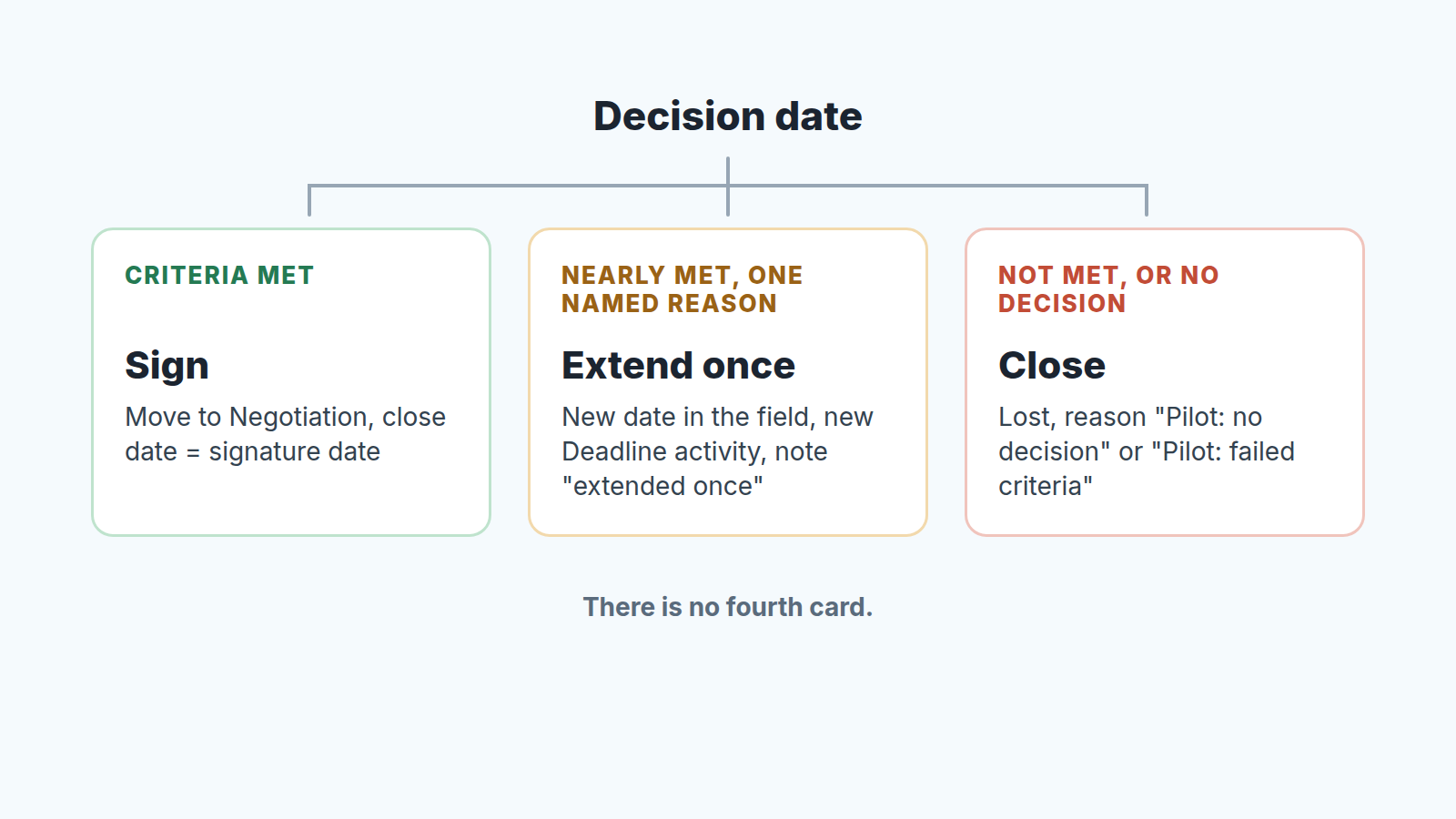
Criteria met: ask for the signature. The pilot was the buyer’s own test, and they passed it by thier own measure, so the only question left is paperwork. Move the deal to Negotiation, set the expected close date to the agreed signature date and keep the pass criteria in the deal so the renewal conversation a year later can start from them. If the paperwork then stalls with lawyers, see deals stuck in legal and procurement.
Criteria nearly met, with a reason you can name: extend once. The reason has to be specific. “Their October invoice file arrived on the 28th, so matching has only had ten working days” is a reason. “They need more time” is the absence of one. Set a new Pilot decision date, create a new Deadline, and write “extended once” in the note. One extension is the limit. A second one means the criteria were wrong or the decider was, and either way the honest move is the third card.
Criteria not met, or the buyer will not decide: close it. Mark the deal lost. Pipedrive asks for a reason when you do, and the list can be predefined in Company settings (Pipedrive: lost reasons). Add “Pilot: failed criteria” and “Pilot: no decision” before your first pilot; why no decision deserves its own reason is in the no-decision article. Closing a pilot as lost feels like giving up on sunk time; the case against that feeling is in when to close a deal as lost.
What we do not allow is the fourth option, where the date passes, nothing is decided, and the rep moves the expected close date out by a month. That is a pushed close date wearing a pilot badge, and it hides the same way (pushed close dates in Pipedrive).
What the numbers say about your own pilots
After five or six pilots, the setup above makes them cheap to question.
Open the “Pilots by decision date” filter and look at the closed deals. How many were extended? If most were, the dates you set were optimistic, or the criteria were vague enough that nobody could call them met. How many were lost with “Pilot: no decision”? If that reason beats “Pilot: failed criteria”, your product is fine and your qualification of who decides is not. Lost reasons can be tracked in an Insights deal performance report (Pipedrive: lost reasons), so the count takes two minutes.
Then compare pilot deals with non-pilot deals of the same size: win rate and days from Proposal to Won. Pipedrive’s standard deal reports give you both once pilots are a stage or a filter. We expect pilots to take longer and win more often. If they take longer and win less often you are running pilots for buyers who should have had a second demo, and the first section of this article is the fix.
A disclosure, since this is where a tool enters the picture: we build SalesBond, a sales management layer on top of the CRM a team already uses; we started with Pipedrive. Deal Health flags a deal whose expected close date has passed with no next activity scheduled. That is what a pilot that ran past its date looks like once the Deadline is marked done and nobody books the next step. If you want to know how many of those you have today, check your CRM with SalesBond. The filter above will get you most of the way without it.
The pilots that go wrong rarely go wrong in the product. They go wrong on day one, when a rep says yes to “let’s try it” without asking what trying would prove, to whom, and by when. Three lines in a deal. Write them first, and the rest of this article is just bookkeeping.