A buying signal is something the buyer did that moves the deal toward a purchase: they brought a new person into the conversation, named a budget or a date, asked for the contract. Not something they said to be polite, and not something your tooling inferred about them. For a small team on Pipedrive, six of those actions are worth a line in the deal, and the only report you need on top is the one that shows deals at Proposal where none of the six happened in the last 14 days.
A buying signal is something the buyer did
The test is simple. Can you write down who did it and on what date? Then it is a signal. If the best you can write is “they seemed keen”, it is a mood, and moods belong in the rep’s head, not in the CRM.
Most published lists sort signals by type. Salesloft’s version has five: decision language, a widening circle of participants, deadline urgency, behavioural acceleration and risk objections (Salesloft, buying signal economy). Revenue.io splits them into verbal, behavioural and company-level, with “How long does onboarding take?” as the textbook verbal one (Revenue.io, what are buying signals). Useful taxonomies. They just don’t tell a rep with forty open deals what to type into Pipedrive on a Thursday afternoon.
So we sort differently: by whether teh thing can be logged with a date and a name. That rule throws out most of what feels like a signal on a call. “This is exactly what we need” is a sentence, not an action. The same buyer sending you their IT lead’s calendar link is an action. The second one survives the test and the first one doesn’t, even though the first one felt better in the moment. That gap is where happy ears live.
Six buying signals worth a line in Pipedrive
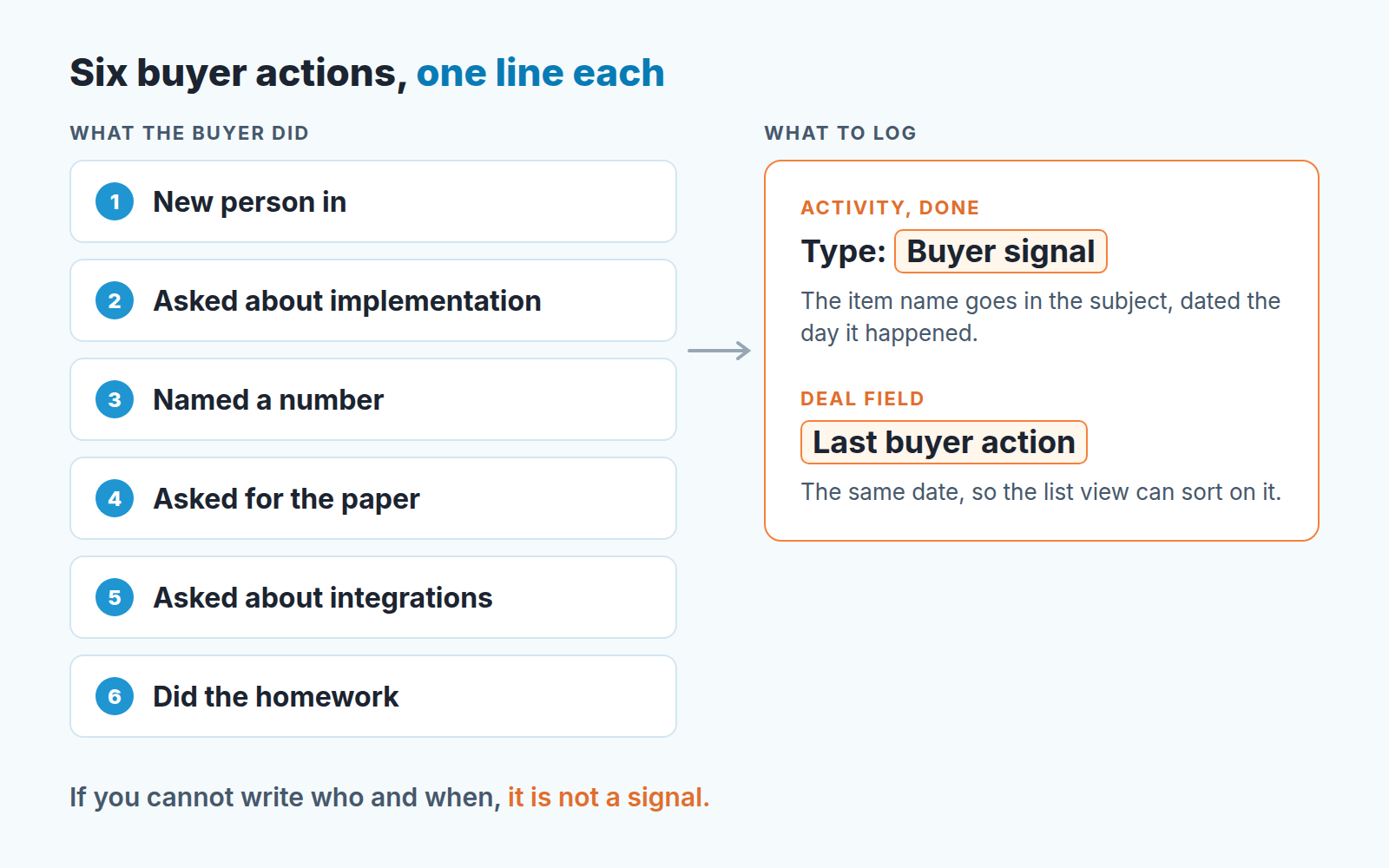
Here are the six we log. Each one is a buyer action with a date, and each one changes what the rep should do next.
- They brought someone new in. A second name on the thread, a forwarded invite, “I’ve copied our ops lead”. The deal just stopped being single-threaded, and that changes its odds more than most things you will ever see written down.
- They asked how long implementation takes. Onboarding, migration, training, “when could we be live”. Nobody asks this about a product they are not planning to use. Revenue.io’s example question belongs here.
- They named a number. A budget range, a headcount, a go-live month, the date their current contract ends. The buyer volunteered a constraint, which means they have started planning around you.
- They asked for the paper. Contract, order form, DPA, security questionnaire, “can you send something our legal can look at”. Procurement is slow and annoying. It is also the clearest signal on this list. A buyer asking to talk to one of your customers is a close relative of it.
- They asked about integrations. “Does it work with our accounting system”, “can it read from our calendar”. The buyer is checking whether the product fits the stack they already have, and you only ask that once the fit on paper is settled.
- They did the homework without a chase. You asked for a sample export, a list of users, a decision on which plan, and it arrived before the follow-up you had scheduled. Effort on the buyer’s side, on their own time, is the signal reps underrate most.
Notice what is not on the list: a reply within the hour, a nice email, a LinkedIn connection, a second demo request from the same person. We will come back to those.
Where to log them (and where not to)
Pipedrive does not ship a “buying signal” field, so you need a convention. We use two things and nothing else.
First, a custom activity type called Buyer signal. You create it under Settings > Company settings > Activities (Pipedrive: creating custom activity types). The rep logs it as a done activity on the date the thing happened, with the signal name in the subject: “Buyer signal: legal asked for DPA”. It sits in the deal timeline between the calls and the emails, which is where a manager reading the deal expects to find it.
Second, a custom deal field, Last buyer action, type Date. Date is one of the custom field types Pipedrive offers (Pipedrive: types of custom fields). The rep updates it every time a signal is logged. One field, one date, visible in the list view and sortable.
Why both? The activity is the evidence and the date field is the index. You read the timeline when you want to know what happened. You sort on the field when you want to know which deals have gone quiet. Some of these signals show up on a buyer-facing page, and we map them to CRM fields in our piece on a digital sales room.
Where not to log them. Not in the deal title (“ACME / HOT / legal reviewing”), because titles are for finding deals, not describing them. Not as a stage move: a buyer asking for the contract is a reason to consider moving to Negotiation, not the move itself, and mixing the two up is how pipelines get optimistic. Not in a 400-word call note, where the one line that matters drowns in the summary of the pricing discussion. And not as six separate checkbox fields. We tried that. Reps tick them from memory during pipeline review which is the opposite of a dated action.
The fourteen-day rule for deals with no signals
A deal at Proposal with no buyer action for two weeks goes into the review pile. Not lost, not rotten, reviewed.
Here is the list we use. Filter the deals at Proposal (or whichever stage follows your proposal in your pipeline) and sort them by Last buyer action, oldest first, with the empty ones counted too. Everything dated before two weeks ago goes into review. Pipedrive filters do accept relative dates such as “this month” (Pipedrive: common uses of filters), so if your account offers a relative option that fits your cycle, save the filter with it. Either way, share it with the team and open it before every pipeline review.
What does it catch? Ruben sent a proposal on Tuesday, 8 September. On the 15th the buyer’s finance lead, Ingrid, replied asking how long onboarding takes if they start in November. Ruben logged it: Buyer signal activity, Last buyer action set to 15 September. Since then, two polite emails from Ruben and one “thanks, still reviewing” from Ingrid. Today is 2 October, 17 days since the last buyer action. The deal sits past the two-week line.
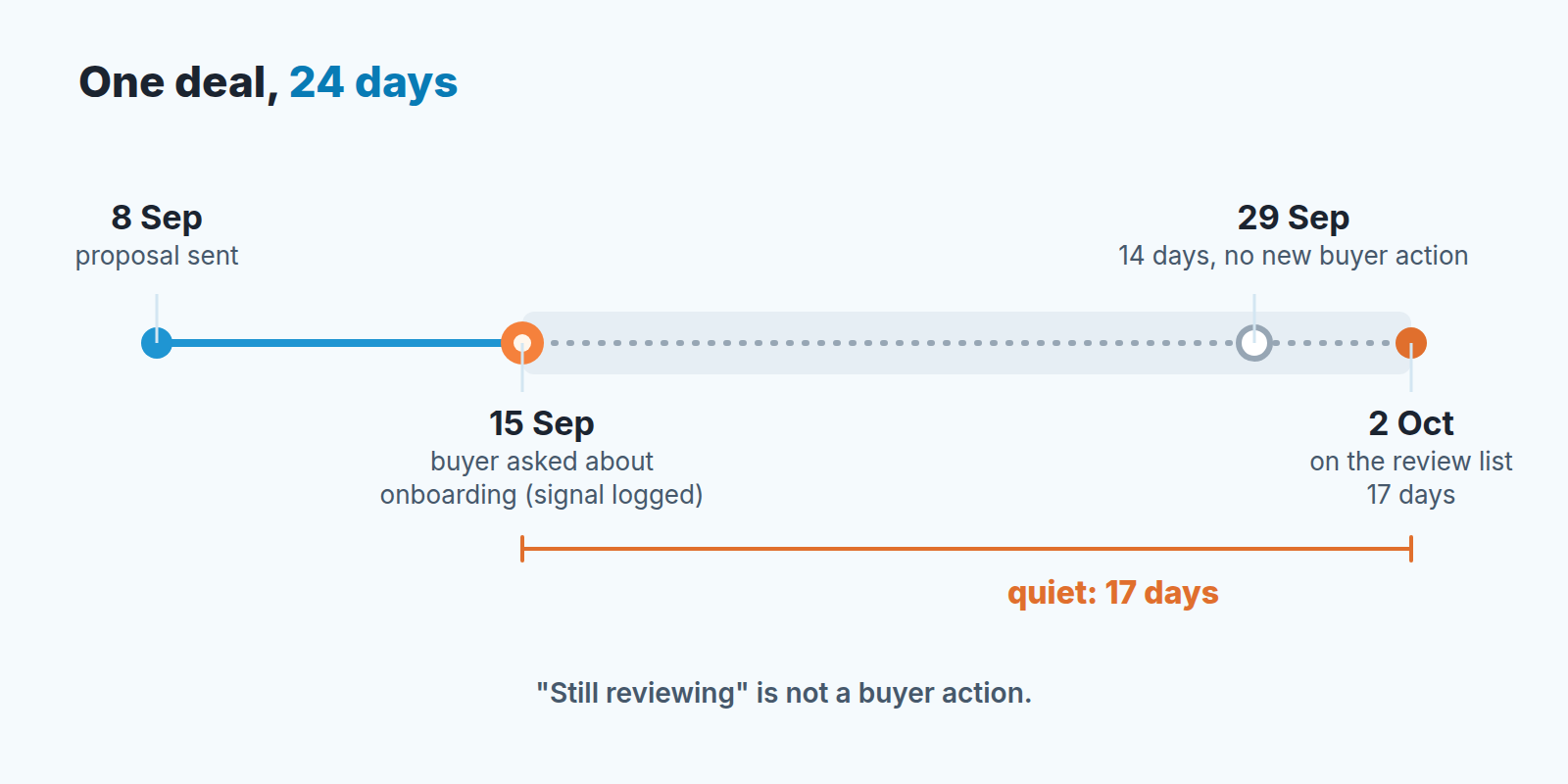
The review itself is short, and the question is not “what’s your next step”. It is “what has Ingrid done since the 15th”. Ruben’s honest answer is nothing, and that answer says more about the deal than his confidence does. We wrote the full version of that conversation in deal review questions built on buyer action. The point here is only that the fourteen-day check is what puts the deal in front of you in the the first place.
There are three ways out of the review. Move the deal back a stage, with a note saying why. Keep it at Proposal, but with a close date the buyer has actually confirmed, not one Ruben hopes for. Or ask Ingrid directly whether November is still the plan, which is the question Ruben has been avoiding for two weeks. The silent-after-demo playbook covers the wording, and it works just as well after a proposal.
Why fourteen days and not seven or thirty? Two weeks is two of your follow-up cycles. One quiet week happens to good deals all the time: a buyer on holiday, a board meeting, a quarter close. Two quiet weeks after a proposal means the buyer has had the price in hand for half a month and has not done one thing with it. We think that is where the rep’s story and the buyer’s behaviour have come apart far enough to be worth a manager’s time. Adjust the number for your cycle, but adjust it once, for the whole team, not deal by deal.
Signals you can safely ignore
Some things feel like signals and are not. They fail the who-and-when test, or they pass it and still tell you nothing about the purchase.
An opened email. A visited pricing page. That is intent data. Intent-data vendors publish case studies for this, ZoomInfo among them (ZoomInfo, buying signals), but intent data tells you who to call. It says almost nothing about a deal that is already at Proposal.
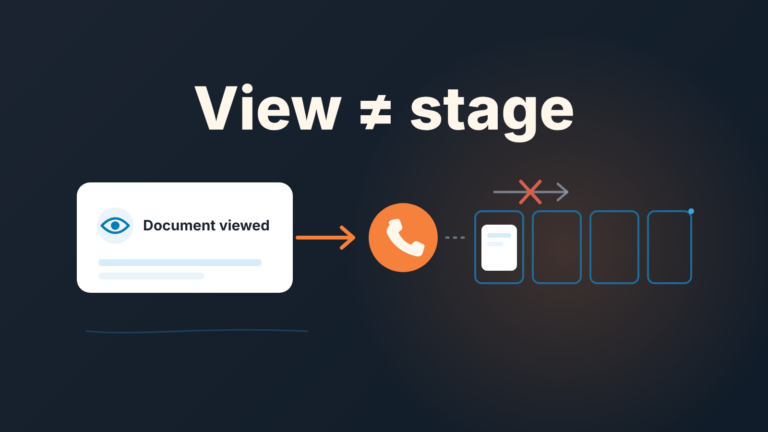
A proposal opened in Smart Docs belongs in the same bucket, and what a view does and does not tell you is spelled out in Smart Docs view tracking.
A fast reply. A buyer who answers in twenty minutes is a buyer who answers email in twenty minutes. Speed matters a great deal on your side of the table, and we have a whole piece on speed to lead in Pipedrive. On their side it is a habit, not a decision.
Compliments, enthusiasm, “this is a no-brainer”. Kind words, zero commitment. If the sentence would still be true of a buyer who is about to ghost you, it is not a signal.
A second demo for the same person. Repetition is not progress. A second demo for a new person is signal number one.
“Let’s circle back next quarter.” This one is tempting because it contains a date. But the buyer named a date for not deciding, which is the opposite of signal three.
Signals and your forecast
Run the numbers on one stage and the forecast conversation changes. Say you have 12 deals at Proposal at roughly $8,000 each: $96,000 of best case. Seven of them have a buyer action logged in the last 14 days, $56,000. Five do not, $40,000, a bit over 40% of the stage.
Those five are not lost. They are deals where the buyer has done nothing for two weeks, and a deal like that has no business in a commit number. In commit vs best case we argue that commit should be built from entry rules a rep can check in ten seconds, and “at least one buyer action in the last 14 days” is exactly that kind of rule. It is also the cheapest input to any deal health score you build: the absence of a signal tells you as much as its presence, and a rep cannot talk their way around it. The quiet $40,000 is a line item in your revenue at risk, and a more honest one than any stage probability.
A disclosure, since this is the part where tooling comes up. We build SalesBond, a sales management layer on top of the CRM a team already uses; we started with Pipedrive. Its Deal Health product checks every deal against more than 20 rules and flags the ones that need attention, for example a deal with no next activity scheduled and an expected close date that has already passed. The six-line convention above works without it, and we would rather you start with the filter. If you want every deal checked without reading every deal, check your CRM with SalesBond.
One last thing. Logging a signal takes a rep a few seconds and reps will skip it unless the manager reads it. So read it. Open the fourteen-day list on Monday, ask about the deals on it, and thank the rep whose Last buyer action field is up to date. The convention survives exactly as long as someone looks at it.