
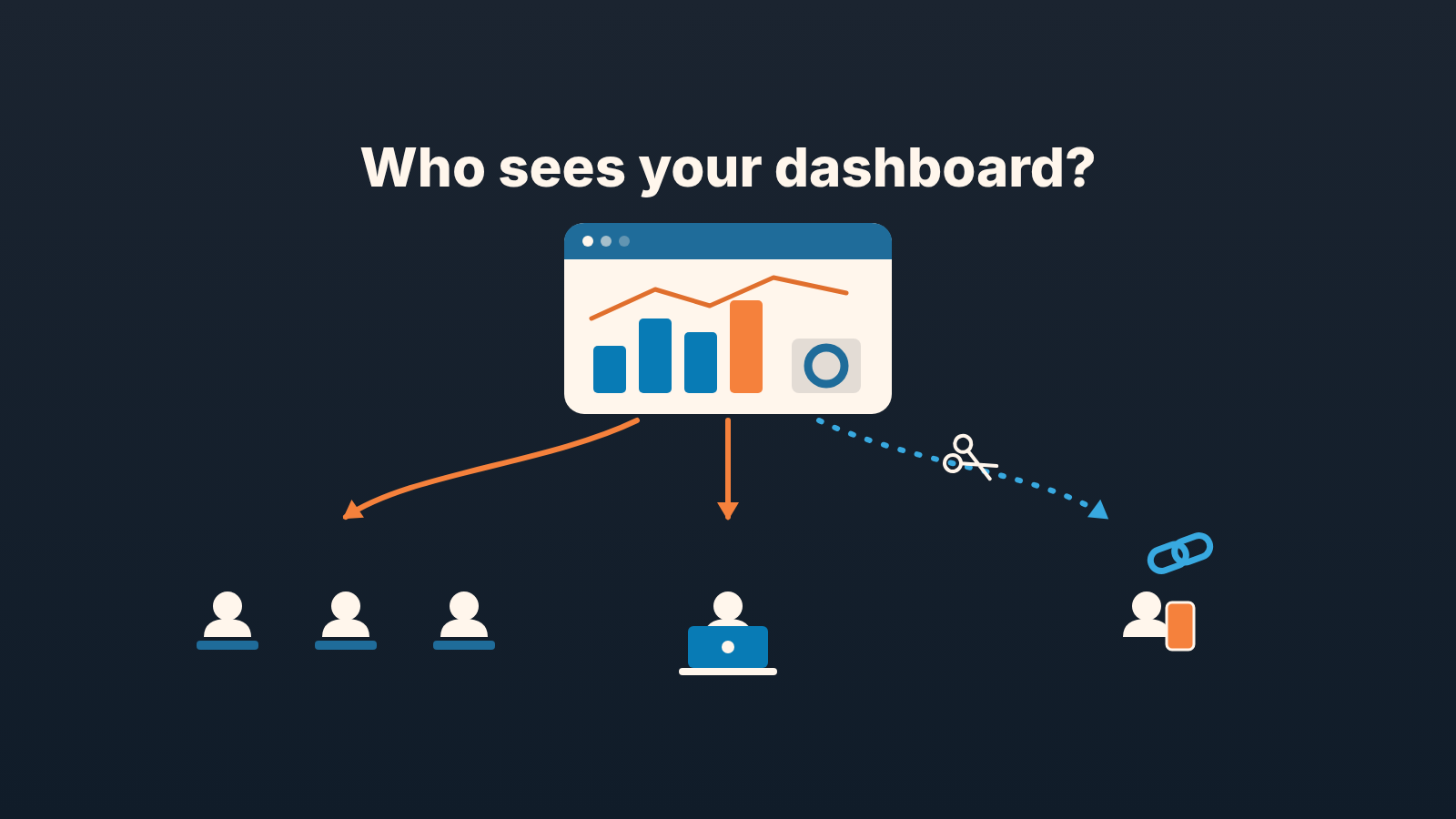
You can share a Pipedrive Insights dashboard three ways. Share it with a user as a viewer and they can open it and apply quick filters. Share it as an editor and they can change the layout, add or remove reports and share it on to others; editor rights exist only on Premium and higher plans. Or open it with a public link, which anyone can view without a Pipedrive account (Pipedrive: Shareable Insights). For people outside the company, make a separate public link for each group. A deleted link stops working at once, so one group can lose access without the others noticing anything.
That is the mechanics. The rest of this article is about the decision behind it: who is looking, what they should see, and how to take it back when the answer changes.
The link that went to a group chat
A made-up scene, but we have watched versions of it more than once.
Luis Brandt runs sales at a small software company. His co-owner, Mei Sorensen, does not live in the CRM and does not want a seat. So Luis builds a dashboard, creates a public link, and sends it to her. It works well. Mei opens it on her phone before board calls, the figures refresh on their own, nobody has to export anything.
A month later the company is talking to an outside advisor. Mei wants him to see the pipeline, so she forwards the link into thier shared chat. The advisor adds a colleague to the chat. Then the chat goes quiet, but the link does not: it keeps serving the dashboard to anyone who scrolls up and taps it.
Nothing in Pipedrive broke. The link did exactly what a public link is for. What broke was the assumption that the link was “for Mei”. A URL has no idea who is holding it.
Luis fixed it in two minutes: he deleted the link, which cut access for everyone who had it, and created a fresh one named for Mei alone. The fix is easy. The habit that prevents it is what the rest of this article is for.
Three audiences, three ways to share a Pipedrive dashboard
Most dashboards end up in front of three kinds of people, and Pipedrive gives you a sharing mode for each (Pipedrive: Shareable Insights).
Reps and anyone else with a Pipedrive seat. Share the dashboard with selected users, with a team, or with everyone in the account. They log in as themselves, you can see who has access, and you can remove a person later.
The manager or owner who works inside the CRM. Same mechanism, selected users, with one decision added: viewer or editor. More on that below.
People without an account. Co-owners who stay out of the CRM, an investor, an agency, a client who wants to see delivery progress. For them there is the public link, and we think it should be the only way outsiders ever see Insights. Creating a seat for someone who will look at one dashboard twice a month is a cost and a permissions headache; a link they can open on a phone is what they actually asked for.
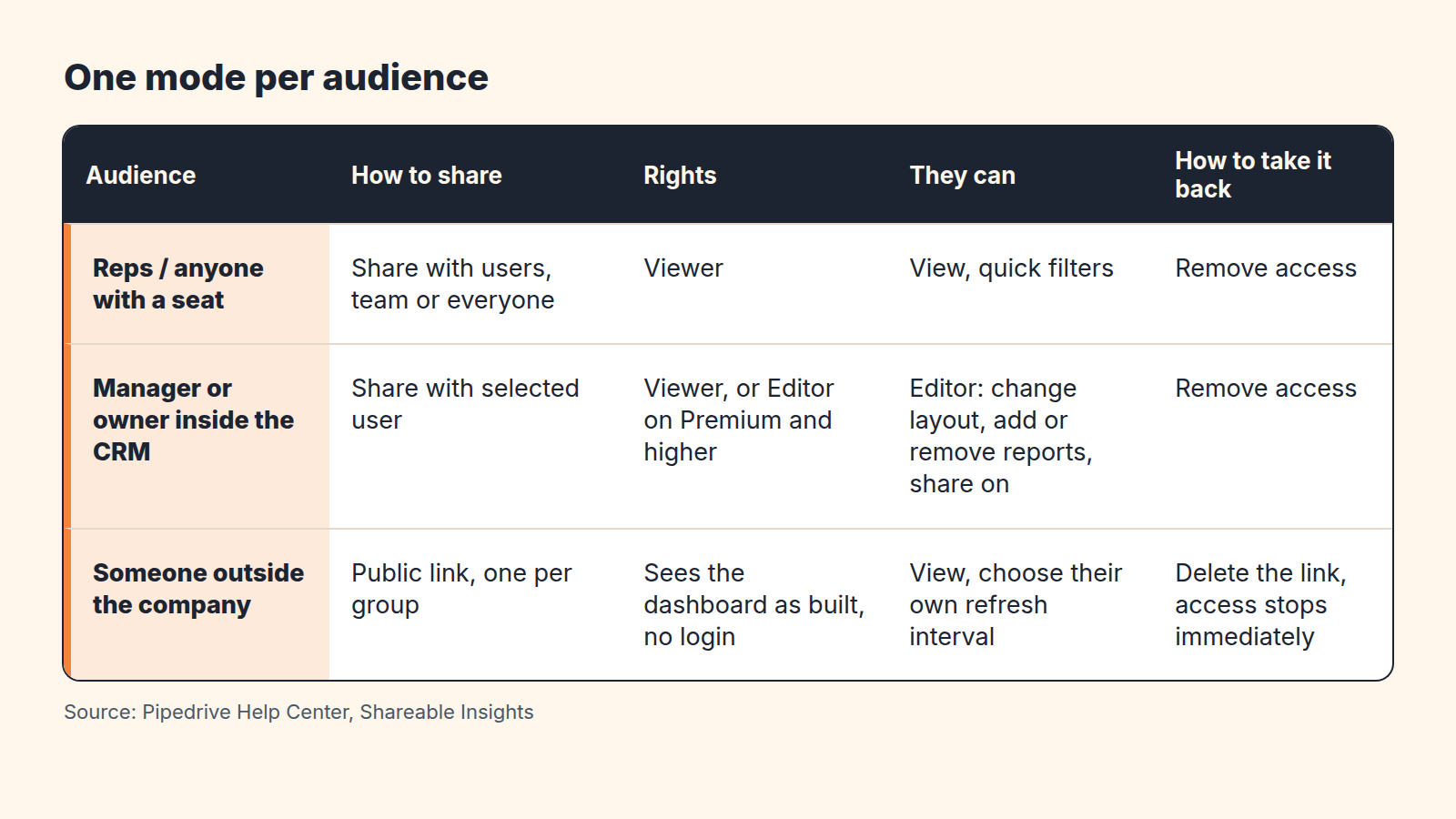
The rule we would write on the wall: one mode per audience, never the same door for two of them. The moment an outsider gets the internal team dashboard through a public link, every report on it is public, including the ones you added for last week’s team meeting and forgot about.
Viewer or editor, and the Premium line
Pipedrive’s permission table is short, which makes the decision short too (Pipedrive: Shareable Insights). A viewer can open dashboards and reports and apply quick filters. An editor can do that plus edit the layout (size and placement of reports), add or remove reports, share the dashboard with others, and remove other people’s access. Neither a viewer nor an editor can transfer ownership. Only the owner can hand the dashboard to someone else, and only on Premium and higher plans.
Editor rights sit behind the same line: Premium and higher. On lower plans everyone you share with is a viewer, and ownership cannot be transferred at all.
Our position: give editor rights to at most one person besides the owner, and make that person the manager, not a rep. The reason is in the table. An editor can share the dashboard on, so every editor is a new door into it that you no longer control. If a rep wants a different cut of the numbers, they can build their own dashboard and share it back as a viewer.
Viewer rights do everything a rep needs. Quick filters let them narrow the board to their own deals or their own period without changing what everyone else sees. If a rep asks for editor rights “so I can add a report”, the honest answer is usually a second dashboard, not a promotion.
Public links: who can create them, what they show, how to revoke
The path is “…” > Share as public link > Get link on the dashboard. Only global admins, and regular users with the permission “Share Insights dashboards as public links” switched on, can do this (Pipedrive: Shareable Insights). Keep that permission with whoever will own the quarterly review in the last section, and nobody else.
What the recipient sees is the dashboard, live, without logging in. By default it updates once per hour and each viewer can change their own update interval. That “live” part is why a public link is not an export. A PDF sent in March still says March. A public link opened in June says June, to whoever is holding it.
Two features on the same page turn this from a risk into a tool.
First, you can create more than one link for the same dashboard: Add new link, then the pencil icon to rename it. Name each link for the group that gets it: “Co-owner”, “Advisor, autumn review”, “Agency”. One group, one link. Never forward a link from one group to another, create a new one instead.
Second, the trash can icon deletes a link, and anyone using it loses access immediately. Because each group has its own link, you can cut the advisor without touching the co-owner. That is the whole reason for the one-link-per-group habit. With a single shared link, revoking access to one person means re-sending a new link to everyone else, and in practice that means nobody revokes anything.
If what the other person needs is a snapshot for a meeting, use the export instead: dashboards go out as PDF or PNG, and table views as XLSX or CSV. A snapshot cannot leak next month’s numbers. We go through what belongs in a sent report, and what to leave out, in our piece on the weekly sales report.
What not to put on a shared dashboard
Treat a public dashboard as a poster in the lobby. Anyone who walks past can read it, and you will not know who walked past.
That rules out, for the outside audience, anything that names a person or a customer. Per-rep leaderboards, deal lists with company names, the report you built to see which rep has the most overdue activities. All of that is fine for the the team dashboard and wrong for the link you send a co-owner’s advisor. Build a second dashboard for outsiders rather than hiding reports on the first. A dashboard shared by link shows every report on it, and “I’ll remove that report before the call” is a promise that gets broken the week you are busy.
Keep the outsider’s board to aggregates: totals, rates, trends over a period. Which handful of numbers a manager should be reading is a separate question, and we have already written it up in the six numbers a sales manager’s dashboard needs; this article is only about who gets to see them. For a team that works apart, see managing a remote sales team from Pipedrive.
Don’t send out a dashboard whose reports disagree with each other until you know why Pipedrive Insights shows different numbers.
And dashboard sharing decides who sees the summary, not who sees the records underneath; that lives in permission settings, which we covered in setting up access for a new rep.
Where the September templates help, and where they stop
In September 2026 Pipedrive added pre-built dashboard templates tailored for reps and managers, covering pipeline health, win/loss rates, overdue activities and open deals. The same release lets you apply multiple filter conditions to a single field without workarounds (Pipedrive product updates, September 2026).
For a team that has never opened Insights, that is a decent first dashboard to share as viewers.
But a template is built around a role, not an audience. It answers “what does a rep look at” and “what does a manager look at”. It does not answer “what does the co-owner get, and through which door”. There is no outsider template. Which aggregates an investor or a client sees is a decision about your company, not about Insights.
A disclosure, since we are on the subject of dashboards. We build SalesBond, a sales management layer on top of the CRM a team already uses; we started with Pipedrive. Its Sales Dashboard has a Team Performance tab for the manager and a My Performance tab for each rep, so the inside-the-team part of “who sees what” is set by role rather than by sharing settings. It does not change anything in this article about outsiders: an investor or a client still gets a public link to an Insights dashboard built for them, and the review habit below still applies. If your reports and your pipeline are telling different stories, check your CRM with SalesBond.
A small review rule: who gets what, checked quarterly
Luis’s mistake was not creating the link. It was never looking at it again.
Whoever holds the “Share Insights dashboards as public links” permission runs a thirty-minute review once a quarter. Put it in the calendar now. The review is a short list, and it is the only checklist in this article:
- Open each dashboard you own and read who it is shared with. Anyone who left the team, changed roles, or no longer attends the meeting the dashboard was built for loses access today.
- Count the editors. More than one besides you needs a reason you can say out loud.
- Open the public links. Each one should be named for a group you can still identify. A link named “link 2” with no owner gets deleted, if someone complains, they get a fresh, named one.
- For every outside dashboard, read the reports on it as a stranger would. Any person’s name or customer’s name on it is a reason to move that report back to the internal board.
- Write the date of the review in the dashboard name or your own notes, so the next person knows when it was last done.
Sharing a dashboard is a one-time decision that quietly stays true until somebody decides otherwise. The review is you deciding on purpose, before a group chat decides for you.


