
A sales manager’s Zoho CRM dashboard needs five components: open pipeline by stage and owner, deals with no recent activity, deals with a closing date already in the past, closed against target, and open deals per owner. Build them in the Analytics tab, share the dashboard with your sales roles rather than with everyone, and let Zoho CRM’s data sharing do the rest: each rep sees only the deals they are allowed to see. Everything else a dashboard can show is optional, and most of it is wallpaper.
Monday morning, five questions
Picture Daniel. He manages seven reps and inherited his Zoho CRM account from an implementation partner, along with a dashboard called “Sales Overview” with twenty-four components on it. Revenue this month. Revenue last month. Deals by lead source, as a pie. Deals by industry, as a donut. A cohort chart nobody could explain. A KPI called “Pipeline Value” that only ever went up.
He opened it every Monday for a quarter and learned nothing. The dashboard answered no question because nobody had asked one before building it.
What does a manager actually want to know at nine on Monday? Five things, each answered by a single component:
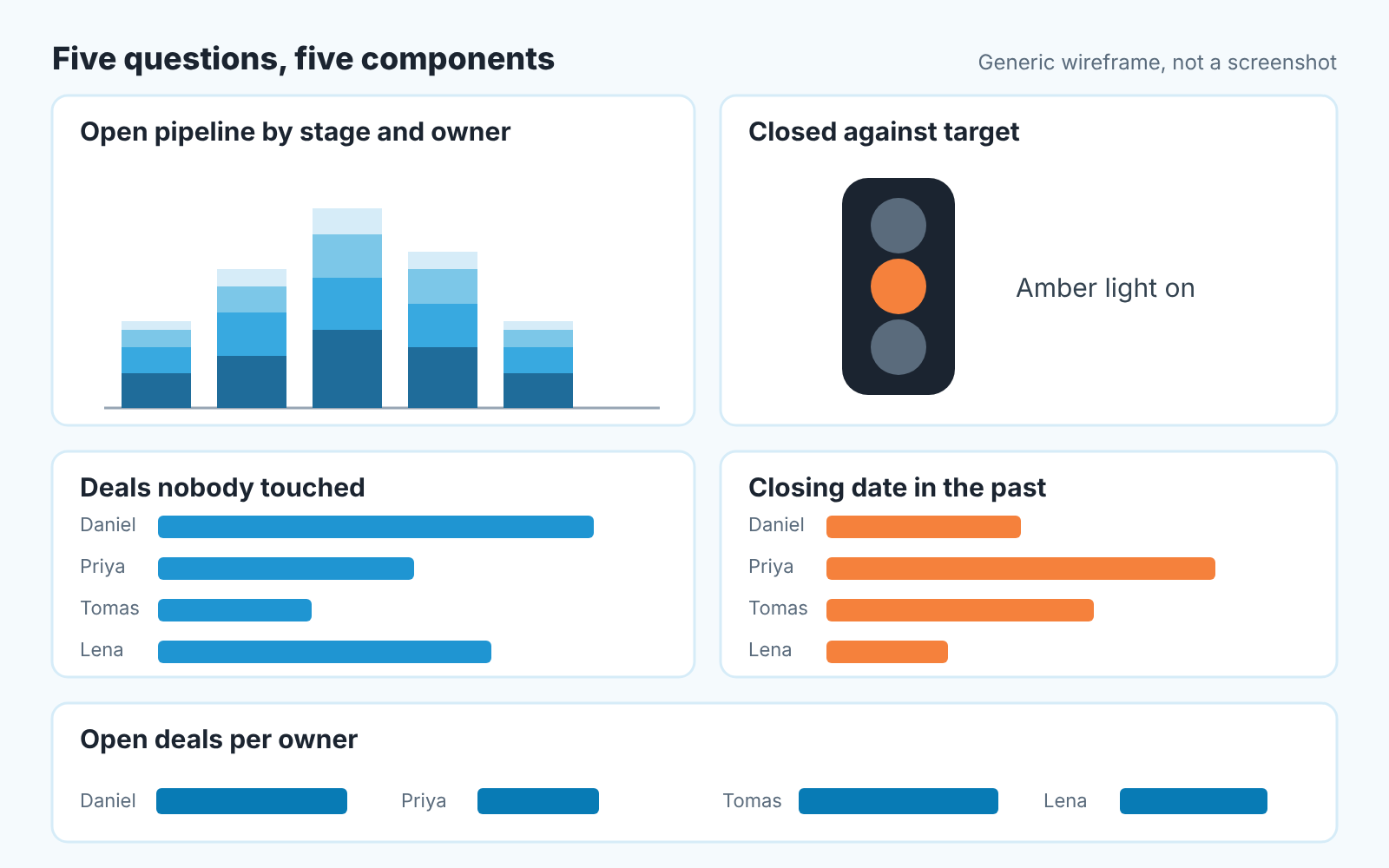
- Open pipeline by stage and owner. A chart on the Deals module: Sum of Amount, grouped by Stage, with Deal Owner as the second grouping field.
- Deals nobody touched. A chart counting open deals whose Last Activity Time is older than two weeks, grouped by Deal Owner.
- Closing dates in the past. A chart of open deals with Closing Date before today, Sum of Amount, grouped by Deal Owner.
- Closed against target. A Target Meter on Closed Won amount for the period, Traffic Lights style.
- Open deals per owner. A chart counting open deals, grouped by Deal Owner, no amount.
A component that doesn’t map to one of those questions can wait until you have an hour to spare. Which is never.
Build the Zoho CRM dashboard, starting with pipeline by stage and owner
Open the Analytics tab, click Create Dashboard, name it, then use Add Component for each piece (Zoho CRM help: Creating Dashboards). Four of our five components are Charts and one is a Target Meter.
The first is a Chart on the Deals module. In the chart settings, Measure (Y-axis) is Sum of Amount; for Grouping, pick Stage, then add Deal Owner as the second grouping field, so every stage shows a slice per rep (Zoho CRM help: Creating Charts). Criteria filter: Stage isn’t Closed Won and isn’t Closed Lost. That filter is the one most inherited dashboards forget, which is why “Pipeline Value” always goes up.
Read it top to bottom first. Fat at Qualification and thin at Negotiation means the Monday conversation is about movement. Then read across: if one rep owns most of the late-stage money, your forecast is one person’s calendar.
One limit to plan around. Each component can expose at most two component filter fields for viewers to change, and dashboard-level filters work only on user, date, date-time and picklist fields (Creating Dashboards page). So keep the stage criteria inside each component and add Deal Owner as a dashboard filter. In a one-to-one, pick a name and all five components narrow to that rep.
While you are here, add component five, the small one: a Chart counting open deals, grouped by Deal Owner, no amount at all. It answers the load question. One rep with sixty open deals and another with nine is usually a routing problem rather than a performance gap, and no revenue chart will show it, because the sixty are mostly dead and the nine are mostly real. The dashboard is for the manager; the person who owns existing customers needs their own account manager weekly routine in Zoho CRM.
Deals nobody touched, and dates that already passed
These two are the reason the dashboard exists. Revenue tells you what happened; these tell you what is about to not happen.
Component two is a Chart on Deals, counting records, grouped by Deal Owner, with two criteria: Stage isn’t Closed Won or Closed Lost, and Last Activity Time is before fourteen days ago. Fourteen is our number, not Zoho’s. Pick yours, and resist making it thirty. A deal with no call, email or task logged against it in a month has usually stopped being a deal.
Component three is the same shape with a different date: Closing Date is before today, open stages only, Sum of Amount by Deal Owner. Every bar on this chart is a date a rep chose and then didn’t update. We read it as a list of conversations, not a list of failures. “You said the 30th. What changed?” is a fair Monday question, and the rep usually already knows the answer.
Both charts can mislead, and you should know how before you trust them. Last Activity Time moves when an activity is logged, and in practice also when someone edits a field on the deal; Zoho has said it has no immediate plans to change that (Zoho community: Last Activity Time acting like Last Modified Time). So the rep who logs every voicemail looks busy, and so does the one who tidies fields. The rep who works from their inbox looks absent on nine deals, two of which close this week.
Treat the first few Mondays as a logging audit. When someone says “that one isn’t quiet, I spoke to them Thursday,” the answer is “log it and it falls off the list.” Our note on CRM data quality metrics covers the fields we would check before believing either chart.
Closed against target, and the one chart to skip
Component four is a Target Meter. Add Component, choose Target Meter, pick a style: Zoho offers Dial Gauge, Bar, Multiple Bar and Traffic Lights (Zoho CRM help: Target Meter). We use Traffic Lights because a manager glancing at a dashboard wants a colour, not a needle. Target metric is Sum of Amount on Deals, criteria Stage is Closed Won, duration set to the period you’re measured on. The criteria filter takes up to 10 criteria; if you need more than three, your target is probably several targets.
Now the chart to skip. Delete the “Pipeline Value” KPI, or whatever yours is called. A single number for total open pipeline rewards the wrong behaviour: it rises when a rep adds a deal, real or not, and it never falls on its own. Component one already shows the same money with the context that makes it mean something. The pie of deals by lead source can go too; it belongs in a marketing review, where someone can act on it. If a CRM dashboard still falls short, see when Zoho Analytics is worth adding.
Who sees what: Roles, Profiles, sharing
This is the part the “how to build a dashboard” guides leave out, and it is where the support questions live. One Zoho community post describes a dashboard by territory that works for administrators, “but since other users are only allowed to see THEIR own deals, for them the dashboard comes up with limited data” (Zoho community: dashboard shared to everyone). That’s not a bug. It is the data model working, and it makes the five components safe to share on day one.
Two settings decide what a user sees, and the dashboard is neither of them. The Profile decides whether someone can open the Analytics tab at all, while the Role places them in the hierarchy, and Zoho CRM’s default Private permission lets “the record owner and his/her manager” see a record; sharing rules can only “extend the additional data visibility”, never narrow it (Zoho CRM help: Data Sharing Rules).
So under the default a rep who opens your dashboard sees their own five components, built from their own deals. Their manager sees the team. You see everyone. Same dashboard, three pictures, no extra work. Field permissions apply too: a shared dashboard shows a field’s data only to users allowed to view that field (Creating Dashboards page).
The dashboard’s own share setting is a separate and shorter question:
| Share with | Who gets it | When we use it |
|---|---|---|
| Only me | You | The first two weeks, while the thresholds are wrong |
| All users | Every user in the org | Almost never. Reps do not need the manager’s load chart |
| Custom | Users, roles and subordinates, or groups you pick | The sales role and its subordinates, once the numbers are trusted |
Tick Lock this dashboard for shared users before you share. Locked dashboards can be changed only by you and the CRM admins, and shared users can still clone them to make thier own version (Creating Dashboards page). That’s the right split: the Monday dashboard is yours, their copy is theirs.
The data sharing page adds a line most people miss: the organisation-level data sharing model “is not yet implemented for Notes, Reports, and Dashboards modules.” You can’t write a sharing rule for a dashboard the way you would for Deals. The Share setting is the whole mechanism, so if a dashboard is reaching people it shouldn’t, look there and not in Data Sharing Settings. If you are still choosing a CRM, see Zoho CRM vs HubSpot for a sales manager.
Where a dashboard stops
Five components tell you what. They don’t tell you why.
Component three shows a closing date in the past. It doesn’t show that this is the fourth Friday in a row the date has moved; that history lives in in each deal’s own record, one deal at a time, and on a Monday you will open three of those records, not thirty. Component two says “no activity,” and the clock is crude: a logged voicemail, a logged signed order form and an edited field all reset it. Neither chart can read the next step and tell you that eleven deals say “follow up” and nothing else.
That hand-reading is the part we built a product for. We build SalesBond, a sales management layer on top of the CRM a team already uses, Zoho CRM included. Deal Health checks every open deal against more than 20 rules and flags the ones that stopped moving, and the Sales Dashboard shows the picture without anyone rebuilding five components. Check your CRM with SalesBond if you want that on Monday without the Analytics tab open in another window.
Either way, build the five. Our six numbers for a sales manager’s dashboard is the metric-level companion to this list, and what goes into the written report after the dashboard is in the weekly sales report: what to include and what to cut.
Daniel kept five of his twenty-four components and moved the rest to a dashboard called “Later”. Nobody has opened “Later” since.


