
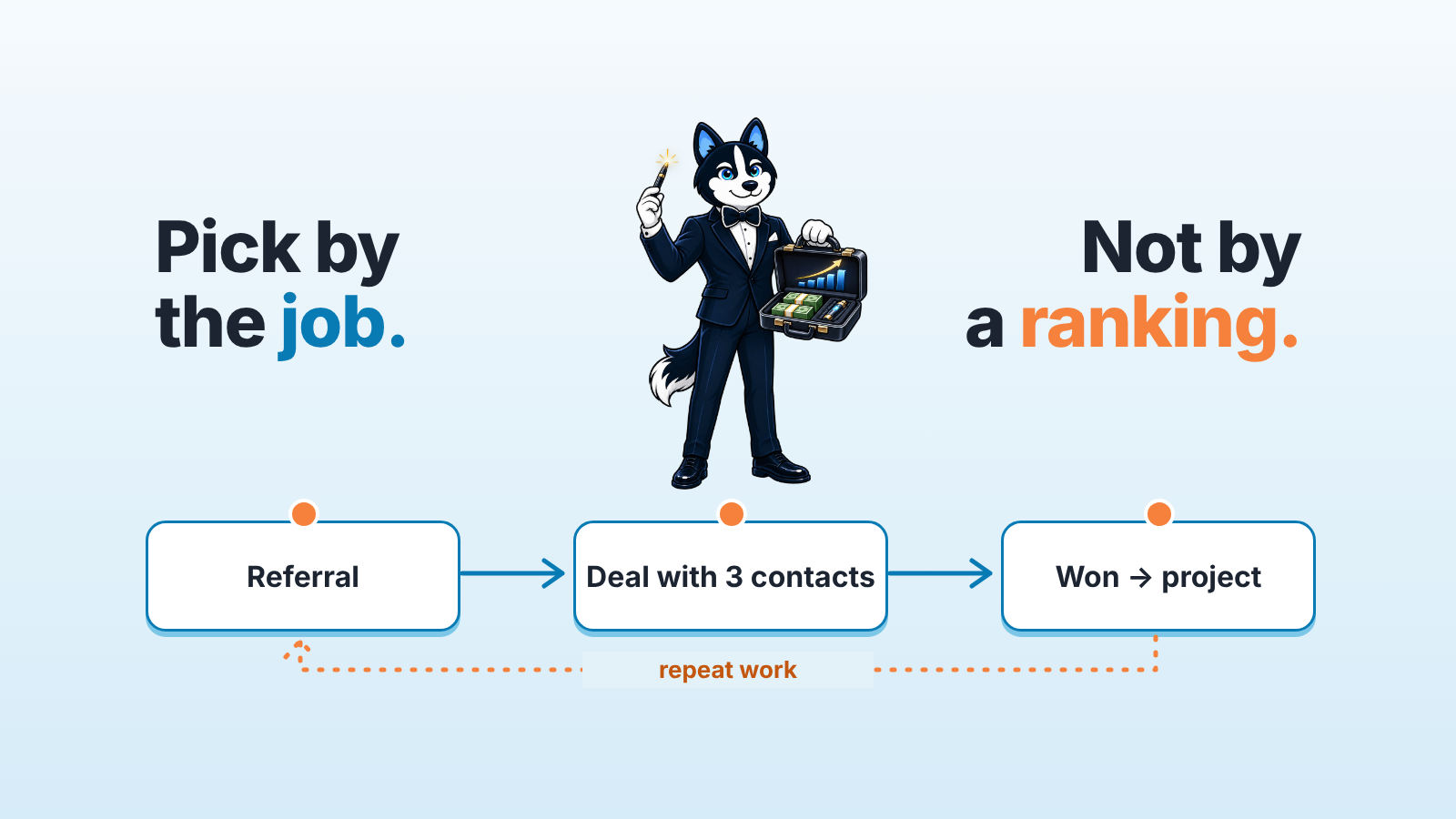
A CRM for a consulting firm tracks referrals, long deals with several contacts and repeat work, and hands won deals to delivery. Pick by the job you need done and by who owns the fields, whether you consult alone or run a firm with a sales team. Most comparison lists rank six to ten tools by place. We compare 13 CRMs, without ranking, on the three jobs that make consulting sales different, using only what each vendor’s own pages say.
If you consult alone, the free tiers of Zoho CRM (3 users) and HubSpot (two users and 1,000 contacts) cover you on user count, and Close’s paid Solo plan costs $9 per user/month billed annually, as the pages showed on 2026-11-07. A firm that wants a won deal to open a project in the same tool should start with Pipedrive Projects and Copper. Copper is also the only vendor here whose page names consulting firms and asks for a referral after a project.
Compared by job: what each vendor says on its own page
Every cell in the table that follows is a fact from the vendor’s page, opened on 2026-11-07, with a link. “Not stated” means the page we opened does not say it; the product may still do it. Prices are quoted as the page shows them on that date; check the page before you budget. The order is alphabetical.
| CRM | Several contacts in one deal | Won deal to project | Referrals and repeat work | Price or plan facts on the page |
|---|---|---|---|---|
| Copper | Not stated | “Kick off a new project directly from a closed opportunity”; “Duplicate your closed deals into a project to handle service delivery” (copper.com) | “Create repeat business” section; “Once a project wraps up, automatically send a follow-up email to request a review or referral”; named fits include “agencies, consulting firms, construction companies” (copper.com) | Basic $29, Professional $69, Business $134 per seat, per month (copper.com/pricing); billed annually $23, $59 and $99 (copper.com) |
| HubSpot | Help page example: “you associate the deal to the three contact records and their company record” (knowledge.hubspot.com: Associate records) | Not stated | Not stated | Free CRM “With up to two users, 1,000 contacts” (hubspot.com/products/crm) |
| monday CRM | Not stated | Described as a CRM “that puts marketing, sales, and delivery on one platform” (monday.com/crm) | Not stated | Basic $12 and Standard $17 per seat/month billed yearly ($18 and $25 monthly) (monday.com/crm/pricing) |
| Nutshell | Not stated | “Create, send, track, and get signatures on quotes, invoices and contracts in your CRM” (nutshell.com) | Not stated | Plans at $13, $25, $42 and $59 per user, per month, less with annual billing; 14-day free trial (nutshell.com/pricing) |
| Pipedrive | Deal participants: “To add a participant, open a deal, go to the participants section in the deal detail view sidebar” (support.pipedrive.com: Participants) | Projects: “Run delivery from the same platform you used to close the deal”; “The minute you close a deal, Pipedrive can use deal context to auto-populate your project brief”; tasks, milestones, task dependencies (pipedrive.com/features/projects) | Not stated | Not shown here; check Pipedrive’s pricing page directly |
The other eight CRMs we compared say nothing about these three jobs on the pages we read, so here are only their plan facts.
- Attio: free plan “Up to 3 seats”; Plus $35 per user/month billed annually ($44 monthly), “Up to 10 seats”; Pro $79 billed annually ($99 monthly) (attio.com/pricing).
- Close: Solo $9, Essentials $35, Growth $99, Scale $139 per user/month billed annually (monthly: $19, $49, $109, $149); Solo is “for founders and solo reps”, Essentials “adds pipelines and team-level visibility” (close.com/pricing).
- Freshsales: Growth $9, Pro $39, Enterprise $59 per user/month billed annually (freshworks.com/crm/pricing); 21-day free trial, “No credit card required” (freshworks.com/crm/sales).
- Kommo (amoCRM): channels listed include WhatsApp, Instagram, TikTok and Facebook Messenger; “6, 9, 12, or 24 month subscriptions paid in USD, with prices per user” (kommo.com).
- Microsoft Dynamics 365 Sales: Sales Professional $65, Sales Enterprise $105, Sales Premium $150 per user/month, paid yearly; AI opportunity summaries and recommended actions marked “Available in Dynamics 365 Sales Premium” (microsoft.com).
- Salesforce: “Starter Suite costs $25 USD per user, per month”; free 30-day trial of Starter Suite “for up to 10 users” (salesforce.com/sales/pricing).
- Zendesk Sell: Sell Team $19/month, Sell Growth $55/month, Sell Professional $115/month, Sell Enterprise $169/month as listed; the page does not say whether that is per user or how it is billed (zendesk.com/sell).
- Zoho CRM: “Forever free, for 3 users” (zoho.com/crm/pricing).
Bitrix24 and Insightly are left out of this comparison. If either is on your list, open its pricing and feature pages and look for the three jobs above.
Two things stand out, and neither is a ranking.
First, the referral column is almost empty. Only Copper’s page talks about asking for a referral after a project, and nobody describes a “referred by” link on a deal. A custom lookup field does the job in most of these tools, but no vendor thinks it is worth putting on it’s home page, so you will build it yourself.
Second, the handoff column has two direct answers, Pipedrive Projects and Copper, plus Nutshell’s quotes and invoices and monday CRM’s “delivery” wording. For the other tools the project lives somewhere else, and the question becomes how the won deal gets there.
What a consulting sales process asks of a CRM
Take a firm with six partners and one person who does sales full time. Their typical deal: a partner meets a CFO at a client’s board meeting, the CFO introduces the COO, procurement joins at the proposal stage, and teh deal closes four months later. A year on, the same COO calls about a second engagement.
Three things in that story break a plain pipeline.
The referral. In most CRMs “lead source” is a dropdown with “Referral” as one value. That tells you nothing about who referred. The field you need is a link from the deal to the person or organization that made the introduction. Without it, you cannot answer the only referral question that matters: which five former clients send you work, and when did you last talk to them.
The contacts. A consulting deal has a sponsor, an economic buyer, a procurement contact and sometimes a champion who used to work at a previous client. A deal record that links to one contact loses three of them. CRM vendors call the fix different things (participants in Pipedrive, associations in HubSpot, contact roles elsewhere), and some say nothing about it on the pages we opened.
The repeat sale. The second engagement is the cheapest deal the firm will ever close, and it is the one most likely to be missed, because nobody owns “call the COO in month nine”. A CRM can only help here if won deals stay attached to the client organization and someone can list clients by last won date. Choosing a CRM around a job like this one is the method in how to pick a CRM by the sales job you need done.
CRM for consultants: solo practice vs a firm with several sellers
A solo consultant needs one pipeline, a contact list that remembers who introduced whom, and a reminder nine months after each project. That is it. On user count alone, the free tiers cover a solo practice: Zoho CRM “for 3 users”, HubSpot “up to two users, 1,000 contacts”, Attio “Up to 3 seats”. Close prices its Solo plan for exactly this person, “founders and solo reps”, at $9 per user/month billed annually. We would not pay for project features here; a solo consultant is the project team, and a task list in the CRM is enough.
A firm with five to fifteen sellers has a different problem: the fields stop being filled in. Partner A logs the referral, partner B does not. The sponsor is on the deal, procurement is not, and the forecast says the deal closes next month because nobody looked. Here the CRM choice matters less than two decisions the firm makes before the trial.
Who owns the deal when a partner brings it in and a seller works it. One owner per deal, written down.
Which fields are required at the proposal stage. We think three is enough: referred by, economic buyer, expected start date. More than that and the partners stop filling them.
If you have five sellers and are choosing from scratch, how to choose a CRM for a sales team of five walks through the trial itself, and free CRM for a small sales team, compared by plan limits has the user and contact limits side by side. For other industries in this series, start from CRM software picked by business type.
Where the CRM stops and project tools start
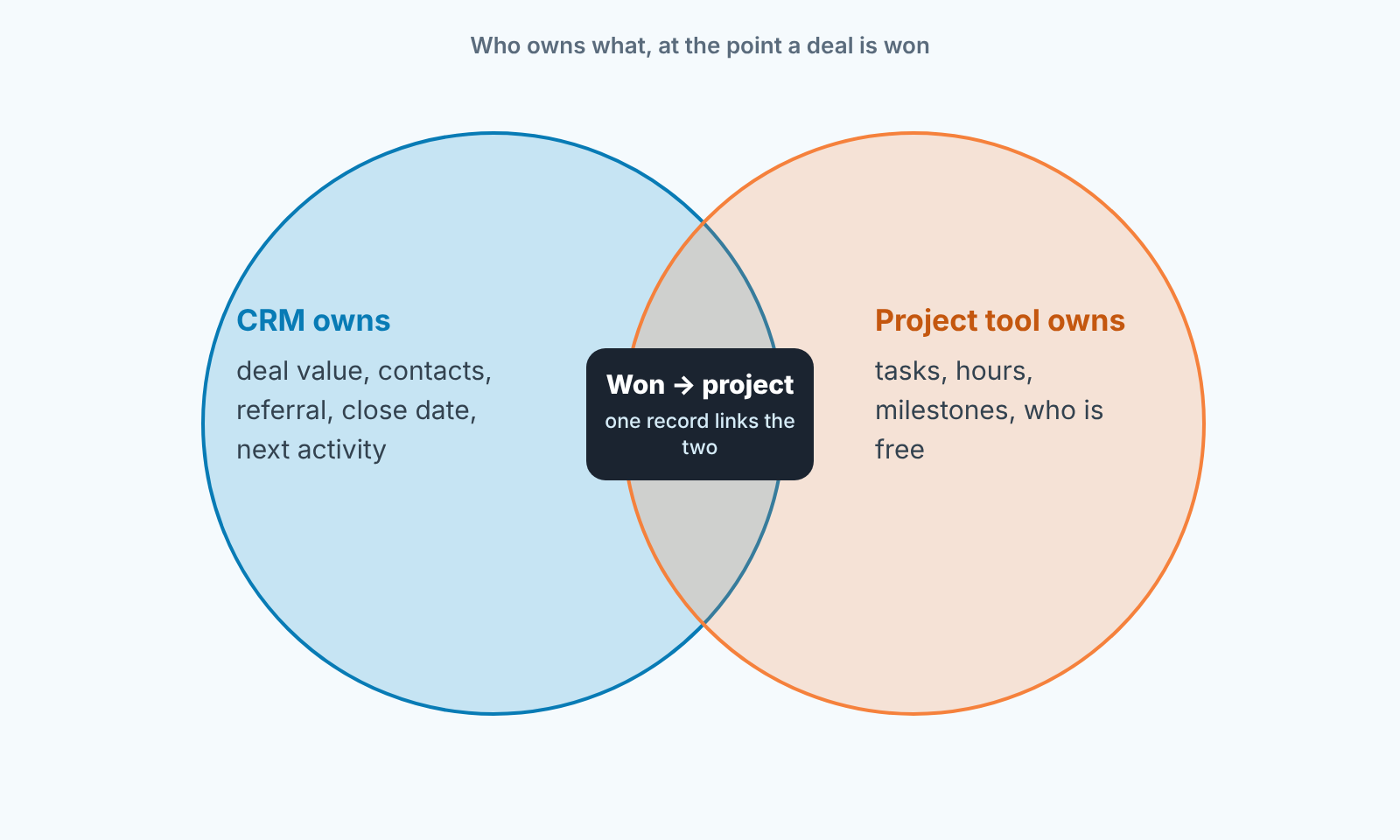
Keep value, contacts, the referral, the close date and the next activity in the CRM, and hand tasks, hours, milestones and staffing for March to the project tool once the deal is won. Consulting firms get into trouble when one system holds both. A pipeline that has a stage called “In delivery” is a CRM trying to be a project tool, and it fails quietly. The deal sits in that stage for a year and the forecast counts it forever.
The handoff should be one event. The deal goes to Won, and a project record appears with the client, the value and the sponsor already on it. Pipedrive’s Projects page and Copper’s home page both describe that event in their own words. In tools that say nothing about it, the same thing is done with an automation or a Zap, and that is fine. What matters is that the deal is closed in the CRM on the day the project starts, well before the invoice is paid.
One more rule we hold to. The project tool never writes back into the deal. Hours over budget are a delivery problem and belong in the the project tool. The CRM only needs to know that the project ended, because that date starts the clock on the repeat sale. Agencies blur this line with retainers; we covered them separately in best agency CRM for marketing and creative agencies and in CRM for agencies: pipeline, retainers and projects.
Three questions before you choose
Ask the vendor, or test in the trial, before you look at price.
Can a deal link to more than one contact, and can I report on deals by that contact’s role? If the answer is “add them in the notes”, the sponsor and the economic buyer will be one name within a month.
Can a deal link to the person who referred it, and can I list won deals by referrer? A dropdown with “Referral” in it is not a yes.
When a deal goes to Won, what happens? If the answer is “nothing”, you will be building the handoff yourself. The tool can stay on the shortlist; that work is a cost, and it goes on the same line as the licence.
Run those three in the trial with a real deal from last quarter, contacts and all. Twenty minutes per tool. The broader checklist for that trial is in CRM tools for a sales team, compared by job, and the four-week rollout after you pick is in a CRM implementation plan for a small sales team.
After you pick: a check layer on top of the CRM
A disclosure, since this is where our own work meets the topic. We build SalesBond, a sales management layer on top of the CRM a team already uses; it is not a CRM and nothing moves out of yours. It works with every CRM compared on this page, and with Bitrix24 and Insightly too.
For a consulting firm the useful part is the free CRM audit. SalesBond reads the last 30 days of the connected CRM and sends a PDF: money at risk, a CRM score, the top findings, deal health, the pipeline bottleneck, repeat customers, the top-10 clients and up to five things to fix. Seven days later a second PDF shows what changed. A four-contact deal with one contact on it, a deal parked in “In delivery” for a year, a client whose second engagement is late: that report is built to surface this kind of problem.
Inside the product, Deal Health runs more than 20 rules against each deal and gives it a score from 0 to 100, and Sales GPS turns the findings into a priority list, with the reason behind each item. The decisions stay with the partner.
Check your CRM with SalesBond if you want the 30-day report before you change anything.
FAQ
Is a consulting CRM a different product from a regular sales CRM?
Usually not. On the pages we opened, only Copper names consulting firms as a target segment. The others are general sales CRMs that fit consulting and other professional services firms once three fields exist: referred by, deal contacts with roles, and a link from the won deal to the project.
Which CRM is best for a solo consultant?
We do not rank. On user count alone, the free tiers of Zoho CRM (3 users), HubSpot (2 users and 1,000 contacts) and Attio (3 seats), as their pricing pages showed on 2026-11-07, cover a solo practice, and Close prices its Solo plan for “founders and solo reps”. Pick the one whose contact record you can live in every day.
Do I need the project features in the CRM?
Only if your delivery team will use the CRM. If they live in another tool, buy the handoff (deal to project) and leave the project features alone.
How do I track referrals in a CRM that has no referral field?
Add a lookup field on the deal that points to a contact or organization, name it “Referred by”, and make it required at the proposal stage. Then build one report: won deals grouped by that field, last twelve months.
Where does the repeat sale live?
On the client organization, next to its earlier deals. Keep won deals attached to the organization and sort organizations by last won date. The ones past their usual interval are your call list.
Start with SalesBond when you want that call list built from the CRM you already have: https://app.salesbond.app/auth/signup.


