
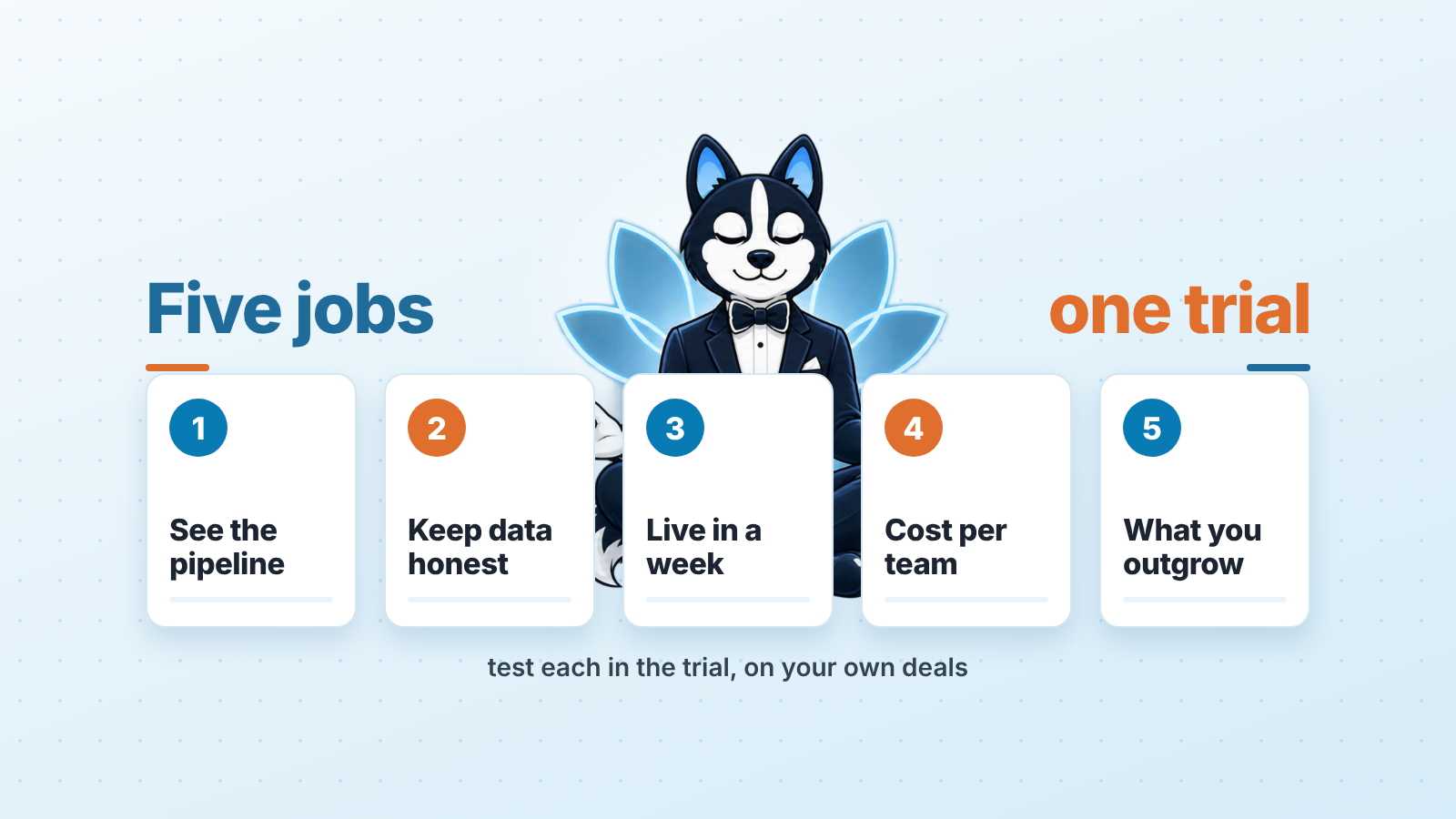
The best CRM is the one where a sales manager opens the pipeline and, within five minutes, sees the forecast for the month and the deals that have stopped moving. For a small team that is usually a light CRM with a few clear stages. For a team that is growing it is one with roles, required fields and reports a manager can trust without asking. Pick it by the five jobs below and test each one in the trial with your own deals loaded, and leave aside the vendor’s demo data.
We build SalesBond, a sales management layer on top of the CRM a team already uses, so we spend our days inside other people’s CRMs. What follows is the checklist we use when a manager asks us “which one”. It is not a ranking. If you want a view by the kind of company you run, that lives in our best CRM by type of business article. This one is about the manager’s job, whatever the business.
Quick answer: the five jobs and the CRM plans that carry them
Every CRM on the market will tell you it does all five. The trial is where you find out which ones it does without an admin, a consultant and three extra fields.
| Job for the sales manager | What to test in the trial (on your own deals) | Where we found it (plan, as of 7 November 2026) |
|---|---|---|
| 1. See the pipeline and a forecast without asking reps | Load 20 real deals. Open the pipeline. Can you see value per stage, expected close dates and a forecast for the month on the plan you will actually buy? | Forecast: Pipedrive Professional and higher; HubSpot Sales Hub Professional or Enterprise; Salesforce Pro Suite; Zoho CRM Standard |
| 2. Keep reps’ data honest | Move a deal to “Proposal sent” with an empty amount. Does the CRM stop you, flag it, or say nothing? | Blocks: HubSpot conditional stage properties marked Required. Flags: Pipedrive important fields, Advanced and higher |
| 3. Get the team running in a week | Import a spreadsheet of contacts and deals, connect one mailbox, install the phone app. Count the hours. | Free tiers to run the test: HubSpot free tools; Zoho CRM free edition, 3 users |
| 4. Know what it costs for the whole team | Multiply the per-seat price by every person who will log in, on the billing term the price assumes, plus the features that sit one tier higher | Any CRM. Check the term: Salesforce Starter Suite is billed monthly or annually, Pro Suite annually |
| 5. Know what you will outgrow | Look for roles, automation, API access and an export of all objects on the plan you buy | Limits to read: HubSpot custom pipelines by tier; Zoho CRM free edition API calls per day |
Two words we use all the way through. A light CRM is one a manager can set up alone in a few days, with a handful of stages and not much to configure. A suite is the bigger kind, with roles, automation and add-ons, and it usually wants an admin.
How we compared, and what we left out
We did not score vendors. We read the official pricing and help pages for Pipedrive, HubSpot, Salesforce and Zoho CRM on 7 November 2026 and wrote down what each one says about the five jobs. Where a page would not open for us without a login or a bot check, or would not show its numbers to us, we say so and leave the number out. Prices change, and the links are there so you can check on the day you decide.
What we did not evaluate: marketing automation, support ticketing, telephony quality, AI assistants, the mobile apps beyond “does it exist and does the pipeline open”. Those matter, but they are not what a sales manager is buying a CRM for first. We also did not open any review sites. A rating built from reviews tells you how happy the reviewers were. It does not tell you whether the forecast report is on the the plan you can afford.
One more exclusion: this is not a shortlist with prices for teams of one to twenty. That already exists as our best CRM for small business shortlist, with free-plan limits and starting prices in one table. Here we only show how to check cost for your own team.
Job 1: see the pipeline and a forecast without asking reps
Open the trial, import twenty real deals, and do not touch anything else until you can answer three questions from the screen alone. How much is open in each stage? What is expected to close this month? Which deals have no next step? If any of the three needs a rep to explain it, the CRM has already failed the job it exists for.
The part that catches managers is the plan. Seeing deals in stages is the easy bit. The forecast is where the tier starts to matter.
In Pipedrive, the forecast view “is only available on our Professional and higher plans”. It projects revenue by each deal’s expected close date, and if you have customised deal or stage probabilities, the weighted value shows up in the view as well (Pipedrive: the forecast view). That has a practical consequence: the forecast is only as good as the close dates reps keep, which is why job 2 exists.
In HubSpot, the forecast tool comes with Sales Hub Professional or Enterprise. By default it uses deal stages to forecast revenue from a deal’s likelihood to close, and each person who opens it needs an assigned Sales seat plus Forecast permissions (HubSpot: use the forecast tool). So a team on Sales Hub Starter can see its pipeline but not that report.
In Salesforce, the pricing page lists “Sales Quoting and Forecasting” under Pro Suite at $100 per user per month, billed annually; the Starter Suite at $25 does not list it (Salesforce Sales Cloud pricing, checked 7 November 2026). In Zoho CRM, “Sales forecasting” appears in the Standard edition column, one step above the free edition (Zoho CRM pricing, checked 7 November 2026).
What to decide from this: write down the plan where the forecast lives, and run the whole trial on that plan. A trial on the top tier tells you nothing about the plan you will pay for.
If the forecast you need is two tiers up and you cannot justify it yet, there is a second option: a layer that reads the CRM and builds the report outside it. That is part of what SalesBond’s free CRM audit does. It reads the last 30 days of the connected CRM and sends a PDF with the pipeline bottleneck, deal health and money at risk, then a second PDF seven days later with what changed. SalesBond works with Pipedrive, HubSpot, Salesforce, Zoho CRM, Microsoft Dynamics 365, Freshsales, Close, monday CRM, Copper, Zendesk Sell, Nutshell, Insightly, Attio, Bitrix24 and Kommo (amoCRM). Check your CRM with SalesBond before you decide which plan you need. The report shows what your current data can and cannot support.
Job 2: keep reps’ data honest
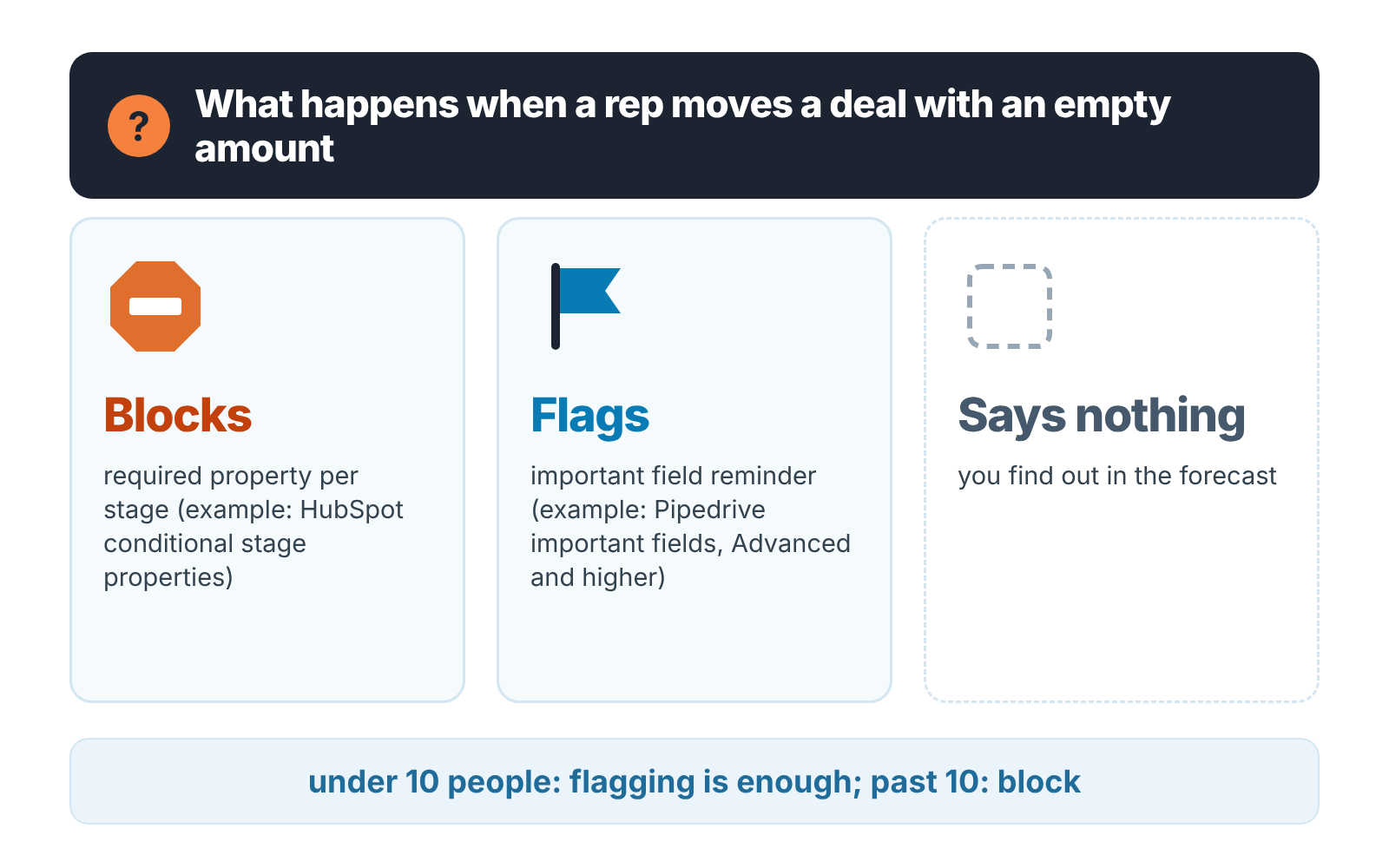
Here is the test. Take a deal in the trial, leave the amount empty and the close date blank, and drag it to the stage you would call “Proposal sent”. Then watch what the CRM does.
There are three possible answers. It blocks the move until the field is filled. It lets the move through and flags the deal. It says nothing. Each one is a different management style, and you should know which one you are buying.
HubSpot can do the first. Its pipelines help page lists conditional stage properties without a paid tier: you choose properties that appear when a record is moved to a stage, and once you tick Required, “users cannot create or update the record until they set a value for it”. Cloning a pipeline that carries those settings needs Professional or Enterprise (HubSpot: set up and customize pipelines). Professional and Enterprise also get pipeline rules: set the stages where new records can be created, stop deals from skipping stages, stop them moving backwards. A deal approval process needs Enterprise (HubSpot: set up pipeline rules).
Pipedrive’s important fields take the second route. You mark a field as important for chosen pipelines and stages, and if a deal “progresses into a further stage without having any value, you will have a visual reminder to acquire that information”. It flags; it does not block. The feature “is only available on Advanced and higher plans” (Pipedrive: important fields).
We have an opinion here. For a team under ten, flagging is enough, because the manager sees every deal every week anyway and a flag is faster to read than a blocked rep is to unblock. Past ten people blocking wins, because the manager stops seeing every deal and the report has to be right without them. Choose the style first, then check which plan carries it.
The second half of this job is activity. Whatever CRM you test, find the view that shows deals with no scheduled next activity. If it takes a custom filter, build it during the trial and see whether reps can be shown it in one click. A deal with no next step is the earliest signal you have that it is slipping. The CRMs that make that signal hard to see are the ones where managers end up asking reps instead.
Job 3: get the team running in a week
The job in the first week is to have every rep working in the CRM before they decide it is optional.
Three things eat the first week, so test all three in the trial with the clock running.
Start with the import. Export your current contacts and deals to a spreadsheet, pull them into the trial, and note how many columns needed renaming and whether deals landed in teh right stages.
Then connect one rep’s mailbox and send a real email to a real contact. You are watching for one thing: does it log against the deal without the rep doing anything extra?
Last, the phone. Put the mobile app on one rep’s phone and open the pipeline from the car park. If the rep cannot add an activity there, the CRM will be updated on Friday afternoon from memory.
None of this needs a particular vendor. It needs you to time it. A light CRM should get a five-person team through all three in a day. A suite can take the week, and that is fine if someone is paid to administer it. It is a problem if that someone is you.
You can run this week without paying. HubSpot has a Free tools tier, and its pipelines help page notes that Free tools get no custom pipelines, so you test on the default one (HubSpot: set up and customize pipelines). Zoho CRM’s free edition is “forever free, for 3 users” (Zoho CRM pricing). A manager and a rep is all the week-one test needs before anyone signs.
If you want the week planned out hour by hour, we wrote the four-week CRM implementation plan for a small sales team. Job 3 is its first week.
Job 4: what it costs for the whole team
The per-seat price on the pricing page is the smallest number you will pay. Do this arithmetic before the trial ends, on paper, for your own headcount.
Start with seats. Count every person who will log in: reps, the manager, the owner who wants to look at the the dashboard on Sunday, the assistant who enters leads. That is the number you multiply by, and it is almost never the number of reps.
Then the billing term. Salesforce lists the Starter Suite at $25 per user per month “billed monthly or annually” and the Pro Suite at $100 “billed annually” (Salesforce Sales Cloud pricing, checked November 2026). “Billed annually” means the monthly number is a twelfth of an invoice you pay up front. The page itself says it “is provided for information purposes only and subject to change”.
Then the tier gap. Go back to job 1 and job 2 and write down which plan carries the forecast and the required fields. That is the plan you price. In our experience the gap between the entry plan and the plan a manager needs is where CRM budgets go wrong.
Then the add-ons. Salesforce lists “Web Services API” as “Additional $25 USD/user/month” under integrations on the same page (checked November 2026); which editions include it is not clear from the table, so ask before you assume. If any tool you rely on connects by API, that line belongs in the total.
We could not read two pages the way we wanted for this section. Pipedrive’s pricing page answered with an access check, and we do not work around those. HubSpot’s pricing page loads its numbers in the browser, and the copy we fetched did not show them, so we left HubSpot’s prices out too. Open both yourself and run the same four steps.
Our small business shortlist has the free-plan limits and starting prices side by side if you want a table. Here the point is the method: seats, term, the tier a manager needs, add-ons. Four lines, then the trial.
Job 5: what you will outgrow
A CRM that fits five people can be the wrong CRM for twelve, and the switch costs more than the subscription ever did. Before you sign, look at the plan you are buying for four things you do not need yet.
Roles and visibility. Can you give a rep access to their own deals only, and a manager access to the team’s? HubSpot’s forecast already works this way: with Forecast view permissions set to Team only, a user sees their own goals and forecast in the team forecast, not their teammates’ (HubSpot: use the forecast tool). If roles only appear two tiers up, that is a future price increase you have just signed up for.
Automation. Skip the question “does it have workflows”. Ask whether you can make the CRM create a follow-up task when a deal sits in Proposal for seven days, then build that one rule in the trial. If it needs a consultant, note that.
API and export. The day you leave, you will want every object out, deals and activities included, and the contacts are the easy part. Zoho CRM’s free edition lists “5000 API calls/day” (Zoho CRM pricing). Salesforce prices the Web Services API as an add-on, as noted above. Find the equivalent line for the CRM you are testing, and find the export button, before you need either.
Pipelines. On seat-based pricing, HubSpot caps custom pipelines at 15 on Starter, 100 on Professional and 350 on Enterprise; accounts on its Flexible Seats & Credits pricing get 350 from Professional up (HubSpot: set up and customize pipelines). Fifteen is plenty for a sales team. It stops being plenty when marketing, onboarding and renewals each want thier own board in the same account.
Our rule of thumb, and you can disagree with the reason: if you are confident the team stays under ten people for two years, buy the light CRM and put the saved money into getting it used. If you expect a second team, a second product or a second country within a year, buy the suite on the lowest plan that has roles, and accept a slower first week. The more expensive mistake is picking the light one and then bolting on six tools to make it behave like a suite.
Where to go next
Once you know which of the five jobs matters most the next read depends on your situation.
If you choose by the kind of company you run, start with best CRM by type of business: small team, real estate, agency, enterprise. If you are under twenty people and want prices in one table, the small business shortlist is that table. If your sales are in one industry with its own cycle, there is a series that applies the same five jobs to it, starting with real estate agents and brokers and startups.
Narrowed it to two? Our Pipedrive vs HubSpot checklist for sales managers runs the same trial questions side by side. For a manager’s tour of the four CRMs we write about most, there is one guide each: Pipedrive, HubSpot, Salesforce and Zoho CRM.
Still not sure a CRM will change anything? Read where CRM benefits actually show up first. It is about fields, reports and habits, which is what the five jobs are about too.
And if you already run a CRM with a few months of deals in it, sign up for SalesBond and let the free audit show you money at risk, deal health and the pipeline bottleneck in the data you already have.
FAQ
Is there a single best CRM?
No. The CRM that is best for a sales manager is the one where the pipeline, the forecast and the stuck deals are visible on the plan the company can pay for. That changes with team size and with how much a manager wants the system to enforce. Test the five jobs above instead of reading a ranking.
Which CRM is best for a small sales team?
Usually a light one: a few stages, important or required fields, a phone app the reps will open. HubSpot’s free tools and Zoho CRM’s free edition, which runs 3 users, are enough to test the week-one job with a manager and one rep (Zoho CRM pricing). The full comparison for one to twenty people is in our small business shortlist.
Is a free CRM good enough?
Usually not for a manager, because the forecast sits on a paid tier in every CRM we read: Professional and higher in Pipedrive, Sales Hub Professional or Enterprise in HubSpot, Pro Suite in Salesforce, Standard in Zoho CRM (sources in job 1). For the import, mailbox and phone test, a free tier is fine. Use it to test, then price the tier that has the forecast.
What should I test first in a CRM trial?
Import twenty real deals and try to answer, from the screen alone, how much is open per stage, what closes this month and which deals have no next activity. That one exercise covers jobs 1 and 2 and takes under an hour.
How do I know what a CRM will cost for the whole team?
Seats times the per-seat price on the billing term the price assumes, on the tier that carries the forecast and required fields, plus any API or integration add-on. Do it on paper before the trial ends. The pricing pages we link show prices that depend on the billing term or the tier.


